Roofing Facebook Ads: How to Promote Roof Repairs After a Storm
On this page 8 sections
Key takeaways
- Use the Leads objective with a short Instant Form asking suburb, damage type and callback time
- Target only postcodes inside the confirmed storm damage area and exclude your service boundary
- Advertise inspections and temporary weatherproofing, not guaranteed insurance outcomes
- Meta is removing manual placement controls for Leads campaigns, so judge by lead quality not channel
- Follow up every Instant Form submission fast, storm demand is time-sensitive and competitive
After a major storm, homeowners are desperate for roof inspections and repairs right now. Facebook ads can reach them within hours of damagebut only if you're structured for speed, targeting the exact postcodes affected, and ready to follow up leads before your com petitor does. This guide walks through how to build a Meta Leads campaign that actually converts storm enquiries into inspections and jobs.
Why Facebook Ads Work for Storm-Damage Roofing
Demand is concentrated and time-limited
Storm damage creates a narrow window of urgent demand. Homeowners know they need a roof inspection within days, not weeks. Insurance claims need to start moving, temporary fixes matter, and they're searching or scrolling for a roofer right now. Facebook and Instagram let you reach them in that exact moment, in the exact postcodes affected, faster than SEO or word-of-mouth.
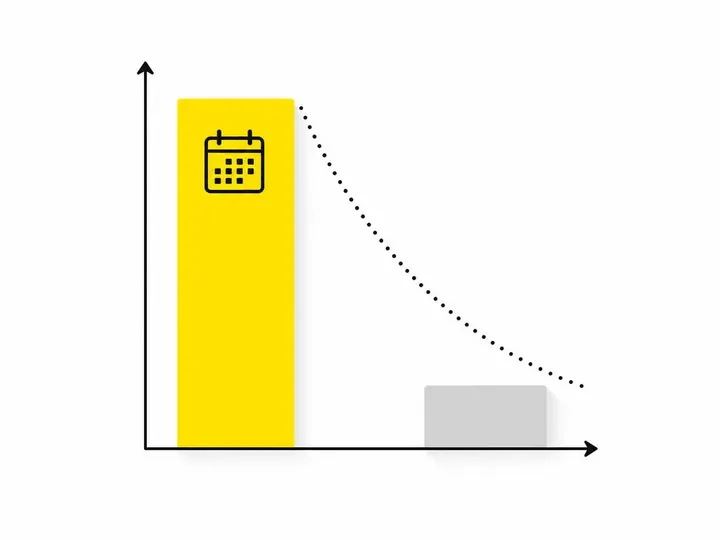
The challenge is that this demand is temporary. Once the initial damage assessment phase passes, lead volume drops sharply. That's why Meta ads for tradies focused on storm response need a different mindset than year-round branding campaigns. You're running a sprint, not a marathon.
What the November 2026 Queensland and New South Wales storm event shows
In mid-November 2026, severe storms across Queensland and New South Wales generated over 7,500 insurance claims in just seven days. The Insurance Council of Australia significant event declaration triggered widespread roof damage assessments. Homeowners in affected suburbs needed roofers immediately and many didn't know who to call.
The Australian Reinsurance Pool Corporation's Australian Reinsurance Pool Corporation cyclone claims analysis (November 2026) found that almost 3 in 10 paid residential cyclone claims had an excess at least as large as the insurer's eventual payment. That gap between excess and payout means homeowners often need to understand repair costs and temporary options fast and they look for that information on the platforms they're already using.
Setting Up Your Roofing Facebook Ads Campaign Structure
Choose the Leads objective and use an Instant Form
Use the Meta Leads objective, not Traffic or Conversions. Leads is designed to capture contact details without sending people off Facebook or Instagram to a landing page. After a storm, friction matters: a homeowner doesn't want to leave the app, fill out a web form and wait. They want to tap, fill a quick form in-app, and get a callback.
Instant Forms sit inside Meta and pre-populate with the user's saved email and phone number. This cuts submission friction dramatically and boosts lead volume. Following up Facebook lead ads quickly depends on volume, so Instant Forms are essential for storm campaigns.
What to put in your Instant Form
Keep it short. Meta's Advertising Standards prohibit certain sensitive data fields—so don't ask for insurance details, claim numbers, or financial information. Instead, ask:
Suburb or postcode (pre-fill a list of storm-affected areas)
Phone number (pre-filled from their Meta profile)
Type of damage (tick-box: roof leak, missing tiles, gutters, structural)
Preferred callback time (morning, afternoon, urgent)
That's it. The form takes 30 seconds and gives you enough to route a qualified lead to the right team member. Insurance and claim specifics can wait until your team calls.
Campaign structure: one storm area, one offer per ad set
Create one campaign per storm-affected postcode or suburb group. Build separate ad sets for each damage type or callback urgency level. This lets you pause or adjust spend by postcode as repair demand stabilises or shifts. If your team gets overwhelmed with leads from one suburb, you can dial back without affecting the others.
Targeting: How to Reach Homeowners in the Affected Area
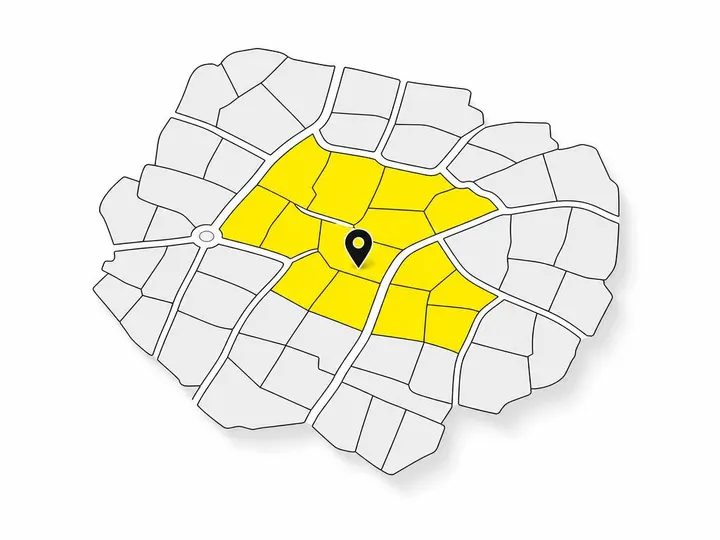
Build a postcode or suburb list around the storm path
Don't guess. Pull the official list of affected suburbs from the Insurance Council of Australia's declaration or your local council's emergency services page. Enter those postcodes into Meta's postcode or suburb targeting. Accuracy here saves money and improves lead quality.
If the storm path crossed multiple areas, consider splitting them into separate ad sets so you can measure cost per lead and performance independently. Storm damage often varies dramatically between suburbs just a few kilometres apart.
Exclude locations outside your service radius
Meta's default location targeting includes people who live in a postcode and people currently in that postcode. Add exclusions for areas you can't service within 24 hours. If you're based in Brisbane and storms hit the Gold Coast, you need a 1 to 1.5 hour response radius maximum anything beyond that and you're wasting budget on leads you can't action fast enough.
Interest and behaviour layers worth testing
After targeting by postcode, test adding interests like "home renovation", "home maintenance" and "property ownership" to see if lead quality improves. Some roofers also test "homeowners" and "people interested in insurance" behaviours. Keep these layers optional for storm campaigns postcode and damage type usually drive enough volume to keep testing minimal.
Ad Creative That Gets Roof Repair Enquiries
What to say in your headline and primary text
Lead with the problem, not your company. "Storm Damage Roof Inspection" or "Emergency Roof Leak Assessment" outperforms "Call [Your Business] Today". Add a specific call-to-action: "Get a Same-Day Inspection Quote" or "Free Temporary Weatherproofing Assessment". Homeowners are looking for action, not brand awareness.
Mention temporary protection if that's part of your offer. The ARPC data shows many homeowners face insurance excesses that rival final payouts so offering temporary weatherproofing, leak stops and tarpaulin work while the claim is assessed is a credible, actionable message.
Avoid guarantees about insurance approval or payout amounts. Meta's Advertising Standards prohibit misleading claims about financial outcomes. Use "help you understand your insurance claim" or "prepare your claim documents" instead of "get your insurance approved" or "insurance covers it".
Proof assets to prepare before storm season
Have these ready before November every year:
Before-and-after repair photos (roofs, gutters, water damage)
Customer testimonials or Google reviews mentioning fast response
Your professional qualifications (Cert III/IV, insurance coverage, licence number)
An emergency contact number and hours that actually answer after-hours calls
A clear privacy policy visible on your website or landing page
Homeowners trust ad creative that shows real work, not stock photos. Use customer photos if they've agreed; otherwise, licence-verified before-and-afters build more credibility than generic images.
What Meta's ad policies mean for storm-damage messaging
Meta's Advertising Standards require that storm-damage ads describe what you actually do (inspection, repair, temporary protection) and don't imply guaranteed outcomes (insurance approval, full payout). Be explicit: "We inspect damage and prepare your insurance claim" beats "We'll fix your insurance problems". Your Instant Form questions also can't breach these standards, so stick to contact details and damage type.
Placements: What Changed in Late 2026 and What It Means for Roofers
Meta is removing manual placement controls for Leads campaigns
As of November 2026, Meta is rolling out the removal of ad-set-level manual placement selection for Leads campaigns. You can no longer choose "Facebook feed only" or "Instagram Stories only" Meta will automatically deliver across Facebook, Instagram, Reels, Stories and other eligible placements based on where your audience is and where your ads perform best.
This shift matters for roofers because it means your storm-response ads might reach homeowners on Instagram Reels or Stories, not just the Facebook news feed. Those placements often have strong engagement for time-sensitive services. Rather than fighting it, use it.
How to judge performance without Facebook-only delivery
Since you can't manually select placements, focus on outcome metrics instead: cost per lead submitted, cost per qualified lead (someone who answered the phone), cost per booked inspection, and cost per completed repair. Compare these across campaigns and postcode groups, not by placement. Ad placement options on Meta will vary by audience, but your job is to track which campaigns and audience segments actually convert, regardless of where they were shown.
Following Up Leads Fast Enough to Win the Job
Route Instant Form submissions to your phone immediately
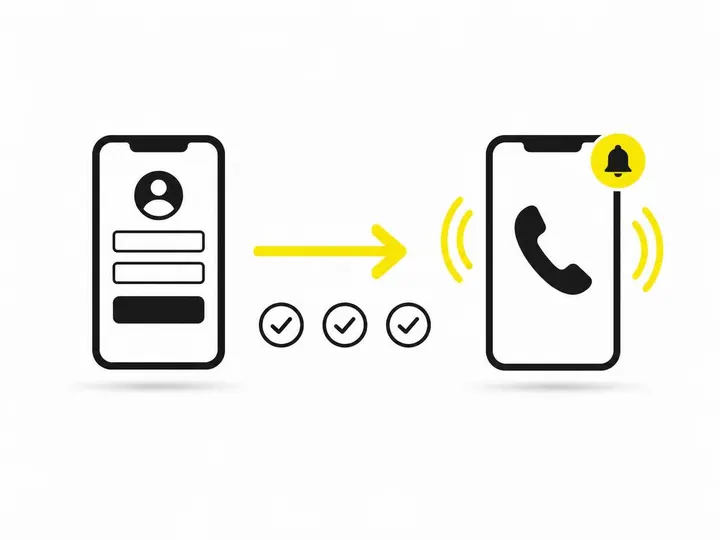
Set up an automated route from Meta's Instant Form to your CRM or a shared team inbox. Zapier, Make or your CRM's native Meta integration can handle this. When a lead submits the form, it should trigger an SMS or push notification to your phone or team device within seconds. If you call within 5 to 10 minutes, your answer rate is typically 60 to 70 per cent. Wait an hour and it drops to 20 to 30 per cent.
During storm season, assign one person or team to lead follow-up calls, not general answering service duties. Managing roofing leads in a CRM is standard, but during a storm window, your CRM needs to be live-updating, not a weekend data-entry task. Use a tool that pushes notifications to mobile devices in real-time.
Tracking which leads became inspections and completed repairs
Log every lead outcome in your CRM: called but no answer, interested but can't come today, booked inspection time, attended inspection, quoted, job completed. This data tells you which postcodes, ad creatives and audience groups actually convert to jobs. After the campaign, you'll see which sources gave you the best return and that feeds into next year's strategy.
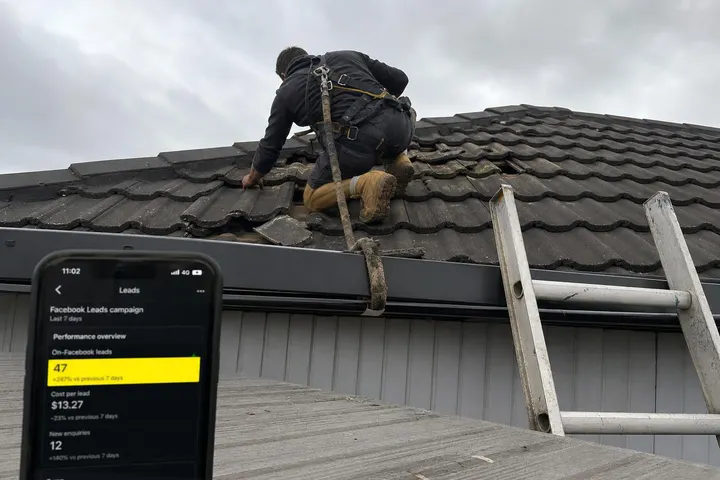
Compare this to the cost of the leads from Meta. If a postcode cost you $15 per lead but each lead became a $3,000 to $5,000 roof repair, your ad spend was valuable. If another postcode cost the same but only 1 in 10 leads turned into an inspection, reduce spend there or pause it.
Budgeting and Timing Your Storm-Response Campaign
How much to spend and when to switch it on
Don't wait for a storm to set up the campaign structure. Build it now, test it on a small budget ($100 to $200 per day) to make sure your Instant Form works, your CRM routing is live, and your team can handle calls. Once a storm is declared or your area is affected, scale up fast.
Most roofers spend $500 to $1,500 per day during the first 48 to 72 hours after a major storm, depending on team capacity. If you can handle 20 to 30 inspection callbacks per day, budget accordingly. If your team can only manage 10, don't spend so much that you're wasting leads you can't action.
When to pause or refresh creative as the storm window closes
After 7 to 10 days, lead volume usually drops sharply as the initial panic phase ends. At that point, monitor your metrics daily. If cost per lead starts rising or your answer rate drops, it often means the high-intent, urgent-demand phase is closing. Pause the campaign and shift budget to roofing marketing strategies that work year-round: local SEO, Google Local Services ads, or testimonial-focused content.
If you're still getting good volume at a reasonable cost per lead, keep it running but refresh the creative slightly. Change the headline or add a new before-and-after photo to avoid ad fatigue and keep relevance score high.
Conclusion
Roofing Facebook ads work best after a storm when you're structured for speed: postcode targeting, Instant Forms that take 30 seconds, automatic lead routing to your phone, and a team ready to call within 10 minutes. The Meta Leads objective with auto-placement delivery is the right choice, and the recent shift away from manual placement controls means you should trust Meta's algorithm to reach homeowners where they're actually scrolling whether that's the feed, Stories or Reels.
Prepare your creative, proof assets and CRM integration before storm season. When a declared event happens, switch campaigns on fast, monitor lead quality and outcome conversion closely, and pause when demand genuinely drops. The window is narrow but the revenue opportunity is real. Homeowners need roofers after a storm, and Facebook ads let you reach them in the postcode, at the moment, with the message they're searching for. That's the edge you need to win the job before someone else does.