CRM for Tradies Australia: How to Stop Losing Enquiries in 2026

On this page 8 sections
Key takeaways
- Scattered channels (SMS, calls, Messenger) are the top reason tradies lose leads
- Less than 30% of Australian micro-businesses use a dedicated CRM
- A CRM tracks every enquiry, quote, and follow-up in one mobile-friendly place
- Automated follow-up stops leads going cold after a few days
- Free and low-cost CRM options exist that suit sole traders and small crews
Most Australian tradies lose enquiries not because they're bad at their trade, but because they're using three different apps to manage one lead pipeline. A phone call comes in while you're on site, a Facebook message arrives while you're finishing a job, and an email quote request sits unread because you're checking your phone every ten minutes just to stay on top of things. By the time you get back to the office, the lead has already moved on to the next tradie who answered faster.
The solution isn't working harder or hiring an office manager. It's putting a CRM (customer relationship management system) in place that catches every enquiry, reminds you to follow up, and keeps track of where each lead came from. In 2026, the best CRM tools for Australian tradies are affordable, mobile-friendly, and built specifically for field-based work. This article walks you through why you're losing leads, what a tradie CRM actually does, and which tools are worth your time and money.
Why Tradies Keep Losing Enquiries (It Is Not Your Fault)
You're losing enquiries because your leads are scattered across too many channels and you don't have a system to catch them all. Every missed call, overlooked text, unanswered email, and forgotten Facebook message represents real money left on the table. The problem isn't laziness or forgetfulness. It's that tradies work alone or in tiny teams, spending most of the day on site where you can't monitor five different communication channels at once.
The scattered-channel problem
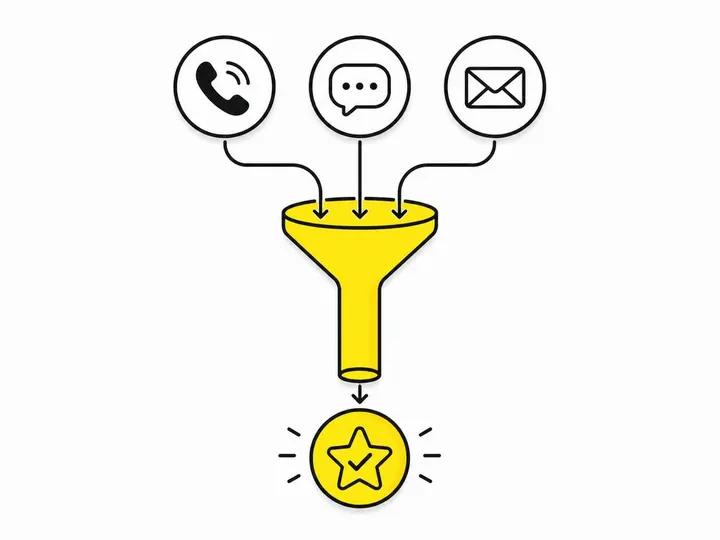
Most Australian tradies receive enquiries across phone calls, SMS, WhatsApp, Facebook Messenger, email, and sometimes Google Search or their own website. Each channel sits in a different app. A missed call alert goes to your phone, but by the time you call back, the customer has already booked someone else. A Facebook message sits in Messenger because you only check it once a week. An email quote request gets buried in your inbox. Without a unified inbox, you're essentially running a contact management relay race where the baton gets dropped constantly.
The worst part: you have no way to know which channel actually works best for your business. Tracking where your leads come from is impossible when they're all over the place. That means you might be wasting money on lead sources that don't convert while ignoring the ones that do.
Why manual follow-up always loses to a system
Even if you catch every enquiry, manual follow-up is the weakest link in your sales chain. Research across Australian small business shows that leads go cold within 24 to 48 hours if not followed up. As a tradie, you're focused on the job in your hands, not remembering to ring back Mrs. Johnson from Tuesday morning. You might promise yourself you'll text that bathroom quote back by Wednesday, but Thursday arrives and you've forgotten. By then, the customer has accepted another quote.
A CRM with automated missed call follow-up sends a text or SMS reminder automatically the moment you miss a call, reaching the lead within minutes instead of hours. That difference alone can lift your lead conversion rate by 15 to 25 percent because you're responding faster than your competitors.
What a CRM Actually Is (In Plain English)
A CRM is software that stores every interaction with every potential customer in one place, reminds you when to follow up, and automatically sends messages so nothing falls through the cracks.
Think of it as a notebook that never forgets, combined with an alarm clock that never lets you skip a follow-up call. The moment someone rings your mobile, texts you, or fills in a form on your website, their details and their enquiry are logged in the CRM. When you open the app (usually on your phone), you see exactly who you need to call back, when they contacted you, and what they asked for. If you set up automation, the system sends follow-up texts or emails without you lifting a finger.
CRM vs. job management software, what is the difference?
This confusion stops many tradies from choosing a CRM. Job management software like ServiceM8 job management for trade contractors or Jobber field service management software focuses on managing jobs you've already won: schedules, timesheets, invoicing, and customer communication once they're a client. A CRM focuses on catching and converting leads before they become jobs.
In practice, many tradies use both. A CRM captures the enquiry and manages the sales process. Once you've won the job, you move the customer into your job management tool to schedule, invoice, and finish the work. Some tools like Jobber blur the line and act as both, making them a single solution if you prefer simplicity.
What a tradie CRM tracks day to day
A CRM tracks leads (people who've enquired but haven't booked), contact details (phone, email, address, job type), conversation history (every call, text, email, and note you've made), quote status (whether you've sent a quote, when, and if it's been accepted), and follow-up actions (reminders to ring back, send a quote, or check in). It should also record how they found you (Google, Facebook, referral, word of mouth), so over time you learn which marketing channels actually produce paying customers.
The Best CRM Options for Australian Tradies in 2026
Five platforms stand out as practical choices for Australian tradies. Each has different strengths, and the right one depends on your size, budget, and how much automation you want to set up.
HubSpot CRM (free tier)
HubSpot CRM free plan is genuinely free and works well for solo tradies or small teams just starting out. You get a contact database, deal tracking, email logging, and basic automation. The interface is clean and not overwhelming. The main limitation: automation features and lead assignment are limited on the free plan, and you'll hit the ceiling quickly if you want to scale up. When you need more, paid plans start at around AUD $50 to $100 per month.
GoHighLevel
GoHighLevel is built for service-based businesses and small agencies managing multiple client accounts. It includes CRM, automated follow-up sequences, SMS and email campaigns, missed call text-back automation, and even online booking. For a tradie, it's a one-stop tool, though the interface can feel complex if you're not tech-savvy. Pricing is around AUD $100 to $300 per month depending on features.
Jobber
Jobber is built specifically for service trades (plumbers, electricians, cleaners, handyman) and sits between a CRM and job management software. It captures leads, sends automated reminders, schedules jobs, invoices, and takes online payments. For Australian tradies, it's one of the easiest tools to learn because it's designed for your industry. Pricing starts around AUD $50 per month for basic use.
ServiceM8
ServiceM8 is Australian-made and popular with plumbers, electricians, and other mobile trades. It's primarily a job management tool but includes basic CRM features like lead capture and automated quote follow-up. If you already use ServiceM8 for scheduling and invoicing, you have CRM features built in without paying extra. Pricing starts around AUD $30 per month.
Zoho CRM
Zoho CRM for small business is affordable, flexible, and includes powerful automation and reporting tools. It's less industry-specific than Jobber or ServiceM8, so you'll need to configure it yourself, but that also means it works for any type of trade. Free tier available; paid plans start around AUD $25 per month.
How to Set Up a Simple CRM That Actually Gets Used
Most tradies buy CRM software, get overwhelmed by features, and stop using it after a month. The solution is to start simple and add only what you'll actually use.
Step 1: Pick one tool and commit
Don't try to use HubSpot and Jobber and ServiceM8 at the same time. Pick one. If you're a solo tradie with no budget, start with HubSpot free. If you want something built for trades, go Jobber or ServiceM8. If you want maximum automation, pick GoHighLevel. Commit to using it for 30 days before deciding it doesn't work.
Step 2: Map your lead sources
Before you set up the CRM, write down every way a lead can reach you: phone call, SMS, Facebook Messenger, email, website form, Google Local Services, referral, or walk-in. Then make sure your CRM can capture leads from each source and log where they came from. This data is gold because it shows you which channels are worth your marketing money.
Step 3: Set up automated follow-up sequences
The real power of a CRM is automation. Set up rules like: if someone fills in a quote form on your website, send them an SMS within 5 minutes saying you've received it and will ring them today. If you miss a call, send a text back within 2 minutes. If you send a quote and they don't respond in 3 days, send a follow-up message. Lead qualification for tradies also improves when you ask qualifying questions upfront (budget, timeline, job scope) before you spend time on a quote.
Step 4: Use it on your phone, not just the office
A CRM sitting on a desktop computer you check once a week is useless. Install the mobile app and check it when you arrive on site, during lunch, and before bed. You don't need to spend hours in it. Just 5 minutes to scan who you need to call, send a few automated texts, and log a quick note after a conversation. If it's not in your pocket, it won't become a habit.
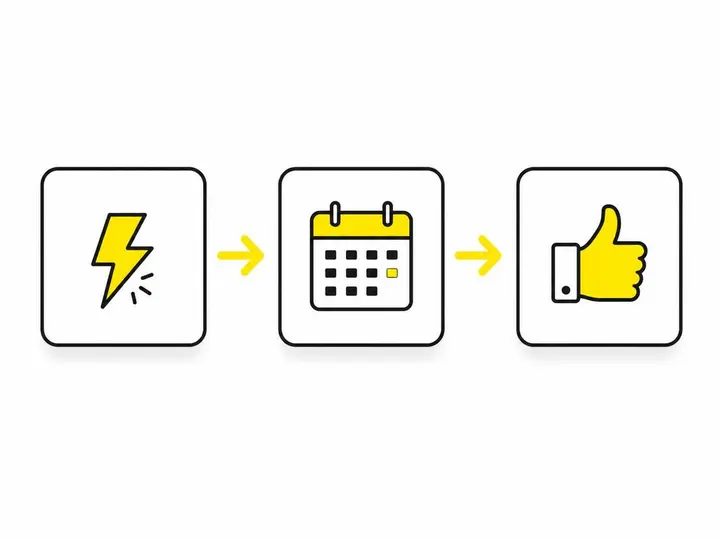
Automating Follow-Up So No Lead Goes Cold
Automation is where a CRM stops being just a database and becomes a sales machine. The goal is simple: send follow-up messages automatically so you never miss a window to convert a lead.
The 24-hour rule for tradie enquiries
Research from Australian small business data shows that leads contacted within 24 hours are 5 to 10 times more likely to convert than leads contacted after 48 hours. Most tradies follow up on day 3 or later when they remember. By then, the lead has already booked someone else. A CRM with automation bridges that gap. When a lead comes in, the system sends an acknowledgment text within minutes (even if you're on site), then reminds you to follow up properly within 24 hours.
Simple automation sequences you can build today
You don't need to be a tech expert. Most CRM platforms let you create simple if-then rules in minutes. Examples: "If someone enquires about a bathroom renovation, send them an SMS saying 'Thanks for your enquiry. I'll ring you tomorrow to discuss.' If they don't reply in 3 days, send a follow-up saying 'Just checking in still interested in that bathroom quote?' If they book a job, move them to your job management tool and send a welcome email with payment and scheduling info." These sequences run automatically, 24 hours a day, while you sleep.
Common CRM Mistakes Tradies Make (and How to Avoid Them)
Most tradies fail with a CRM not because the tool is bad, but because they use it wrong. The most common mistakes: (1) Trying to do too much at once set up 20 automation rules you'll never adjust and then ignore the tool. Start with one or two simple rules. (2) Not checking it daily. A CRM is only useful if you actually open it. Put it on your home screen. (3) Logging the same lead twice because you forgot you already entered them. Always search before adding a new contact. (4) Not updating lead status. Mark leads as "quote sent," "waiting for reply," or "lost" so you know where each one stands. (5) Entering only phone numbers, not job details. The more you log (job type, budget, timeline), the easier it is to follow up with relevant information.
Is a CRM Worth It for a One-Person Trade Business?
Yes. Solo tradies actually benefit more from a CRM than large teams because you don't have an office manager or admin person to keep track of things. A CRM is your staff member. For the cost of a few hours' work per month, you're capturing leads you'd otherwise lose, following up faster than competitors, and spending less time chasing paperwork. Local lead generation for Australian tradies and letting customers book directly from your site both work better when connected to a CRM that automatically logs and follows up on every enquiry. Even a free CRM like HubSpot pays for itself if it helps you land one extra job per month.
Conclusion
The reason you're losing enquiries isn't because you don't care about your business. It's because enquiries are coming from everywhere at once and you don't have a system to catch them all and follow up fast. A CRM solves that by putting every lead in one place, reminding you to follow up automatically, and tracking which marketing channels actually work.
You don't need to spend a fortune. A free or low-cost CRM like HubSpot, Jobber, or ServiceM8 will transform your business if you commit to using it daily and set up even one or two simple automation rules. The tradie who responds to an enquiry within an hour will almost always win the job over the tradie who responds tomorrow. That's where a CRM makes the difference.
Start this week: pick one tool, create your first lead in it, and set up a single automated follow-up message. That one change will put you ahead of most tradies in your area who are still scrambling through missed calls and lost emails.