AI Receptionist for Tradies: What It Can Automate and What It Cannot
On this page 8 sections
Key takeaways
- AI receptionists answer calls 24/7 and reduce missed leads significantly
- Appointment booking and FAQ handling are reliably automated
- Complex job scoping and quoting still require human judgement
- Emergency triage is risky to fully automate without a human fallback
- Costs range from roughly $50 to $300 per month for most tradie setups
- Human oversight is not optional — it is a required part of any good setup
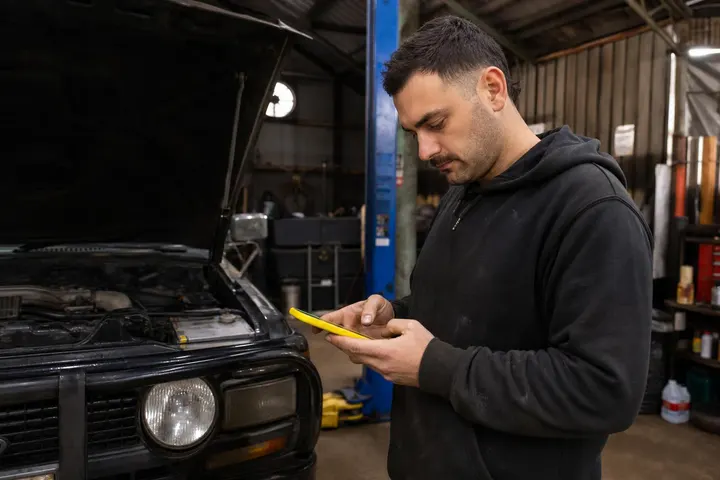
You're on a job site. Your phone buzzes. You can't answer because you're halfway through rewiring a switchboard or laying tiles. By the time you finish and call back, the customer has already rung three other tradies. That missed call just cost you a job, and probably several hundred dollars in lost revenue. An AI receptionist can answer that call, capture the details, and book an appointment while you work. But there's a catch: it can only automate the straightforward stuff. The complex negotiations, the emergency calls, the difficult customers still need you.
Why Tradies Keep Missing Calls (and Losing Jobs Because of It)
The on-site problem: you can't answer and work at the same time
This isn't a personal weakness or a time management issue. It's the nature of trade work. You're climbing scaffolding, concentrating on precision electrical work, or managing a crew on site. Stopping to answer a phone call every five minutes kills your productivity and frustrates your team. Most tradies accept this trade-off as part of the job. The problem is what happens to the customer on the other end.
What happens to callers who hit voicemail
When a customer reaches your voicemail, they hear a generic message, often outdated or confusing. Research from contact centre studies shows roughly 30 percent of callers simply hang up without leaving a message. That's a silent lost lead. Of those who do leave a voicemail, they're already frustrated. They have to wait for you to call back, often during their own work hours, and the conversation starts with friction instead of enthusiasm.
After-hours enquiries: the leads nobody catches
A customer googles "emergency plumber near me" at 9 PM on a Tuesday. They find your number, call, and hit voicemail again. They move on to the next tradie on Google Maps who has an AI receptionist that answers immediately, captures their address, and confirms someone will call back at 8 AM. Even if you offer 24/7 emergency services, a silent voicemail undermines that promise. This is where AI receptionist options for Australian small businesses start to make real sense.
What an AI Receptionist Actually Is (Plain-English Version)
Voice AI vs a basic auto-attendant: what is the difference
An old-school auto-attendant is a tree of button presses: "Press 1 for plumbing, press 2 for electrical." It's rigid, frustrating, and most customers hate it. A modern AI voice receptionist uses natural language processing (NLP) to understand what someone says in normal conversation. You speak naturally. The AI listens, understands context, and responds like a person would. It can pick up on urgency, clarify unclear details, and adapt its tone.
How modern AI receptionists handle a real call
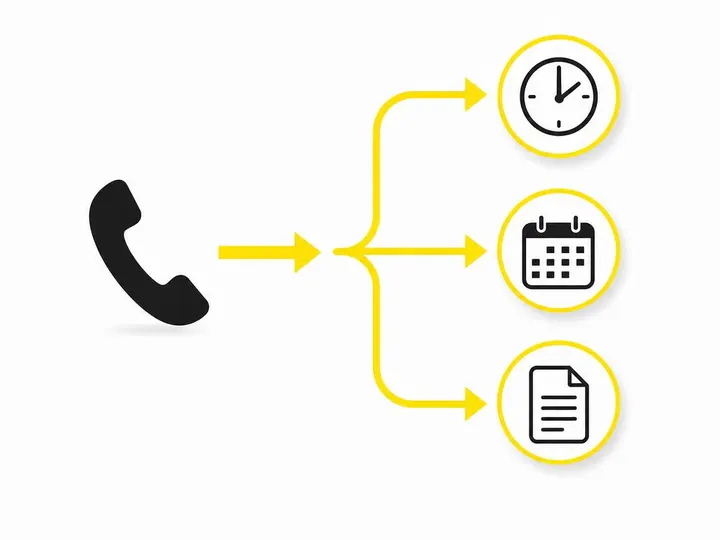
You configure the AI with your business details, service types, and decision rules. A customer calls. The AI answers with a personalised greeting: "Hi, thanks for calling Smith Electrical. How can I help you today?" The customer describes their problem. The AI asks follow-up questions, captures the address and callback number, checks your availability, and either books an appointment directly into your Google Calendar or Calendly, or schedules a callback for when you're free. The entire call is transcribed and logged automatically.
Common platforms Australian tradies are using in 2026
Several providers now offer AI receptionists configured for Australian tradies. The major names include Ava, Stella, and a handful of international platforms with local integration. Most integrate with popular job management systems like ServiceM8, Jobber, or generic CRM tools. The landscape is competitive and moving fast, so it's worth checking what's available in your state and what connects to your existing software.
What an AI Receptionist Can Reliably Automate for Tradies
These tasks are low-risk and well within the AI's wheelhouse:
Answering and routing calls around the clock. Your AI never needs a break or a day off. Every call is answered, even at 2 AM.
Capturing job details: address, job type, contact number. The AI asks the right questions and writes down the answers with nearly perfect accuracy.
Booking appointments directly into your calendar. If you use Google Calendar, Calendly, or similar, appointments sync in real time and avoid double-booking.
Handling standard FAQs: service areas, rates, payment methods. Customers get instant answers instead of waiting for a callback.
Filtering spam calls and qualifying priority enquiries. The AI learns to spot scam calls or clearly unqualified leads. Using AI lead qualification for small business prevents time-wasting.
Logging call summaries to your CRM or job management system. Every call transcript automatically lands in ServiceM8, Jobber, or your CRM for your team to review and action.
The practical result: automated lead qualification means your team gets summaries of real, qualified jobs instead of raw voicemail chaos.
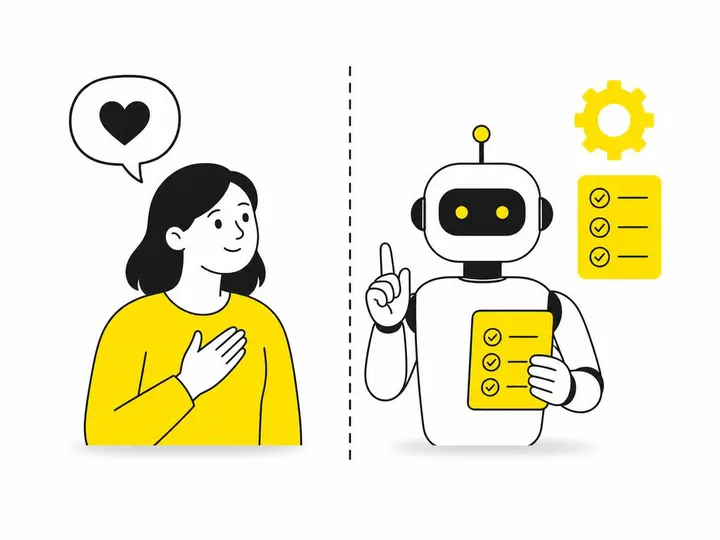
What an AI Receptionist Cannot Do (Be Honest With Yourself Here)
This is where most tradie businesses get disappointed. The AI has real limits:
Scoping and quoting complex or unusual jobs. A customer describes a renovation job with structural concerns or mixed issues. The AI can't assess risk or provide a ballpark quote without creating liability.
Making judgement calls in genuine emergencies. If someone calls saying there's a gas smell or a roof collapse, the AI won't know whether to escalate to emergency services or wait for you to call back.
Building rapport and trust with a nervous customer. Some people are anxious about hiring a tradie. They need reassurance, explanation, and a human voice. An AI sounds professional but not warm.
Handling angry or upset callers with real empathy. If a customer is frustrated about a previous job or a competitor's poor work, they need genuine empathy, not a scripted response. The AI will sound robotic.
Adapting when the job description does not fit a standard script. "I need someone who can do plumbing AND build a deck AND sort out my electrical because the other mob disappeared." The AI gets confused and loops back to the default questions.
These are moments when a human takes over. That's why every AI receptionist needs a clear escalation path to a real person.
How Much Does an AI Receptionist Cost in Australia?
Typical monthly pricing ranges for small trade businesses
In 2026, Australian AI receptionist providers generally charge between $150 to $600 per month for a small trade business, depending on features and call volume. A basic plan might be $150 to $250 per month, handling up to 50 to 100 calls monthly with simple call capture and voicemail-to-text. Mid-tier plans (roughly $300 to $450) add appointment booking integration, CRM logging, and lead qualification. Premium plans exceed $450 and offer advanced NLP, multi-language support, and deeper integration with job management software.
Is there a free AI receptionist worth using
Honestly, no. Free trials exist, usually for 7 to 14 days, but they're gimped versions. Some basic services offer free auto-attendant (not true AI), but you won't get call transcription, appointment booking, or CRM integration. For a tradie, a free option wastes your time more than it saves. The ROI only works if you use a paid, properly configured system.
What you actually get at each price point
At $150 to $250 per month, you get call answering, basic job details capture, and maybe appointment booking to a simple calendar. At $300 to $450, you add CRM integration (ServiceM8, Jobber), call transcription, lead scoring, and SMS follow-up. Beyond $450, you're paying for custom training, white-label branding, and priority support. For most one-to-five-person trade businesses, the $300 to $400 tier is the sweet spot.
Are AI Receptionists Worth It for a Tradie Business?
The simple maths: missed call cost vs monthly subscription
Let's work backwards. If one missed call costs you a $2,000 job (not uncommon for plumbing, electrical, or carpentry), and you miss even one call every two weeks due to being on site, that's 26 missed calls a year, or $52,000 in lost revenue. An AI receptionist at $300 per month costs $3,600 a year. If it recovers just 10 percent of those missed calls, you've paid for itself 1.4 times over. Most tradies report recovering 15 to 25 percent of previously missed calls once they implement an AI system.
When it makes sense and when it does not
It makes sense if you're getting more than 10 calls per week and you're currently missing some of them. It makes sense if you're growing and can't afford a full-time receptionist. It makes sense if your competitor has one and you're losing leads. It doesn't make sense if your phone only rings five times a week and you can answer most of them. It doesn't make sense if your customer base is so small that you know everyone personally and they'll wait for you to call back.
Setting realistic expectations before you sign up
An AI receptionist is a tool to capture and qualify leads, not replace your sales skills. It won't close jobs, negotiate scope, or build relationships. It won't handle every call perfectly. You'll need to review transcripts and retrain the AI when it gets something wrong. And you still need a human escalation path for complex or emergency calls. If you're expecting it to make your phone answering disappear entirely, you'll be disappointed.

How to Set Up an AI Receptionist That Does Not Let You Down
Map your call types before you configure anything
Sit down and write out what types of calls you get. "Customer with a burst pipe." "Homeowner wanting a quote for a kitchen reno." "Someone asking if we do free inspections." "Angry customer from a previous job." "Contractor looking for a subcontractor." For each type, write down what the AI should do: capture details, qualify, book a time, or escalate immediately. This blueprint shapes how you configure the AI and prevents it from making stupid mistakes.
Always build in a human escalation path
Make sure the AI knows when to say, "Let me connect you with someone now," and pass to your team or voicemail. Don't try to automate everything. Lead qualification for trade businesses works best when the AI filters easy decisions and flags hard ones for you.
Test it as a caller before going live
Call your own AI receptionist. Try different ways of describing jobs. Be ambiguous. Be demanding. See where it breaks. Tweak the responses and try again. Don't launch until you're confident your customers will have a good experience.
Review transcripts weekly at the start
For the first month, review every call transcript. Note where the AI misunderstood, where customers got frustrated, and where it nailed the job. Feed that back into training. After a few weeks, you'll spot patterns and can retrain the AI to handle them better. This ongoing loop is what separates a useful tool from an annoying one.
Conclusion
An AI receptionist can transform how a tradie business handles incoming calls. It answers 24/7, captures job details accurately, books appointments without human overhead, and integrates directly with your job management software. For a one-to-five-person trade business missing multiple calls per week, the ROI is real. However, it cannot scope complex jobs, handle genuine emergencies with human judgment, or build the trust and rapport that closes difficult sales. It's a powerful tool for lead capture and qualification, not a replacement for skilled tradie sales work.
The cost is roughly $300 to $450 per month for a properly configured system in Australia in 2026. The key to success is clear configuration, ruthless testing, and a backup escalation to a human when the AI hits its limit. If you're currently losing calls to voicemail and your team is drowning in manual call logging, an AI receptionist is worth a serious look. Start with a 30-day trial, measure the call capture rate, and decide based on real numbers, not hype. The best time to implement one is when you're ready to scale past what one person can handle on the phone alone.