How to Automate Lead Notifications for Your Australian Small Business
On this page 7 sections
Key takeaways
- Set up instant alerts so leads reach the right person within minutes
- SMS has a 98% open rate, making it the fastest notification channel
- Use tools like Zapier, Make or your CRM to connect your forms to alerts
- Avoid duplicate alerts by routing notifications through one central workflow
- Faster first response directly increases your chances of winning the job
A lead sitting in your inbox for four hours is a lead that walks to your competitor. Most Australian small businesses lose 35 to 50 percent of qualified leads simply because they don't respond fast enough, and the damage is done before anyone even realises the enquiry arrived. Lead notification automation changes that by sending an instant alert the moment a job inquiry lands, so your team can reply within minutes instead of hours.
Why Response Time Wins or Loses the Job
Speed is the single biggest factor in converting leads into booked jobs for tradies and service businesses. When a customer submits a contact form on your website or leaves a voicemail, they're usually comparing quotes from three or four other businesses at the same time. The first business to ring back or reply wins the work. The second one to respond rarely gets a conversation.
Research consistently shows that companies responding to leads within one hour are seven times more likely to have a meaningful conversation than those who wait longer. For plumbing emergencies, electrical faults, and other urgent trade work, that window is even tighter. Your customer has already Googled five competitors and is ready to book the first person who picks up the phone.
The cost of a slow reply for tradies and service businesses
A single missed lead costs more than most business owners realise. If your average job is worth $2,000 to $5,000, and you lose one qualified lead per week because your team didn't see the enquiry in time, that's $100,000 to $250,000 in annual revenue walking out the door. Worse, the customer tells their friends your business didn't even respond, which damages your reputation at the same time.
Slow response also means your lead quality deteriorates. By the time someone follows up manually, the customer has already booked another tradesperson. They're not sitting around waiting for your call back at 5pm if they needed work done at 2pm.
Why manual checking does not work
Without automation, someone in your team has to remember to check the contact form, email inbox, and voicemail regularly throughout the day. In most small businesses, that person is already busy quoting, invoicing, managing sites, or taking calls. Email notifications help, but they get lost in the daily noise. Voicemail transcripts are slow and often incomplete. By the time an alert makes it through the mental clutter, the lead is gone.
Manual follow-up also creates duplicates and gaps. Two team members might call the same lead without knowing the other one already handled it, or nobody calls at all because everyone assumed someone else did. Automate your missed-call follow-up to stop this happening entirely.
What Lead Notification Automation Actually Does
Lead notification automation sends an instant alert to your team the moment a new inquiry arrives, through a channel you choose, so you can respond immediately without checking multiple inboxes or platforms.
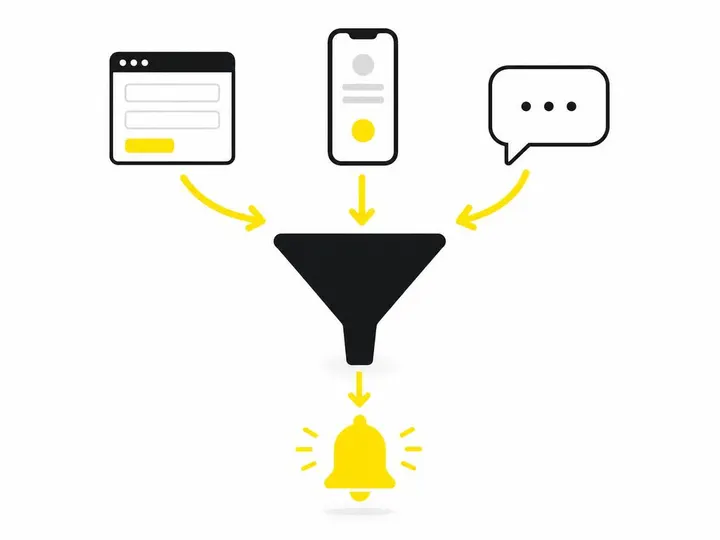
The system watches your lead sources (website contact form, phone number, voicemail, Facebook message, or whatever channels you use), and the moment a new lead comes in, it sends a notification to your phone, email, Slack channel, or SMS group. That's it. No manual checking. No delays.
The difference between a notification and a follow-up
A notification is the alert that a lead has arrived. A follow-up is what you do after that alert lands. Automation handles the notification perfectly, but it does not complete the follow-up for you. After you get the alert, you still need to ring the customer, send a quote, or send them automatic SMS replies for website enquiries to acknowledge receipt.
Many business owners confuse the two and expect automation to do all the work. It doesn't. Automation gets the alert to you fast. You handle the actual customer conversation. That's the partnership that wins jobs.
Where leads come from and which need alerts
Most small businesses have multiple lead channels. Your website contact form sends leads one way. Phone calls come direct to your mobile. Facebook messages land in Messenger. Google reviews sometimes include inquiries. Without a unified alert system, you're checking five different places throughout the day.
You don't need to alert on everything. An alert is most valuable for high-intent channels like your contact form, phone calls, and direct messages. Low-intent channels like a newsletter signup or a follower request don't need immediate alerts. Focus your automation on the channels that actually generate billable work.
Choosing Your Notification Channel: Email, SMS or Team Channel
Three main channels work well for Australian small businesses, each with different strengths depending on your team size and work style.
Email notifications: reliable but slower
Email is reliable and works everywhere, but it's slow. Studies show email open rates sit around 21 percent within the first hour, and many business owners only check email once or twice daily. If you're a solo tradie who checks email every 30 minutes, this works fine. If you're a team, email is usually too slow for hot leads.
SMS notifications: fastest open rate
SMS has a 98 percent open rate within three minutes, making it the fastest way to alert your team that a lead has arrived. Every team member gets an SMS on their personal phone immediately, and they see it almost instantly. This is ideal for urgent trade work where minutes matter. The downside is that SMS costs a few cents per message, so with high lead volume, costs add up. Platforms like Podium SMS platform for Australian businesses handle SMS notifications at scale.
Slack, Teams or a group chat: great for teams
If your team uses Slack or Microsoft Teams, sending notifications to a dedicated channel works brilliantly. Everyone sees the lead instantly, and the conversation happens right there in the thread. You can tag who's handling it, attach details, and track follow-up all in one place. This is best for office-based teams or trades businesses with multiple staff members coordinating from the same location.
How to Set Up Automated Lead Notifications Step by Step
You have three main options, and the right one depends on your current tools and technical comfort level.
Option 1: Use a CRM with built-in notifications
Most modern CRMs (Customer Relationship Management systems) have notification features built in. When a lead lands in your CRM, it automatically alerts your team via email, SMS, or Slack. Read our guide to best CRM options for Australian tradies to find one that fits your business. This is the simplest approach because everything happens in one tool, and you're not juggling multiple platforms. The catch is that your contact form and phone system need to feed into the CRM first, which sometimes requires a webhook or API connection.
Option 2: Connect your form to alerts with Zapier or Make
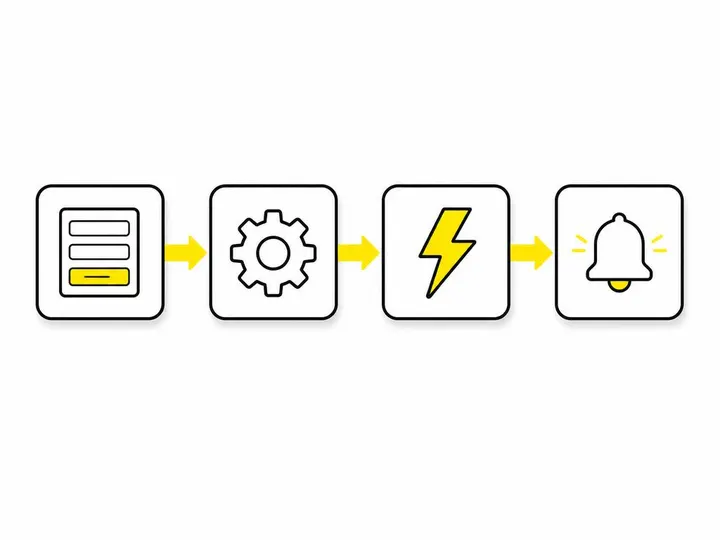
Zapier and Make (formerly Integromat) are no-code platforms that connect your website contact form to an alert system. Here's how it works: A customer submits your contact form. Zapier detects that submission and sends an SMS to your phone, an email to your team, or a message to your Slack channel within seconds. How Zapier handles lead notification automation shows the setup process in detail. This method is flexible and cheap, costing $20 to $50 per month for most small businesses. The setup takes 10 to 20 minutes if you've used these tools before.
Option 3: Set up SMS alerts via a platform like GoHighLevel or Podium
GoHighLevel and Podium are all-in-one platforms designed specifically for service businesses. They combine a contact form, CRM, SMS automation, and lead notifications in one dashboard. When a lead arrives, they send SMS alerts to your team instantly. This is a done-for-you approach and works well if you're building your entire lead system from scratch, but the monthly cost is higher (typically $300 to $1,000 per month).
Avoiding Common Mistakes: Duplicates, Gaps and Overwhelm
Lead notification automation is powerful, but three common mistakes can sabotage it.
Do not alert on the same lead twice
If a customer submits your contact form and calls your phone line, you don't want two separate alerts going out for the same lead. Set up a rule in your system to check if a lead already exists before firing another alert. Most CRMs and platforms like GoHighLevel handle this automatically, but Zapier setups sometimes miss it. Double-check your notification workflow to make sure you're not spamming your team every time one customer tries to reach you through multiple channels.
Make sure every lead source is connected
If you set up alerts for your contact form but forget to add your phone system, or you automate email but miss Facebook messages, you've created new gaps. Map out every channel where customers contact you (website form, phone, SMS, Facebook, Google reviews, email) and make sure each one has a notification rule. This takes an hour once, and it saves you weeks of missed leads throughout the year.
Avoiding notification fatigue in small teams
If you send SMS alerts for every website form submission and every missed call, you'll have 20 notifications per day flooding your phone. This causes alert fatigue, where team members stop reading notifications because there are too many. Filter alerts so that only truly urgent leads trigger SMS, and use email for lower-priority inquiries. If your lead volume is very high, consider batching notifications so your team gets one summary SMS every hour instead of ten per minute.
How Notification Automation Fits Into Your Wider Follow-Up System
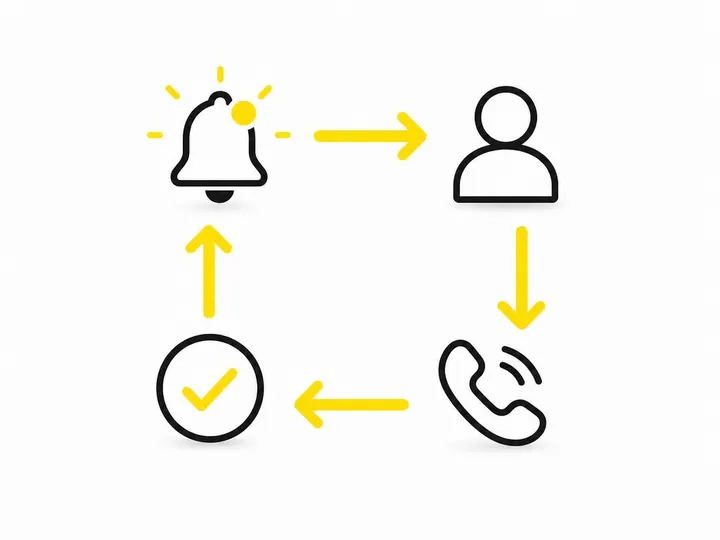
Lead notifications are the trigger, not the entire follow-up process. After you get the alert, your real work begins.
The moment you receive a notification, you have a 15 to 20 minute window to ring the customer back. Have a script ready and answer professionally. Send a follow-up SMS or email within the same day confirming your quote and next steps. How to follow up website leads the right way ensures that notification speed doesn't get wasted by a slow or unprofessional follow-up.
For quotes specifically, automate your quote follow-up to send reminder notifications if the customer hasn't accepted within 48 hours. This keeps the lead warm and stops jobs from slipping through the cracks after you've done the hard work of notifying your team and sending the quote.
Your notification system should integrate with your CRM so that every alert is logged, and you can see a full history of all customer interactions in one place. This prevents the second team member from ringing the customer at 5pm not knowing the first team member already quoted them at 2pm.
Conclusion
Lead notification automation solves one critical problem: getting your team to respond to leads before your competitors do. By sending an instant alert the moment an inquiry arrives, you've compressed the delay from hours to seconds, which in many cases means the difference between a booked job and a lost lead.
The setup is straightforward. Choose your notification channel (SMS for speed, email for reliability, Slack for team coordination), pick your tool (CRM, Zapier, GoHighLevel, or Podium), and connect your lead sources. Test it with a live lead submission and make sure the alert hits your phone or team channel within 60 seconds. Then handle the rest of the follow-up manually, with the confidence that no lead is being missed simply because nobody saw the enquiry arrive.
Start with your highest-volume lead channel this week, get notifications running for that one source, then add others over the next month. Speed wins jobs, and automation gives you that speed without adding work to anyone's plate.