How to Set Up an Automatic SMS Reply for Website Enquiries
On this page 8 sections
Key takeaways
- Instant SMS replies stop leads going cold while you are on-site
- Use a tool like GoHighLevel, Zapier, or your CRM to trigger the message
- Keep the SMS short, personal, and include a next-step (call back time or link)
- Most setups take under an hour and cost very little per message
- Pair SMS with a follow-up sequence for the best conversion results
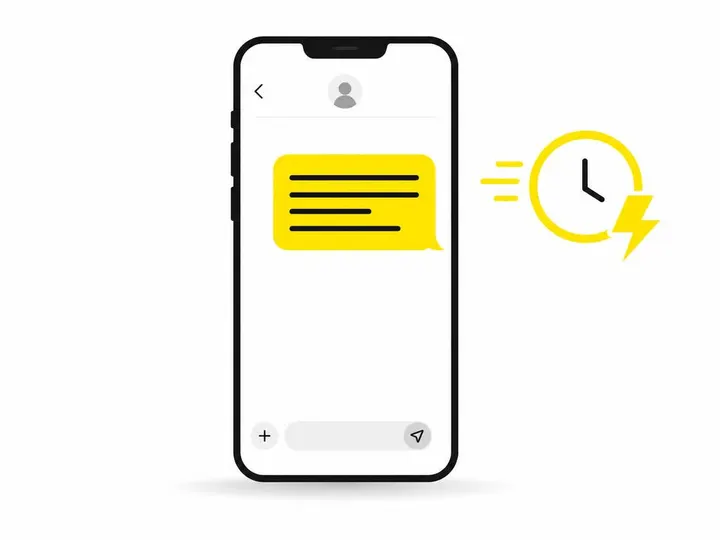
When a customer fills out your website contact form, they're ready to hear from you right now. A 30-minute delay to craft an email reply while you're on site or busy is the difference between landing the job and watching them ring your competitor instead. An automatic SMS reply fires instantly to their phone, confirms you've received their enquiry, and keeps you front of mind while they're still thinking about the work they need done.
Why a 30-Minute Delay Costs You Jobs
The tradie who picks up the phone first usually wins the quote. Research shows that leads contacted within 5 minutes are nine times more likely to convert than those who wait half an hour or longer. When a customer submits a form on your website, they're in buying mode. They've decided to take action. If your response takes longer than a text message can reach their pocket, they've already moved on to the next plumber, electrician, or builder in their search results.
Email alone doesn't work for tradies. You're out on jobs, you're driving between sites, and you're not glued to your inbox. Your customer doesn't know that. They've submitted their enquiry, and now they're watching their phone. When nothing happens in the first few minutes, they assume you're either too busy to take on work or you've gone under. An instant SMS reply changes that psychology immediately. It says: I got your message, I'm interested, and I'll be in touch properly soon.
That's why automating your quote follow-ups with an instant SMS is one of the quickest wins a small business can implement. It costs almost nothing to set up, and it works.
How an Automatic SMS Reply Actually Works
An automatic SMS reply is triggered when someone submits your website contact form, and the SMS fires to their phone within seconds, every single time.
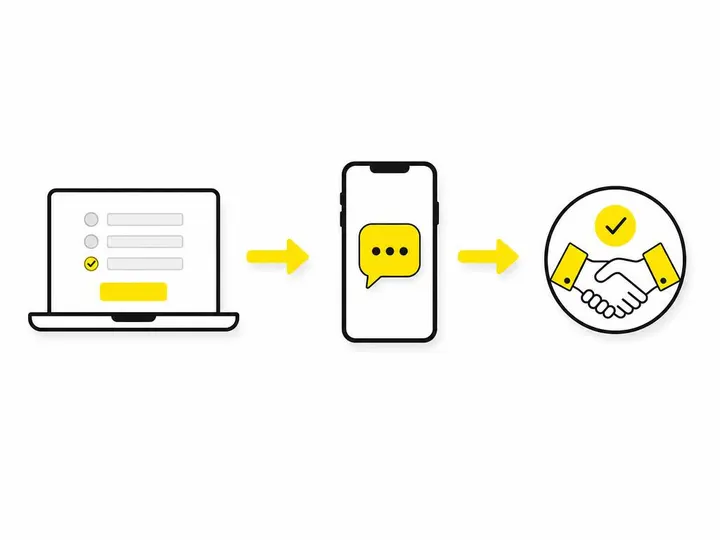
When a customer fills out your contact form, that submission generates a webhook. That webhook is the signal that tells your automation tool: "Hey, something just happened." Your automation tool (we'll cover which ones in a moment) receives that signal and immediately executes the action you've set up: sending an SMS to the phone number the customer provided in the form. No human involvement. No waiting. The whole thing happens faster than they can close their browser tab.
The flow looks like this: Customer enters name and phone number into form on your website. Customer clicks submit. Your form platform (WordPress, Squarespace, your CRM, or whatever you use) sends a webhook to your SMS automation tool. The automation tool reads the phone number from the form data. The SMS fires to that number within 5 to 15 seconds. Customer receives the text on their phone. The message includes your business name, a brief acknowledgment, and either your phone number or a link to book a time. At the same time, an email copy of the enquiry lands in your inbox or your CRM so you don't lose the lead in the noise.
Tools You Can Use to Set This Up in 2026
You have four main paths to build this, depending on what you're already using and how much technical setup you're willing to do yourself.
GoHighLevel is the platform most Australian tradies choose for this because it bundles everything together. It has built-in SMS, contact forms, CRM, and automation all in one place. You don't need to glue together five different tools. The learning curve is moderate, and there's a solid community of tradie users who've already built templates you can copy. Monthly cost is typically $150 to $300 depending on the plan you choose.
Zapier plus an SMS provider gives you flexibility if you already have a contact form you like (Gravity Forms, WPForms, Typeform, Jotform) and a CRM or booking tool you're committed to. Zapier acts as the glue. It receives the webhook from your form, reads the data, and sends it to your SMS provider. Australian SMS providers include Twilio, MessageMedia, and Telstra's messaging services. Zapier itself is around $30 a month for basic automation, and SMS costs roughly $0.05 to $0.10 per message depending on the provider and volume.
Your existing CRM or booking software may already have this built in. If you're using a tradie-specific system like ServiceTitan, Tradify, or a similar platform, check your admin settings. Many of these tools now have native SMS integrations and automation workflows already included in your subscription.
Australian SMS providers to consider range from global platforms like Twilio (which operates in Australia) to local providers. Zapier SMS integrations for contact form automation shows you dozens of options. Choose one that's ACMA-compliant, offers good API documentation, and lets you send at scale without locking you into contracts.
Step-by-Step: Setting Up Your First SMS Automation
Step 1: Choose your form and your SMS tool. Decide where your contact form lives. Is it part of your WordPress site, your builder platform, or a standalone form? Then pick your automation glue. For simplicity, start with GoHighLevel if you're new to this. If you already have tools you love, go with Zapier plus your preferred SMS provider.
Step 2: Write your SMS message. Keep it short, friendly, and clear. We'll cover the tone in detail below, but for now, aim for something like: "Hi [Name]. Thanks for reaching out to [Business]. I've got your message and will be in touch within 24 hours. Need me faster? Call 0412 345 678. Cheers, [Your Name]."
Step 3: Connect the trigger to the action. In your automation tool, set the trigger to "form submission" and the action to "send SMS." Map the phone number field from your form to the SMS recipient field in your automation. Test that the data flows correctly before you go live.
Step 4: Test before you go live. Submit the form yourself from your phone. Does the SMS arrive? Does it have the right phone number in it? Does the message read correctly? If you see placeholders like [Name] instead of your actual name, go back and fix the field mapping. Once you're confident it works, enable it for real submissions.
Writing an SMS That Actually Gets a Reply
An SMS that gets ignored is as useless as no SMS at all. The difference between a message people respond to and one they delete is tone, clarity, and respect for their time.
Keep it under 160 characters. A single SMS is 160 characters. Once you go over that, the cost doubles and the message feels heavy. Write tight. Remove every word that doesn't earn its place. Instead of "We appreciate your enquiry and will endeavour to contact you," write "Got your message. I'll call by 5pm today."
Sound like a human, not a bot. Customers can smell a template from a mile away. Use your name, your voice, casual punctuation. "Hey Jake, thanks for enquiring about the rewire. I'm booked on-site now but will call you back within 2 hours. Cheers, Tom" beats "Your enquiry has been received. We will respond within 24 business hours." by about a thousand miles.
What to include and what to leave out. Include your name, acknowledgment of their specific need (if your form captures it), and a clear next step: a phone number to call you or a link to book an appointment. Leave out marketing fluff, lengthy terms and conditions, and anything that makes the message about you instead of about them. Save the detailed info for the phone call or the follow-up email.
What to Do After the Instant Reply
An SMS is the opening move, not the whole game. It buys you time and keeps you in the conversation, but you still need to follow up properly. Most tradies who set up automatic SMS replies fail because they stop there and forget to do the actual follow-up work.
Set up a simple 2-step follow-up sequence: The automatic SMS fires instantly. Then, either you or an automated email goes out 2 to 3 hours later with more detail, pricing info, or a link to book a time. The SMS primed them; the email closes the loop. How to follow up on website leads covers the full strategy, but the key is that the SMS is not the end of the story.
If you're also running missed call follow-up automation for customers who try to ring you but can't get through, you're building a safety net at every touchpoint. Together, these two automations mean almost no lead slips through the cracks.
Common Mistakes to Avoid
Sending too many messages kills trust faster than no message at all. Some tradies set up automatic SMS, then a follow-up email, then another SMS, then another email. By the time the customer actually speaks to you, they've received four separate messages and feel bombarded. Stick to a maximum of three touches in the first 24 hours: instant SMS, follow-up email (6 hours later), and one more touch only if they haven't responded.
Using a generic, robotic tone makes you sound like every other business. Your customer is comparing you to five other quotes. The SMS that sounds like a real person from a real tradie wins. Spend two minutes writing it properly.
Not having a plan for when replies come back is chaos. If your SMS says "Call me on 0412 345 678," make sure you're actually answering calls. If you set up SMS automation but don't follow up with a real phone call or meeting, you've wasted the whole thing. The automation gets them to respond; your service skills close them as a customer.
Compliance is also non-negotiable in Australia. The Australian Communications and Media Authority spam and telemarketing rules require that every automated message includes a way to opt out, usually by replying STOP. Most SMS platforms handle this for you automatically, but check your settings. Don't send SMS to numbers that haven't explicitly opted in through your form. Treat this seriously. The fines are real.
Conclusion
An automatic SMS reply for website enquiries is one of the cheapest, fastest wins a tradie can implement. It costs $30 to $300 a month depending on your tool choice, takes a couple of hours to set up, and works 24/7. The ROI is immediate: higher response rates, shorter response times, and more quotes turning into jobs because you answered first.
The key is starting simple. Pick one tool, write one good SMS, test it with three form submissions, and then build your follow-up system around it. Don't overthink it. Tradies who win in 2026 are the ones who respond when their customer is still thinking about the problem, not the ones who send the fanciest email three days later.
Set it up this week. You'll wonder how you ever ran your business without it.