How to Automate Missed Call Follow-Up for Your Service Business in 2027
On this page 8 sections
Key takeaways
- An instant SMS reply after a missed call is the single highest-impact fix
- First response within one hour dramatically increases conversion rates
- CRM tools replace scattered spreadsheets with a single lead pipeline
- Automated booking links in follow-up messages cut quote friction fast
- 80 percent of customers prefer SMS over email for follow-up contact
Missed calls cost Australian tradies tens of thousands of dollars every year, and most don't realise it's happening. The moment a customer hangs up after reaching your voicemail, they're already checking your competitors' availability. Automating your missed call follow-up isn't about robots replacing your personality; it's about making sure every lead gets a response within the critical first hour, whether you're on-site, in a meeting, or driving between jobs.
Why Missed Calls Are a Revenue Leak for Australian Tradies
Missed calls account for 25 to 30 percent of lost sales opportunities in service businesses. Unlike e-commerce, where a customer can browse while you sleep, tradies rely almost entirely on real-time phone contact. When someone rings to book a plumber, electrician, or landscaper, they've already made the decision to buy. They're just deciding who to buy from.
The 'on-site trap': how busy operators lose jobs without knowing it
You're mid-job, hands dirty, phone buzzing. You can't take it. By the time you check voicemail two hours later, that customer has called three other electricians and already booked. You never knew the lead existed. This happens dozens of times a month for most sole operators and small teams.
The problem gets worse when your admin or receptionist is busy handling existing clients. Inbound calls stack up, and without a system to catch them, they disappear into a black hole. Lead generation for Australian service businesses only works if the leads you generate actually convert, which means responding faster than your competitors.
How long customers actually wait before calling your competitor
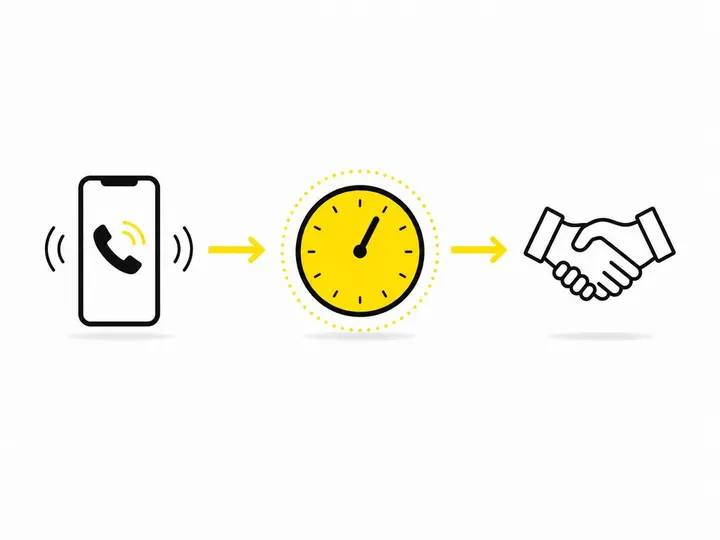
Research shows that HubSpot research on follow-up response rates and sales conversion indicates first response within one hour boosts conversion rates by seven times compared to a two-hour delay. Most customers will wait between 15 to 45 minutes for a callback or text before dialling the next number on Google. If your team doesn't respond automatically, you've already lost the job.
What 'Automating Missed Call Follow-Up' Actually Means
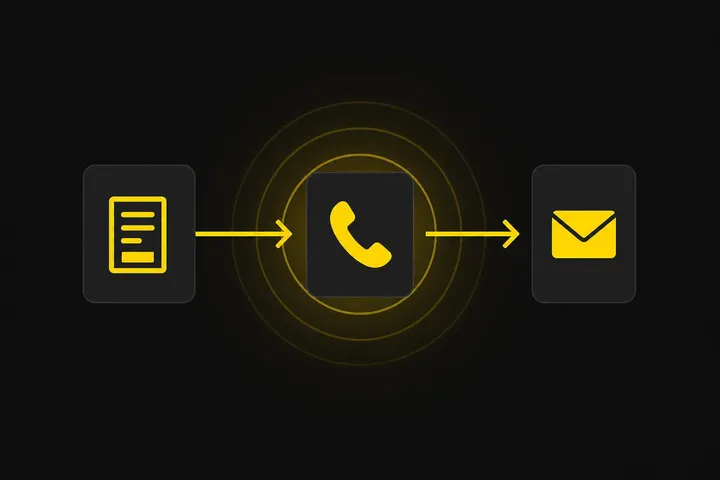
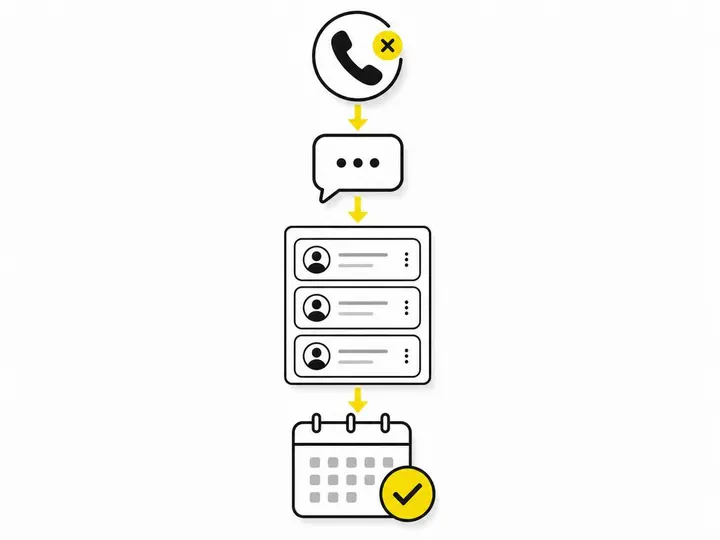
Automating missed call follow-up means setting up a system that detects an unanswered call, sends an immediate SMS or callback, and logs the contact in your CRM so nothing gets forgotten. It's not one tool; it's a workflow that removes the human bottleneck without removing the human touch.
The three-step automation loop: detect, respond, track
Every automation system works in three layers:
Detect: Your phone system or VoIP provider notices an incoming call went unanswered or hit voicemail.
Respond: A pre-written SMS, email, or robocall immediately reaches the customer with your callback details or a booking link.
Track: The contact and interaction are logged automatically in your CRM or booking system so your team knows who to follow up with and when.
Without tracking, you send a perfect text but forget who you sent it to. Without respond, you detect the miss but the customer moves on. Without detect, nothing starts. All three layers matter.
SMS vs email vs callback automation — which works best for trades?
Twilio State of Communications report on SMS preference shows that 80 percent of service customers prefer SMS over email for urgent follow-up. Automated callbacks work for some industries, but they can feel intrusive or robotic. For trades, SMS is the sweet spot: fast, personal enough, and non-invasive. Email works for less urgent enquiries like website form submissions, but it's too slow for a missed call.
How to Set Up an Auto Text Reply for Missed Calls
You can set up a basic auto text reply on iPhone through Do Not Disturb, use a dedicated SMS tool like Twilio or GoHighLevel, or connect your phone system to a CRM platform like HubSpot. The method you choose depends on your budget and how much data you need to capture.
iPhone built-in 'Do Not Disturb' text reply (quick free option)
If you're a sole operator using an iPhone, you can enable Do Not Disturb and set a custom auto-reply message. Go to Settings > Focus > Do Not Disturb > Customize, then set a text response for calls from your Favorites. It's free and works immediately, but it only replies to callers already in your contacts, and you lose visibility into who called while you were busy. It's a bandaid, not a system.
Dedicated missed-call SMS tools: what to look for
Tools like GoHighLevel, Twilio, and Make (formerly Integromat) let you automate SMS replies to any incoming call, not just contacts. Look for:
Ability to detect missed calls or voicemail drops.
Customisable SMS templates.
Automatic logging to a CRM or spreadsheet.
Two-way SMS so customers can reply directly to your automation and you see it.
Pricing under $50 per month for small teams.
GoHighLevel is popular with Australian tradies because it combines phone, SMS, CRM, and booking in one platform. Twilio is more developer-friendly but cheaper if you only need SMS. Most offer free trials.
What to write in your automated missed-call SMS
Your auto-reply SMS must do three things in under 160 characters: acknowledge the missed call, provide an alternative, and encourage an immediate response. Here's a template:
"Hi [Name], thanks for calling. I'm on-site but I'll call you back within the hour. To book immediately, visit [link] or reply YES and we'll confirm your time. Cheers, [Your Name]."
That's 145 characters, includes a booking link for faster conversion, and sets expectations. Avoid corporate tone. Keep it conversational and Australian.
Connecting Missed-Call Automation to a CRM or Booking System
Missed-call automation only adds value if the contact lands in a system your team actually uses. A standalone SMS tool that disappears into the void defeats the purpose.
Why spreadsheets keep failing busy sole operators
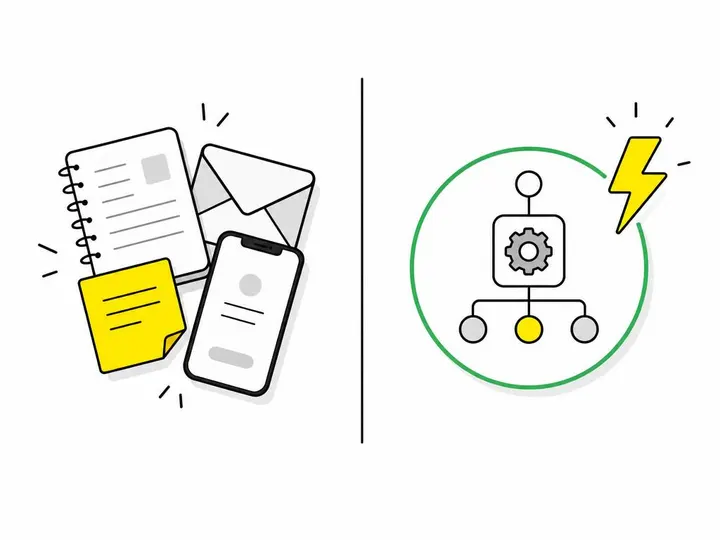
Most small trades start with a spreadsheet: name, number, date, notes. Within three months, it's chaos. Entries get duplicated, follow-up tasks fall through cracks, and you're spending 30 minutes a day just trying to remember who you promised to call. A proper CRM like HubSpot or GoHighLevel costs $30 to $100 per month but saves you five to ten hours per week of admin.
Linking your phone system to a CRM via Zapier or Make
If you already use a CRM or booking tool, you can connect your phone system to it using automation platforms like Zapier or Make. The workflow looks like this: missed call triggers automatically in your phone system (or a VoIP provider like Twilio), then Zapier sends the SMS and simultaneously creates a contact record in your CRM or Google Sheets with the caller's number, time, and follow-up status.
This takes 30 to 60 minutes to set up if you're comfortable clicking through integrations, or you can hire humming web for $50 to $150 to do it for you.
Adding a booking link to your follow-up sequence
The fastest way to convert an automated response is to include a direct link to your online booking page in the SMS. Every customer who clicks and books directly saves you a phone call. Tools like Calendly, Acuity Scheduling, or HubSpot's built-in booking calendar integrate easily. How to convert more website visitors into quote requests covers the mechanics of this in detail; the same principle applies to SMS.
Automating Email Follow-Up for Web and Form Enquiries
Email follow-up for website enquiries can be partially automated using AI responders or simple email sequences, but you should always have a human follow up within one to two hours for real conversion. Using AI to respond to leads faster is a growing trend, but it works best for qualifying, not closing.
Tools like HubSpot, Make, or even Zapier can send a templated first response automatically (e.g., "Thanks for enquiring. We'll get back to you by end of day with a quote"). That buys you time and keeps the lead warm. But the actual quote or call must come from a human.
Common Mistakes That Break Follow-Up Automation
The most common mistakes are sending a generic response that doesn't build trust, or setting up automation once and never reviewing whether it's actually working.
Sending the wrong message at the wrong time
An SMS that reads like a robot ("THANK YOU FOR CONTACTING OUR SERVICE") kills trust. Your auto-reply should sound like it came from you, not a machine. Also, sending a follow-up at 11 p.m. or Sunday morning looks careless. Most SMS tools let you schedule responses to business hours only (e.g., 7 a.m. to 6 p.m., Monday to Friday).
Not reviewing your automation results every month
Set automation, forget it, and you'll miss obvious problems. Every month, ask: How many missed calls did we catch? Did anyone reply to the SMS? How many people clicked the booking link? If the answer to any of these is suspiciously low, your message or system isn't working. Lead qualification for tradies starts with knowing who's actually calling and responding.
Getting Started: A Practical Action Plan for Aussie Service Businesses
Start with a free or low-cost tool this week, then expand to a full CRM-connected system over the next month.
Week one: the quick wins you can set up today
Enable iPhone Do Not Disturb auto-reply with a custom message (15 minutes).
Sign up for a free trial of GoHighLevel or Twilio (5 minutes).
Write and test your auto-reply SMS on three missed calls from yourself or a friend (30 minutes).
Create a simple Google Form to capture missed call details manually while you test automation (15 minutes).
Week two to four: building a full follow-up system
Once you're comfortable with basic SMS automation, layer in a CRM. Import your existing customer list, connect your missed-call automation to it via Zapier, and add a booking link to your reply template. Test the whole flow end-to-end with a team member calling you and watching where the data lands.
Don't aim for perfect. Aim for working and consistent. A system that catches 70 percent of missed calls automatically beats a manual system that catches 30 percent because your team is too busy.
Conclusion
Automating missed call follow-up is no longer optional for Australian tradies competing for jobs in 2027. Every minute a call goes unanswered, you're losing revenue. The good news is that basic automation is cheap (under $50 a month), quick to set up (an afternoon), and proven to work (seven times higher conversion within one hour of first response).
Start with a free option like iPhone Do Not Disturb or a Twilio trial this week. Write a genuine, conversational auto-reply SMS. Then over the next month, connect it to a CRM or booking system so your team knows who called and can follow up with a real conversation. That's the system that actually keeps money in your business.
The trades business that answers fastest and most consistently wins the job. Automation makes fast and consistent automatic.