How AI Speeds Up Lead Response for Australian Small Businesses
On this page 6 sections
Most Australian small businesses are losing leads to faster competitors without even realising it. The difference between winning and losing a job often comes down to minutes, not skill or price. Responding to a lead within 5 minutes makes you 9 times more likely to qualify it than waiting 30 minutes. AI automation handles that speed for you, answering enquiries instantly while you're busy on site or with other clients.
Why Lead Response Speed Decides Who Gets the Job
The 5-minute window that changes everything
Research from HubSpot's research on lead response time and conversion rates shows a stark truth: reply within 5 minutes and your lead qualification rate is 9 times higher than if you wait 30 minutes. It doesn't matter if your quote is better. It doesn't matter if you've got 20 years' experience. If someone doesn't answer fast, they go to the next number in their list.
For tradies and service businesses, this is brutal. A homeowner with a burst pipe at 3pm needs someone now, not a callback at 6pm. An office manager booking end-of-year maintenance checks their emails and wants confirmation the same morning. Speed signals reliability. Slowness signals you're too busy to care about their job.
What slow response times cost Australian tradies
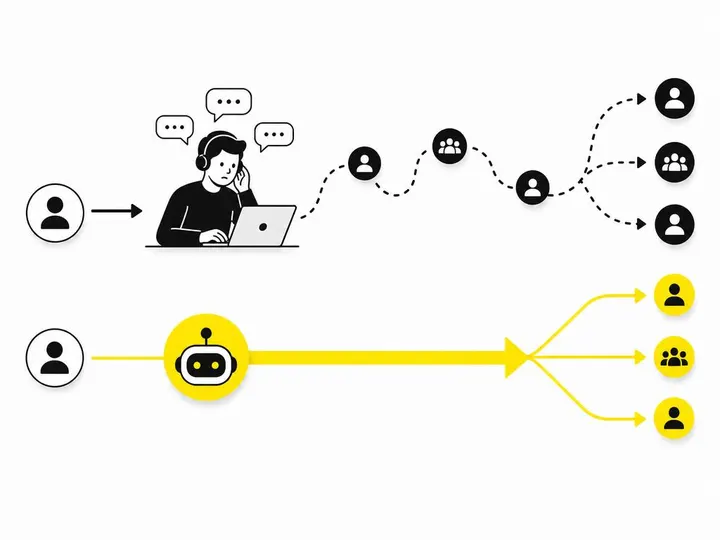
The average Australian small business takes over 22 hours to respond to an enquiry. By then, the lead has moved on. You've not just lost one job; you've trained your market that you're not their first choice.
Think about your own business. How many leads come through email, web forms, Instagram DMs, or Facebook messages each week? If you're doing any marketing at all, it's probably more than you can manually reply to within the golden 5-minute window. Most of those leads die in your inbox. You get back to them, but they've already hired someone else.
First to reply wins: the data behind speed
HubSpot's data also shows that 50% of sales go to the vendor who responds first. Not the best vendor. Not the cheapest. The fastest. This is especially true in emergency service categories like plumbing, electrical work, and locksmith services, where the lead is actively shopping right now.
AI doesn't get tired. It doesn't forget. It doesn't prioritise big jobs over small ones. It answers instantly, every single time.
How AI Automates Initial Lead Responses
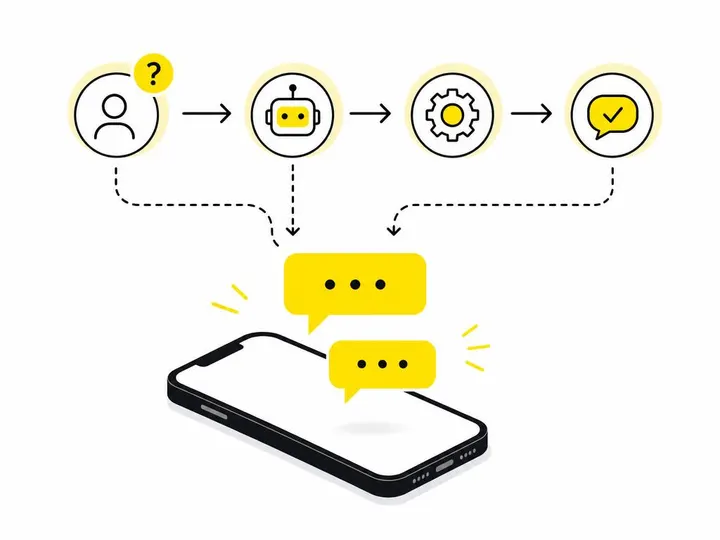
Chatbots that answer common questions instantly
A chatbot sits on your website or social channels and responds to incoming messages in real time, 24 hours a day. It can answer the most frequent questions your business gets asked: "Do you service my suburb?" "How long is the call-out fee?" "Can you come Tuesday morning?" "What's your email for quotes?"
Good chatbots don't need you to write complicated scripts. You feed them your FAQs, your service area, your pricing, and your availability. The AI learns what questions tend to come in and gives sensible answers. The goal isn't to replace your sales team; it's to filter out the 70% of enquiries that are just information requests.
Auto-responders that confirm receipt and set expectations
An auto-responder is simpler than a chatbot. It's an automatic email or SMS that fires back the moment someone submits a form or sends a message. It says: "Thanks for reaching out. We've got your message. Someone will be in touch by [time]." That's it.
This does two critical things. First, it tells the lead they've reached the right place, so they stop panicking. Second, it buys you time. They know to expect a reply by Tuesday morning, so if you get back to them Tuesday at 9am sharp, you look fast and professional, not lazy.
Lead scoring and routing to the right person
Lead scoring is when AI reads an enquiry and decides which leads are worth chasing hard and which are just shopping for prices. A job in your service area from someone with a genuine budget gets a high score. A "just comparing quotes" message from outside your area gets a low score. This isn't cold or impersonal; it's smart. You spend your energy on the leads most likely to convert.
Routing means the lead gets sent to the right team member automatically. If your business has a scheduler, a quote specialist, and a site supervisor, the system can send booking requests to the scheduler, technical questions to the specialist, and follow-up calls to the supervisor. No fumbling. No dropped balls. Converting website visitors into leads is only half the battle; the other half is making sure those leads reach the person best positioned to close them.
Real AI Tools Small Businesses Can Use Today
Meta Messenger auto-replies and Instagram quick responses
If you're running Facebook and Instagram ads or posting regularly, people message you through those platforms. Meta's built-in tools let you set automatic replies on Messenger and Instagram. You can create a quick-reply button that sends a preset message ("Book a free quote here") or triggers a chatbot flow. It's free and already in your account.
This is where many Australian small businesses should start. You're probably getting messages on social anyway; you're just not answering them fast enough.
ChatGPT-powered website chat widgets
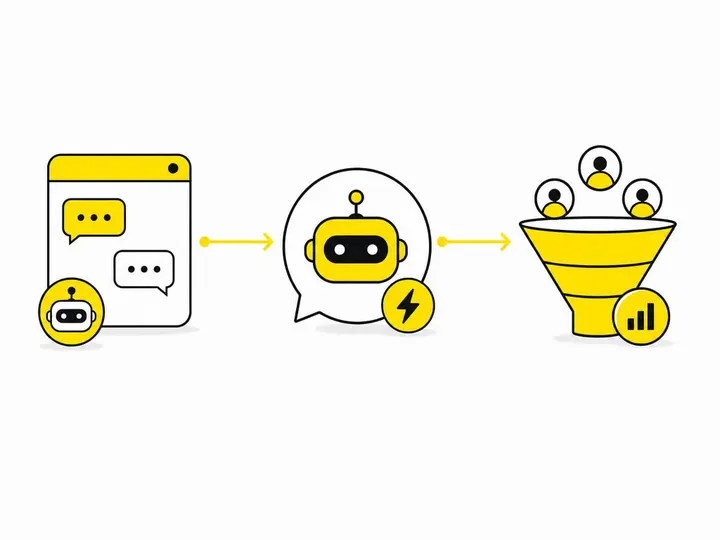
Services like Tidio chatbot and live chat tool let you embed a chat box on your website. It can run in "AI-only" mode (where the chatbot handles everything) or hybrid mode (where you jump in if the AI needs help). It learns from your website content, your FAQs, and your past conversations.
The cost is low to free for basic plans. Tidio's free tier lets you handle up to 100 chats per month with AI support. Paid plans scale from there.
Zapier and Make.com for connecting lead sources to CRM
Zapier automation platform and Make.com are workflow automation tools that sit between your lead sources and your CRM. They don't replace a chatbot; they move data automatically. For example: a lead fills your website form, Zapier sends it to your email AND your CRM AND triggers an auto-reply SMS, all in seconds. No manual work. No gaps.
These tools cost $20 to $100 per month depending on how many automations you run. For a tradies or service business, this is the backbone of a fast response system.
Dedicated SMB platforms: Tidio, ManyChat, and Drift
These three are purpose-built for small businesses that need a full solution. Tidio manages web chat and email. ManyChat focuses on Instagram, Facebook, and SMS. Drift is more enterprise-facing but still SMB-friendly. Each has free tiers so you can test before paying.
They all do lead qualification, routing, and hand-off to your team. They're not cheap if you want all features, but they're cheaper than hiring a dedicated lead manager.
Where AI Helps Most (and Where It Doesn't)
Best use cases: appointment booking, FAQ handling, quote requests
AI is brilliant at four things: answering the same question over and over, checking availability and booking time slots, confirming information (name, address, phone number), and categorising which leads are "hot" and which are "warm".
It's also fast at preliminary quote requests. If a customer asks "How much for a standard kitchen tap replacement?" the chatbot can say "Usually $150 to $250 plus callout. A tradie will get back to you by 2pm with a firm quote." True, useful, fast.
When you still need a human: complex quotes, site visits, custom jobs
AI can't look at a 30-year-old house with unusual plumbing and say "Yeah, this will need a new manifold, so add $400 extra." It can't walk a site, take photos, and assess hidden damage. It can't negotiate on price or discuss tricky constraints with a customer.
The handoff point matters. Your system should route complex jobs to a human immediately. The customer shouldn't spend 10 minutes chatting to AI only to be told "A human will now take over." Set rules: if the enquiry mentions "custom," "unusual," "renovation," or "large project," skip the chatbot and go straight to your phone or email queue.
Setting up handoff rules so leads don't fall through cracks
The biggest failure in AI lead response isn't the AI; it's the handoff. A chatbot takes a booking, but no one confirms it. An auto-responder sends a quote, but no one follows up if they don't reply. You need a clear process: chatbot hands off to CRM, CRM alerts your team member via SMS or email, team member calls or emails within 2 hours.
Without that handoff, you've got a smooth first reply but a cold second reply, and you lose the lead.
Getting Started Without Blowing the Budget
Free and low-cost options to test the water
Start with what's free inside platforms you already use. Set up Meta Messenger auto-replies. Enable Instagram quick replies. Most cost nothing.
Then try Tidio's free tier or Zapier's free tier. Spend a week seeing what questions actually come in and which ones repeat. Spend $0. Get data. Only then decide if a paid plan makes sense.
Full automation costs $30 to $150 per month for a small business. That's less than paying someone part-time to answer phone calls.
What to automate first (and what to leave manual)
Automate the most common, least valuable enquiries first. "What suburbs do you cover?" Automate. "Can you do Thursday?" Automate. "How much is a call-out fee?" Automate.
Don't automate custom quote requests or site visits. Those are your money. Those need a human's brain and phone manner.
Measuring whether faster responses actually convert
Set a baseline: track how many leads you get this month and what percentage convert to jobs. Record average response time too. Now turn on AI responses. In 30 days, measure again. Did your response time drop? Did your conversion rate go up?
A 2 to 3 percent lift in conversion rate from faster replies usually pays for the automation in the first month. If you're not seeing movement after 30 days, you're either targeting the wrong audience, your quotes are too high, or your handoff process is broken. Fix those first.
Conclusion
Speed wins leads. AI gives you speed without hiring another person. The 5-minute response window isn't a nice-to-have; it's the difference between a full job board and an empty one. Most of your competitors aren't using automation yet, which means you're still competing on speed manually, and you're losing.
Start small. Use the free tools built into Meta, test a basic chatbot on your website, and set up one Zapier automation to push leads into your CRM faster. Measure the results. If your response time drops and leads stay warmer, scale it. You don't need a fancy enterprise platform. You need a system that answers in 5 minutes so you can be the first person they call.
The best part? By the time your response system is running, you'll have freed up your own time to focus on what actually makes money: closing jobs and doing good work. That's the real win.