Online Booking Website for Tradies: What to Include and When to Use One

On this page 7 sections
Key takeaways
- Online booking suits fixed-price or fixed-duration tradie jobs best
- 73% of Australian consumers prefer businesses that offer online booking
- Include availability calendar, job type selector, and auto-confirmation
- Phone-only booking loses you jobs: 64% of customers look elsewhere
- Booking tools like Calendly, ServiceM8 and Tradie Web Guys integrate with most sites
Most Australian tradies still handle bookings the old way: customers call, leave a message, you call back, you text details, they confirm via email. It works, sort of. But 73% of Australians now expect to book appointments online, and 64% will walk away if you don't offer it. The question isn't whether online booking looks professional it's whether you can afford to keep losing jobs to competitors who let customers self-serve.
Do Tradies Actually Need Online Booking on Their Website?
Yes, but not all tradies equally, and not always right away. The honest answer depends on your job type, your team size, and how many leads you're currently turning away because customers can't reach you fast enough.
What the data says about customer expectations in 2026
According to the latest Sensis Business Insights data, 73% of Australian consumers prefer businesses offering online booking. That's not a nice-to-have anymore it's a baseline. Yet only 28% of Australian service businesses have actually built it into their website. That's your gap. HubSpot's 2024 Australian SMB Report shows that 62% of tradies now use some form of online scheduling tool, meaning early adopters are already winning.
The real kicker: tradies with integrated online booking see 35 to 40% higher appointment completion rates compared to phone-only enquiry. Customers who can't book online don't just call someone else they do, but slower and less reliably. Those same customers are also less likely to show up for the appointment because they didn't commit to a real time slot.
When online booking makes sense and when it doesn't
Online booking works best when:
You're handling predictable appointment lengths (a solar installation quote takes 45 minutes; a plumbing emergency takes unknown time)
Customers book days or weeks ahead, not same-day (electricians doing maintenance calls; not emergency call-outs)
You have a team or structured diary, not a solo tradie who's never sure where the next job ends
You can staff follow-up, because booking alone doesn't close the deal
Phone-only (or phone plus basic contact form) makes more sense if you're an emergency plumber taking calls at midnight, or a solo roofer whose job length varies wildly. In those cases, qualifying leads as a tradie happens on the call, not in a booking form.
The middle ground is common: use online booking for quote appointments and scheduled maintenance, but keep phone front and centre for urgent work.
What to Include on an Online Booking Website for Tradies
A tradie booking page isn't just a calendar widget it's a filter, a qualifier, and a confirmation system all at once. It needs to work without confusing customers or creating more work for you.
A clear job type or service selector
Customers land on your booking page and need to immediately understand what they're booking. Not "appointment" they're booking a solar quote, a plumbing inspection, or a deck consultation. This matters because different jobs have different lead times, prep, and value.
Make your tradie service page design work with your booking tool. If you offer five services, the booking form should ask which one first. That single field does three things at once: it clarifies what the customer wants, it lets you route inquiries correctly, and it blocks low-intent browsers from wasting your time.
Real-time availability or a simple scheduling window
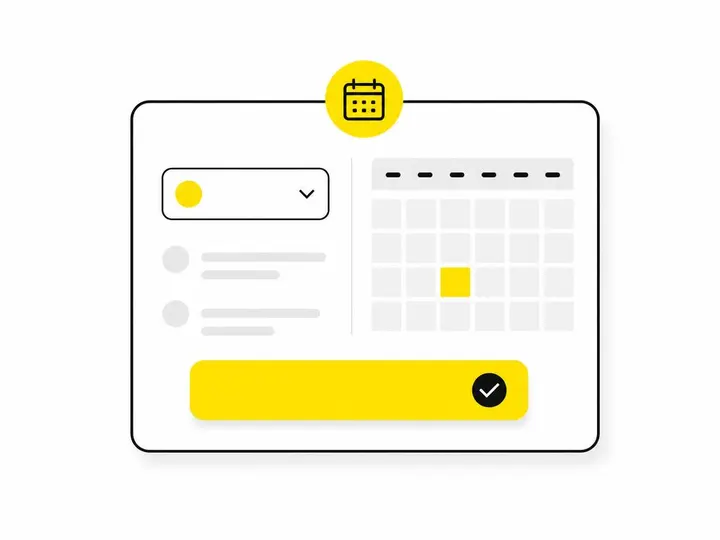
Don't over-engineer this. A real-time availability calendar that syncs perfectly with your diary is nice, but it's also complex and expensive. Many tradies get better results with a simpler approach: let customers pick from a window you manually set each week ("Available Mondays and Wednesdays, 9am to 3pm"). They pick a slot, the tool confirms it, and you manage conflicts manually if they happen (rarely).
If you use ServiceM8 or another job management platform, real-time syncing works because the tool already knows your schedule. If you're starting fresh, keep it simple until you've proven the demand exists.
A confirmation and reminder system
The booking form is just the start. An auto-confirmation email should go out immediately, showing the customer their appointment time, your business details, location, and anything they need to know (bring keys, clear the driveway, photos of the problem). A reminder SMS or email 24 hours before the appointment cuts no-shows dramatically.
This is non-negotiable. The booking tool does nothing if half your customers forget the appointment.
Mobile-friendly design and fast load speed
Most customers will book on their phone. Your booking widget, embedded or standalone, must load fast and work without friction on small screens. Poor load speed alone costs bookings Sensis data shows that 41% of Australians abandon a business website if it takes more than 3 seconds to load.
Which Booking Tools Work Best for Australian Tradies?
You don't need the most expensive platform. You need one that works for your trade, integrates with your systems, and doesn't require a monthly tech degree.
ServiceM8 — built for trade businesses
The ServiceM8 job management platform is purpose-built for Australian tradies. It handles scheduling, invoicing, customer records, and online booking all in one. Cost is around $20 to $40 per month. Upside: everything syncs real-time availability, automatic reminders, job history. Downside: it's a full job management system, not just a booking tool, so you're paying for features you might not use yet.
Calendly — simple and low-cost
The Calendly scheduling tool costs $0 to $12 per month for basic use. It's not trade-specific it's for anyone who needs appointment booking. You set your availability, customers pick a time, they get a confirmation and reminder. Upside: dead simple, integrates with your email and calendar, embeds on any website in minutes. Downside: no job management, no invoicing, no integration with trade-specific tools. Best for solo tradies or small teams booking quote appointments only.
Acuity Scheduling — good for quote appointments
Acuity sits between Calendly and ServiceM8 in price (about $15 to $25 per month) and features. It handles intake forms, custom fields, and payment collection. If your booking is really a pre-qualified quote appointment with specific information needs, Acuity's form builder works well. Integrates reasonably with most websites built on WordPress or hosted platforms.
What to avoid when choosing a booking tool
Don't pick a tool because it looks flashy. Pick one because it answers this: does it sync with my calendar, send reminders without my input, and embed easily into my website without breaking anything? If the answer to all three is no, move on. Also avoid tools that lock you into their hosting or customer data you should own your customer list, always.
How to Integrate Booking Into Your Existing Tradie Website
The worst tradie websites have both a booking widget and a contact form, and they're both asking for the same information in different ways. Customers get confused, you get duplicate enquiries, and nothing works.
Embedding a booking widget vs. a dedicated booking page
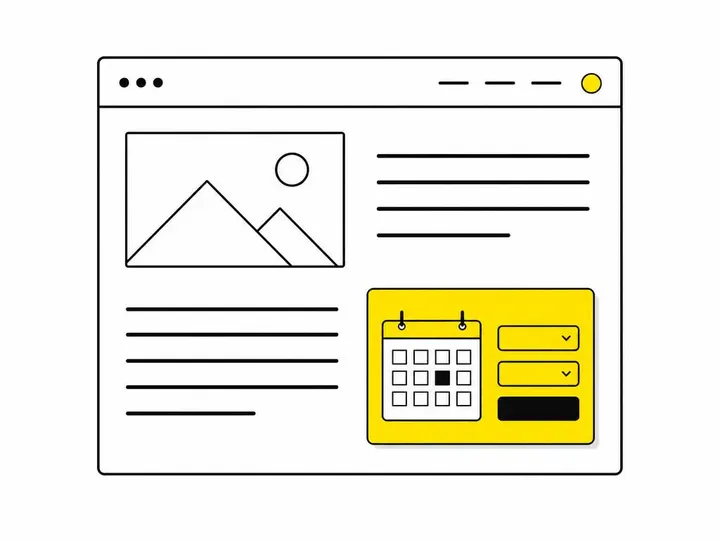
Embedding a calendar widget directly onto your homepage or service page is fast and visible. Customers see it, book it, done. The drawback: it can clutter your page design and compete with your call-to-action.
A dedicated booking page is cleaner. Your homepage and service pages link to it with a clear button ("Book a quote now"). The page has the booking tool, plus simple instructions and your contact details as a fallback. This keeps your design clean and makes the booking step feel intentional, not accidental.
Most successful tradie websites use both: a booking link on the homepage and service pages, and a live calendar embed only on the booking page itself. Customers who are ready book immediately. Those who want to ask a question first find your contact form or phone number.
Keeping your contact form and your booking tool from overlapping
The fix is simple: use the booking form for customers ready to commit a time slot. Use the contact form for general enquiries, emergency calls, or questions. Make it obvious which is which. Label your buttons "Book a quote" and "Send an enquiry" so customers self-select.
In your booking form settings, turn off anything asking about the job itself. That should happen before they book (on your service page or a pre-booking form). Let the booking form focus on time, date, contact info, and that's it. Less friction, faster completion.
Common Mistakes Tradies Make With Online Booking
Most tradie booking projects fail not because the tool is bad, but because the tradie didn't set it up right.
Asking for too much information upfront
A booking form asking for job description, address, budget, and three photos of the problem creates friction. Customers abandon it. Keep the booking form to five fields: name, phone, email, preferred date/time, and one custom field specific to your trade (postcode, property type). The rest happens in the conversation after they book.
Not syncing the booking tool with your actual schedule
The single biggest waste: a booking tool that shows availability but your calendar is out of date. You get a booking for Tuesday, but you're already fully booked Tuesday. You have to call the customer and reschedule. They lose confidence. They cancel.
Set a rule: every Sunday, update your availability for the next two weeks. Or only open booking for dates you know you're available. Don't let your tool run wild if you can't manage it in real time.
Forgetting to follow up booked leads
A booking confirmation is not follow-up. You still need to contact the customer, confirm details, send preparation instructions, and reaffirm the appointment 24 hours before. Many tradies add the booking tool and then stop calling entirely, expecting the tool to do the work. It doesn't. Automating missed call follow-ups and booking confirmations saves time, but you still own the relationship.
Is an Online Booking Website Worth It for Your Trade Business?
Calculate the real return before you commit time or money to building this.
The time-saving case
Assume you spend 10 hours per week on enquiry management: taking calls, texting availability, confirming appointments, sending reminders, chasing no-shows. Online booking with auto-confirmation and reminders cuts that to 4 to 5 hours. At your billable rate, that's $2,000 to $3,000 per month saved. A $25-per-month booking tool pays for itself in days.
The conversion case
If you get 20 enquiries per week and currently convert 12 into appointments (60%), online booking can push that to 16 or 17 (75 to 85%) because customers don't abandon the process or forget to follow up. Four extra appointments per week, 200 per year. Even at $500 per appointment in value, that's $100,000 per year. Worth it.
A simple checklist before you add booking to your site
Run through this before you buy anything:
Do at least 50% of your jobs involve appointments booked days ahead (not emergency call-outs)?
Can you reliably keep your availability calendar updated week to week?
Do you have a system to follow up bookings, send reminders, and handle no-shows?
Does your website have a best homepage layout for tradie websites that can support a booking link without looking cluttered?
Are you currently losing jobs because customers can't reach you or can't book fast?
If you answered yes to four or more, online booking will work for you. If you answered no to most, start with a simple contact form and phone line first. Common tradie website mistakes often include adding booking before you can actually manage it. Don't be that tradie.
Conclusion
Online booking for tradies is no longer optional in competitive markets, but it's also not a magic button. The 35 to 40% boost in appointment completion rates is real, but only if your system is set up right: simple form, real-time or managed availability, automatic confirmation and reminders, and human follow-up. Start small use Calendly or Acuity for quote appointments, embed it on a clean dedicated page, and manage it weekly. Don't ask for too much upfront, and don't let your tool run on autopilot. The conversion lift comes from the technology plus your discipline in following up.
Most Australian tradies haven't added booking yet, which means you still have a chance to differentiate. Customers notice and book faster when you let them. The question now is whether your trade type and workflow can support it and the checklist above will tell you that in five minutes.