Website Design Mistakes That Scare Away Leads (Australian Tradies)
On this page 10 sections
Key takeaways
- 88% of users won't return after a poor website experience
- Sites taking 3+ seconds to load see 40% higher bounce rates
- 73% abandon sites without clear contact methods or CTAs
- 57% of Australian traffic is mobile, yet most tradie sites aren't responsive
- 92% of Australians read reviews before hiring a tradesperson
Your tradie website is supposed to bring enquiries through the door. But if it's slow, hard to navigate on a phone, or looks like you built it in 2012, potential customers are already gone before they even read your testimonials. Website design mistakes cost tradies real money in lost leads, and most of the time you don't even know they're happening.
Why Website Design Mistakes Cost You Real Enquiries
The first impression problem
A potential customer searches for a plumber, electrician, or builder in their area and lands on your site. They have roughly three seconds to decide whether you're professional enough to call. If your site is slow, confusing on mobile, or visually outdated, they're already clicking the back button. That's not a hypothetical: Nielsen Norman Group research consistently shows that poor user experience drives people away instantly.
The stakes are higher for tradies than for most businesses. When someone needs emergency plumbing or a roof repair, they're looking at your website to build confidence. Does this business look established? Can I trust them with my home? A sloppy site answers that question before you've had a chance to explain your credentials.
How small design flaws kill trust instantly
It's not always about major mistakes. Small issues compound: a phone number that's hard to find, a contact form buried at the bottom of the page, images that don't load on mobile, or text that's too small to read without zooming. Each one adds friction. Together, they kill your conversion rate and send leads to your competitors instead.
The research is clear: 88% of users won't return to a website after a poor experience. That's not just damage to your first impression. That's a lost lead, possibly for months, until they search again and maybe remember you.
Mistake 1: Slow Page Load Speed (The Silent Killer)
Why 3 seconds is your deadline
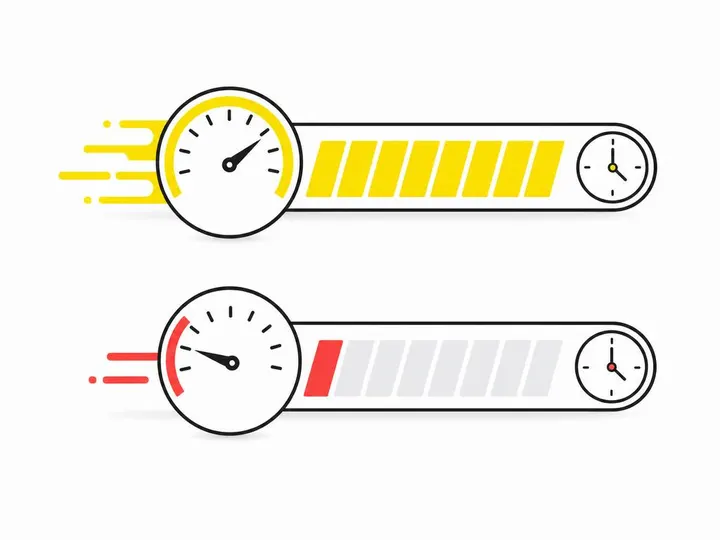
A page that takes more than three seconds to load causes about 40% of visitors to bounce and never see your content at all. For tradies, that means potential customers leave your site before they even see your gallery, reviews, or contact information. Speed isn't a luxury feature. It's a lead conversion tool.
How to test and fix your site speed
Start by testing your site with Google PageSpeed Insights. It's free and gives you a score out of 100 plus specific recommendations. Most tradie sites score between 30 and 60, which means they're losing enquiries to slow load times.
Common culprits include oversized images, poor hosting quality, and too many plugins or third-party scripts running in the background. A hosting company that specialises in Australian servers matters, especially if you're serving customers in regional areas where internet speeds are already slower.
Image compression and hosting quality matter
Compress your images before uploading them to your site. A photo of your completed job shouldn't be 5MB; it should be 200 to 400KB. Use free tools like TinyPNG or built-in WordPress plugins to shrink file sizes without losing visual quality. Better hosting also makes a measurable difference. Cheap shared hosting often has slow servers and poor uptime, both of which hurt your bounce rate and SEO ranking.
Mistake 2: Hidden or Missing Contact Details
Where your phone number should appear
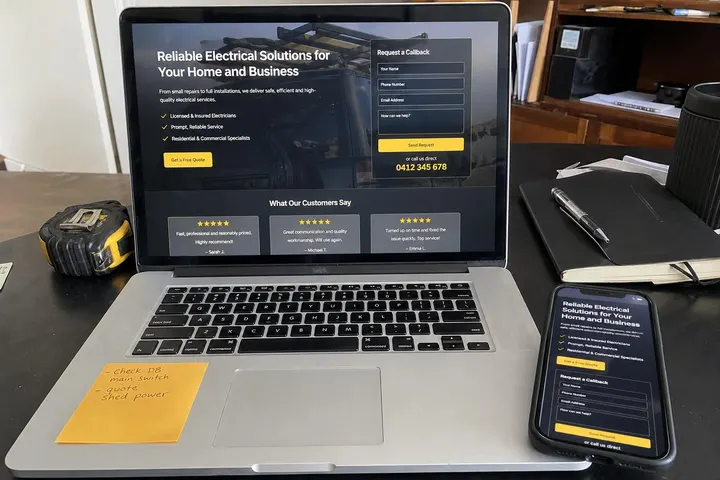
Your phone number needs to be visible on every page, not just the contact page. Put it in the header (top of the page), in the footer, and ideally in a floating button on mobile. If a visitor has to hunt for your phone number, you're adding friction at the moment they're ready to call. That's when you want it easiest to find.
The call-to-action placement rule
A strong call-to-action (CTA) like "Request a Free Quote" or "Call Now" should appear above the fold (visible without scrolling) on your homepage and on relevant service pages. Make it visually obvious using a contrasting button colour. Research shows that clear, prominent CTAs increase conversion rates significantly compared to hidden or generic text links.
Quote request forms that actually get filled in
If you use a contact form, keep it short. Ask for name, phone number, email, and a brief description of the job. Every extra field you add increases drop-off. People would rather call you than fill out a three-minute form. Make your quote request conversions easier by simplifying your process and making your CTA clear. A form that takes 30 seconds to complete gets far more submissions than one that takes three minutes.
Mistake 3: Poor Mobile Experience
57% of your visitors are on mobile right now
More than half of all traffic to tradie websites comes from mobile phones. Most of those visitors are actively searching for a service right now (a pipe burst, water damage, or a roof leak). If your site isn't optimised for mobile, they'll find a competitor's site that is. This isn't optional anymore. Mobile-first indexing means Google ranks your site based on how well it works on phones, not on desktops.
Responsive design vs mobile-friendly: the difference
Responsive design automatically adjusts your site's layout to fit any screen size smoothly. Mobile-friendly means it sort of works on phones, but might require pinching, zooming, or horizontal scrolling. Responsive is the standard now. If your site requires zoom or scrolling sideways to read text, it's costing you leads. Follow Google's mobile-first indexing guidelines to ensure your site performs well on all devices.
Common mobile mistakes tradies make
Large images that are too big for a phone screen, text that's too small without zooming, buttons that are too small to tap easily, and auto-playing videos that eat up data. Test your site on an actual mobile phone (not just in a browser zoom view). Have someone else try to navigate it and request a quote. If they struggle, your visitors are struggling too.

Mistake 4: No Social Proof or Customer Reviews
Why 92% of customers look for reviews first
Australian consumers read customer reviews before hiring a tradesperson. That's not opinion. That's how people make decisions. If your website has no testimonials, no star ratings, and no customer reviews, potential customers assume you either don't have happy customers or you're hiding something. Either way, they move to your competitor who has visible social proof.
Where to display testimonials on your site
Put customer testimonials on your homepage, on individual service pages, and in a dedicated testimonials section. Use real customer names, photos, and specific results (not vague praise like "great service"). A quote like "Fixed our blocked drain in 30 minutes, showed up on time, and charged exactly what he quoted" is far more persuasive than "Excellent work."
Google reviews vs on-site testimonials
Google reviews are crucial for local search ranking and visibility. On-site testimonials help with conversion once someone lands on your page. Use both. Ask satisfied customers to leave a Google review (this directly improves your Google Business Profile visibility for local searches). Also collect testimonials in writing and display them on your site. This combination builds credibility and trust faster than either one alone.
Mistake 5: Unprofessional or Outdated Design
The DIY template trap
A generic template that looks the same as 100 other sites doesn't help you stand out. Tradies often use cheap or free templates that look plastic, dated, or corporate in a way that doesn't match their business. A custom or well-customised design (even using a modern template framework) signals that you're a professional, established business worth paying for. Understanding the best homepage layout for tradie websites helps you structure your site for both user experience and conversion.
Visual credibility and trust signals
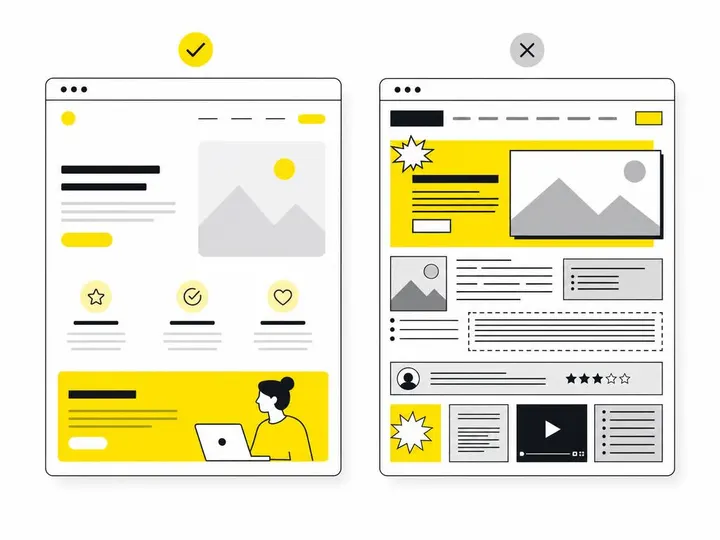
Professional photography of your work, clear branding, consistent colours and fonts, and a clean layout build trust. Dark, blurry photos of completed jobs, mismatched fonts, and cluttered layouts do the opposite. You don't need expensive design; you need intention and consistency. A site that looks like it was designed by a professional is more likely to convert visitors into enquiries than one that looks DIY.
When to invest in professional design
If your current site is more than five years old, looks nothing like modern websites in your industry, or isn't generating enquiries, it's time to invest in professional design. Learn more about what a professional tradie website costs in Australia so you understand the investment. A well-designed site pays for itself through increased enquiries and conversions.
Mistake 6: Weak or Generic Messaging
Why 'quality service' doesn't mean anything
Every tradie says they deliver "quality service" and "professional results." That's the baseline expectation, not a differentiator. Your website copy needs to speak to the customer's specific problem and explain why they should call you instead of the other five businesses they found in Google. "We fix roof leaks fast and back our work with a ten-year guarantee" is stronger than "Quality roofing services."
Writing headlines that speak to your customer's problem
A headline like "Blocked Drains Fixed in Under 2 Hours or Your Call-Out Fee is Free" addresses a specific customer concern (speed and cost certainty). It's memorable and persuasive. Generic headlines like "Local Plumbing Services" don't make anyone pick up the phone. Use your headlines to answer the customer's question: What's in it for me if I call you?
Location-specific messaging for local SEO
If you service multiple suburbs or regions, use location-specific pages and messaging. "Emergency plumbing in Parramatta" is more effective for search ranking and conversion than just "Emergency plumbing." This also helps with local lead generation strategies for tradies, where specificity matters for both search engines and customer confidence.
Mistake 7: Poor Local SEO Setup
76% of local searches happen on mobile
Three-quarters of people searching for local services do it on their phone, often while they're in their car or at home facing an immediate problem. If your site isn't optimised for local search and your Google Business Profile isn't fully set up and current, you're invisible to these high-intent searchers. They're looking for help right now, and you're not showing up.
NAP consistency and Google Business Profile
NAP stands for Name, Address, Phone number. Your business details need to be identical across your website, Google Business Profile, Google Maps, and local directories. Inconsistencies confuse search engines and customers. Your Google Business Profile photo gallery, opening hours, and customer reviews directly influence whether people click through to your site or call you directly. Keep this information current and complete. Post updates and respond to customer reviews promptly.
Location pages and service area targeting
Create dedicated pages for each location or suburb you service. Include the suburb name, local landmarks, and service-specific information for that area. This helps with local search ranking and gives the impression that you're established in that community, not just a regional business casting a wide net. Combine this with updated NAP consistency and a strong Google Business Profile to dominate local search results in your area.
How to Audit Your Own Website for These Mistakes
The 5-minute mobile test
Open your website on an actual smartphone (not a browser zoom view). Can you read the text without zooming? Are buttons easy to tap? Can you find the phone number in three seconds? Can you start a quote request without confusion? If you struggle, so are your visitors. Fix any obvious friction points immediately.
Free tools to check speed and usability
Use Google PageSpeed Insights to check load time. Use a tool like Screaming Frog (free version) to crawl your site and check for technical issues. Ask three friends to visit your site on their phones and request a quote. Time how long it takes them and note where they get confused. This real-world feedback is invaluable.
When to call in professional help
If you don't know where to start or if your site needs a complete overhaul, talk to a professional. Get a free website assessment to identify your biggest issues and understand what fixing them will cost. Sometimes a small investment in professional help prevents months of lost leads.
Conclusion
Website design mistakes are quiet lead killers. A slow site, missing contact details, poor mobile experience, no reviews, outdated design, weak messaging, and poor local SEO don't announce themselves. They just slowly drain your enquiries into your competitors' pockets. Most tradies don't realise what's happening until they compare their lead volume to a competitor's.
The good news: fixing these mistakes is straightforward once you know what to look for. Fast hosting, a mobile-responsive layout, clear contact details and CTAs, customer testimonials, professional design, specific messaging, and solid local SEO setup will transform your website from a lead killer into a lead generator. Start with the 5-minute mobile test. Identify your biggest weakness. Fix that first. Then move to the next one.
Your website should work as hard as you do to bring enquiries through the door. Make sure it's not sabotaging you.