How to Design a Tradie Service Page That Ranks in Google
On this page 8 sections
Key takeaways
- Target one service per page with a suburb-specific primary keyword
- Load time under 2.5 seconds is a confirmed Google ranking factor
- Embedded reviews convert 3x better than pages without social proof
- A visible click-to-call button lifts enquiries by up to 35 percent
- Schema markup helps Google understand and display your service locally
Most tradie service pages rank nowhere on Google because they're built backwards: the business writes first and forgets to think about what searchers actually want. A proper service page for plumbing, electrical work, carpentry, or any trade needs a specific keyword structure, the right page elements, mobile-first design, and conversion mechanics that turn browsers into quote requests. This article walks you through exactly how to build a service page that ranks in your local area and actually gets the phone ringing.
Why Most Tradie Service Pages Fail on Google
Your service page fails to rank for three core reasons: it's trying to do too much, it lacks local signals that Google needs, and it's slow on mobile devices where most tradie searches happen.
One page trying to cover every service
Many tradies build a single page called "Services" and stuff every offering onto it: plumbing repairs, drain cleaning, blocked pipes, emergency calls, gas fitting, and water heater replacement all competing for attention. Google doesn't know which service to rank you for, and neither does a searcher looking for something specific. One bloated page ranks for nothing. Separate pages for each service, each optimised for a specific keyword like "emergency plumbing Parramatta" or "blocked drain cleaning Manly", perform dramatically better in local search results.
No local intent signals
Google ranks local businesses based on location signals. If your service page doesn't mention suburbs, suburbs aren't in your page URL, and you haven't added location-specific schema markup, Google treats your page as generic rather than local. A tradie without local intent signals gets buried by competitors who've done it right. This is why service area pages for tradies matter: they tell Google where you actually work.
Slow load times on mobile
Half of tradie searches happen on a phone at the site of a problem. If your service page takes 4 to 5 seconds to load, half your visitors leave before the page even appears. Google penalises slow pages in rankings, and your potential customers penalise you by calling a competitor instead. Core Web Vitals are real ranking factors now, and if your Largest Contentful Paint (LCP) sits above 2.5 seconds, you're losing both traffic and leads.
What keyword structure should a tradie use for a service page to rank locally?
Service plus suburb is the formula that works: "plumbing repairs Sydney", "roof restoration Penrith", "electrical rewiring Canberra". This combination tells Google you serve a specific area and helps local searchers find you.
Service plus suburb is your sweet spot
A searcher types "blocked drain plumber near me" or "emergency electrician 2000" because they want help now, in their area. Your page title, heading, and first paragraph need to match that intent. If you're a plumber in Mascot, your page is built around "emergency plumbing Mascot" or "blocked drain Mascot", not just "plumbing services". This specificity is what gets you into Google's Local Pack and above generic competitors.
How to check search volume without overthinking it
You don't need expensive SEO tools. Google Search Console and a free keyword tool like Ubersuggest or Google Keyword Planner show you what people in your area are actually searching for. Type your service and suburb into the search bar, and Google's autocomplete shows you real searches. If "plumbing Coogee" appears in the dropdown, people are searching for it. That's your keyword. Build a page around it.
Mapping keywords to separate pages
Create one service page per keyword combination. Your electrical business builds separate pages for "rewiring", "switchboard upgrade", "solar installation", each optimised for different suburbs if you work across multiple areas. Each page has its own unique content, its own heading, its own call-to-action. This structure tells Google you specialise in each service, not just offering a generic list.
What page elements does Google look for when ranking a tradie service page?
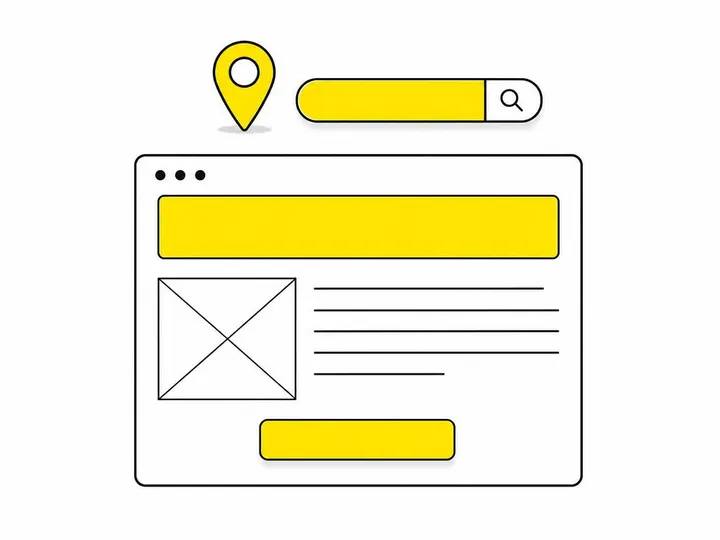
Google reads and ranks based on specific page structure: an above-the-fold heading and call-to-action, a detailed service description, a dedicated FAQ section, and proper schema markup that labels your content so search engines understand what they're reading.
Above the fold: heading, subheading, and a call-to-action
The first thing a visitor and Google see is your H1 heading. It should be your main keyword: "Emergency Plumbing Repairs in Mascot" or "Roof Restoration Penrith". Below it, a subheading clarifies what you do and why: "Same-day service, licensed plumbers, 24/7 callouts". A click-to-call button or quote form sits within the first 100 pixels so mobile users can act immediately. This structure keeps people engaged and tells Google this page is about a specific, local service.
The service description section Google actually reads
After your heading, write 150 to 300 words describing the service itself: what it includes, why someone needs it, how your approach differs. Google reads this section to understand context and relevance. Use your keyword naturally once or twice, explain the problem and your solution, and build trust with specifics. "We clear blocked drains using CCTV inspection and high-pressure jetting" works better than "We fix your drain problems".
Why you need a dedicated FAQ section on every service page
FAQs serve two purposes: they answer questions searchers actually ask, and they signal relevance to Google through structured question-and-answer format. Common tradie FAQs include "How long does this job take?", "Are you licensed and insured?", "What's your emergency callout fee?", and "Do you provide a warranty?". Google can extract these Q&A snippets and display them in search results or to voice assistants, driving more clicks to your page. Each FAQ item is also an opportunity to include your service keyword naturally.
What schema markup should a tradie service page include?
Two schema types matter for tradie service pages: schema.org/Service markup reference labels your service offering, and LocalBusiness schema tells Google your business name, location, phone, and hours. Together, they improve your visibility in local search results and help Google understand what you offer and where you operate.
If you're using WordPress, plugins like Yoast SEO or Rank Math add schema automatically. If you're hand-coding, the schema markup sits in your page's head section and looks like structured JSON data. Don't skip this: pages with proper schema markup rank higher and get richer snippets in search results.
One more critical local element: embed your Google Business Profile review feed on your service page. Real customer reviews improve trust, provide fresh content that Google sees when it crawls your page, and give you another ranking boost in local pack visibility. People trust businesses with reviews, and Google trusts businesses that show them.
How does page speed affect a tradie service page ranking?
Largest Contentful Paint (LCP) under 2.5 seconds is the target, and pages that meet this threshold rank 15 to 20 percent higher than slower pages in local search results.
Core Web Vitals are three metrics Google uses to measure user experience: LCP (how fast the main content loads), Cumulative Layout Shift (whether elements jump around), and First Input Delay (how responsive your page is). Tradie service pages on mobile fail most often on LCP because large hero images or slow third-party scripts delay when the main heading and call-to-action appear. Every second matters when someone's calling three plumbers at once and judging each on mobile speed.
Check your page speed in Google Search Console under Core Web Vitals. If LCP exceeds 2.5 seconds, compress your images, defer non-critical JavaScript, and remove bloated plugins. For tradie websites, simple and fast always beats fancy and slow.
How should a tradie service page be structured to generate quote requests, not just traffic?
Traffic without conversions is worthless. Your service page structure must funnel visitors toward a quote request or phone call using strategic placement, trust signals, and friction-free forms.
Click-to-call placement and design
On mobile, a click-to-call button appears in the header, within the first paragraph, and ideally in a sticky footer that stays visible as the user scrolls. It should be large, contrasting in colour, and say exactly what happens: "Call for emergency plumbing" or "Get a free quote". Every tradie page needs this because most mobile users won't fill a form if they can call instead. Make calling the easiest action on the page.
The right quote form for a tradie page
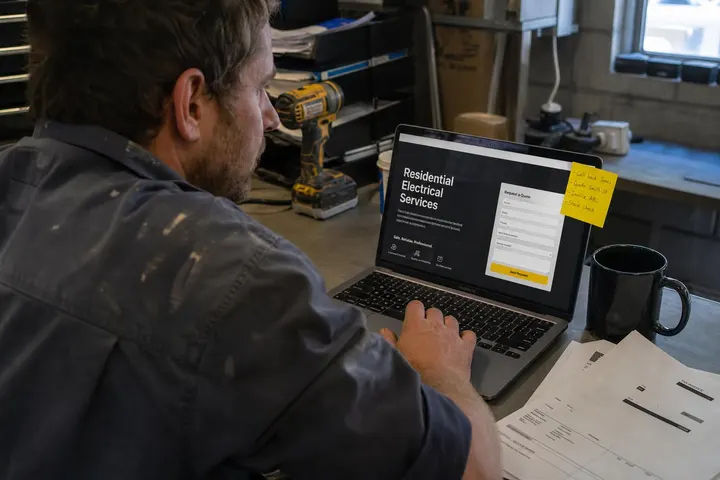
A short form works better than a long one. Ask for name, phone, email, a brief description of the problem, and your service area. That's it. Anything longer and conversion rates drop sharply. Place it mid-page and again at the bottom so visitors have multiple opportunities to convert. If you're using WordPress, how to get more quote requests from your website covers form strategy in depth.
Before-and-after photos and trust signals
Show your work. Before-and-after galleries build trust faster than words. Include customer testimonials with real names and suburbs ("John from Darlinghurst says..."), your qualifications and licenses, response time guarantees, and warranty information. People need confidence before they call. Every trust signal on your page increases the likelihood they'll reach out to you instead of a competitor.

How do you know if your tradie service page is actually working?
Track four metrics monthly in Google Search Console and your website analytics to know whether your service page is performing or needs a rewrite.
The four metrics to check each month
Impressions: How often your page appears in Google search results. If impressions are low, your content isn't ranking yet or your keyword is too broad.
Clicks: How many people click through from search results to your page. Clicks growing but conversions flat means your page attracts traffic but doesn't convert it.
Conversion rate: Percentage of visitors who call, fill the form, or take action. Below 2 percent and your page structure or messaging needs work. Above 5 percent and you're outperforming most tradie sites.
Average position: Where your page ranks in search results (position 1 to 100). Position 5 or better gets most clicks. Position 20 or worse gets almost none.
Pull these numbers from Google Search Console monthly. If your page ranks position 8 with 500 impressions but only 2 clicks, your title or meta description isn't compelling. If it has 100 clicks but zero quote forms submitted, your on-page messaging or call-to-action needs fixing. Use data to guide changes, not guesses.
When to refresh or rewrite a page
If a service page has sat at position 15 or lower for three months with no improvement, refresh it. Add new customer testimonials, update your photos, rewrite the heading to match what people are actually searching for, and strengthen your call-to-action. If your page ranks but converts poorly, the problem isn't visibility, it's trust or clarity. Rewrite the messaging, add before-and-afters, embed your review feed, and test a different form layout.
Avoid the common trap of building one service page and ignoring it. Pages live or die based on ongoing optimisation. Revisit yours every quarter, look at the data, and make small, measurable improvements. Better to have five pages you actively maintain than twenty pages you've abandoned.
Conclusion
A tradie service page that ranks in Google and generates quote requests isn't accidental. It starts with a specific keyword (service plus suburb), follows a structure Google understands (heading, description, FAQ, schema markup), loads fast on mobile (LCP under 2.5 seconds), and converts visitors using click-to-call buttons and trust signals. Most tradie pages fail because they skip these steps or treat design and SEO as separate problems.
Build one strong service page first. Get it ranking and converting. Then build another. Track your metrics monthly in Google Search Console. When you see data saying a page isn't performing, rewrite it instead of starting over. If you're building from scratch or overhauling an existing site, tradie website design by Humming Web handles this structure as the foundation, so you don't have to figure it out alone. The winning strategy for tradies isn't more pages or more traffic. It's fewer, smarter pages that actually close deals.