Electrician Website Service Pages: What to Include for Switchboards, Smoke Alarms and EV Chargers
On this page 7 sections
Key takeaways
- Give switchboards, smoke alarms and EV chargers their own separate pages
- Each page needs a customer problem, compliance info, process, and booking CTA
- Queensland smoke alarm compliance deadline is 1 January 2027
- EV charger pages should mention switchboard assessment upfront
- Add licence details, service areas and project photos to build trust
Most electrician websites lump switchboard upgrades, smoke alarms and EV chargers into one generic "Services" page, then wonder why they lose jobs to competitors who have dedicated landing pages for each. Separate service pages aren't just a nice-to-have; they match the way customers actually search for electrical work and give you the space to address compliance deadlines, technical details and trust signals that a homepage simply can't cover.
Why One Big Services Page Is Costing You Jobs
When a homeowner in Queensland searches for "interconnected smoke alarm installation 2027" or "EV charger installation and switchboard upgrade", they're looking for a page that speaks directly to their problem. A generic services list doesn't do that. It makes them scroll, it doesn't answer their specific question, and it doesn't rank as well for those targeted searches because Google rewards relevance and depth.
How specific searches work for electricians
Customers don't search for "electrical services" anymore. They search for the job plus the context: "how much does a switchboard upgrade cost", "do I need a new board for an EV charger", or "Queensland smoke alarm rules 2027". Each of those searches has different intent. One is about price and urgency. Another is a question about whether the service is needed at all. A third is compliance-driven and time-sensitive.
When you have one combined page, you're trying to answer all of them at once. You end up with shallow paragraphs that don't build trust or answer the specific objection that visitor is facing right now. A dedicated electrician website with service pages optimised for specific searches will rank better and convert higher because it speaks directly to that search intent.
What a dedicated service page actually does
A proper service page for a single electrical offering lets you do three things well. First, it explains the problem the customer is facing and the warning signs they should watch for. Second, it walks through what you'll inspect and assess on site. Third, it gives enough technical and compliance detail that the customer trusts you before they even pick up the phone. Each of those takes real estate. You can't do all three on a homepage or a 500-word catch-all services page.
Your Switchboard Upgrade Service Page
A switchboard upgrade page should open by clearly stating when and why a customer needs one, then provide the warning signs that make an upgrade urgent.
Signs a customer needs a switchboard upgrade
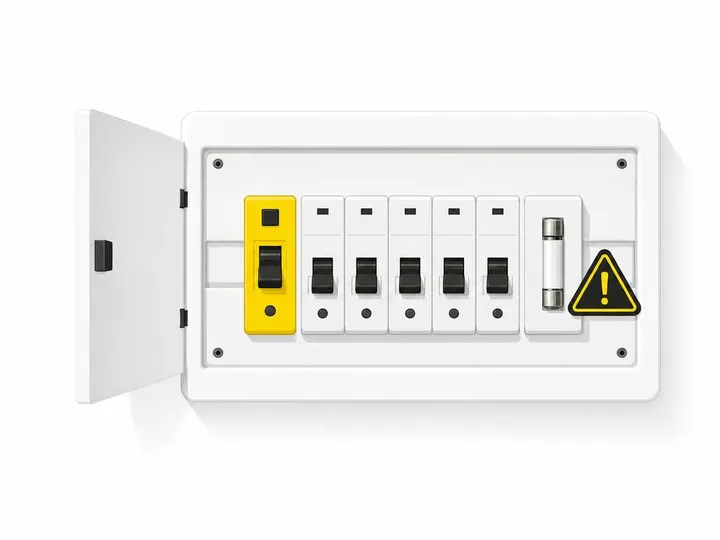
Start your page with the customer's perspective: repeated tripping of circuit breakers or safety switches, a hot switchboard that's warm or uncomfortable to touch, burning smells near the board, buzzing sounds, ceramic fuses instead of modern protection, missing or outdated residual current devices (RCDs), or the need to add high-load equipment like an EV charger or heat pump. These are the real-world triggers that drive a customer to call an electrician.
What to include on the page
Cover what an assessment involves: checking the existing board's age and condition, measuring load demand, confirming the main supply capacity, and identifying which circuits are protected by a safety switch (or RCD). Explain that many older homes still have ceramic fuses instead of a modern switchboard with individual circuit protection. Mention that a dedicated circuit is often needed for high-load appliances. If the board itself needs replacing or upgrading, give a rough timeframe for the work and explain what the upgrade includes (new board, modern protection, testing, certification).
Assessment-first messaging
Don't promise a fixed package. Every switchboard is different. Instead, say "We'll assess your existing board, identify any safety gaps, and confirm what work is needed before we provide a quote." This builds trust because it shows you're not just trying to upsell. Include your licence details, any brands or manufacturers you work with, and the fact that all 240-volt work is performed by a licensed electrician. Link to your tradie service page structure guide if you need help with layout.
Your Smoke Alarm Installation and Compliance Page
Queensland has created a time-sensitive opportunity for electricians: from 1 January 2027, every existing home, townhouse and unit must have interconnected photoelectric smoke alarms that comply with AS 3786:2014.
The Queensland 2027 deadline and what it means for your page
Use this deadline as your page's headline hook. Many homeowners in Queensland don't yet know the rule applies to owner-occupied homes, not just rentals. Your page should clearly state the date, explain who it applies to, and outline what "compliant" means. Link to Fire and Emergency Services Queensland smoke alarm requirements so visitors know you're citing official guidance. For customers outside Queensland, add a disclaimer that smoke alarm rules vary by state and suggest they check their local fire authority's website.
Alarm specs customers need to understand
Explain the five key requirements that make an alarm compliant in Queensland. It must be photoelectric (not ionisation), certified to AS 3786:2014, less than 10 years old, interconnected (linked so they all sound together), and powered by either hardwired mains electricity or a non-removable 10-year battery. Many customers confuse interconnected with wireless; make clear that AS 3786:2014 specifies what types of interconnection are allowed. Alarms are required in bedrooms, connecting hallways and every storey of the home.
What to include on the smoke alarm page
Walk through the installation process: site inspection to confirm alarm locations, checking whether hardwired installation is feasible or whether battery-powered alarms are more practical, testing the existing network, and fitting new alarms if needed. Explain what happens after installation (testing, certifying, any maintenance needed). Mention that hardwired installation involves 240-volt work and must be done by a licensed electrician. Include a simple checklist customers can use to audit their current alarms (age, type, location, interconnection status). Add your service areas, response times, and brands of alarms you typically use. Consider local lead generation tactics for electricians by linking to suburb pages where this service is offered.
Your EV Charger Installation Service Page
EV charger installation pages need to target two types of search intent: direct ("EV charger installation Sydney") and problem-driven ("does my home need a switchboard upgrade for an EV charger").
Targeting the right search intent
Your opening paragraph should acknowledge both. Some visitors already know they want a charger installed; others are asking whether it's possible or what it will cost. Address both by explaining that every installation starts with an assessment because the requirements vary based on where the charger is located, the existing switchboard capacity, the main supply to the home, and the charger's power rating.
Linking EV chargers back to switchboard capacity
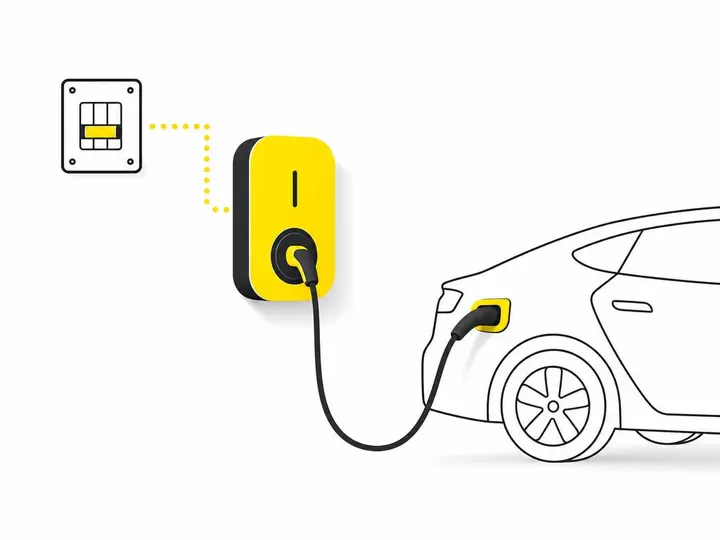
This is where separate service pages do more work. Your EV charger page should cross-link to your switchboard upgrade page and explain that many homes will need a new or upgraded board to safely accommodate a charger. Mention that a dedicated circuit and RCD protection are standard requirements. Link to your switchboard page from within the EV charger content so visitors who land here but need board work can easily navigate to that page.
What to include on the EV charger page
Cover the assessment process: inspecting the charger location, tracing the cable route, checking the existing switchboard and load capacity, confirming the electricity distributor's requirements, and calculating whether a dedicated circuit or board upgrade is needed. Mention any charger brands or types you support, response times for installation, and whether you provide certification or compliance documentation. Include photos of previous installations if possible. Add suburbs and service areas. This isn't about promising a quick fix; it's about showing customers you've done this before and you know what to look for.
The Page Elements Every Electrical Service Page Needs
Structure matters, but so does what you put on the page to build credibility and move visitors toward an enquiry.
Trust signals that convert visitors into enquiries
Include your electrical licence number and expiry date, any relevant certifications (like accreditation for EV charger installation), years in business, and service areas. Add customer reviews or testimonials specific to that service if you have them. Use trust signals for tradie websites such as before-and-after photos, real project timelines, and clear pricing or pricing guidance. If you offer payment plans or have a standard response time, say so. If you supply copies of certification or compliance documents after the work, mention that too. The goal is to remove as many reasons to call a competitor as you can.
CTAs, contact forms and booking options
Keep contact friction low. Offer a contact form, a phone number, an email link and ideally a booking button if you use an online scheduling tool. Don't overwhelm the page with five different CTA buttons, but make it obvious how to get in touch.
How the Three Pages Work Together
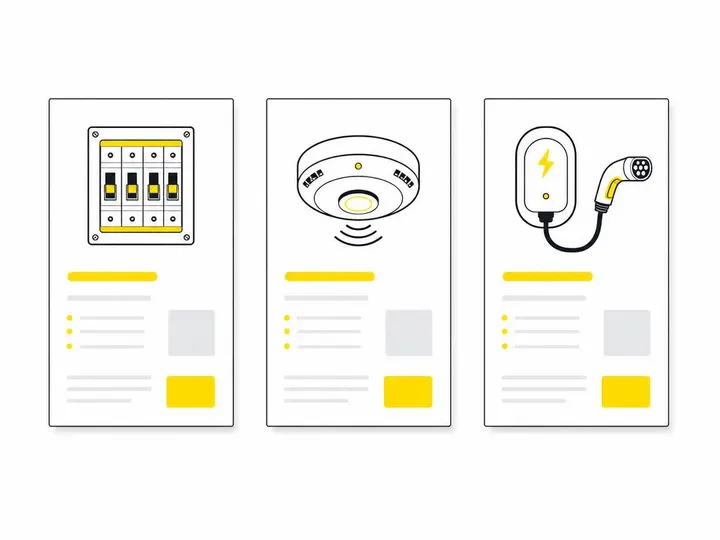
Separate pages only work if they talk to each other and to your local pages.
Internal linking between service pages
Link from your EV charger page to your switchboard page when you mention that a board upgrade might be needed. Link from your switchboard page to your smoke alarm page if you're talking about adding protection to circuits. Link from your smoke alarm page to your switchboard page if hardwired installation requires main board work. These aren't random; they're contextual links that help visitors navigate and help Google understand the relationship between your services. Service page design for tradies covers internal linking structure in detail.
Connecting service pages to suburb and area pages
Create service area pages for electricians (suburb pages) that mention all three services or link to them. For example, a page for "EV charger installation in Paddington" can link to your core EV charger page, and also link to your switchboard and smoke alarm pages. This keeps the suburb page short while giving visitors options if they're interested in multiple services. Don't duplicate your entire switchboard content on a suburb page; link to it instead.
Conclusion
Three focused service pages for switchboard upgrades, smoke alarm compliance and EV charger installation will outperform a single generic services page because they match the way customers search and give you the depth to address compliance, technical detail and trust in one place. The Queensland 2027 smoke alarm deadline and growing EV adoption mean demand for these pages is real, and customers are actively searching for them.
Start by auditing what's on your homepage and current services page. If you're trying to cover switchboards, alarms and chargers in a few paragraphs, you're not giving any of them enough attention. Build three separate pages, link them thoughtfully to each other and to your suburb landing pages, and add the trust signals and compliance details your audience actually needs to hear. That structure, combined with dedicated electrician website design, will convert more visitors into qualified enquiries.