Facebook Ads Retargeting for Australian Small Businesses: Who Should You Show Ads To?

On this page 8 sections
Key takeaways
- Retargeted users are 70% more likely to convert than cold traffic
- Segment audiences by action taken, not just pages visited
- Website visitors, video viewers, and lead form openers each need different ads
- Exclude recent buyers and existing customers to avoid wasted spend
- Even a small budget works if audiences are tightly defined
Most Australian small businesses run retargeting ads all wrong. They build one audience from all website visitors, blast the same ad at everyone, and then wonder why they're burning money with no return. Retargeting is one of the highest-ROI ad strategies available, but only when you show the right ad to the right person at the right time. This guide walks you through exactly which audiences to build first, which ones to exclude, and how to measure whether your retargeting is actually working.
Why Retargeting Works (and Why Most Small Businesses Do It Wrong)
Almost nobody converts on their first visit to your website. Research consistently shows that 98 per cent of first-time visitors don't take action, whether that's making a purchase, booking a consultation, or filling out a lead form. That's not a failure on your part. It's how human buying works. People need to see your message multiple times, build familiarity, and feel confident before they commit.
Retargeting ads let you stay in front of those warm prospects across Facebook and Instagram after they leave your site. And the numbers are compelling. Users who see retargeting ads perform significantly better than cold traffic, and a proper Meta ads funnel for small businesses depends on retargeting as a core pillar. Retargeted users are 70 per cent more likely to convert than people who've never heard of you, and your cost per click drops by 40 to 50 per cent compared to prospecting campaigns.
The 98% problem: almost no one converts on their first visit
Your first-time visitor isn't ready. They're still learning about you, comparing you to competitors, or just not sure yet. That's completely normal. The mistake most small businesses make is treating all visitors the same after they leave. One generic retargeting audience gets one generic ad, and the effort falls flat.
Blasting one ad at all visitors is the most common mistake
If you put everyone who visited your website into a single audience and show them a single ad, you're leaving money on the table. Someone who looked at your pricing page is in a different mindset than someone who watched your YouTube video or opened a lead form but didn't finish it. They need different messages. A person deep in the consideration stage needs social proof and testimonials. A price-checking visitor might need a limited-time offer. Someone who abandoned a form needs friction removal, not another sales pitch.
The Retargeting Audiences Worth Building for a Small Business
Start with these four high-intent retargeting segments, in order of priority. Each one has different behaviour and needs a different message.
Website visitors by page or section
Not all website visits are equal. Someone who spent time on your services page is warmer than someone who bounced off your homepage in five seconds. Use the Meta Pixel to track which pages people visit, and build separate Custom Audiences for your key sections. A tradies business might segment by "people who visited the bathroom renovation page" versus "people who viewed testimonials". An e-commerce store would split "product page visitors" from "cart abandoners". This takes more setup, but the ROI difference is stark.
Video viewers from your Facebook or Instagram content
Video engagement is a strong signal of interest. Build a retargeting audience from people who watched at least 50 per cent of your Facebook or Instagram videos. These people already found your content, watched it, and showed genuine interest. They're warm prospects who deserve a follow-up message.
People who engaged with your Facebook or Instagram profile
Anyone who liked, commented on, or shared your Facebook or Instagram posts has already interacted with you. Build an audience from profile engagers and retarget them with a logical next step, like a video case study or a free resource.
Lead form openers who never submitted
This is gold. Someone clicked on your lead form ad, opened the form, but didn't finish it. They were interested enough to start, but something stopped them. Maybe the form was too long, the timing was off, or they got distracted. Retarget this group with a shorter message, a reminder of the value, or a simpler way to connect (like a direct message link instead of a form).
How to Prioritise Your Audiences When Your Budget Is Tight
If your budget is limited, you can't build every audience at once. Prioritise based on intent and existing traffic volume.
Start with the highest-intent segments first
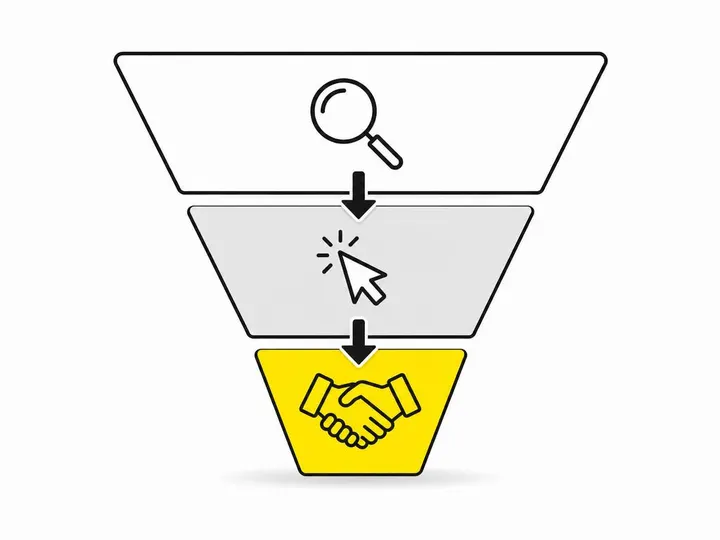
Rank your audiences by how close they are to a conversion. Lead form openers are always first, because they've already signalled intent. Next are people who engaged with your content or visited key pages like pricing or contact. General website visitors come last. Allocate your budget to the warm stuff first. You'll get better ROAS, and the data will help you refine your approach.
Minimum audience sizes and the 1,000-person threshold
Meta needs a minimum audience size to run ads effectively. For retargeting, aim for at least 1,000 people in an audience before you launch a campaign. If your audience is smaller, combine related segments (like "all service page visitors" instead of splitting plumbing, electrical, and gas separately). Smaller audiences can still work, but delivery gets inconsistent and costs rise.
How much to allocate to retargeting vs. prospecting
A healthy starting split is 60 to 70 per cent of budget to retargeting and 30 to 40 per cent to prospecting. Retargeting delivers faster ROI and lower costs, so it should carry more budget. Once your retargeting is working, you can scale your Meta ads once retargeting is working and reinvest those returns into prospecting to grow your top-of-funnel.
What Ads to Show Each Audience
The same ad rarely works for every audience. Match your creative and message to where the person dropped off in their journey.
Matching the creative to where the person dropped off
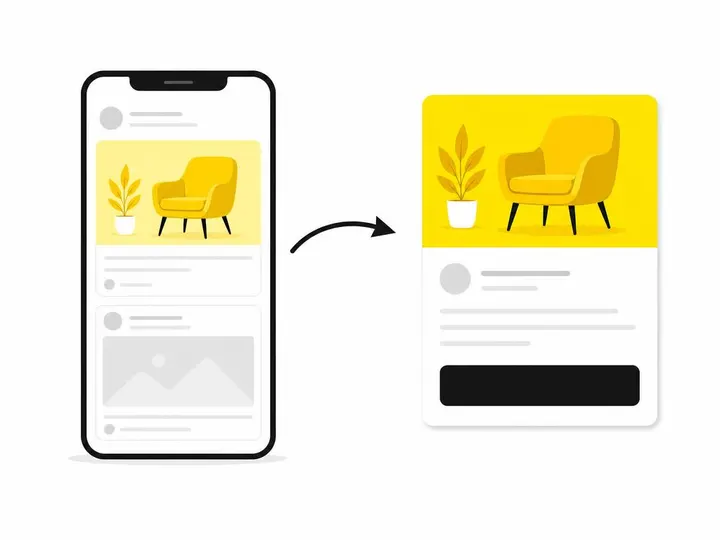
Someone who visited your pricing page doesn't need an introduction video. They need proof that your price is worth it. Someone who watched a service video but didn't convert yet might need a testimonial or a case study next. Facebook ad creative ideas for small businesses vary widely, but the principle stays the same: meet people where they are. General awareness audiences see brand videos or education. Consideration audiences see testimonials and comparisons. Decision audiences see time-limited offers or hassle-free guarantees.
Social proof and offers for warm traffic
Warm audiences respond best to social proof (testimonials, case studies, client logos) and clear offers (free consultation, $50 off, free shipping). Don't ask them to learn about you again. They already know who you are. Show them why they should choose you and make the next step easy.
Frequency caps: how often is too often?
Show retargeting ads 1 to 3 times per week to the same person, not 10 times. Users who see retargeting ads 1 to 3 times have 71 per cent higher conversion intent than those who see them more often. Higher frequency leads to ad fatigue, banner blindness, and wasted spend. Cap your frequency in Meta Ads Manager to avoid annoying people out of the sale.
Who NOT to Retarget (and Why Exclusions Save Money)
Excluding the wrong people wastes budget. Use these exclusions to protect your spend.
Recent customers and existing clients
Don't retarget people who've already converted. If you sell once and ship, exclude people who completed a purchase in the last 30 to 90 days. If you run a service business, exclude recent clients for 6 to 12 months. Showing them retargeting ads annoys them and burns budget on people who've already given you money.
Low-quality traffic segments to exclude
Exclude people who bounced off your site in under 10 seconds. They weren't interested, and retargeting won't change that. Also exclude accidental clicks or bot traffic if your analytics show it. Focus your retargeting budget on people who actually engaged with your content.
Setting Up Your Retargeting Audiences in Meta Ads Manager
The technical foundation matters. You need the right tracking in place, and Meta gives you several tools to do it.
The Meta Pixel and Conversions API: you need both
The Meta Pixel is a piece of code on your website that tracks what visitors do. It fires when someone visits a page, fills a form, or makes a purchase. The Conversions API does the same thing but from your server side, which is more reliable if your traffic goes through iOS or ad blockers. For retargeting to work well, why you need the Conversions API alongside the Pixel is simple: you get better data and more consistent tracking. Install both. The Pixel catches most desktop traffic. The Conversions API catches what the Pixel misses.
Custom Audiences vs. Lookalike Audiences for retargeting
Custom Audiences are built from your own data: website visitors, video viewers, or people who engaged with your profile. How to set up Custom Audiences is straightforward within Meta Ads Manager. Lookalike Audiences take your best customers or converters and find new people who match their profile. Use Custom Audiences for retargeting. Use Lookalike Audiences for prospecting. They serve different purposes.
Recommended lookback windows for Australian SMEs
A lookback window is how far back you go to build your audience. If you set a 30-day window, you only include people who visited your site in the last month. For high-intent audiences (lead form abandoners), use 7 to 14 days. For general website visitors, 30 to 90 days works well. For video viewers, 14 to 30 days catches people while they're still engaged with your content.
How to Know If Your Retargeting Is Actually Working
You need clear metrics to measure success and know when to adjust.
Key metrics: ROAS, frequency, and cost per result
Track three things in Meta Ads Manager. First, ROAS (Return on Ad Spend): divide revenue by ad spend. A healthy retargeting ROAS for Australian small businesses sits between 3:1 and 5:1, meaning every dollar spent brings three to five dollars back. If you're below 2:1, something needs to change. Second, average frequency: if it's above 4, cut your budget or refresh your creative. Third, cost per result (purchase, lead, or booking): this should be 30 to 50 per cent lower for retargeting than for cold traffic. If it's not, your audience or creative isn't working.
When to refresh creative and when to expand audiences
If ROAS drops or frequency climbs without improvements, your creative is fatigued. Refresh the ad image, video, or copy every 2 to 3 weeks. If your audience is performing well but you're capped on delivery, expand it slightly. Add a broader segment (like "all homepage visitors") or extend your lookback window by 7 days. Small, gradual expansions preserve performance while scaling spend.
Conclusion
Retargeting is the simplest way to improve your ad ROI without spending more. The difference between a generic one-audience-fits-all approach and a segmented, message-matched strategy is dramatic. Most of your budget should flow to warm audiences because they convert faster and cheaper. Segment by behaviour, exclude customers, cap frequency, and measure ROAS. Get these basics right, and retargeting becomes one of the most reliable ad channels available to Australian small businesses.
Start small. Build one high-intent audience this week, write one custom creative, and watch the results for a full week before you expand. The compounding effect of showing the right message to the right warm person at the right time is where your profits live.