Meta Conversions API Australia: What It Is and When Your Small Business Needs It
On this page 9 sections
Key takeaways
- The pixel tracks from the browser; the Conversions API tracks from your server
- Browser privacy settings and ad blockers can silently kill pixel data
- CAPI improves campaign optimisation by giving Meta more complete signal
- Most small businesses need both the pixel and CAPI running together
- You do not need to be a developer to set up CAPI via many CRM or tag tools
Meta Conversions API (or CAPI) is a server-side tracking tool that sends conversion data directly from your business infrastructure to Meta, bypassing the browser and the limitations of the Meta Pixel. For Australian small business owners running lead generation or e-commerce campaigns, CAPI has shifted from optional tech to a practical necessity, especially as ad blockers and iOS privacy changes eat away at pixel-only tracking accuracy.
What Is the Meta Conversions API?
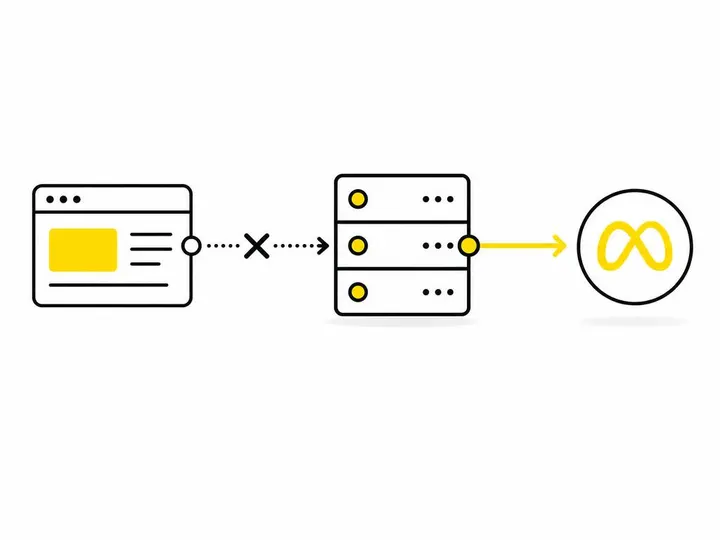
The Meta Conversions API is Meta's server-to-server data bridge that lets you send customer actions (form submissions, purchases, phone calls) directly to Meta's systems without relying on browser cookies or pixels. Instead of your customer's browser delivering the conversion event to Meta, your server does it, making tracking much harder to block or interfere with.
How it differs from the Meta pixel
The Meta Pixel is a piece of JavaScript code you drop into your website. It sits in the visitor's browser, watches what they do, and reports back to Meta in real time. It's browser-dependent, so anything that blocks JavaScript, third-party cookies, or the pixel itself stops it from working. Conversions API bypasses all of that. Your server collects the data and sends it directly to Meta's systems, making it far more reliable for tracking where your leads come from and which campaigns actually drive results.
In plain terms: the pixel is like asking customers to tell you what they bought as they leave. CAPI is like your till system automatically reporting every sale to Meta.
Server-side vs browser-side tracking explained simply
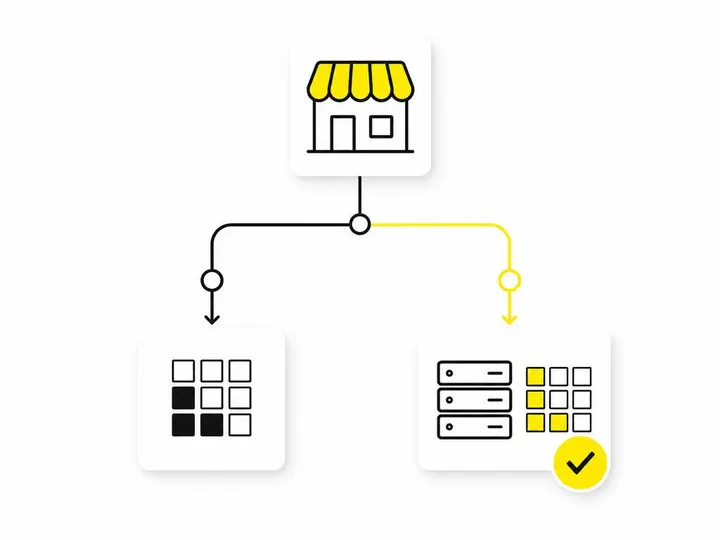
Browser-side tracking (the pixel) is client-side. The data travels through the customer's device, which means firewalls, ad blockers, browser privacy settings, and iOS restrictions can all interfere. Server-side tracking (CAPI) happens on your infrastructure, away from the customer's device. Meta receives the data directly from your business system, not the browser. This is why CAPI is significantly more reliable in 2026, especially for Australian small businesses dealing with strict privacy settings and widespread ad blocker use.
Why the Pixel Alone Is No Longer Enough
The Meta Pixel still works, but it's bleeding signal faster than ever, and that directly costs you money in wasted ad spend.
Ad blockers and browser restrictions
Ad blockers now sit on roughly 40 to 50 percent of Australian browsers, depending on the demographic. Many block the Meta Pixel outright. Apple's Safari browser also has Intelligent Tracking Prevention enabled by default, which strips away third-party cookies and limits pixel accuracy. Firefox and Chrome are moving the same direction. For every customer who has ad blocking or strict privacy settings, your pixel sees nothing, even though the conversion happened.
iOS privacy changes and their effect on Australian lead campaigns
When Apple rolled out iOS 14.5 App Tracking Transparency in 2021, it gutted pixel tracking for anyone using an iPhone or iPad. Meta was forced to stop seeing granular tracking data from iOS users unless they had permission. For Australian lead generation campaigns, this was brutal. If your audience skews toward iPhone users (and in Australia, that's a significant slice), your pixel was suddenly seeing a fraction of the data it used to. Meta's algorithm also struggles to optimise campaigns when it can't see enough conversion data. This is where signal loss becomes a real cost.
What 'signal loss' actually costs you
Signal loss is the gap between conversions your business actually gets and conversions Meta can see. If you generate 100 leads but your pixel only reports 45 to Meta because of ad blockers, iOS restrictions, and browser blocks, Meta thinks your campaigns are half as effective as they really are. That means the algorithm will spend more of your budget on the wrong audience, pause winning campaigns too early, and charge you more per result because it thinks performance is worse than it is. For a business spending $500 to $1,000 per month on Meta Ads, signal loss can cost you 15 to 30 percent of your annual budget in wasted spend. At $5,000 to $10,000 monthly, that's a five-figure mistake.
How the Conversions API Works in Practice
CAPI works by integrating your business systems (your CRM, ecommerce platform, or email list) with Meta's systems so that conversion data flows server-to-server instead of through the browser.
The three main ways to set it up
- CRM or platform native integration: Tools like HubSpot, Pipedrive, Shopify, and WooCommerce have built-in Meta CAPI connectors. You connect your account, map your lead or purchase fields, and data starts flowing. No code required.
- Google Tag Manager server-side container: If you're already using GTM (or willing to set it up), you can run a server-side GTM container that collects pixel events and forwards them to Meta via CAPI. This sits between your website and Meta.
- Meta partner integrations: Companies like Segment, Tealium, and smaller Meta partners offer plug-and-play CAPI setup that connects your CRM or business data source to Meta without touching code.
What data gets sent and what stays private
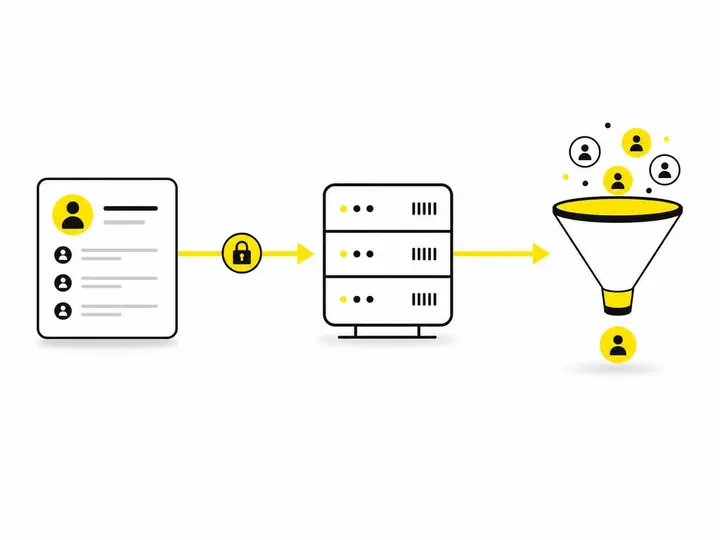
CAPI lets you send hashed customer identifiers (email addresses, phone numbers, names, addresses) along with event data. Meta hashes these on your side before sending them, so Meta receives encrypted data it can't reverse-engineer. You're not sending raw personal information across the internet. Event Match Quality (EMQ) measures how accurately Meta matches the hashed data to actual Meta users. Higher EMQ means Meta can link more conversions to users and ad clicks, which improves campaign optimisation and reporting accuracy.
When Does a Small Australian Business Actually Need It?
CAPI is not mandatory for every business, but the threshold is lower than most small business owners think.
Signs your tracking is already broken
- You're generating more leads than Meta reports to you (a common red flag).
- Your conversion rates look different in Meta Ads Manager versus your CRM or sales data.
- You're running a lead generation campaign and noticing that conversion cost is trending upward despite consistent landing page quality.
- You see inconsistent reporting between Meta and Google Analytics, or Meta and your CRM.
The threshold: ad spend and campaign maturity
If you're spending less than $500 per month on Meta Ads and your campaigns are simple (single product, straightforward audience), the pixel alone might still be acceptable. Once you hit $1,000 to $2,000 per month, or you're running multiple Facebook Lead Ads or website form campaigns across different products or services, CAPI becomes genuinely worth the setup effort. The signal loss at that spend level is costing you real money. For established lead generation campaigns (3 to 6 months old), where Meta's algorithm has stabilised and you're seeing repeatable results, CAPI helps lock in that performance and protect it from privacy changes.
Situations where pixel-only is still fine
If you're just testing Meta Ads for the first time, running a one-off campaign, or spending under $300 to $400 per month on very simple campaigns, stick with the pixel for now. The setup effort isn't worth the return yet. However, the moment you commit to ongoing campaigns or see that your data is inconsistent, move to CAPI.
Australian Privacy Law and CAPI: What You Need to Know
Setting up CAPI doesn't automatically create legal problems, but you do need to handle data correctly under the Australian Privacy Act.
Hashed data and the Privacy Act
CAPI uses hashed customer data, meaning you encrypt email addresses and phone numbers before they leave your systems. Meta receives the hashes, not the raw data. Under the Australian Privacy Act overview from the Office of the Australian Information Commissioner, you still own responsibility for how you collect and use that data. If customers give you their email for a lead form, you're legally allowed to use that email for retargeting and conversion tracking. Hashing it before sending it to Meta actually makes the process more privacy-compliant, not less.
Do you need a privacy policy update?
Your privacy policy should already mention that you use Meta Ads and conversion tracking. If it doesn't, add a sentence like "We use Meta Conversions API to track and improve the performance of our advertising campaigns." You're not collecting new data with CAPI, you're just sending it through a different, more secure channel. If you're uncertain, a quick review of your privacy policy by a local lawyer is worthwhile, but in most cases, CAPI doesn't require major changes. The key principle: be transparent about what data you collect and what you do with it, and Consent Mode v2 setup with consent management tools like Cookiebot is also worth exploring if you're handling consent at scale.
How to Set Up Meta Conversions API Without a Developer
The biggest myth about CAPI is that you need a developer to set it up. You don't, unless your setup is unusually complex.
If you use Shopify, WooCommerce, HubSpot, Pipedrive, or Mailchimp, CAPI is built in. Log into your account, find the Meta integration settings, authorise your Meta Ads account, map your customer fields (usually email, phone, name, and the event you're tracking), and turn it on. That's CAPI. It takes 15 to 30 minutes.
If your CRM or ecommerce platform isn't on that list, use Google Tag Manager with a server-side container. You'll need to follow Meta's official Conversions API documentation to set it up, but GTM does most of the heavy lifting. Alternatively, Meta has a growing list of partner integrations (Segment, Zapier, and others) that handle CAPI setup for you. Some charge a monthly fee, but the cost is often worth it for peace of mind.
Common Questions Australian Business Owners Ask About CAPI
Does CAPI replace the Meta Pixel? No. They work together. The pixel still captures browser behaviour and helps with audience building. CAPI handles conversion tracking more reliably. Most businesses run both.
Will CAPI work if my customers use ad blockers? Yes. Ad blockers stop the pixel, not your server. CAPI sends data directly from your infrastructure, so it bypasses blockers entirely.
How long does CAPI take to show results? Meta needs about 50 to 100 confirmed conversions before it optimises campaigns based on CAPI data. For lead generation, that's typically 2 to 4 weeks depending on volume.
Is CAPI expensive? No. Meta charges no additional fee for CAPI. You only pay for ads themselves. The cost is the time to set it up or a small fee if you use a partner integration.
Next Steps: Getting Your Meta Tracking Right
Start by auditing your current tracking. Pull your last 30 days of leads from your CRM or sales system, compare that number to what Meta Ads Manager reports as conversions, and calculate the gap. If the gap is more than 10 to 15 percent, CAPI is worth setting up immediately.
If your business uses a CRM like HubSpot or Pipedrive, or an ecommerce platform like Shopify, open the Meta integrations section and enable CAPI. It's a one-afternoon project. If you're managing Meta Ads yourself and feel uncertain about the setup, getting professional help with Meta Ads management gives you peace of mind that tracking is done correctly and complies with Australian law.
For setting up Meta Ads for your Australian small business properly from the start, ensuring conversion tracking is solid from day one saves you months of misalignment between your reported results and real business outcomes.
Conclusion
Meta Conversions API is the modern answer to the death of pixel-only tracking. Ad blockers, iOS privacy changes, and browser restrictions have made the Meta Pixel increasingly unreliable for Australian small businesses, especially those running lead generation campaigns. Signal loss from pixel-only tracking costs real money in wasted ad spend and poor campaign optimisation.
The good news is that CAPI is straightforward to set up, especially if you use a common CRM or ecommerce platform. You don't need a developer, and it doesn't create new privacy complications if you're already collecting customer data lawfully. For any business spending $1,000 or more per month on Meta Ads, or running lead campaigns longer than a few months, CAPI is no longer optional; it's basic hygiene.
Start with a simple audit of your tracking gap, then move your conversion data to CAPI. Your future self will thank you when your cost per lead stops climbing and your campaigns actually perform as well as they look.