Facebook Lead Ads vs Website Forms: Which Gets More Leads for Australian Small Businesses?
On this page 11 sections
Key takeaways
- Lead Ads cut friction by pre-filling contact details from a Meta profile
- Website forms deliver higher-intent leads because visitors had to find your site
- Lead Ads suit fast testing and tight budgets with no website needed
- Website forms let you own the data and integrate with any CRM or tool
- Use Lead Ads to fill the top of your funnel, website forms to close the bottom
Facebook Lead Ads and website forms both generate enquiries for Australian small businesses, but they work in completely different ways and produce different results depending on your industry and budget. The truth is simpler than the hype: Facebook Lead Ads capture more volume quickly but often attract less serious prospects, while website forms produce fewer but higher-quality leads from people already committed enough to visit your site.
What Are Facebook Lead Ads and How Do They Work?
Facebook Lead Ads are ads that appear in your feed and let people fill out a form without leaving Meta without ever clicking to your website. They use what Meta calls Instant Forms, where the form is pre-populated with the person's name, email, and phone number pulled directly from their Facebook account.
The pre-filled form advantage
This is the key hook: the form autofills. Someone sees your ad about, say, a plumbing repair special, and they tap "Learn More." A form pops up with their name and phone already there. They just add a message about their blocked drain and tap submit. Takes about 10 seconds instead of filling out a form on your website, which might take 90 seconds on mobile. That speed difference is why Lead Ads often get higher submission volumes than driving people to your website.
When running Meta Ads for tradies or other service businesses, the convenience factor really matters. You're capturing intent at the moment someone's paying attention to your ad, before they scroll past.
What happens after someone submits
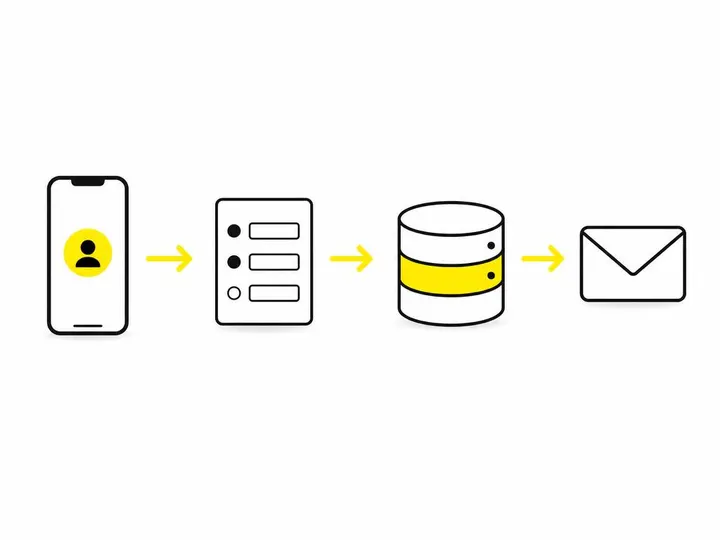
The lead data lands in Meta Ads Manager, and you can download it as a CSV or connect it to your CRM using Zapier or direct integrations. Some CRM platforms like HubSpot or Pipedrive have native Meta Lead Ads connectors, so new enquiries automatically flow into your system. This is convenient, but also means Meta is the middleman in your data flow.
What Are Website Forms and How Do They Work?
A website form is a form built directly on your site, asking visitors to fill in their details and submit an enquiry or request. No middleman, no Meta involved in the process.
Hosted on your own site
The form lives on your domain. Someone lands on your website, reads about your service, and fills out a contact form, quote request form, or booking widget. The data goes straight to your email inbox, your website database, or your CRM. You own the data from the moment it arrives.
Common types: quote forms, contact forms, booking widgets
Most Australian tradies and service businesses use simple contact forms or quote request forms asking for the job description, location, and contact details. Booking businesses use scheduling widgets that integrate with tools like Calendly or Acuity. Conversion rates on website forms vary wildly depending on form length, page design, and traffic quality, but generally range from 3 to 8 percent on service business websites.
Lead Quality: Which Produces Better Enquiries?
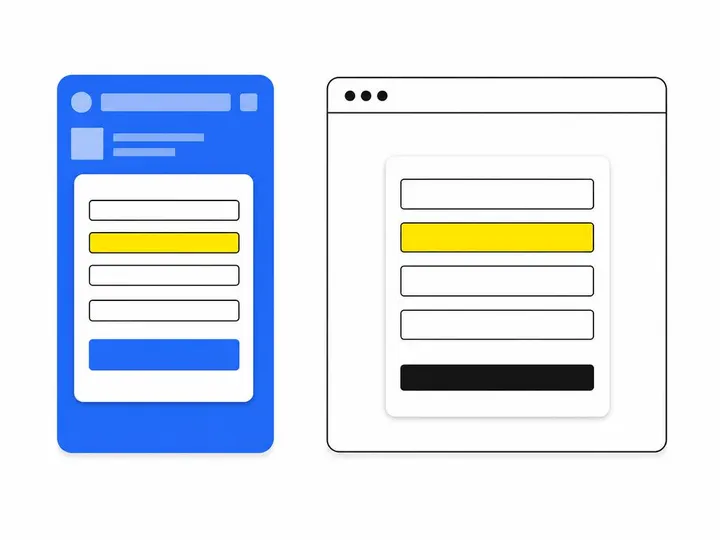
Facebook Lead Ads generate higher volume but lower average quality; website forms generate fewer enquiries but from more serious prospects who have already visited your site and made a decision to engage.
Why Lead Ads can attract tyre-kickers
Facebook Lead Ads reach people who may have only half-noticed your ad as they scrolled. They tap the form because it's easy, not because they have a genuine need. Some fill it out out of curiosity. You end up with more enquiries overall, but a higher proportion are from people who aren't actually ready to buy or hire.
This is where proper lead qualification as a tradie becomes essential. You'll need to follow up quickly and ask screening questions to separate real jobs from time-wasters.
Why website visitors tend to be more serious
Someone who lands on your website, reads your about page or case studies, scrolls through your service descriptions, and then fills out a form has already made a micro-commitment. They've spent time. They're more likely to respond to your follow-up call and are less likely to shop around endlessly. These enquiries convert to actual jobs at a higher rate.
Cost and Setup: Which Is Cheaper to Run?
Facebook Lead Ads are cheaper per lead to generate but require paid advertising spend; website forms have nearly zero cost per lead once your site exists, but rely on you driving traffic through SEO, other ads, or referrals.
What you need to run Facebook Lead Ads
You need a Meta Ads Manager account (free), a Facebook Business Page (free), and advertising budget. How much Meta Ads cost in Australia depends entirely on your industry and location. For most Australian tradies and service businesses, you'll spend $500 to $3,000 per month to run Lead Ads continuously. Cost per lead typically ranges from $3 to $15 depending on your area and competition. A plumber in inner Sydney will pay more per lead than a cleaner in regional Queensland.
What you need to run website forms
You need a website (you should already have one). Adding a form costs nothing if you use WordPress plugins like WPForms or Gravity Forms (one-time cost $100 to $300), or free builders like Jotform. If you're using a website builder like Wix or Squarespace, form functionality is usually built in. The real cost is driving traffic to your site, which might come through SEO (free but slow), Google Ads (paid), or referrals (free).
Budget reality for Australian small businesses
If you have a $500 monthly marketing budget, Facebook Lead Ads will probably produce more enquiries faster. If you have $0 to spend right now but a decent website, focus on getting more quote requests from your website by improving your forms and site structure. Most Australian small businesses benefit from running both in parallel.
Data Ownership and Privacy: A Real Concern for Australian Businesses
Facebook Lead Ads data sits on Meta's servers until you download or export it; website form data lives on your own server or in your own CRM, giving you full control and clearer compliance obligations.
Where does the data actually live?
When someone submits a Facebook Lead Ad, Meta stores that data in your Ads Manager. You can export it, but Meta has it. If someone submits a website form, the data goes directly to your hosting provider or email inbox. That's a meaningful difference when it comes to compliance and data security.
Australian Privacy Act and your obligations
Under the Australian Privacy Act 1988 — Office of the Australian Information Commissioner, you're responsible for protecting personal information you collect, regardless of whether it comes from a Lead Ad or a website form. You must have a Privacy Policy, handle data securely, and tell people what you'll do with their details. If you're using Lead Ads, you're also bound by Meta's terms. If you're using website forms, you control your own privacy practices more directly. For compliance-conscious businesses, website forms often feel safer because the data never leaves Australian shores unless you specifically export it elsewhere.
Integration with Your Existing Tools
Both Lead Ads and website forms can integrate with your CRM, email system, and booking software, but the workflows are different and one isn't inherently better than the other.
CRMs, email automation, and booking systems
Facebook Lead Ads work with HubSpot, Pipedrive, Monday.com, and other CRMs via native connectors or through Zapier, a middle-layer automation tool. When you connect Lead Ads to your CRM, a new lead is automatically created as a contact, and you can trigger follow-up emails automatically. Website form data can flow to the same CRMs using form integrations or Zapier. Both approaches work; the difference is usually just setup complexity.
Connecting Lead Ads to your CRM without Zapier nightmares
If your CRM has a native Meta Lead Ads integration (check their support docs first), use it. It's more reliable and has fewer moving parts. If you have to use Zapier, test thoroughly: set up a test Lead Ad, submit the form yourself, and confirm the data arrives in your CRM correctly. Small mistakes in Zapier can silently drop leads or create duplicate contacts. When in doubt, export the Lead Ads data manually and import it into your CRM batch-wise until you're confident in the automation.
When to Use Facebook Lead Ads (and When Not To)
Facebook Lead Ads work best for high-volume, low-consideration enquiries where speed of capture matters more than lead quality; they don't work well for expensive, complex, or long-sales-cycle services.
Best use cases: tradies, service businesses, event sign-ups
A plumber advertising blocked drain specials, a cleaning business promoting spring clean packages, or a personal trainer filling a group class: these businesses benefit from Lead Ads because volume matters and the follow-up process is straightforward. Local lead generation for Australian tradies often works well through Lead Ads because you're reaching people in your service area with a timely offer. Event sign-ups also suit Lead Ads because you want to maximise registrations quickly.
When Lead Ads will let you down
If you're selling a $50,000 business coaching package or a $20,000 kitchen renovation, Lead Ads will produce mostly unqualified enquiries. These buyers need to see your full story, understand your process, and build trust before they're ready to talk. A website form on a detailed service page or case study page gets you better-qualified leads even if the raw volume is lower.
When to Use Website Forms (and When Not To)
Website forms work best for higher-value services, businesses relying on repeat customers, and situations where you need detailed information upfront; they don't work well if you have no website traffic to begin with.
Best use cases: high-value services, e-commerce, repeat clients
An accountant offering tax advice, a commercial electrician quoting for fitouts, or a digital marketing agency pitching services: these businesses use website forms because enquiries are already warm. The person who submits the form has read your case studies, understood your pricing, and decided to engage. Facebook Ads for local service businesses in Australia often drive people to landing pages with forms rather than directly to Lead Ads, because the sales cycle is longer and discovery matters.
When a website form is overkill
If you're a lawn mowing service getting no organic website traffic and no referrals, a website form is useless. You need to go where your customers are, which is Facebook and Google. Lead Ads or Google Local Services Ads make more sense. Website forms work only if people are actually visiting your site first.
Can You Use Both at the Same Time?
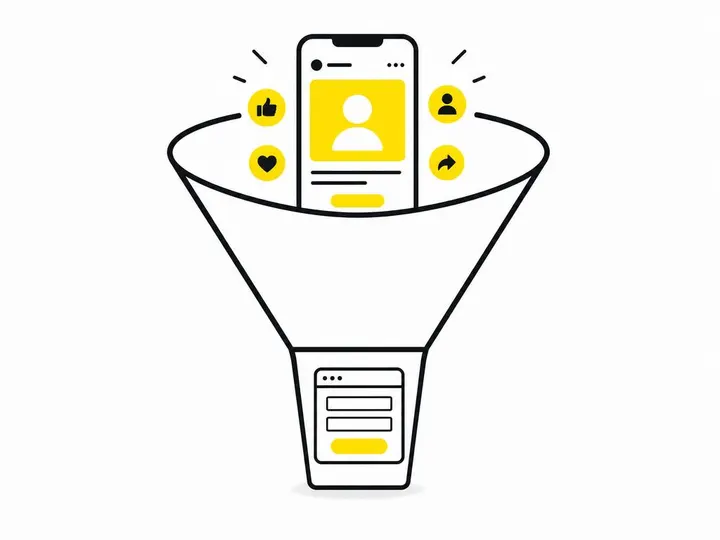
Yes, and most smart Australian small businesses do, with Facebook Lead Ads at the top of the funnel and website forms lower down for warmer prospects.
Running a funnel with Lead Ads at the top and website forms underneath
A typical funnel works like this: Run Facebook Lead Ads to a broad audience in your service area, offering something compelling (a free quote, a discount, a free assessment). Capture fast, high-volume enquiries. Simultaneously, invest in local lead generation content and SEO so people searching for your service on Google land on your website and fill out a form. The Lead Ads bring volume; the website forms bring quality. Your follow-up system treats them differently: Lead Ads enquiries get a faster, warmer follow-up (within 30 minutes if possible), while website form enquiries are already warm, so you can take a slightly longer approach. This dual-stream approach maximises both quantity and quality.
Which One Should You Choose?
Use this quick checklist to decide which method suits your business right now.
Start with Facebook Lead Ads if: You have a $500+ monthly budget, your service area is geographically local, you need volume quickly, and you can follow up fast (within an hour).
Start with website forms if: You have no paid budget yet, your sales cycle is long, your service is expensive or complex, or you already get decent website traffic.
Use both if: You can manage two follow-up streams and you want to test which channel produces better results for your specific business.
The real answer depends on your current situation. Most Australian tradies and service businesses see results fastest with Lead Ads, but build long-term revenue more reliably with a website that ranks, attracts organic traffic, and has a conversion-optimised form. Setting up Meta Ads for your small business is straightforward if you're new to paid advertising, but don't neglect your website in the process.
Conclusion
Facebook Lead Ads and website forms aren't competitors; they're tools for different moments in your customer's journey. Lead Ads catch people with an immediate need who are scrolling social media. Website forms capture people who've already decided to research and engage. Lead Ads move faster. Website forms produce higher-quality enquiries. The best Australian small businesses use both, testing each channel to see which produces the leads that actually convert to jobs and paying customers.
If you're starting from zero, pick the one that matches your current constraints: no budget, no traffic, and no time to wait? Lead Ads. Time to build but no cash to spend? Focus on your website and organic reach first, then add Lead Ads once you have $500 to invest. Either way, the key isn't which platform you choose; it's how fast and professionally you follow up. Automating your missed call follow-up and responding to enquiries within the hour will move more leads to jobs than any clever funnel design ever will.