How to Use Meta Ads Custom Audiences for Australian Small Businesses
On this page 9 sections
Key takeaways
- Custom audiences target warm prospects already familiar with your business
- Website, customer list, and engagement audiences each serve a different purpose
- Australian Privacy Act compliance is required before uploading any customer data
- Match rates for customer list uploads average 40 to 60 percent in Australia
- Exclude existing customers from cold campaigns to avoid budget waste
Custom audiences are one of the most powerful and under-used tools in Meta Ads Manager for Australian small businesses. Instead of casting a wide net to cold prospects, you show ads to people who already know your business: past website visitors, existing customers, or those who have engaged with your content on Facebook or Instagram. Setting up custom audiences properly costs less per conversion and converts faster than broad interest targeting.
What Are Meta Ads Custom Audiences?
A custom audience is a group of people you upload or build in Meta Ads Manager based on their real behaviour with your business, not their interests or demographics alone. You're targeting proven warm leads rather than guessing who might buy.
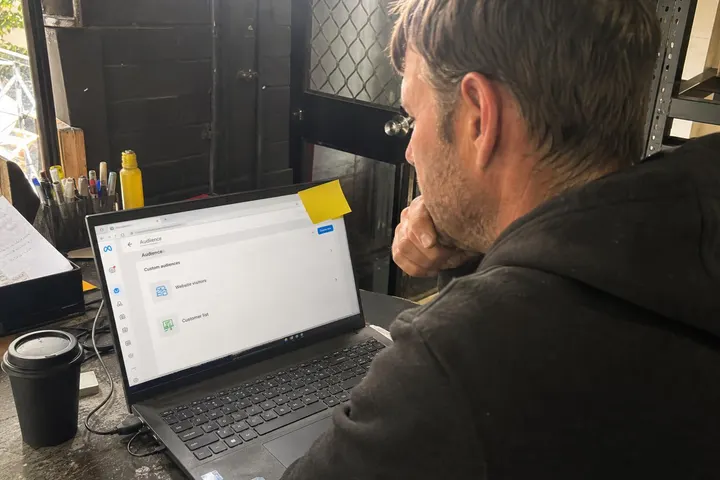
Meta lets you build custom audiences in three main ways: from people who've visited your website (via the Meta Pixel), from your own customer list (CRM data), or from people who've interacted with your Facebook or Instagram content. Each type serves a different purpose in your sales funnel, and using all three together dramatically improves your return on ad spend.
How custom audiences differ from interest-based targeting
Interest-based targeting (the old default method) shows ads to people based on what they like, where they live, and their age. It casts a wide net but wastes money on people who'll never buy. Custom audiences, by contrast, target behaviour: people who've already expressed interest by visiting your site, buying from you, or watching your videos. This behavioural data is far more predictive of who'll convert.
The three main types: website, customer list, and engagement
Website custom audiences capture anyone who lands on your site (via the Meta Pixel). Customer list audiences let you upload email addresses or phone numbers from your CRM to re-engage past buyers. Engagement audiences target people who've watched your videos, commented on posts, or filled out lead forms. Together, these create a complete picture of your customer journey.
Website Custom Audiences: Targeting Past Visitors
Website custom audiences are built automatically once you install the Meta Pixel or Conversions API on your site, and they're the fastest way to start retargeting warm traffic at scale.
Setting up the Meta Pixel or Conversions API
The Meta Pixel is a small code snippet that tracks when someone visits your website. It fires every time a page loads, and Meta records the visitor's ID for up to 180 days. If you're using a modern e-commerce platform (Shopify, WooCommerce) or a CMS like WordPress, the Pixel is usually a one-click install. For more complex setups, the Conversions API sends server-side data directly to Meta, which is more reliable and harder to block than browser-based tracking (especially important post-iOS changes).
Before you launch custom audience campaigns, make sure you're handling consent properly. If you're collecting personal data via tracking, you need clear user consent, which ties into consent mode setup for your website and Australian Privacy Act obligations. A consent banner that lets users opt out of tracking is now table stakes.
Which pages to build audiences from
Build separate custom audiences for different pages or user actions: one for people who visited your homepage, another for those who viewed a product or service page, and a third for people who visited your pricing or contact page. The closer someone got to buying, the more aggressive you can be with your ad message. Someone on your contact page deserves a direct call to action; someone who just browsed your homepage gets a softer awareness ad.
Recommended audience window lengths for Australian small businesses
Meta lets you set a lookback window from 1 day to 180 days. For most Australian tradies and service businesses, 30 to 90 days is the sweet spot: long enough to capture serious prospects but short enough to stay relevant. If someone visited your plumbing website 180 days ago and you haven't won them yet, retargeting today is probably a waste. For e-commerce or high-ticket services, 120 to 180 days can work.
Customer List Custom Audiences: Uploading Your CRM Data
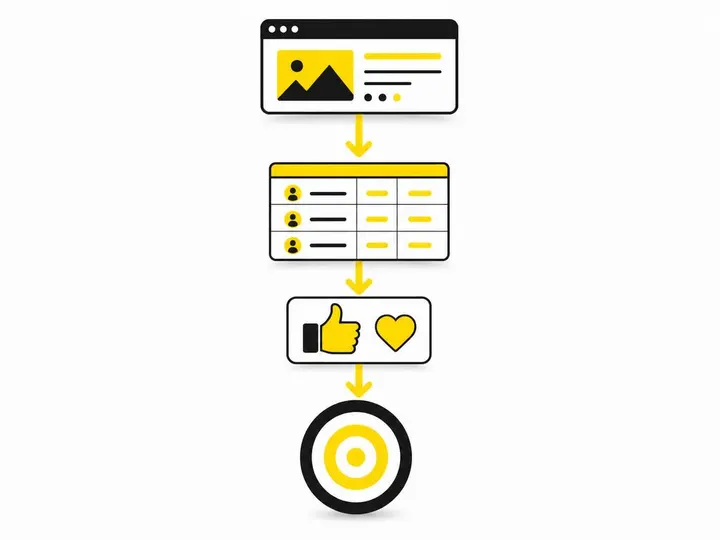
Customer list custom audiences let you upload email addresses, phone numbers, or other identifiers from your CRM so you can re-engage past customers or leads directly on Meta.
Australian Privacy Act obligations before you upload
Before you upload any customer data to Meta, you must comply with the Australian Privacy Act 1988 and the Privacy Principles enforced by the Australian Privacy Act guidance from the OAIC. This means your customers must have given you permission to use their data for marketing (and ideally, they've agreed that you can share it with Meta). If your CRM is full of old leads you scraped from the web without consent, that data is legally risky.
The practical rule: only upload email addresses or phone numbers of people who actively opted in to your email or SMS list. Don't upload lists you bought from third parties. Document your consent records in case the OAIC or a customer asks where the data came from.
How to improve your match rate
Match rate is the percentage of your uploaded list that Meta can match to a Meta user account. In Australia, match rates typically range from 40 to 60 percent depending on data quality. To improve your match rate:
- Use real full names and correct email addresses (typos kill matches)
- Include phone numbers in the correct Australian format (61XXXXXXXXX)
- Add postal codes or suburbs if you have them
- Clean your list of duplicate or invalid entries before upload
- Use the same CRM export consistently (don't mix formats)
A 50 percent match rate means half your list is wasted, but the matched half converts at 25 to 35 percent higher rate than lookalike audiences, so it's still worth doing.
What to do when your list is under 1,000 contacts
Meta's algorithm performs better with larger audiences. If your list is under 1,000 contacts, you can still upload it, but your custom audience won't generate reliable results until you grow it. Instead, combine your small list with a website custom audience or use it to seed a Meta Ads targeting for tradies lookalike audience (which works better with a larger seed audience anyway).
Engagement Custom Audiences: Facebook and Instagram Interactions
Engagement custom audiences capture people who've interacted with your Facebook or Instagram content: video viewers, post commenters, page followers, or people who've opened your lead forms. They're warm but not as warm as past customers or website visitors.
Video viewers, page engagers, and lead form openers
Meta tracks who's watched 3 seconds or more of your videos, who's liked or commented on your posts, who's visited your Instagram profile, and who's opened (but not necessarily submitted) your lead forms. Each of these is a valuable signal that someone's interested. Video viewers are especially useful because they've spent time with your brand and are likely to respond to a soft call to action.
How to use engagement audiences as a top-of-funnel warm pool
Engagement audiences sit between cold traffic and retargeting. They're not past customers, but they're way warmer than someone who's never heard of you. Use them in the middle of your funnel: after awareness ads pull in new people, hit the engagers with ads that build trust and educate them about your offer. This creates a natural flow that mirrors the way building a Meta Ads funnel for Australian businesses actually works.
Avoiding Audience Overlap and Ad Fatigue
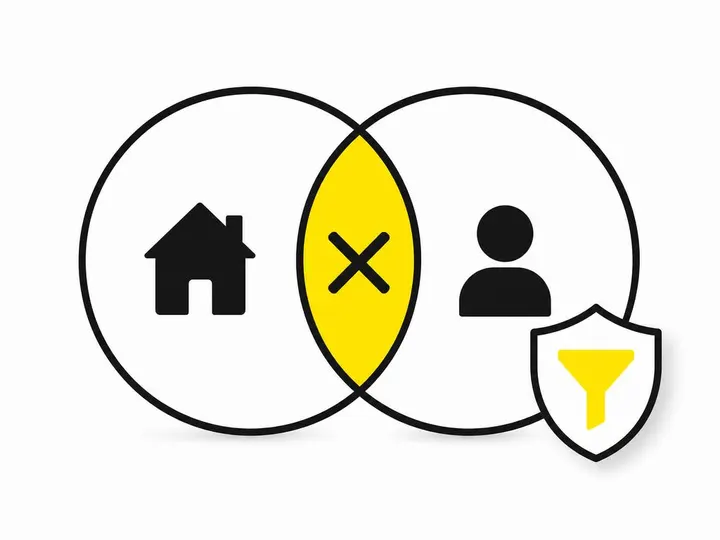
Running multiple custom audience campaigns at the same time is powerful, but only if you prevent the same person from seeing the same ad twice.
Using exclusions to prevent duplicate messaging
In Meta Ads Manager, you can exclude one audience from another. If you're running a retargeting campaign to people who visited your website in the last 30 days, exclude your past customers, they already bought. If you're running a lead form ad to video viewers, exclude people who've already filled the form. This stops wasted impressions and prevents ad fatigue (which tanks your relevance score and costs you money).
How to structure campaigns so custom audiences don't cannibalise each other
The cleanest approach is to build a simple hierarchy: past customers get a loyalty or upsell ad; warm website visitors get a bottom-funnel conversion ad; cold lookalike audiences get top-of-funnel awareness ads. Exclude each group from the campaigns meant for the groups below them. This ensures every ad dollar targets the right person at the right stage.
Custom Audiences vs Lookalike Audiences: When to Use Each
A lookalike audience is Meta's attempt to find new people who are similar to your custom audience. It's useful, but it's not the same thing as a custom audience, and you should know when to use each.
When your custom audience is large enough to seed a lookalike
Meta recommends your seed audience (the custom audience you're basing the lookalike on) be at least 1,000 people, and ideally 5,000 to 10,000, for reliable results. If your customer list is 5,000 or more emails with a 50 percent match rate, you've got 2,500 matched people, enough to build a solid lookalike audience. If your list is 500 people, a lookalike won't work well yet.
Conversion rate differences between the two
Custom audiences (especially customer lists and past visitors) convert 25 to 35 percent higher than lookalike audiences because they're based on real behaviour, not similarity guessing. Use custom audiences for retargeting and warm re-engagement. Use lookalike audiences to reach new people who look like your best customers. They're both valuable; they just serve different purposes in your funnel.
Common Mistakes Australian Small Businesses Make
Audiences that are too small to exit the learning phase
Meta Ads requires time and volume to learn which people in your audience are likely to convert. If your custom audience is under 50 people, Meta can't learn fast enough, and your ads will underperform. Even at 50 to 100 people, you're still in the learning phase. Aim for at least 100 to 200 before you expect reliable results.
Skipping exclusions and burning budget on existing customers
Many small business owners run a retargeting campaign and forget to exclude their customer list. This means existing customers see ads trying to sell them something they already bought. It's wasteful and annoying. Always exclude past buyers from your acquisition campaigns.
Ignoring iOS privacy changes and data loss
Since iOS 14 and later, Apple blocks third-party cookie tracking by default. This means fewer people are tracked by the Meta Pixel, which means smaller custom audiences and fewer data points for Meta to learn from. The fix: ensure you have Conversions API set up (server-side tracking is harder to block), prioritise first-party data like your email list, and don't expect to build massive pixel-based audiences like you could in 2020. This is why customer list custom audiences and engagement audiences are more important than ever.
How to Get Started This Week
A simple three-audience setup for beginners
If you're new to custom audiences, start here:
- Audience 1: People who visited your website in the last 30 days (via Meta Pixel)
- Audience 2: Your past customers (via email list upload to CRM custom audience)
- Audience 3: A lookalike audience seeded from Audience 2 (if Audience 2 is 1,000 or more matched users)
Run three separate campaigns: conversion ads to Audience 1 (cheapest, fastest), upsell ads to Audience 2, and awareness ads to Audience 3. Exclude Audiences 1 and 2 from Audience 3 so you don't waste money on people already warm.
What results to expect in the first 30 days
In the first 30 days, your cost per conversion from custom audiences should be 30 to 50 percent lower than cold traffic. Your relevance score should sit at 6 to 8 out of 10 (anything below 5 means ad fatigue). If your first 30 days looks nothing like that, check your how to get your Meta Ads account ready to ensure your Pixel or Conversions API is firing correctly, and review your exclusions for overlap. Most problems are setup or exclusion issues, not audience issues.
Conclusion
Custom audiences are where Meta Ads delivers real ROI for Australian small businesses. They turn cold traffic into warm leads, reduce your cost per conversion, and let you build a repeatable funnel that actually works. The three types (website, customer list, and engagement) work together: website custom audiences pull in warm visitors, customer list audiences re-engage past buyers, and engagement audiences create a middle layer of interest-proven prospects.
The key mistake to avoid is overlap and ad fatigue. Build clean audience exclusions, keep your audiences at least 100 to 200 people large, and upload your customer list with current, consented data. Make sure you're complying with the Australian Privacy Act and documenting consent properly. Once you've got that right, custom audiences become your most profitable ad spend.
Start this week with the three-audience setup described above, run it for 30 days, track your cost per conversion, and adjust. The data will tell you exactly which audiences are working.