Google Business Profile Photos: What Small Businesses Should Upload

On this page 7 sections
Key takeaways
- Use JPG or PNG files between 10 KB and 5 MB at 720 x 720 px minimum
- Upload five core photo types: exterior, interior, work, team, access
- Refresh photos when something customer-visible changes, then review monthly
- Authentic original images outperform stock or heavily filtered photos
- Photos help customers answer pre-visit questions before they call or book
Your Google Business Profile is often the first impression a customer has of your business, and the photos you upload are doing more of the work than you might think. When someone searches for your business on Google Maps or through a local search, they see your name, address and star rating within seconds. What keeps them looking is a gallery of clear, authentic photos that answer the questions running through their mind: What does the place actually look like? Can I trust this business? What will I get when I arrive? The photos you choose to upload directly influence whether that person picks up the phone, clicks for directions or keeps scrolling.
Why your Google Business Profile photos matter
What customers are really looking for
Customers don't scroll through your Google Business Profile photos the way they browse social media. They are looking for specific answers. If you run a salon, they want to see the chairs, the lighting and the team before booking an appointment. If you operate a trades business, they want proof that you do real work, not just promises. If you manage a retail shop or café, they want to know what the front entrance looks like and whether parking is obvious. Photos that answer these practical questions build confidence and reduce the friction between discovery and action.
This is where local SEO for small businesses intersects with customer behaviour. A complete Google Business Profile, populated with relevant photos, signals to both Google and potential customers that your business is active, legitimate and worth visiting. The Australian Bureau of Statistics recorded 2,814,778 actively trading businesses in Australia as at June 2026, which means you are competing in a crowded marketplace. Standing out requires more than just showing up in the search results; it means making it easy for customers to understand what you offer and why you are the right choice.
Google's authenticity-first approach
Google does not rank businesses higher simply because they have uploaded more photos. Instead, Google prioritises authenticity, accuracy and usefulness. Photos should represent your business as it actually is, without heavy filters, excessive editing or misleading AI manipulation. This approach works in your favour, because it means you do not need expensive professional photography or design skills. A clear, well-lit smartphone photo of your storefront, your team at work or a finished job is more valuable to customers than a generic stock image.
Google's official stance was reinforced in updates made on 9 November 2026 and 22 November 2026. Photos must comply with Google's content policies and represent genuine business activity. The benefit is not algorithmic ranking points; it is customer trust. When someone sees real photos of real people doing real work, they are more likely to contact you.
The five photo types every Australian small business should upload
1. A clear exterior shot
Customers need to find you, and they need to recognise where you are. Upload a photo of your business frontage, including your signage, entrance and any distinctive features. If you work from a home office or mobile service, photograph your branded vehicle, equipment or the building where you operate. This photo answers the question: "Will I recognise this place when I arrive?"
2. Your interior or service environment
Show what customers will see when they walk through the door. This might be your showroom, treatment room, workshop, office reception area or customer waiting space. For service businesses without a public shopfront, photograph the workspace where work happens. This photo builds confidence that your environment is clean, professional and fit for purpose.
3. Products, finished work or common outcomes
Depending on your business, this could be your best-selling products, finished renovation jobs, completed landscaping, delivered meals or styled haircuts. Customers want to see the end result. Show them what they can expect to receive or achieve by working with you. This is one of your most powerful trust-building photos.
4. Your team
People do business with people. A natural photo of your team, your owner or your key staff members humanises your business. Make sure you have permission from anyone who appears in the photo. These images do not need to be formal or staged; candid shots of your team at work are often more effective than stiff portraits.
5. Access and location information
Photograph parking, reception areas, delivery access, disabled access or any other information that helps customers navigate your business practically. If you are a mobile service, show your vehicles. If you offer online booking, show where customers pick up orders. This category answers logistical questions and removes barriers to action.

Google's photo specs updated October 2026
File format, size and resolution
Google accepts JPG and PNG file formats, with a file size range of 10 KB to 5 MB. The recommended resolution is 720 by 720 pixels, with a minimum of 250 by 250 pixels. These specifications were confirmed in Google's official guidance updated on 27 October 2026 and reinforced in the photo and video management guidance refreshed on 22 November 2026.
In practical terms, this means most smartphone photos will work fine as long as you are not uploading extremely large files. When you save or export a photo for upload, aim for 720 by 720 pixels or larger. Keep file sizes reasonable by using your device's native photo app or a simple free tool; oversized files slow down the upload and may be rejected. Always use JPG or PNG; other formats are not accepted by Google Business Profile.
What Google's content policy requires
Google's Business Profile content policy, updated on 9 November 2026, states that all photos and videos must comply with Google's prohibited and restricted content rules. This means no misleading imagery, no offensive or exploitative content, no promotional material that violates Google's terms, and no images that infringe on copyright or personal rights.
In plain language: upload photos you own or have permission to use. Do not steal images from competitors' websites or use stock photos without a licence. Do not alter photos to misrepresent your business. Do not upload images that contain hate speech, violence or adult content. If you use a photo of a customer or staff member, you must have their permission. Google's Business Profile content policy provides the full details if you need to review specific edge cases.
How often should you upload photos?
A simple maintenance rule
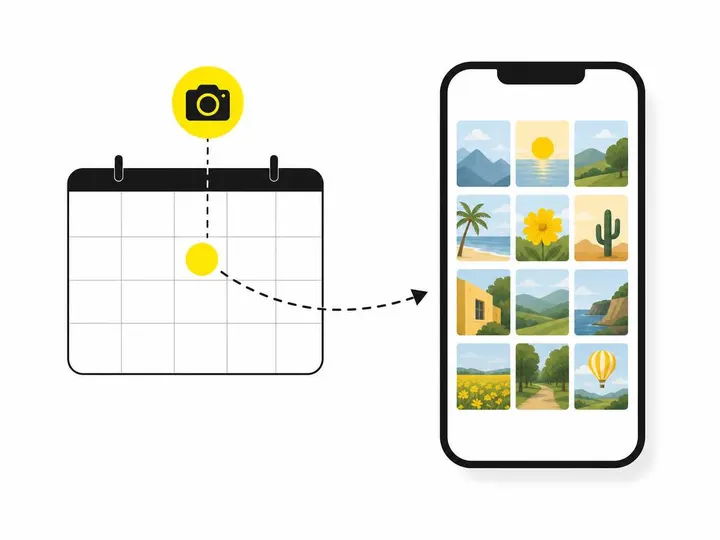
There is no fixed Google requirement to upload photos on a specific schedule. Instead, upload photos when something customer-relevant changes. If you redesign your storefront, hire new staff, launch a new service, change your menu or introduce a seasonal promotion, that is a good time to upload a fresh photo. This keeps your profile accurate and gives customers current information.
A practical rhythm for most small businesses is monthly or seasonal reviews of your photo gallery. Use a simple Google Business Profile content plan to structure this routine without it becoming a burden. Set a reminder to upload at least one or two new photos each month, and use that same check-in to remove outdated images.
What to remove and when
Remove photos of team members who have left your business, unless you have a specific reason to keep them and permission to do so. Remove photos of old branding, outdated pricing or discontinued products. If you have relocated, remove photos of your former premises. If you have renovated, replace old interior shots with current ones. The goal is accuracy; your profile should reflect your business as it is today, not as it was two years ago.
A quick photo checklist before you upload
File is JPG or PNG format
File size is between 10 KB and 5 MB
Resolution is 720 by 720 pixels or larger, minimum 250 by 250 pixels
Photo is sharp, in focus and well lit
No excessive filters, watermarks or misleading editing
Photo represents your business as it actually is
You own the image or have permission to use it
No people visible without their consent
Photo is relevant to your business and answers a customer question
Review Google's official photo and video guidelines for Business Profiles if you are unsure about any specific detail.
Turning photos into customer action
Think of each photo as answering a question
Every photo you upload should answer at least one practical question a potential customer is asking. "Where is the entrance?" "What does the finished work look like?" "Who will serve me?" "Is this place clean and professional?" When you approach photo selection this way, you stop uploading decoration and start uploading tools that move customers toward action.
After a customer sees your photos, they need to know what to do next. Make sure your profile clearly shows your phone number, website, booking link and opening hours. Consider adding a call-to-action on your most important posts. When you combine good photos with how to ask customers for Google reviews, you create a complete profile that builds trust and encourages contact.
Use your profile to support your overall business strategy. If you are choosing the right Google Business Profile categories, make sure your photos visually support those categories. If you are planning what to post on your Google Business Profile, use photos to illustrate those posts. Treat your photo gallery as one part of a cohesive local marketing effort, not as an isolated task to tick off a list.

Conclusion
Google Business Profile photos are not a ranking hack or a vanity project. They are a direct line of communication between your business and potential customers at the moment they are most interested in what you offer. When you upload clear, authentic photos that answer practical questions, you remove doubt and reduce friction. Customers see what they will get, where they will go and who will serve them. That confidence translates into phone calls, visits and sales.
Start by uploading the five core photo types: exterior, interior or workspace, products or finished work, team, and access information. Use JPG or PNG files within Google's size and resolution requirements, keep images sharp and well lit, and avoid heavy editing or misleading content. Update your gallery when something changes, review it monthly and remove outdated images. Then step back and ask yourself: if a customer saw only these photos, would they feel confident enough to contact me? If the answer is yes, your profile is working. If not, add more photos that fill the gaps.
Your Google Business Profile is not a finished project; it is an ongoing communication tool. Treat it like you would treat your physical shopfront or your website. Keep it current, keep it honest and keep it focused on answering the questions your customers are actually asking. The photos you upload today are the first step toward a customer walking through your door tomorrow.