How to Ask for Google Reviews (Without Feeling Awkward)
On this page 8 sections
Key takeaways
- Ask every customer filtering by satisfaction breaches Google policy
- Send the request soon after the visit, job or purchase
- Use a direct Google review link or QR code in your message
- Keep scripts neutral never ask for a specific rating or wording
- Automation is fine as long as the same message goes to all customers
- Never offer discounts, gifts or any incentive for a review
Most small business owners know Google reviews matter, yet plenty still go weeks without asking a single customer for one. It feels a bit like fishing for compliments. The good news is that the right request doesn't feel that way at all, either for you or your customer, and it keeps you on the right side of Google's rules.
Reviews feed directly into how you show up on your Google Maps listing and in local search results, so they are one of the cheapest ways to win new customers. If you want the bigger picture on how Google reviews generate leads, we've covered that separately. This guide is about the asking part: what to say, when to say it, and how to automate it without breaching policy.
Why does asking for reviews feel awkward?
Asking feels awkward because most people think they're asking for praise, when really they should be asking for honest feedback.
The difference between asking for an honest review and asking for praise
"Could you leave us five stars?" puts the customer on the spot. "Would you mind sharing your honest experience on Google?" doesn't. The second version hands control back to the customer, and most happy customers are glad to help when they don't feel pushed.
Why a neutral request actually protects your business
A neutral request is also the compliant one. Google doesn't let you steer the rating or the wording, so keeping your ask plain and identical for everyone means you never have to worry about whether you've crossed a line. It also produces a more believable mix of reviews, which future customers trust more than a wall of identical five star ratings.
What does Google allow when asking for reviews in 2027?
Google allows you to ask every customer for an honest review, but it bans anything that influences the rating, rewards the reviewer or filters who gets asked.
Practices that are permitted
Sharing your direct review link by SMS, email or in person
Displaying a QR code at your counter, on receipts or on invoices
Sending an automated review request after every visit or purchase
Spreading requests out steadily over time rather than in one big batch
Google's Business Profile guidance updated on 26 October 2026 specifically recommends texting or emailing a review link after the visit and keeping a steady pace. The IONOS guide to Google review policy (updated October 2026) confirms the same approach.
Practices that can get reviews removed or your profile penalised
Offering a discount, gift, free service or prize draw entry in exchange for a review is prohibited, even if you don't ask for a positive one. If Google detects it, the reviews can be removed and your Business Profile can face restrictions. Also off limits: asking for a particular rating or wording, setting staff review quotas, and buying or swapping reviews.
The other big one is review gating. That's when you first ask "Were you happy with us?" and only send the Google link to people who say yes, while unhappy customers get routed to a private feedback form. It breaches Google's policy against selectively soliciting positive reviews, because it skews your rating. Ask everyone the same way, every time.
Scripts that sound natural (not salesy)
The best review request is short, thanks the customer, asks for an honest opinion and makes it clear there's no pressure.
In-person script
"Thanks so much for coming in. If you've got a moment later, an honest Google review would really help a small business like ours."
SMS script
"Hi Sarah, thanks for choosing Bloom Florist. If you'd like to share your honest experience, you can leave a Google review here: [link]. No pressure, and thank you either way."
Email script
"We hope everything went smoothly with your appointment. If you have a minute, we'd appreciate an honest review of your experience on Google: [link]. Your feedback helps us improve and helps other locals find us."
Notice what's missing: no mention of stars, no "say something nice", no prompt to mention a specific service.
When is the best time to ask for a Google review?
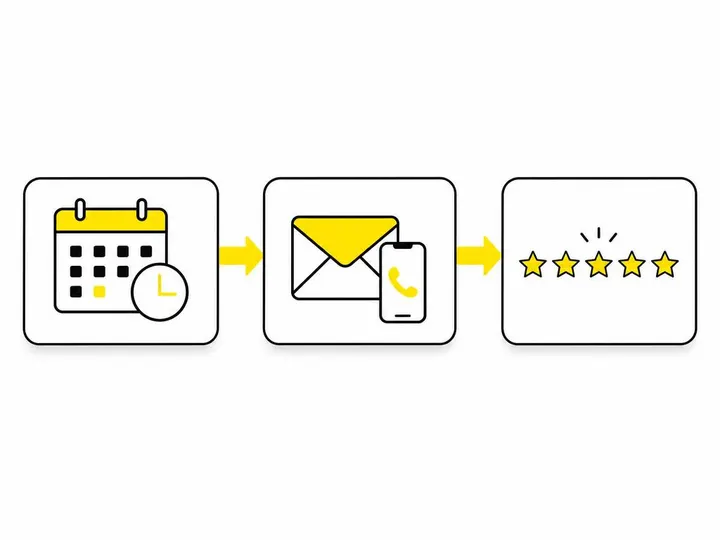
The best time to ask is straight after the customer has experienced the result, while it's still fresh in their mind.
Service businesses and trades
For cleaners, dog groomers, mobile mechanics or electricians, ask once the job is done and the customer has seen the finished work, ideally the same day.
Retail and hospitality
Cafes, restaurants and shops should ask at the point of payment or within a few hours of an online delivery arriving. A free QR code for your review link on the counter or table card makes it easy for diners and shoppers to act on the spot.
Professional services and clinics
Accountants, physios, lawyers and consultants should ask after a clear milestone: a tax return lodged, a treatment plan completed or advice delivered. Asking halfway through a long engagement can feel premature.
A simple automation workflow for small businesses
You can automate review requests without breaching policy, as long as every customer receives the same neutral message.
Step 1: Get your direct review link from Google Business Profile
In your Google Business Profile, choose "Ask for reviews" to copy your Google review link. This takes customers straight to the review box, skipping the hunt through Maps.
Step 2: Build a post-visit SMS or email template
Paste one of the scripts above into your booking system, POS or CRM as a post-purchase SMS or email template, with your direct review link included.
Step 3: Trigger it after every completed job or visit
Set it to send automatically when an appointment is marked complete or an order is delivered. Most booking tools such as Cliniko, Fresha and Square can do this. If you're already automating customer follow-up messages, this slots into the same system.
Step 4: Send one polite reminder if appropriate
One gentle nudge three to five days later is fine. More than that starts to feel like pestering, so stop there.
Step 5: Monitor and respond to every review
Reply to good and bad reviews alike, calmly and promptly. The Dirigible guidance on getting and responding to Google reviews recommends professional replies to both. If you're short on time, using AI to manage customer reviews can help you draft responses faster.
Google review compliance checklist
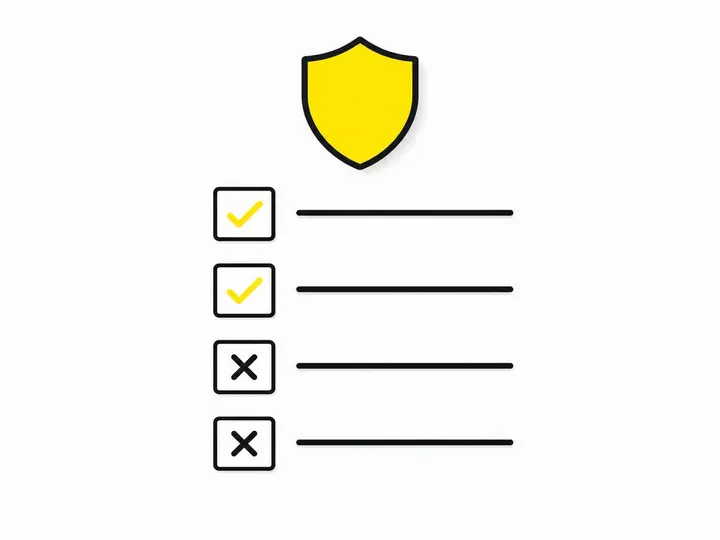
Before you launch any review request, check it against this list:
No discounts, gifts, prizes or refunds offered for reviews
Every customer is asked, not just the ones you expect to be happy
No suggested rating or wording
No reviews from staff, family or business partners
No bought reviews and no asking customers to copy a template review
Requests are spread out steadily, not blasted in one batch
Frequently asked questions
Can I offer a discount for a Google review? No. Any incentive breaches Google's review policy, and the reviews can be removed or your profile penalised.
Can I ask past customers from last year? Yes, but send requests gradually rather than all at once, as a sudden spike can look suspicious.
Do reviews help my ranking? Yes. A steady flow of genuine reviews supports your local SEO and visibility on Google Maps.
Conclusion
Asking for Google reviews stops feeling awkward once you frame it as a request for honest feedback rather than praise. Keep the wording neutral, ask every customer the same way, time it soon after the experience, and never offer anything in return.
Your practical next step: copy your direct review link today, drop it into one of the scripts above and set it to send after every completed visit or sale. Then reply to each review as it lands.