How to Get More Leads from Google Reviews (2026 Guide)
On this page 8 sections
Key takeaways
- Respond to every review within 24 hours to signal trust and invite action
- Embed your best reviews near quote forms and contact buttons on your website
- Use Google Business Profile posts to turn review momentum into bookings
- Spot patterns in review language to sharpen your service messaging
- Review volume and recency both affect your local search ranking
Google reviews are the most overlooked lead generation tool for Australian small businesses. Most tradies and service owners collect reviews as a trust badge, then ignore them. The truth is sharper: reviews affect local search visibility, directly influence customer decisions, and when handled strategically, turn curious browsers into paying clients. This guide shows you how to extract real leads from every review you get.
Why Most Businesses Leave Leads on the Table with Google Reviews
You're sitting on customer feedback that's either working for you or against you. Every review is a data point about what your customers value, what they're willing to pay, and what friction slows them down. Most businesses treat reviews like a report card. You get the grade, you feel proud or stung, then you move on. That's the gap between using reviews for trust and using them for lead generation.
Reviews as a trust signal vs. reviews as a lead tool
A five-star review builds credibility. That's table stakes in 2026. But credibility alone doesn't generate enquiries. A customer reading your Google Business Profile sees a 4.8-star rating and thinks, "They're probably decent." Then they move to your website to check pricing, service area, or how to actually book you. If your review strategy stops at collecting stars, you've missed the moment when someone was actively considering hiring you.
A lead-focused review strategy works differently. Your response to reviews becomes a mini sales message. The language in customer reviews feeds directly into your ads and website copy. Reviews are embedded on your service pages where they reduce friction before a quote request. Getting more quote requests from your website is easier when testimonials sit next to your contact form, not buried in a generic reviews section.
The gap between getting a review and getting an enquiry
A customer leaves you a five-star review. Great. But do they know you offer three other services they need? Does a prospect reading that review understand your price range or service area? Does the review mention the exact problem you solve for them? Probably not. That's why responding to reviews matters tactically, not just graciously. Your response is the moment to redirect attention back to your business and invite the next step.
How Google Reviews Actually Affect Local Search Rankings
Google's algorithm uses review signals to rank local businesses in search results and the Google Maps local pack. The signals that matter most are review recency, velocity, and response rate, not just star rating alone. A business with 50 reviews posted over five years ranks lower than a competitor with 40 reviews posted in the last year, even if both are 4.8 stars.
Review signals Google pays attention to
Google doesn't publish a complete ranking formula for local search, but industry research and Search Console signals show these factors carry weight:
- Review quantity and consistency: Steady review flow signals an active, trusted business. One review every month is better for rankings than ten reviews clustered in one month then silence for six months.
- Star rating: A 4.5-star average outranks 3.8 stars. The threshold matters more at 4.0 and above.
- Response rate: Businesses that respond to every review (especially negative ones) signal engagement and accountability to Google's algorithm.
- Review freshness: Recent reviews carry more weight than old ones in local rankings.
- Review keyword relevance: When customers mention specific services or locations in reviews, those keywords boost visibility for related searches.
Think of local SEO as a three-legged stool. The legs are Google Business Profile optimisation, review signals, and local content (like service area pages). All three have to be sturdy for you to rank well in the local pack.
What review velocity and recency mean for your visibility
Review velocity is the rate at which new reviews arrive. Recency is how fresh they are. Together, they tell Google your business is still active and customers still care enough to review you. A plumber with three new reviews this month signals more credibility than one with three reviews total from 2022. Recency also affects the review carousel Google shows in the local pack and above the organic results. Newer reviews appear more often in that snippet, giving them real visibility to searchers.
Responding to Reviews the Right Way to Generate Leads
Your review response is not a thank-you note. It's a public sales message that reaches both the reviewer and every prospect reading your profile. You're not just being polite; you're redirecting attention, removing objections, and inviting the next action.
Why your response is a public sales message
Every response appears publicly on your Google Business Profile, Google Maps, and across review aggregator sites. Prospective customers read your responses as much as the original reviews. If a review says, "They fixed my roof but took three weeks," your response is your chance to explain turnaround times, mention urgency options, or invite that person back for another project. That response also reassures other prospects considering you that problems are handled professionally.
A simple response framework that invites the next enquiry
Use this structure for every positive review:
- Thank them by name (shows you read it, not automated)
- Repeat the specific outcome or service (reinforces the benefit)
- Mention a next step or related service (redirects to lead opportunity)
- Include a soft call-to-action (click-to-call, website link, or booking URL)
Example: "Thanks Jamie, we're thrilled the bathroom renovation came in on time and the tiles are holding up. If you're ever ready to tackle the kitchen, just give us a call on [number] or book a time on our website. We'd love to help again."
Using AI to manage customer reviews can automate the first draft of these responses, saving time without sounding robotic if you personalise each one with a specific detail from the review.
How to handle negative reviews without losing future leads
A one or two-star review is a lead generation crisis only if you ignore it. Respond within 24 hours, apologise for the specific problem, and offer a solution or chat. Keep the tone professional and blame-free. Don't argue or get defensive. Prospects reading that exchange judge you on whether you take feedback seriously, not on whether the original complaint was fair. A thoughtful response to a bad review often builds more trust than no criticism at all.
Turning Your Best Reviews into Website Conversion Tools
Reviews sit in your Google Business Profile. That's step one. Step two is pulling the strongest ones out and placing them where they actually influence decisions: on your website.
Where to embed reviews for maximum lead impact
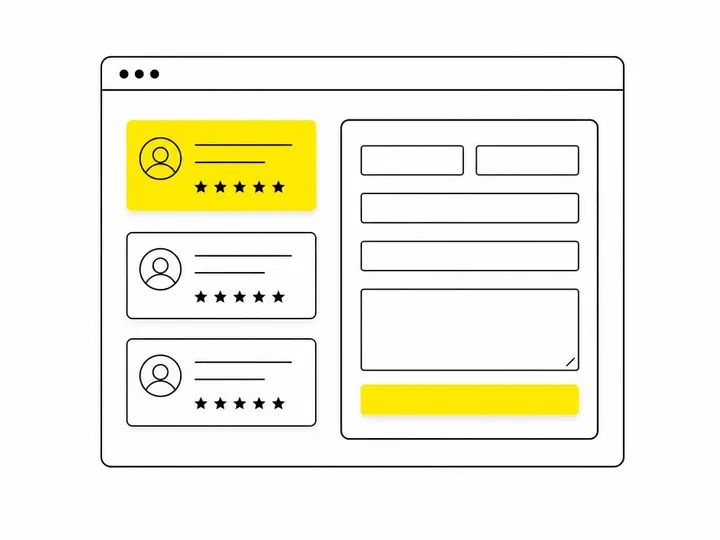
Your homepage gets general trust-building reviews. Service pages get reviews specific to that service. Your contact page or quote request form gets the review that directly addresses the objection a prospect is probably feeling right now. A review saying "They answered the phone immediately" goes on your contact page. A review praising specific technical skills goes on the service page for that skill.
Linking reviews to service pages and quote forms
Don't just paste review text and a star rating. Hyperlink the review text or the reviewer name back to your Google Business Profile or embed a review widget that pulls live reviews from Google. This creates a trust loop: prospect reads review on your website, clicks through to see more reviews on Google, then comes back to request a quote. Turning website visitors into quote enquiries gets easier when reviews sit one click away from your quote request form.
Using reviews to reduce friction on your contact page
Contact pages get a lot of traffic from people who are already interested but not quite ready to commit. A review that addresses a common fear ("I was worried about the cost, but they beat three other quotes and did better work") reduces that friction. Place one or two highly relevant reviews right above your contact form. Make them scannable. Use schema markup (LocalBusiness structured data) so Google understands these are genuine reviews and can display them in rich snippets.
Using Your Google Business Profile to Capture More Enquiries
Your Google Business Profile is your outpost on Google properties. It needs to be optimised to convert profile browsers into callers and website visitors into leads.
Optimising your profile so reviews lead to clicks
A complete profile with current hours, accurate service areas, a professional photo, and regular updates ranks higher in local search and local pack results. More visibility means more profile clicks. More clicks from qualified local searchers mean more review readers who are actually considering you. Fill every field. Verify your business address. Add as many high-quality photos as Google allows. Update your business description to include service keywords and your service area.
Google Business Profile posts and the review to booking loop
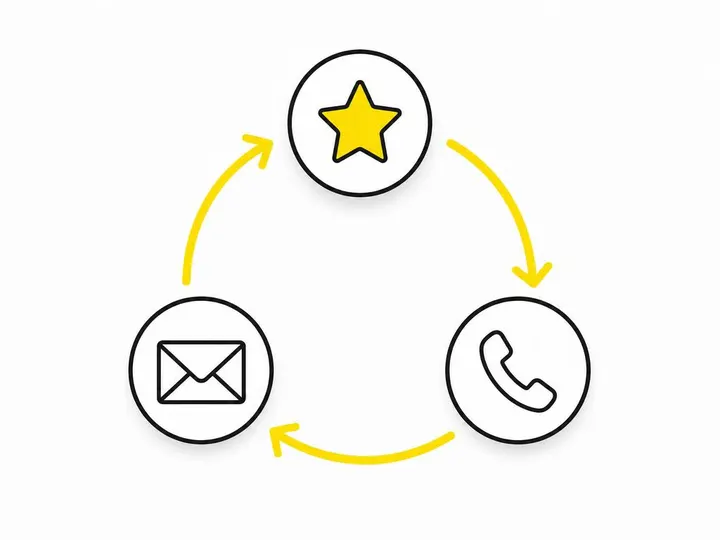
What to post on your Google Business Profile creates a feedback loop. A post highlighting a recent review or customer success story keeps your profile fresh (boosting local rankings) and gives people another reason to click through. Google gives profile posts a shelf life of about a week, so they're most valuable for time-sensitive offers or announcements. Regular posting also signals an active business to Google's algorithm.
Setting up click-to-call and booking buttons
Your profile should have a prominent phone number with a click-to-call button for mobile users. If you use an online booking system, add a booking button to your profile. These direct actions reduce friction between the moment someone decides to contact you and the moment they actually do. A prospect reading a glowing review should be able to tap one button and call or book without leaving Google.
Mining Your Reviews for Better Marketing Messages
Your customers have already written your best marketing copy. You just need to extract it and reuse it.
How to spot what customers actually value
Read your reviews looking for patterns. Do multiple customers mention speed? Mention that in your ads. Do several reviews praise your communication? Make that a pillar of your website copy. Do reviews frequently mention your pricing or value for money? You've found a strong differentiator. Look for language customers use repeatedly. That's the language that resonates in your market.
Using review language in your ads and website copy
If a review says "They were professional and didn't have hidden charges," that's your ad copy. If three reviews mention "fastest service in the area," test that claim in a Google Local Services Ad or search ad. Getting more local leads in Australia is easier when your messaging matches what customers actually say about you. Authenticity in marketing comes from letting your customers speak. Reviews are proof. Use them.
A Simple System for Getting More Reviews Consistently
You need a steady flow of new reviews to maintain momentum in local rankings and keep prospects seeing fresh testimonials. That flow has to be systematic, not sporadic.
When and how to ask without being pushy
Ask for a review at the moment of peak satisfaction. For tradies, that's usually right after the job is finished and the customer is happy with the result. For service businesses, it's after the customer has experienced the benefit. Send a text or email with a direct link to your Google review page. Make it one click, not five steps. You can ask again after a week if they haven't reviewed yet, but stop after the second ask. Pushing too hard turns people off and can trigger Google's spam filters.
Automating review requests without it feeling robotic
Automating missed call follow-up is important, but automating review requests requires more finesse. Tools like BrightLocal can schedule review request emails and texts at the right time in your customer journey, but personalise the message. Add the customer's name and project details so it doesn't look like a template. Automated doesn't have to mean impersonal. The goal is consistency, not scale. A business with five reviews a month from a simple system beats one with fifteen reviews clustered after a one-time email blast.
According to the BrightLocal Local Consumer Review Survey, businesses that ask for reviews systematically collect reviews three to five times faster than those that don't ask at all. That velocity compounds in local search rankings over time.
Conclusion
Google reviews are a lead generation lever you're already capable of using. The review signals that affect your local visibility are mostly within your control: getting more reviews, responding to every one, and keeping that flow steady. The reviews themselves are a treasure trove of marketing insight, proof points for your website, and honestly, a responsibility to handle as sales messages, not just feel-good feedback.
Start by auditing your current Google Business Profile. Check whether your responses are inviting next steps or just saying thanks. Pull your three best reviews onto your service pages and contact page. Set up a simple system to ask for reviews after every successful job. Monitor response velocity over the next two months. The businesses seeing real lead growth from reviews treat them as an active lead funnel, not a passive trust badge. That's the shift that matters.