Landscaper Website Portfolio: How to Turn Project Photos into Enquiries
On this page 7 sections
Key takeaways
- Each project needs its own page with suburb, scope, and a clear CTA
- Before-and-after sequences reduce hesitation and build buying confidence
- Rename image files, add alt text, and set a preferred lead image per page
- Categorise projects by type (front yard, pool surrounds, native gardens) to match search intent
- Publish or refresh portfolio pages before spring when landscaping searches peak
Your landscaper website portfolio doesn't generate enquiries just by looking pretty. Homeowners scrolling through job photos are asking whether you can solve their specific problem, not admiring your design sense. A project page that pairs before-and-after images with the original brief, your approach, client reviews and suburb context builds the trust and certainty that turns a casual browser into a qualified enquiry.
Why a gallery page alone does not convert
A gallery of landscaping photos looks professional. It does not persuade most homeowners to pick up the phone. The difference between scroll-and-forget images and an enquiry is context, proof and a clear next step.
What homeowners actually want to see
When a homeowner visits your portfolio, they are mentally placing your work into their own yard. They want to know:
Did you solve a problem like theirs?
What did the space look like before?
How did you approach the design?
What was the timeframe and rough scope?
Would a neighbour or similar client recommend you?
A gallery supplies the first question. Everything else requires text, suburb information, and a client quote. Trust signals on a trades website remain the strongest drivers of enquiry, and project pages are where you stack them.
The difference between a gallery and a project page
A gallery is a folder of images. A project page is a landing page built around one completed job. It lives at its own URL, appears in Google search, can be optimised for local visibility and includes all the context that turns curiosity into action.
When you build suburb-based or service-specific project pages, you also create multiple entry points into your website. A homeowner searching "modern native garden North Sydney" can land on a specific before-and-after page rather than your generic services list. This matters for both Google visibility and conversion.
Build each completed job into a project page
Every finished landscaping job is an asset. Turning it into a dedicated project page takes about an hour and pays off for months through Google search and direct enquiries.
What to include on every project page
Start with a compelling title that includes location and project type: "Modern Backyard Landscaping with Native Plants, Artarmon" rather than "Project 23". Then add:
The homeowner's brief. What problem did they have? Poor drainage, lack of privacy, overgrown weeds, dead lawn, no entertaining space?
Your approach. Why did you choose these materials, plants or design decisions? This shows you think through problems, not just follow a template.
The scope and timeframe. How many days on site, square metres, number of trees planted, paving laid? Specific details help prospects gauge cost and effort.
A client quote or testimonial. Even a one-sentence remark like "They understood what we wanted and finished on time" carries enormous weight.
Maintenance notes or ongoing considerations. Do the plants need seasonal pruning? How often should the lawn be watered? This demonstrates care and reduces post-project friction.
Suburb and property context. Name the area, climate zone or local soil type. This helps nearby homeowners recognise their own situation.
How to structure the before-and-after sequence
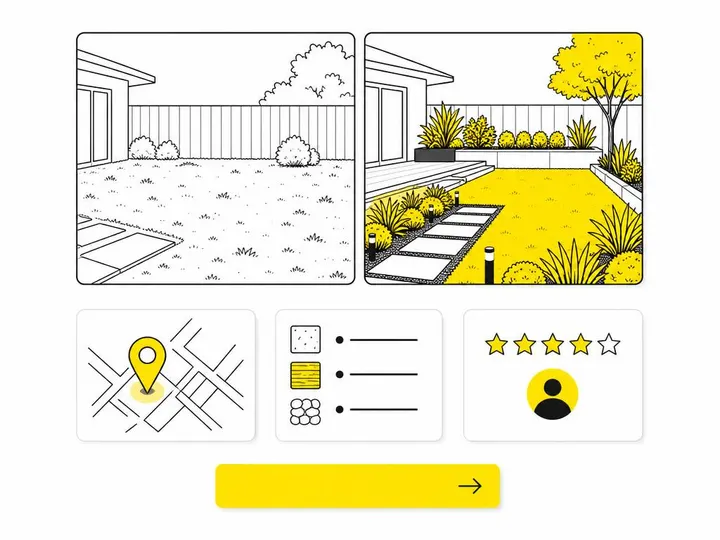
Start with a strong "after" photo. Lead with the finished result because that is what attracts interest. Then show the before state to prove transformation. Follow with process or detail shots if they illustrate technique or complexity. End with the before-and-after side-by-side if you have one.
Place your first call-to-action button after the gallery, not at the bottom of the page. A homeowner who has seen the work and read the brief is warm and ready to enquire. Do not make them scroll through maintenance notes to find a phone number.
Pairing photos with client reviews and suburb context
A four-star Google review on your business profile is powerful. A specific quote embedded within a project page "Sarah trusted us with native planting in a tricky sandy soil. The garden has thrived for two years" is even more powerful because it is paired with proof.
Include the suburb name and property type multiple times on the page, in headings, the opening brief and image captions. This helps both Google and local homeowners understand that you work in their area and have solved similar problems.
Make your photos work in Google search
Google has updated its image SEO guidance to give clearer signals about which image should represent your project page, and how to make sure images stay discoverable and crawlable.
File names, alt text and captions
Rename your files before uploading. Instead of "IMG_4521.jpg", use "modern-native-garden-artarmon-after.jpg". This tells Google and users what the image is about.
Write alt text that describes what the image shows and includes the suburb and project type. Example: "Modern native garden in Artarmon featuring Australian plants and sandstone paving, after landscaping completed by [Your Name]". Do not keyword-stuff; Google ignores it and it makes alt text unreadable to screen readers.
Add a caption under or near each image if the design allows. Captions serve both users (they provide context) and search engines (they reinforce the image topic).
Setting a preferred lead image using og:image or schema
Google's latest guidance, updated on 24 November 2026, emphasises that you should explicitly tell search engines which image is the main one for each project page. Use either the og:image meta tag in your page header (best for social sharing and search preview) or schema.org image properties (better for structured data and Google Images eligibility).
Your web builder or CMS should handle this, but check that every project page has one clear lead image. Do not upload ten photos and hope Google picks the best one. Choose it deliberately.
Image formats, file size and crawlability
Use modern formats: JPEG for photographs, WebP for even smaller files, PNG for graphics. Compress images so they load fast (aim for 50 to 150 KB per image on a project page). Slow images hurt user experience and Google rankings.
Ensure image URLs are consistent and remain on your website. If you move or delete a project page, update internal links. External image URLs that break cause Google to drop the image from search results. For more detail on this, see Google Search Central image SEO guidance.
Organise your portfolio around buying intent
Homeowners do not search "landscaper portfolio". They search "backyard landscaping cost Sydney" or "native garden design" or "low-maintenance front yard". Organise your project pages to match how people actually hunt for landscapers.
Categories that match how homeowners search
Create portfolio sections or category pages for:
Front-yard landscaping
Backyard landscaping
Pool surrounds and waterside gardens
Native and Australian gardens
Low-maintenance or drought-tolerant gardens
Paving, retaining walls and hardscape
Suburb-specific landing pages (Artarmon, Cremorne, Double Bay, etc.)
Link project pages within each category, so a user looking at a front-yard project can easily see similar front-yard work. This keeps them on your site and deepens trust.
Linking project pages to service pages
Each project page should link to the relevant service page. A native garden project should link to "Native Garden Design" or similar. This reinforces to Google that you offer that service and keeps prospects in a logical journey from "proof of work" to "how I work" to "get in touch".
Landscaping marketing strategies that drive consistent enquiries rely on this structure. Scattered images do not perform as well as organised, interconnected project pages.
Suburb-based project pages for local visibility
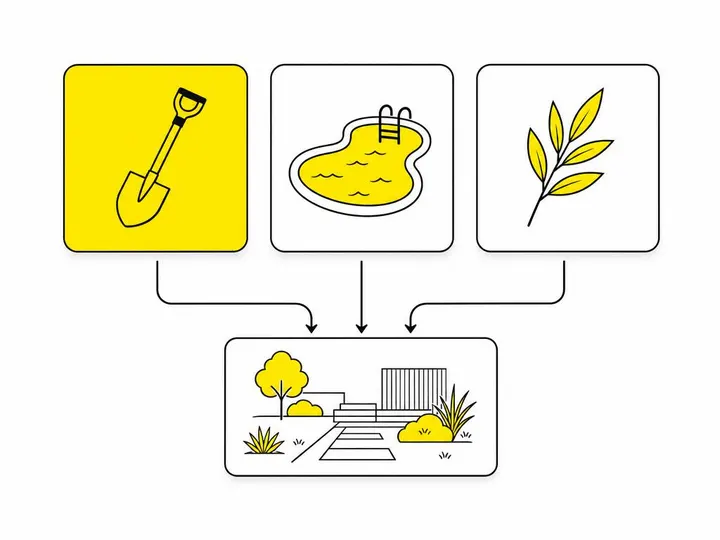
Create a project page for each suburb where you have done notable work. The URL might be "/portfolio/backyard-landscaping-artarmon/" or "/portfolio/native-gardens-double-bay/". This signals to Google that you serve these areas and helps local searches.
Suburb landing pages for local businesses drive local enquiries when they include genuine project examples and location-specific detail.
Add calls to action that match where the homeowner is
A project page succeeds only if visitors know what to do next. The right call to action at the right moment converts browsers into leads.
CTA placement within the project page
Place a prominent button or form after the photo gallery, while the homeowner is still engaged with the work. Use text like "Request a Site Visit", "Discuss Your Project" or "Get a Quote". Avoid generic "Contact Us" (every business has that).
Place a second CTA near the end of the page, after the client review and maintenance notes, for people who read thoroughly before deciding.
What to say on the button
Use action language that feels right for landscaping: "Request a site visit" implies you will assess their yard in person; "Get a free quote" sets an expectation; "Discuss your project" lowers the barrier for someone still exploring options.
Test which wording drives the most enquiries on your site. Getting more quote requests from your website often comes down to small changes in button text, placement and form length.
Tracking enquiries from portfolio pages
Use Google Analytics or your CMS to track which project pages generate enquiries. Tag the form or enquiry button so you know "three enquiries this month came from the Artarmon native garden project". Over time, this tells you which project types and suburbs attract qualified leads.
If a particular project type drives leads but ranks poorly, invest in more similar pages. If a suburb generates lots of traffic but few enquiries, review the CTA or brief.
When to publish and refresh your portfolio
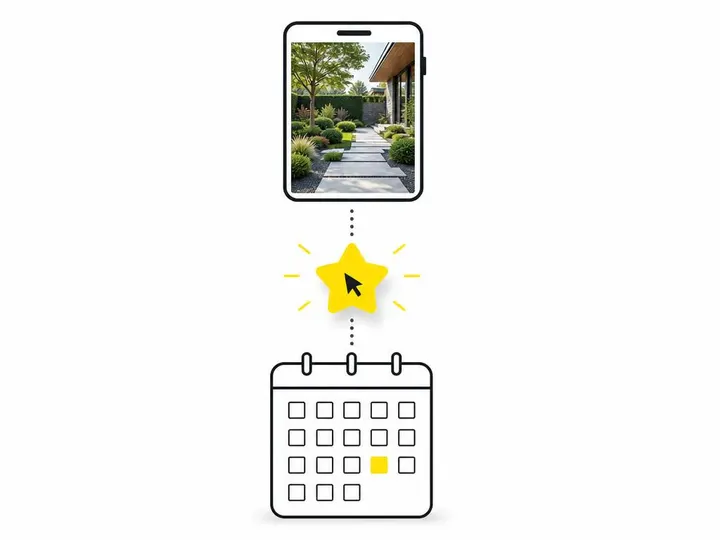
Timing matters for landscaping. Homeowners plan outdoor work at predictable seasons, and publishing new project pages just before those peaks gives you visibility advantage.
Timing portfolio updates to seasonal demand
An Australian keyword analysis published on 3 November 2026 showed "landscaping" searches rose from 8,100 in July to 14,800 in spring, while "landscaper" reached 9,900 searches in January, February and July. This tells you:
Spring (September to November) sees the highest search volume for landscaping services.
January and February also spike (summer planning and new-year resolutions).
July shows secondary demand (winter outdoor work and planning for spring).
Publish or refresh project pages in June (before spring demand), December (before summer planning) and avoid August. If you have finished three jobs in June, turn them into project pages by mid-August so they rank by spring search season.
Refreshing Google Business Profile photos at the same time
When you publish new project pages, also update your Google Business Profile with fresh photos from recent work. Google Business Profile photos appear in search results and Maps, and they affect click-through rates to your website.
Update your profile every 60 to 90 days if you can. Each photo update signals freshness to Google and gives new prospects a current impression of your work quality.
Conclusion
A landscaper website portfolio is not a decoration. It is your most powerful tool for converting curious browsers into qualified enquiries. Each project page you build, properly optimised with images, context, reviews and clear calls to action, is a small landing page that works for you in search, on Maps and through direct sharing.
The practical next step is to pick your five best completed jobs from the last year, add one suburb and project type per page, write a brief on each, optimise the images and add a client quote. Use website packages for landscapers that include portfolio management, or handle it yourself if you have the time. Test which project types and suburbs generate the most enquiries, then do more of those.
Timing matters. Publish or refresh your portfolio in June and December, align your Google Business Profile photos, and track which projects drive leads. Over a full year, a thoughtfully built portfolio will become your quietest but most reliable source of qualified enquiries.
Frequently asked questions
What should I put on a landscaping portfolio page to get more enquiries?
How do I make my landscaping project photos show up on Google?
schema.org image properties so Google knows which photo represents that page.