Restaurant Facebook Ads: How to Fill Quiet Periods with Lunch Specials and Targeted Offers
On this page 8 sections
Key takeaways
- Target specific trading windows, not generic brand awareness
- Use a 3 to 5 km radius around your venue for lunch campaigns
- Send ad traffic to a booking page or click-to-call, not your homepage
- Supply Meta at least 3 to 4 creative variations per campaign
- Measure redeemed offers and bookings, not only Meta-reported conversions
- Pause campaigns when the kitchen is full or the special sells out
Most restaurant Facebook ads fail because they promote your venue at the wrong time to the wrong people. You run a generic awareness campaign all week, when what actually fills seats is a targeted lunch special reaching office workers on Tuesday at noon, or an early-bird offer for locals on a quiet Wednesday evening. Meta Ads can work for hospitality, but only when you build campaigns around your actual trading windows and use location targeting tight enough to reach people who can walk through your door.
Why Most Restaurant Facebook Ads Do Not Fill Tables
Awareness campaigns versus conversion campaigns
Many restaurant owners treat Facebook ads the same way they treat brand awareness on Instagram: build familiarity, grow followers, hope people remember you when they're hungry. That approach makes sense if you are opening a new venue and nobody knows you exist. But if you have a physical location, real tables and a POS system, you should run conversion campaigns instead. A conversion campaign tells Meta to find people most likely to complete a specific action, like booking a table or calling for a reservation. That is fundamentally different from an awareness campaign, which just tries to get your ad seen by as many people in your area as possible.
The confusion matters because Facebook and Instagram ad management campaigns default to whatever objective you pick in Ads Manager. If you choose "Awareness", Meta optimises to show your ad, not to drive bookings. If you choose "Leads" or "Conversions" with a clear conversion event (a completed booking or a click-to-call), Meta works differently. It ranks your creative, audience and bid against other advertisers running the same objective, and it prioritises placements and times most likely to convert. That is why the first decision matters more than the budget.
The trading window problem: promoting at the wrong time
Running a campaign all week at a steady daily budget means your ad runs at peak hours when your venue is already full, and at slow hours when you have space but no one is hungry yet. A Tuesday 2pm lunch special reaches office workers at exactly the right moment, but only if the ad is live between 11:30am and 1:30pm on weekdays. If the same creative runs at 7pm or on weekends, it wastes budget on people who are not your target and cannot act on the offer.
Hospitality is time-sensitive in a way that most other retail is not. You cannot defer lunch by a week. The offer either lands during the moment people are deciding where to eat, or it does not. That is why separate campaigns for lunch, mid-afternoon and early-week slots outperform a single generic campaign.
Build Campaigns Around Trading Windows, Not the Whole Week
How to identify your quietest periods
Open your POS or booking system and look at the last four weeks of reservation data. Write down the days and hours with the most empty tables. Most venues have one clear pattern: quiet lunch on Monday or Tuesday, slow early dinner on Wednesday, or a gap between lunch service and dinner. Some cafes see traffic drop mid-afternoon. Identify two or three periods you want to fill, and calculate how many extra covers would justify the ad spend. If you have ten empty seats at lunch three days a week, filling even two of them with a $20 average spend per person makes the campaign work.
Scheduling ads to run only during relevant hours
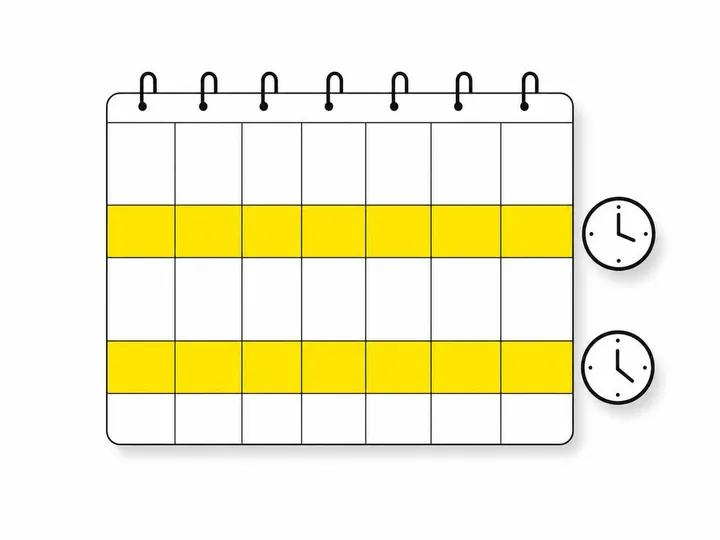
In Ads Manager, use the scheduling feature to run each campaign only during the hours when your offer is relevant. A lunch special should run weekdays from 10:30am to 2pm. An early-bird dinner offer runs 4pm to 6:30pm on quiet weeknights. Mid-week group booking promotions might run Tuesday to Thursday, 6pm to 8pm. This tightens your targeting, reduces wasted spend, and makes the offer timely for people who see it.
Meta's automation features have expanded in 2026. The platform increasingly handles placement and bid optimisation across surfaces, but you retain control over campaign objective, budget and schedule. Use that control. Set a strict on and off time for each campaign, and review it weekly against your bookings to confirm it is working.
Separate campaigns for lunch, mid-afternoon and early-week slots
Create three separate campaigns in Ads Manager rather than one large campaign with multiple ad sets. This lets you schedule each one independently, set a budget appropriate to the opportunity (lunch might be your highest-volume quiet period, so it gets a bigger budget), and pause or scale each without affecting the others. Use the same creative within each campaign so you can test variations, but keep the audience, schedule and objective consistent within the campaign.
Location Targeting for Restaurants: Getting the Radius Right
Office workers, local residents and existing customers
A restaurant's customer base usually falls into three groups: people who work nearby (office workers on a lunch break), people who live within 10 to 15 minutes' drive, and repeat customers. Your location radius in Meta Ads Manager should be tight enough to exclude people too far away to visit, but wide enough to reach all three groups. For a city-centre cafe or restaurant, a 3km to 5km radius is typical. For a suburban venue, you might go to 7km to 10km. Test the radius by looking at where your existing customers come from in your booking system or POS, and set the ad radius to match.
Using Meta's location-based audience options in 2026
Advantage+ audience targeting, Meta's main automated audience tool in 2026, starts with the signals you provide: website visitors, customer list (if you upload a hashed email or phone list), and location radius. Meta then finds similar people in that area. You can also layer in age, interests and language if you want to be more specific. For a lunch special targeting office workers, you might add interests like "professionals", "workplace", or "business". For an early-bird offer targeting retirees or early diners, you might target age 50 to 65. The automation adjusts the bid and placement within those parameters.
What Meta's automation changes mean for placement control
As of November 2026, Meta is rolling out reduced manual placement controls for Sales and Leads campaigns in some regions and accounts. This means you cannot always pick exactly which placements (Facebook feed, Instagram Stories, Messenger, Reels, etc.) your restaurant ad appears in. Availability varies by account, so check your Ads Manager to see whether placement controls remain available. The practical takeaway is to focus on what you can control: a clear conversion objective, strong creative, tight location radius and realistic budget. Meta's algorithm will handle the rest.
Creating Offers That Protect Your Margin
Fixed-price lunch versus add-on incentive versus early-bird
Three offer formats work for hospitality without eroding profit. A fixed-price lunch menu (e.g. "Three-course lunch $25, 12pm to 2pm weekdays") is easy to train staff on and hard to abuse. An add-on incentive (e.g. "Free drink with mains over $18, Tuesday and Wednesday") protects your base margin while creating perceived value. An early-bird (e.g. "15% off mains before 6pm, Monday to Wednesday") is flexible and appeals to price-conscious early diners. Test all three and measure redemptions against margin. If the add-on incentive brings in ten extra covers but costs $2 per cover in free drinks, that is $20 cost against perhaps $150 extra revenue. The campaign works.
What to put in the ad copy is non-negotiable. State the day, time, price, any exclusions and expiry date directly in the ad so the offer is usable without staff having to explain it. "Weekday set lunch $25, 12 to 2pm, Monday to Friday" is clear. "Great lunch deal" is not. Use Facebook ad offer ideas that protect your operations as much as your margin.
AI-generated creative: what the revised Meta terms mean for restaurants
Meta's updated Commercial Terms took effect on 20 November 2026, incorporating new guidelines around generative AI and catalogue use. If you use Meta's GEM (Generative Engagement Model) or other AI tools to create ad images, videos or copy, you are responsible for accuracy. If the AI creates an image of a dish that looks nothing like what you serve, or lists an open time that is wrong, the liability is yours. Always review AI-generated creative before publishing. Check meal descriptions, prices, dietary claims, opening times and promotional conditions. This takes five minutes and prevents refunds, complaints and trust damage.
Giving Meta Enough Creative to Work With
Short food videos versus static venue images
Meta's algorithm ranks creative across your entire campaign. If you upload one image and one video, Meta has limited options. If you upload three to five different images, two to three video lengths, and several variations of ad copy, Meta can find which combination works best for each audience segment and placement. For restaurants, test a close-up of a signature dish, a wider venue shot showing ambiance, a customer eating or enjoying the space, and a text-led offer image. Film one to two short videos (10 to 15 seconds for Reels, 6 to 15 seconds for Stories), and test different hooks: "Watch this" for a dish reveal, "Tuesday lunch" for a time-based offer, "Local favourite" for a community angle.
Different hooks for different audience segments
Office workers respond to convenience and speed ("Lunch in 20 minutes"). Local residents respond to quality and community ("Where our neighbourhood eats"). Existing customers respond to exclusive or new offers ("Regulars get 10% off on Tuesdays"). Write ad copy that matches each segment, pair it with appropriate creative, and let Meta test which performs. You should see clear patterns emerge within two weeks.
How often to refresh your ads
Refresh creative every two to three weeks or when your menu, price or availability changes. Audiences see your ad repeatedly, and fatigue happens. If your lunch special was $25 last month and is now $27, the old creative is misleading. If you have changed your quietest period or added a new dish, update the ads to reflect it. Refresh does not mean abandoning a winning campaign; it means keeping the audience, objective and location the same while swapping in new images, videos or copy.
Setting Up a Clear Local Conversion Path
Online booking, click-to-call, directions or offer page
Your ad must send people to one clear action. That action is usually one of four: book a table (if you use an online reservation platform like ResDiary or OpenTable), call you directly (click-to-call button), get directions to your venue (location button), or view your offer on a custom landing page. Do not send people to your homepage and hope they find the booking link. Create a restaurant website with online bookings so the conversion path is obvious. If you do not have online booking, a click-to-call button in Ads Manager is the next best thing. It opens their phone dialler pre-filled with your number.
Why your restaurant website matters here
Your website is the bridge between the ad and the booking or call. If the website is slow, looks unprofessional, or buries your phone number and opening times, the conversion rate drops. A booking-ready restaurant website includes a prominent booking button, clear opening hours, a short menu preview, and high-quality images. This is not vanity; it is the tool that converts ad clicks into actual reservations.
Using a named offer or code to track redemptions
Create a unique booking code or offer name for each campaign. For example, "LUNCHTUESDAY25" or "EARLYBIRD15". When customers book or call, ask them to mention the code. This lets you track which ads drove actual bookings, not just clicks. Meta reports "conversions" based on its pixel, but those numbers often include add-to-cart events, page views and other activity that is not a completed booking. By matching booking codes to conversions, you reconcile Meta's data with your actual POS and reservation system.
Measuring What Actually Matters for Hospitality
Meta's on-device conversion measurement changes in 2026
On 12 November 2026, Meta began rolling out on-device conversion measurement, a change in how the platform attributes conversions. The setting "Measure conversions on customer devices" may increase the number of conversions Meta reports, but a higher number does not automatically mean more bookings or revenue. This is critical: measurement changes can make a campaign look better without changing actual performance. Industry analysis warns that advertisers should compare Meta's reported conversions with real bookings and redemptions to stay grounded.
Reconciling Meta data with POS, bookings and redemptions
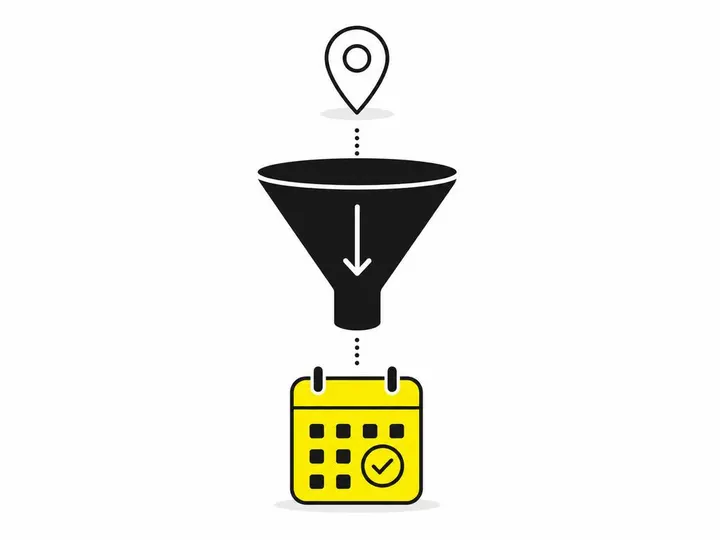
Every week, pull three numbers: (1) Meta's reported conversions for the week, (2) actual bookings made via the campaign offer or code, and (3) redeemed offers or add-on sales. If Meta reports 50 conversions but you only have 20 completed bookings, the gap tells you something is wrong with the conversion event setup or Meta's attribution is inflated. Work with Humming Web or your digital partner to audit the Meta pixel and Conversions API to ensure the conversion event matches a real booking, not a page load or button click.
When to pause, scale or change your campaign
If bookings from the campaign exceed your cost per booking target (e.g. you spend $50 to bring in a $200 booking), scale the daily budget by 20 to 30% and monitor for two weeks. If the cost per booking creeps up, pause and refresh the creative. If bookings are coming in but the kitchen is at capacity or existing customers are complaining about wait times, pause immediately. No campaign is worth overloading your team or damaging your reputation. Pausing a profitable campaign temporarily to protect service quality is a win, not a failure.
Conclusion
Restaurant Facebook ads work when you treat them as a tool to fill specific quiet periods with targeted local offers, not as a general brand awareness channel. Build separate campaigns around your quietest trading windows, use tight location targeting to reach office workers and local residents at the right moment, and create offers that are clear, time-bound and protect your margin. Give Meta's algorithm multiple creative options to test, but measure success against your actual bookings and POS data, not just Meta's reported metrics.
The 2026 changes to Meta's automation and measurement systems mean you have less control over individual placements but more responsibility for campaign setup and accuracy. Focus on what matters: campaign objective, audience quality, location radius, schedule and creative variety. Test your conversion path early, use booking codes to track attribution, and pause or refresh campaigns based on real operational constraints, not just cost per click.
Start with one quiet period, one clear offer and a two-week test. If it fills tables, scale it. If it does not, change the offer or timing and test again. Meta Ads management for restaurants is not set-and-forget; it is an ongoing conversation between your ads, your venue and your customers.