Meta Ads Advantage+ for Australian Tradies: What to Control When Meta Does the Targeting

On this page 8 sections
Key takeaways
- Advantage+ automates targeting, but creative quality is still your job
- Clean conversion data is the single biggest lever you control
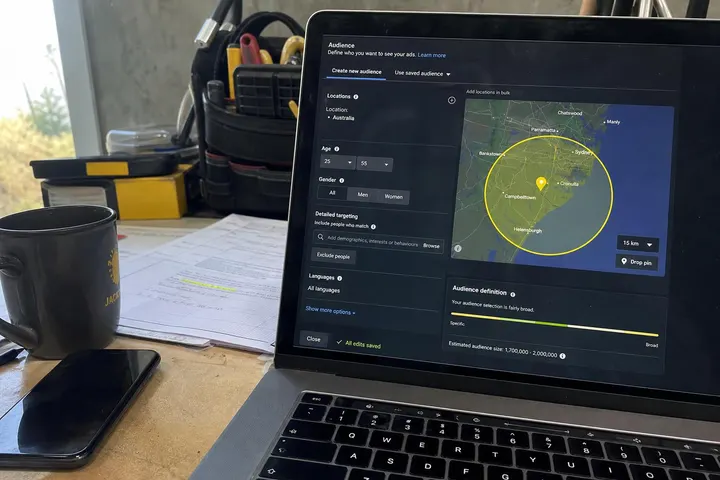
- Set a tight location radius before launching, Advantage+ won't do it for you
- Lead forms need qualifying questions to filter tyre-kickers
- Check lead quality weekly, not just cost per lead
Meta Advantage+ sounds like a set-and-forget dream: just hand over your budget, let the algorithm do the heavy lifting, and watch leads pour in. The reality for Australian tradies is more nuanced. Advantage+ automates audience targeting and bidding, but it hands back control over creative, location settings, and conversion data quality. Get those three things right, and Advantage+ can outperform manual campaigns by 10 to 15 percent. Get them wrong, and you'll burn budget on leads that never convert to jobs.
What Advantage+ Actually Does (and What It Doesn't)
Advantage+ removes manual audience selection and bid management from your hands and lets Meta's algorithm find people most likely to convert. That means you no longer pick age ranges, interests, or lookalike audiences. Meta handles all of it. What you keep control over: your creative assets, your budget, your location radius, and your conversion pixel setup.
How Advantage+ differs from manual targeting
Under the old model (which some tradies still use), you'd build custom audiences, set geographic boundaries, define age and interest exclusions, and manually adjust your bidding strategy. Advantage+ collapses that. You feed Meta your budget and creative, and the system finds patterns in your conversion data to locate similar prospects. The system learns fastest when you have clean conversion events flowing through the Meta Conversions API.
The upside: less guesswork, faster scaling. The downside: zero transparency into who's seeing your ad.
What Meta still lets you set manually
You control four critical levers inside an Advantage+ campaign:
Location radius: Essential for tradies working a 20 to 50 km service area. You still set the latitude/longitude and radius.
Creative (ads): You upload the videos, images, and copy. Advantage+ picks which combinations to show to which audiences.
Conversion events: You define what "conversion" means to your business (a phone call, a form submission, a booked consultation).
Budget: You set daily or campaign-level spend. Advantage+ allocates it across placements and audiences.
Understand those four boundaries, and you're halfway to making Advantage+ work for your tradie business.
The Geo Problem: Advantage+ and Hyper-Local Tradies
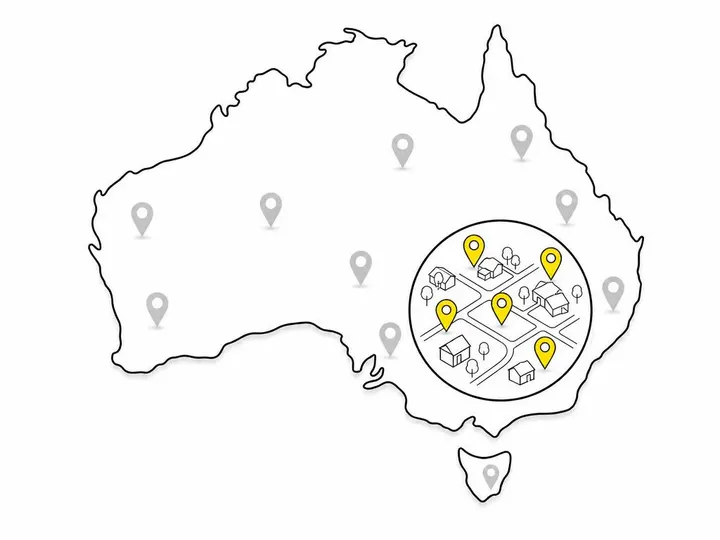
Advantage+ will spend money outside your service radius if you don't lock down location settings, because the algorithm prioritises conversion likelihood over geography. A plumber in Western Sydney cannot afford to show ads to someone in Newcastle just because their behaviour signals a likelihood to book.
Why Advantage+ isn't built for a 30 km service radius
Advantage+ campaigns optimise for cost per conversion (or cost per lead). If Meta's data shows someone 80 km away is statistically more likely to convert, the algorithm will spend your budget there. That's technically "better" by the metric, but useless to you if you can't service them. This is why many tradies initially run Advantage+ on a hybrid model, layering manual location controls on top.
How to lock down your location settings
Inside your Advantage+ campaign, go to Locations under targeting. Set your primary service area as a specific radius (e.g., 35 km from your business postcode). Choose "People who live or have recently been in this location" not "Everyone in this location" (the latter casts a wider net). Save and test. Monitor your leads' postcodes for the first two weeks. If you're getting enquiries from outside your radius, shrink it by 5 to 10 km and exclude problem suburbs manually if needed.
Conversion Data: The Fuel That Makes Advantage+ Work
Advantage+ is only as smart as the conversion data you feed it. Poor tracking kills campaign performance faster than a bad ad creative ever could.
Why most Australian tradies feed it garbage data
A lot of tradies run a Meta Pixel that fires a generic "Lead" event every time a form is submitted, but they don't track what happens after. Did that lead actually call back? Did they book a job? Did they ghost? The algorithm learns from the 1,000 form submissions, but half of them were spam or time-wasters. Advantage+ optimises for form submissions, not qualified jobs, and your cost per actual conversion skyrockets.
Setting up the Conversions API and clean pixel events
Setting up the Meta Conversions API in Australia sounds technical, but it fixes this problem. CAPI sends conversion data directly from your backend (or CRM) to Meta, bypassing browser restrictions and ad blockers. Instead of firing a generic "Lead" event, you fire a "Lead" event only after your admin confirms the person is a real, qualified prospect.
Set up two events: one for form submission (quick feedback to Advantage+) and one for "Qualified Lead" (fired by your admin or CRM when they've called the person and they're actually interested). Let Advantage+ see both, but prioritise optimisation toward the qualified lead event. You'll pay more per lead, but your cost per actual job will plummet.
Creative Is Your Last Real Lever
Since Advantage+ automates audience and bidding, creative becomes your most important control. Bad creative can't be saved by a good algorithm.
What creative signals Advantage+ actually learns from
Advantage+ tracks which image, video length, headline, and call-to-action generate the highest click-through and conversion rates within your audience pool. It doesn't understand why; it just learns correlation. A video of your team unblocking a drain with before/after shots will likely outperform a generic stock image of a plumber, because it signals specificity and proof.
The 3-2-2 creative method for tradie campaigns
Use the 3-2-2 formula: three headlines, two images or videos, and two call-to-action buttons. That gives Advantage+ 12 possible combinations to test. Rotate them weekly. Use real photos from your jobs (with client permission), testimonials, and problem-solution narratives. One combo will always outperform the others; pause the laggards after two weeks and upload fresh creative.
How to test ad creative as a tradie within Advantage+ follows the same logic as manual campaigns, except Advantage+ runs the test automatically across more people. Don't overthink it: test one variable at a time (e.g., video vs. image), and let the data talk.
How often to refresh creative to avoid ad fatigue
When to change your Facebook ad creative depends on your audience size and budget. If you're spending $1,000/month to a 100,000 person pool in your service area, refresh every 7 to 10 days. If you're spending $200/month, refresh every 14 days. Ad fatigue (declining engagement from people seeing the same ad repeatedly) kills Advantage+ performance. Monitor your relevance score; if it drops below 5, pause and refresh immediately.
Lead Form vs Landing Page Under Advantage+
Advantage+ works with both Meta native lead forms and external landing pages. Each has a trade off for tradies.
When native lead forms work for tradies
Native lead forms (built inside Meta's platform) have higher completion rates because they auto-fill contact details from the user's Facebook profile. A plumber offering "Free drain inspection quote" will get more form submissions via a native form than a landing page. But form submissions aren't enquiries; they're expressions of interest. Half will be low quality.
How to add qualifying questions to cut bad leads
Whether to use a Meta lead form or a landing page often hinges on qualifying questions. Inside Meta's lead form builder, add a custom question after the basics: "What's the issue you need help with?" or "When do you need this done?" Answers filter out time-wasters. Route urgent jobs to your CRM with a priority flag. Lead qualification for trade businesses starts before the lead lands in your inbox, not after.
Budget, Bidding and the $10/Day Question
Advantage+ needs minimum spend to learn and optimise effectively. $10/day is a common starting point, but it's not always enough for tradies.
Minimum realistic spend for Advantage+ to learn
Meta recommends 50 conversions per week for Advantage+ to optimise reliably. If your cost per lead is $25, you need 50 times $25 equals $1,250/week, or $178/day. If your cost per lead is $8, you need $56/day. $10/day means roughly 1 to 2 leads per day; Advantage+ sees limited data weekly and struggles to find patterns. You'll get better results with manual targeting on a $10/day budget than Advantage+ until you can stretch to $50 to $100/day minimum.
Should you use Advantage+ campaign budget or ad set budget?
Use Campaign Budget Optimisation (CBO), not ad set budget. CBO lets Advantage+ shift money across ad sets in real time based on performance. For tradies, this means if one location or lead form is outperforming, CBO automatically feeds it more spend. Manual ad set budgets are too rigid for Advantage+ to work properly.

How to Monitor Lead Quality Not Just Lead Volume
The trap most tradies fall into: Advantage+ shows a low cost per lead and they celebrate. Then they notice half the leads are junk. Monitoring quality separates successful tradie Advantage+ campaigns from expensive failures.
Setting up a simple lead quality check
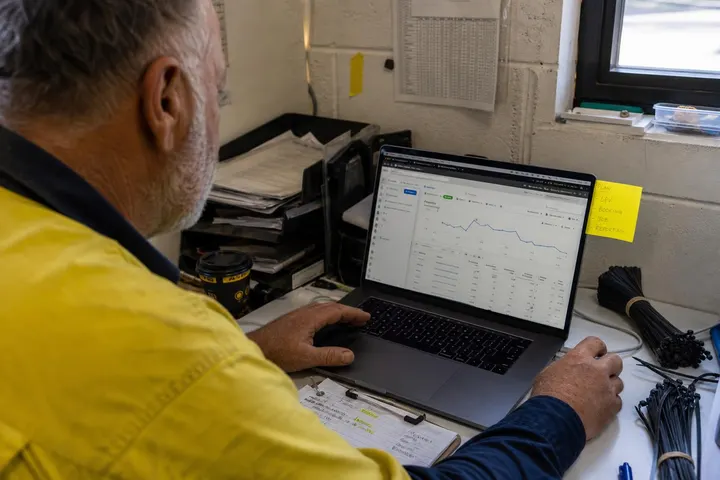
Tag every lead in your CRM with a quality score (Good, Okay, Junk) within 48 hours of receiving it. After two weeks of Advantage+ spend, calculate: (Good leads) divided by (total leads). If you're above 60 percent, you're doing well. Below 40 percent, something is broken. How to filter out junk leads on Meta starts with tighter qualifying questions in your lead form and ends with stricter location and audience controls.
When to turn Advantage+ off and go manual
If your lead quality is below 40 percent after four weeks and you've tightened qualifying questions and location settings, pause Advantage+ and switch to Meta Ads targeting for Australian tradies using manual audience and interest controls. Advantage+ isn't magic; it's a tool. If the data feeding it is poor or your audience is too broad, manual targeting with stricter definitions will win.
Conclusion
Advantage+ is powerful for Australian tradies, but only if you treat it as a partially automated system, not a fully hands-off one. You control location, creative, conversion events, and budget. Get those four things right, and Advantage+ can scale your lead volume by 10 to 15 percent with lower manual effort than traditional campaigns. Get them wrong, and you'll burn cash on low-quality leads faster than you can respond to them.
Start with a realistic budget (at least $50 to $100/day), clean conversion data (CAPI and qualified lead events), tight location settings (your exact service radius, not broader), and fresh creative on a weekly rotation. Monitor lead quality, not just volume. If performance stalls, don't assume the algorithm is broken; check your data first.
The practical takeaway: Advantage+ automates the guesswork, but it doesn't automate the fundamentals. You still need to know who your ideal customer is, where they live, and what problems your tradie business solves. Feed Advantage+ that clarity, and it'll find them faster than you can manage manually.