LocalBusiness Schema Markup for Australian Small Businesses: What It Does and How to Add It

On this page 11 sections
Key takeaways
- Schema markup communicates business facts to Google, it does not guarantee rankings.
- Only 47% of Australian small-business sites use LocalBusiness schema correctly.
- Use the most specific subtype available, such as Dentist, Restaurant or Electrician.
- Your schema must match your website content and Google Business Profile exactly.
- Service-area businesses should use areaServed, not a fake street address.
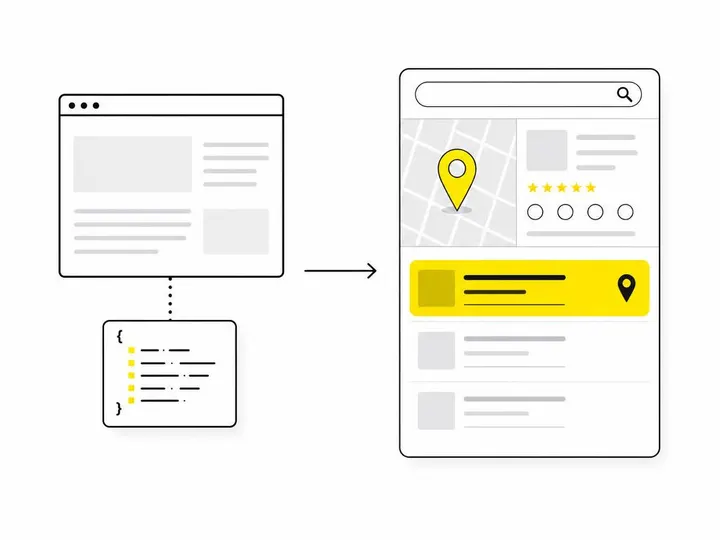
LocalBusiness schema markup is a structured data format that tells Google exactly what your business is, where it's located, how to contact it and when it opens. It's not the same as general structured data, and adding it won't guarantee higher rankings or rich search results, but it does make your business information machine-readable and eligible for richer search appearances in an increasingly AI-driven search landscape.
What Is LocalBusiness Schema Markup?
Schema markup is a standardised language that lets you communicate business facts to search engines in a format they can reliably understand and process. LocalBusiness is one specific type of schema, defined by schema.org LocalBusiness type reference, that focuses on businesses with a physical location or service area.
Think of it this way: your website tells humans that you're a plumber in Sydney who's open Monday to Friday from 7am to 5pm. Schema markup tells Google the exact same thing in a format Google's machines can read instantly, without having to parse text or guess. This matters because search engines are getting smarter at understanding context, but they still work better when you hand them the information in a structured format.
Schema markup versus structured data: is there a difference?
These terms are often used interchangeably, and for practical purposes they are the same thing. Structured data is the broad category of machine-readable code that communicates information. Schema markup is the standardised format (based on schema.org vocabulary) that powers that structured data. When you implement LocalBusiness schema, you're adding structured data using the schema.org standard.
What does JSON-LD look like in practice?
JSON-LD (JavaScript Object Notation for Linked Data) is the format Google recommends for schema markup. It lives in your page's code (usually in the page header or footer) and looks like a block of structured text with curly brackets, quotes and property names. We'll show you a real example later in this article, but the key point is that JSON-LD is human-readable enough that you can understand it and validate it without being a programmer.
What LocalBusiness Schema Does (and What It Does Not Do)
LocalBusiness schema helps Google understand your business identity, location, contact details and operating hours so it can display that information accurately in search results and on Google Maps. It does not automatically improve your rankings or guarantee a rich result.
What Google says about structured data and search features
Google's official LocalBusiness structured data documentation makes this clear: structured data makes your page eligible for richer search appearances, but Google does not guarantee that correct markup will produce a rich result or boost your ranking. What schema does do is give search engines confidence in the facts they're displaying about your business.
Google's supported search features for local business include business details like opening hours, ratings, directions and actions. As of June 2026, these features remain active. However, the presence or prominence of these elements depends on Google's assessment of relevance and quality, not just the presence of schema markup.
What you can realistically expect
A realistic expectation is that correct LocalBusiness schema will make your business information more reliable and more likely to appear correctly in search results, Knowledge Panels and AI Overviews. You're not paying for rankings; you're paying for clarity. In a search landscape where technical SEO audit and precision matter more than ever, that clarity is increasingly valuable.
Why Australian Small Businesses Should Care in 2027
According to an October 2026 audit by Uprise Digital, only 47 percent of Australian small-business websites surveyed included LocalBusiness schema with core business details (name, address, phone). That means 53 percent of the businesses checked are missing this basic technical SEO opportunity.
Australian search behaviour is shifting. Smart Local's October 2026 analysis found that AI Overviews appeared at the top of 35 of 38 Australian Google searches tested, and 26 of those cited websites from the organic top 10. That means clear, structured business information matters not just for traditional search results, but for how AI answer engines pull and display your details. If your business details are scattered, inconsistent or hidden in plain text only, AI systems have a harder time extracting and trusting them.
Choosing the Right LocalBusiness Subtype
LocalBusiness is a category with many specific subtypes; you should use the most specific subtype that matches your business type, because specificity helps Google understand what you do.
Common subtypes for Australian businesses
Plumber, Electrician, Carpenter, Locksmith (Contractor)
Dentist, Doctor, Pharmacy (MedicalBusiness)
Restaurant, Cafe, Bakery (FoodEstablishment)
AutoRepair (for mechanics)
Gym, SportsActivityLocation (for fitness centres)
RealEstateAgent (for property services)
If you run a general business services agency or consultancy with no exact match, LocalBusiness itself is acceptable.
What to do if no exact subtype exists
Use LocalBusiness as the schema type. Don't guess or stretch an existing subtype to fit. Make sure your business description in other properties clearly explains what you do.
The Core Properties to Include
Google's guidance recommends a minimum set of properties for all LocalBusiness entries, plus additional recommended fields depending on your business type and how you operate.
Essential fields: name, address, telephone, url
name: The exact legal or trading name of your business as it appears on your website and Google Business Profile.
address: The full street address in machine-readable format (streetAddress, addressLocality, addressRegion, postalCode, addressCountry).
telephone: A working phone number in international format (e.g. +61 2 9999 9999).
url: The homepage or main website URL for your business.
Recommended fields: openingHoursSpecification, geo, priceRange, areaServed
openingHoursSpecification: Your business hours in a structured format so Google can display when you're open.
geo: Latitude and longitude of your physical location, which helps with local search and map display.
priceRange: A currency symbol and general price indicator (e.g. AUD $ for budget, AUD $$ for mid-range) if your business has typical pricing.
areaServed: The suburbs or postcode areas you service. This is crucial for service-area businesses that travel to customers.
Special advice for service-area businesses
If you're a tradie, consultant or service provider who visits clients rather than running a walk-in location, you face a choice. Some service-area businesses use their office address; others use a suburb or region in areaServed and do not publish a street address. Never invent or hide a misleading address to make your schema work. If you operate from home but don't want to publish your home address, use areaServed to define your service zones instead, and leave address out or use a business postal address if you have one.
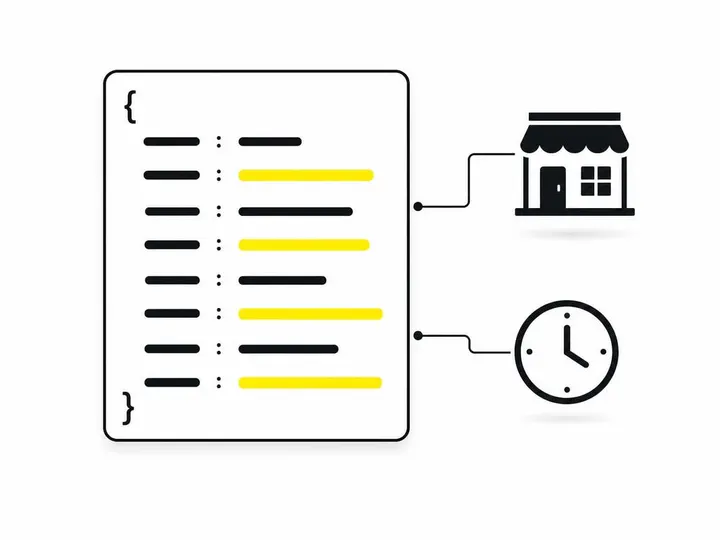
A Practical JSON-LD Example
Here's what LocalBusiness schema looks like for a typical Australian plumbing business with a physical location:
<script type="application/ld+json">
{
  "@context": "https://schema.org",
  "@type": "Plumber",
  "name": "Sydney Plumbing Solutions",
  "telephone": "+61 2 9999 8888",
  "url": "https://www.sydneyplumbingsolutions.com.au",
  "address": {
    "@type": "PostalAddress",
    "streetAddress": "123 Main Street",
    "addressLocality": "Parramatta",
    "addressRegion": "NSW",
    "postalCode": "2150",
    "addressCountry": "AU"
  },
  "geo": {
    "@type": "GeoCoordinates",
    "latitude": "-33.8150",
    "longitude": "151.0039"
  },
  "areaServed": ["Parramatta", "Epping", "Pennant Hills"],
  "openingHoursSpecification": {
    "@type": "OpeningHoursSpecification",
    "dayOfWeek": ["Monday", "Tuesday", "Wednesday", "Thursday", "Friday"],
    "opens": "07:00",
    "closes": "17:00"
  },
  "priceRange": "AUD $$"
}
</script>
Breaking down each line
The `@context` tells Google you're using schema.org vocabulary. The `@type` is Plumber (a specific subtype). Name, telephone and URL must match your website and Google Business Profile exactly. The address block is broken into parts so Google can parse street, suburb, state and postcode separately. Geo gives precise coordinates. AreaServed lists the suburbs you cover. OpeningHoursSpecification describes your weekday hours. If you have different hours on weekends or different hours for different services, you can add multiple OpeningHoursSpecification blocks.
Multiple locations: one schema block per location
If you operate more than one physical location, each location gets its own LocalBusiness schema block on the page, or ideally on its own location page. Never combine multiple addresses into a single schema entry.
How to Add LocalBusiness Schema Without a Developer
You have several options depending on your website platform and comfort level with code.
WordPress plugins
Yoast SEO, RankMath and Structured Content are popular WordPress plugins that include LocalBusiness schema builders. You fill in a form with your business details, and the plugin generates the JSON-LD code and adds it to your pages automatically. Most offer free versions with basic LocalBusiness support.
Platform custom-code fields
Website builders like Wix, Squarespace and Webflow often have fields where you can paste custom code into page headers or footers. Copy a JSON-LD example, customise it with your details, and paste it into the custom-code field. This works well if your platform doesn't have a built-in schema tool.
Google Tag Manager
Google Tag Manager can deploy schema code across your site without touching page templates. This works if you're comfortable with GTM, but it's overkill for most small businesses. A developer can set it up in 30 to 60 minutes if you decide to go this route.
Getting a developer to do it
If you prefer to hand the task over, a freelance developer or SEO specialist for small business can add LocalBusiness schema to your site in a few hours. Expect to budget $300 to $800 depending on complexity and number of locations. This is often worth it if you have multiple locations or a complex service area, or if you want the schema added to service pages as well as your homepage.
Validating and Monitoring Your Schema
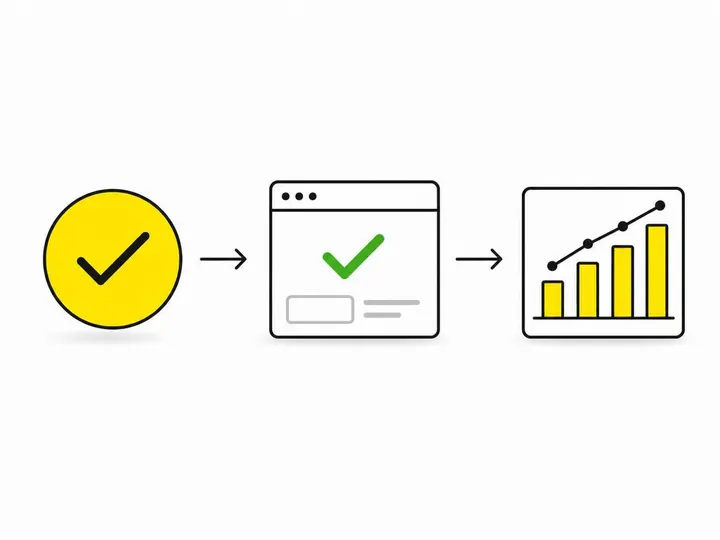
After you add schema, you must test it to make sure Google can read it correctly.
Google Rich Results Test
Paste your website URL into Google Rich Results Test. This tool crawls your site, reads your schema and tells you whether Google can understand it. It will also flag any errors or recommended improvements. Run this test after you add or update your schema.
Schema Markup Validator
Use Schema Markup Validator to check your JSON-LD code for syntax errors. Paste your code into the validator; it will highlight any missing commas, brackets or property names that break the format.
Google Search Console: Enhancements report
Log into Google Search Console and check the Enhancements report. This shows whether Google has detected your LocalBusiness schema on indexed pages. If Google finds errors, Search Console will list them here so you can fix them.
Keeping Schema Consistent with Your GBP and Website
The most common reason for schema problems is inconsistency between your website, your LocalBusiness schema and your Google Business Profile.
Name, address and phone consistency
Your business name, street address and phone number must be identical across your website, your schema markup, your Google Business Profile and any local directories you're listed in. If your schema says you're at 123 Main Street but your Google Business Profile says 123 Main St, Google gets confused. Use full street names (Street not St) and consistent formatting everywhere.
Avoid outdated or misleading information
Schema should describe what's actually on your website and what's true about your business right now. If you've moved locations or changed your phone number, update your schema immediately. Don't add false opening hours to make your schema look more complete, and don't include a price range if it's no longer accurate. Inconsistency between schema and visible page content can signal to Google that your information is unreliable.
Schema as Part of a Broader Local SEO Strategy
LocalBusiness schema is a powerful tool, but it's not a standalone local ranking shortcut. It works best as part of a complete local SEO strategy that includes a fully optimised Google Business Profile, strong location and service pages, consistent local directory listings, crawlable contact information and genuine customer reviews.
If you're serious about local visibility, combine schema with a regular SEO audit to check for technical issues, quality content about your services and locations, and a consistent approach to online business information. Schema is the last five percent of the puzzle, not the foundation.
Conclusion
LocalBusiness schema markup is a structured data format that translates your business facts into a language Google can read reliably. It won't guarantee rankings or rich results, but it does make your business information machine-readable and eligible for richer search appearances. With 53 percent of Australian small businesses still missing this basic technical SEO opportunity, implementing LocalBusiness schema puts you ahead of most of your competitors.
Start with the
Frequently asked questions
What is the recommended format for schema markup?
<script type="application/ld+json"> tag in your page's HTML, so it does not interfere with your visible page content and can be updated without touching your design.