Emergency Plumber Google Business Profile: How to Turn Urgent Searches Into Calls
On this page 7 sections
Key takeaways
- List specific emergency services, burst pipes, blocked drains, gas leaks not just 'plumber'
- Your phone number must reach a live person or a clear after-hours message, every time
- Accurate hours matter: a 2 November 2026 review found 54.3% of trade profiles had pending Google updates
- Profile views are rising but call rates are falling your profile must work harder to convert
- Check your live listing weekly; customer-suggested edits can go live within four days if unreviewed
When someone searches for an emergency plumber at 11 pm on a Sunday, your Google Business Profile is your fastest path to that call. But most emergency plumbers are losing converts between the moment a customer sees their profile and the moment they pick up the phone. A recent analysis by Diib (November 2026) found that while Google Business Profile views increased 6% year on year, calls fell 4% and the proportion of views converting to a call dropped from 11.0% to 10.1%. For an emergency service, that gap costs you jobs.
Why your Google Business Profile is your emergency dispatch centre
Your profile is not just a listing. It is the first point of contact when someone is in crisis, and Google's systems are now using your profile data to help customers reach you, book appointments, and check your response time. When a customer sees your hours, services, phone number and address, Google's emerging AI features may already be using that information to contact you on their behalf or send them straight to a booking form.
The gap between views and calls is widening
Views are climbing, but conversions are falling. Diib's November 2026 data tracked 12,996 local businesses and found that profile views grew 6% year on year while calls dropped 4%. For home-improvement businesses like plumbing, the gap is even starker: views jumped 24% but calls fell 2%. This is not because fewer people need emergency plumbers. It is because the profile is attracting lookers, not converters.
The block is usually one of three things: the phone number does not ring through, the hours are wrong, or the services listed do not match what the customer thinks you do. An emergency customer does not click "website" to read a blog. They call.
What happens when someone searches "emergency plumber near me" at 11 pm
Google shows your profile in the Local Pack. The customer sees your name, star rating, hours, photo and most importantly, your phone number. If your hours say "Closed" or "Call for emergency rates", they will call. If your call connects to voicemail, they move to the next plumber. If your number is wrong or routes to a non-emergency line, you have lost them. There is no second chance.
Local SEO wins profiles visibility, but your profile itself must close the sale. That starts with the call action.
Get the call action right before anything else
Your primary phone number is your most important conversion tool, and most emergency plumbers have it wrong: it goes to the wrong person, or no one answers it, or it is set to a business line that does not field emergency calls. Fix this first.
Test your primary phone number right now
Pull up your Google Business Profile on a mobile phone. Click the phone number. If you do not get connected to a live dispatcher or a recorded message explaining your emergency response process within two rings, your number is costing you calls. Test it from different devices and networks. Test it at the times you claim to be available. If you have multiple locations, test each one.
The number must be the first point of contact for emergency work. Not your office line. Not a callback form. The phone number itself.
What to do if you don't answer 24/7
Most emergency plumbers do not answer 24/7, and that is fine. What is not fine is lying about it. If you operate with a roster or an answering service, your profile hours must reflect reality. If you close at 6 pm on weekdays, say so. If you take emergencies only after hours, set special hours and explain the process on your profile. If an AI agent or automated system answers and routes the call, that is a call. If it goes to voicemail with no guidance, you have lost the customer.
Google's booking-call features and price-check functions now contact businesses using the hours and phone number on your profile. If your phone number or hours are incorrect, Google's systems will reach the wrong person or get no answer.
Never claim 24/7 if you don't back it up
If your profile says "24/7 emergency plumbing" but your phone goes to voicemail at 2 am, customers will call your competitors. Worse, Google may suppress your profile on future emergency searches if the click-to-call action repeatedly produces no useful outcome. Be honest about your availability, and if you do not have 24/7 coverage, set special hours or add a note about after-hours response time.
Build your services list around urgent customer language
When a customer is looking for an emergency plumber, they search for specific problems: blocked drain, burst pipe, no hot water, gas leak. Your services list should match that language, not generic category names.
Which emergency services to list individually
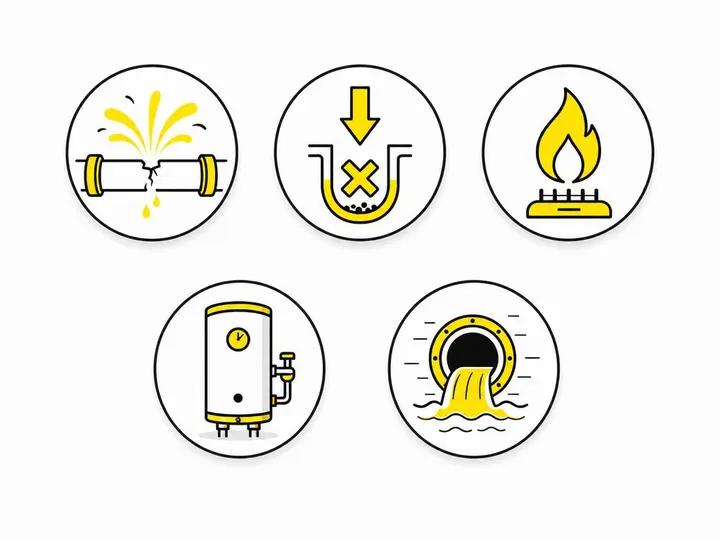
Do not list only "Plumber" and hope for the best. Create separate services for the emergencies you handle:
Blocked drains (24-hour or emergency response)
Burst pipes
No hot water (emergency or same-day)
Gas leaks
Sewer and septic emergencies
Flooding and water damage
After-hours emergency plumbing
Each service gives Google another chance to match customer search intent. It also tells customers exactly what you handle and how fast you respond. This is especially important if you specialise: if you do not handle gas leaks, do not list it.
How to write service descriptions that convert
Your service description is 750 characters. Use them to say when you respond, where you serve, and what the next step is. Example:
"Blocked drains and sewerage issues 24/7. We respond to emergency blockages in the inner west within 2 hours. Hydro-jet clearing, camera inspection, root removal. Call now for same-day or emergency attendance."
This tells the customer the response time, the area served, the methods you use, and the call-to-action. Compare this to a generic "drain cleaning" description. It converts.
For choosing the right Google Business Profile category, your primary category should be "Plumber" but your services list drives the specificity that emergency customers need.
Why one generic "plumber" category loses searches
Google's search algorithms are now using services as signals of what you do and when you do it. If your profile lists only "plumbing", Google has no way to know if you handle emergencies, same-day work or 24-hour response. A customer searching "emergency plumber" may not see your profile at all. Multiple specific services expand your visibility and match customer intent more closely.
Hours, service areas and holiday availability
Accurate hours and service areas are the difference between a customer reaching you and reaching your competitor. Most emergency plumbers get at least one of these wrong.
Setting accurate emergency hours
If you are open 24/7, say so. If you respond to emergencies only after 6 pm, set special hours that reflect it. If you work Monday to Friday but take emergency calls on Saturday, create weekend hours. Google uses these hours in its booking-call and price-check workflows, and customers see them in Search and Maps. Wrong hours mean missed calls.
Update your hours whenever your roster changes. If you move from a solo operation to a team and can now cover more hours, update the profile immediately. If you close for a week, add a note or adjust your hours temporarily.
Special hours for public holidays
Emergency plumbing demand peaks on public holidays. Set special hours for Easter, Christmas, New Year and any other period when you operate differently. If you do not work public holidays, close the profile for that date. If you charge premium rates, add a note in your service description or as a post. Do not leave it to voicemail.
Service areas: honest coverage beats a long suburb list
Many plumbers list 40 suburbs to cast a wide net, then take only jobs within a 5-minute radius. This backfires. Google's service-area business model relies on accuracy. If you claim to serve a suburb but do not, customers will book, then cancel or leave bad reviews when you refuse the job.
List only the suburbs and postcodes you genuinely service. If you service most of inner Sydney, say "Inner west to CBD" rather than listing 50 suburbs. Honest coverage builds trust and avoids wasted leads.
Keep your profile accurate with a weekly maintenance habit
Your profile is live data, not a set-and-forget listing. Google's systems and your competitors are constantly changing theirs. You need a weekly check to stay ahead.
The pending-update problem trade profiles face
Google sometimes suggests edits to your profile. A customer might suggest your hours are wrong, or a new staff member might update your phone number. These edits sit in a "pending" queue. A Cheers analysis (November 2026) found 54.3% of trade profiles had pending Google updates. If you do not review them, they can go live automatically if you ignore them for four days. Your profile is suddenly wrong, and you do not know it.
Check your Google Business Profile dashboard every week. Review pending edits and accept or reject them. If an edit is wrong, reject it and explain why. This takes five minutes and protects your emergency lead flow.
How to check for Google-held edits
Open your Business Profile dashboard. Go to "Info" and scroll to the bottom. You will see any pending customer-suggested edits. Review each one. Accept it if it is correct. Reject it if it is wrong, and add a note explaining why. This prevents bad information from going live and shows Google that you actively manage your profile.
Photos, reviews and posts that reinforce urgency
A photo of your team in work gear responding to an emergency, or a photo of a burst pipe being fixed at 3 am, tells customers you are ready. A review that says "They responded within an hour on a public holiday" is social proof of emergency capacity.
Using reviews to win more jobs means posting case studies or testimonials that highlight speed and emergency response. A post that says "We are now open 24/7" or "Public holiday emergency roster now live" keeps your profile fresh and tells Google you are actively managing your business.
For Google Local Services Ads for plumbers, these paid leads sit above your organic profile. But your profile must still convert: if a paid lead sees your profile and it looks neglected, you lose the sale anyway.
What Google's evolving features mean for emergency plumbers
Google's profile features are changing fast, and emergency plumbers need to understand what is coming so they are not caught flat-footed.
Google's booking-call and price-check functions
Google's documented booking-call feature lets customers book or call a business directly from Search or Maps without leaving Google. The price-check function can contact multiple nearby plumbers, collect quotes and email them to the customer. Both rely on accurate profile data: phone numbers that reach a dispatcher, hours that reflect reality, services that describe what you actually do.
For emergency plumbers, this is good news. It means customers can reach you faster. But it also means your profile must be ready to handle traffic from Google's systems, not just from customers clicking your phone number directly. Make sure your phone line can handle the volume and that whoever answers knows to qualify the caller as an emergency or routine job.
AI messaging: watch and wait
Reports from early November 2026 describe an experimental Google Business Profile messaging feature in which an AI agent may initially respond to customer messages. This is not confirmed in Australia and is not yet widely available. Watch for announcements from Google, but do not plan around it yet. If it arrives, treat it as a triage tool: it may qualify the customer's issue and pass it to you, or it may provide basic information. Your profile data (hours, services, response process) will still be the foundation.
How to stay ahead as the profile keeps changing
Google's features evolve constantly. New AI tools, booking integrations and customer workflows will keep arriving. The best strategy is to keep your fundamentals perfect: correct phone number, accurate hours, clear services, honest service areas, and a weekly check. When Google releases new features, you will already have the profile hygiene to make them work.
Conclusion
Your Google Business Profile is your emergency dispatch centre. While profile views are climbing, conversions are falling, and the plumbers winning emergency calls are the ones who have dialled in their phone number, services list, hours and maintenance routine. Most of this work takes less than an hour a week, but it is the difference between being visible and being called.
Start this week: test your phone number from a mobile, check your hours are accurate, list your emergency services separately with clear descriptions, and set a calendar reminder to review your profile and pending edits every Monday. These steps alone will tighten your conversion rate and turn profile views into emergency calls.
Your competitors are not doing this level of care. That is your competitive advantage.