Instagram DM Automation: How Small Businesses Turn Messages into Bookings
On this page 8 sections
Key takeaways
- Meta's 24-hour window means automation must qualify leads fast
- Comment-to-DM flows turn post engagement into private enquiries
- Only use Meta Business Suite or API-connected tools, never password bots
- Ask suburb, service type and timing in the first automated reply
- Hand off to a human for pricing, complaints and final booking confirmation
Instagram DM automation lets your business answer common questions, qualify enquiries and send booking links automatically, so a message at 9pm on a Sunday becomes a confirmed appointment instead of a missed opportunity. For salons, clinics, studios and other service businesses, it's one of the most practical ways to get more from the time you already spend on Instagram. If you're still getting the basics in place, start with our guide to Instagram marketing for Australian small businesses.
What Is Instagram DM Automation and Why Does It Matter for Small Businesses?
Instagram DM automation means using approved software to send set replies and short question flows in your direct messages, triggered by things like a keyword, a comment or someone's first message.
How automated DMs differ from just replying quickly
Replying quickly depends on someone being free. Automation answers instantly every time and collects the details you'd otherwise chase over three or four messages. Customers still get a real person when it matters. You just skip the back and forth about opening hours and whether you service their area.
The shift from broadcast to conversation: what the research says
UNTMD research reported in October 2026 found that 84% of content sharing happens through private channels, and nearly one in three consumers find one-way brand broadcasts annoying. It's industry research rather than government data, but the direction is clear: people want to talk to businesses, not just watch them post.
Understanding Meta's Messaging Rules Before You Automate Anything
Meta only allows automated Instagram messages inside strict time windows and through approved connections, so knowing the rules first saves you building something that breaks.
The 24-hour reply window explained
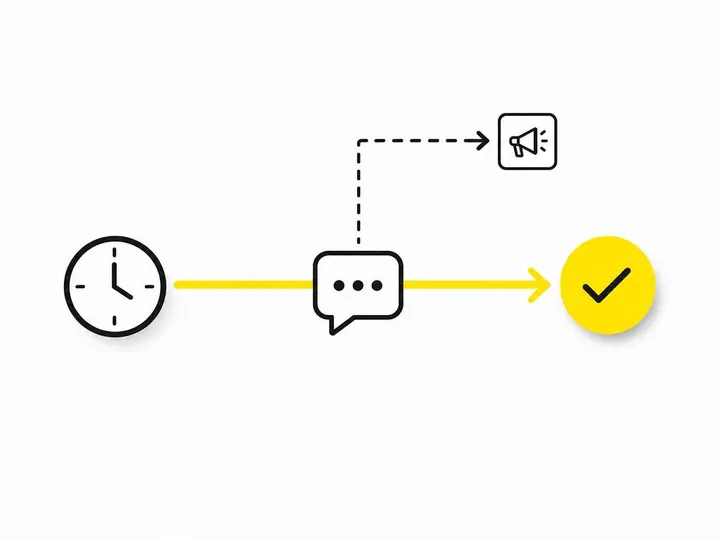
Once someone messages you, you have 24 hours to respond, and that includes automated messages. Each new message from them resets the clock. This is why long drip sequences ("Day 3: still keen?") don't work in Instagram DMs. If the person goes quiet, the window closes and your automation can't follow up.
The seven-day exception for paid Click-to-Direct ads
Under Meta's 28 September 2026 update, conversations started from Click-to-Direct or Click-to-Messenger ads can stay open for up to seven days after the person's first message. Organic DMs and story replies still sit under the 24-hour rule. If you run Click-to-Direct Instagram ad campaigns, that extra time gives you room for a sensible follow up.
One private reply per comment: how comment-to-DM works
When someone comments on your post or Reel, you can send them one private reply within seven days of the comment. Anything after that requires them to reply, which opens the standard 24-hour window.
Why unofficial bots are a serious risk
Meta prohibits unauthorised automated access. Tools that ask for your Instagram password or run browser bots can get your account restricted. Only use tools that connect through the official Instagram Messaging API, which requires an Instagram professional account (Business or Creator).
Which Tools Are Safe for Instagram DM Automation?
The safe options are Meta Business Suite and third-party platforms such as ManyChat that connect through the official Instagram Messaging API.
Meta Business Suite: free and built-in
Business Suite offers instant replies, away messages, saved replies, FAQs and keyword-triggered replies at no cost. Keyword automations are reportedly set up on desktop only, and responses can be delayed up to 15 minutes if you haven't replied manually. The Meta Business Suite automated responses help page walks through setup.
Third-party CRM and chatbot platforms
ManyChat and similar platforms add comment-to-DM automation, branching question flows and integrations that push details into your CRM or booking system. Expect a monthly fee that grows with your contact list.
The October 2026 handoff changes: one tool owns the conversation at a time
On 18 October 2026 Meta documented how third-party apps can take over conversations handled by Meta Business AI, then on 28 October added a handoff_reason webhook field that tells the receiving system why a conversation was passed over. In plain terms, only one tool should own a conversation at any moment. Decide which tool answers first and when a person steps in, or customers get two conflicting replies. Developers can check Meta's conversation handover protocol documentation for details.
Building a Simple DM Qualification Flow That Gets Bookings
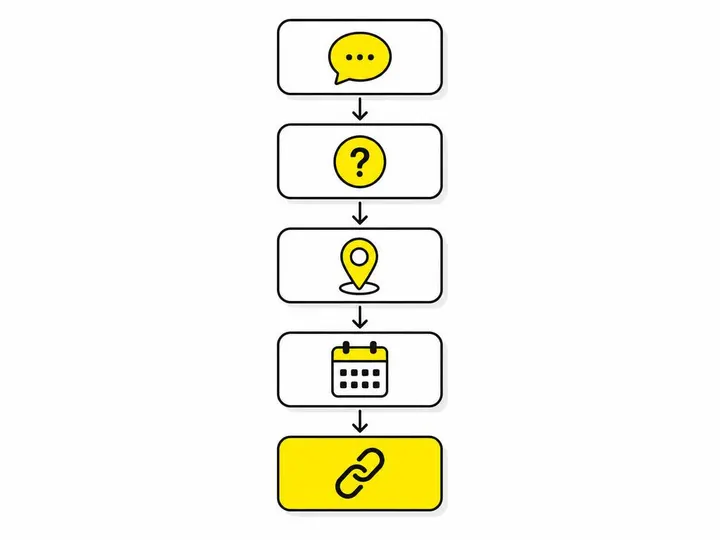
A good qualification flow asks five short questions in the first few minutes, then sends a booking link only once you know the person is a fit.
The five questions to ask before sending a booking link
Service: what are they after?
Location: suburb or postcode, or in-studio versus mobile.
Timing: preferred day and time.
Urgency: this week, this month or just researching?
Contact: best phone number or email.
Ask them early, because the 24-hour window won't wait. For a deeper look, see our guide to AI lead qualification for small business.
A sample flow for a service-based business
Here's how a mobile dog groomer might run it:
"Hi! This is our automated assistant. Is this for a wash, a full groom or nail clipping?"
"What suburb are you in?" (Out-of-area replies get a polite referral.)
"What size is your dog, and when suits you?"
"Here's our booking calendar. Pick a time and we'll confirm by text."
When to hand over to a human
Hand over for custom pricing, unusual requests, complaints, health or other sensitive information, and final confirmation on bigger bookings. Automating lead notifications means you know the moment a conversation needs you.
How Does Comment-to-DM Automation Work?
Comment-to-DM automation sends one private message to anyone who comments a chosen keyword on your post or Reel, turning public engagement into a private enquiry.
How to set up a comment trigger on a post or Reel
In ManyChat or a similar tool, pick the post, set the keyword and write the reply. Reels tend to reach the most new people, so pair this with using Instagram Reels to attract enquiries.
What to put in the private reply
Deliver what you promised straight away, then ask one question that invites a reply, such as "Want me to check availability this week?" Their reply opens the 24-hour window for your qualification flow.
Example prompt ideas that actually get comments
"Comment PRICES for our full treatment menu."
"Comment WEDDING for our 2027 photography packages."
"Comment PLAN for a free four week beginner program."
What Should You Measure?
Measure bookings and revenue from DMs, not how many replies your automation sends.
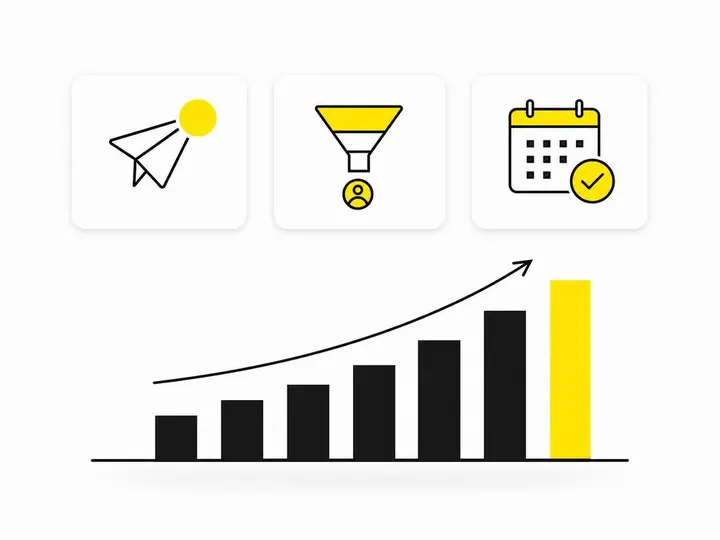
The metrics that actually tell you if it's working
Incoming DMs and comment triggers
Qualified enquiries
Booking links clicked
Bookings made and attended
Revenue from those bookings
How to track the DM-to-booking path
Use a tagged booking link only sent in DMs, and add a "How did you find us?" question to your booking form. Check monthly and fix whichever step drops off most.
Common Mistakes Australian Small Businesses Make with DM Automation
The biggest mistakes are over messaging, hiding the fact it's automated and expecting the bot to close the sale alone.
Sending too many messages before qualifying
Five chatty intro messages before asking what someone needs burns goodwill and time. Get to the point.
Ignoring the disclosure requirement
Say it's automated at the start of a conversation, after a long gap and when switching from a person back to automation. Customers appreciate honesty.
Forgetting that automation is the start, not the whole sale
Automation opens the door. Reminders, follow ups and personal touches still win the booking, so plan your lead nurturing for Australian small businesses alongside it.
Conclusion
Instagram DM automation works best as a short, honest conversation: answer instantly, ask five qualifying questions, send a booking link and bring in a person when it matters. Stay inside Meta's rules (the 24-hour window, the seven-day ad exception and one private reply per comment) and only use API-connected tools.
Start small. Set up one comment trigger on your next Reel, build a five question flow and track bookings for a month before adding anything more complex.
Frequently asked questions
Is there a way to automate messages on Instagram?
Is there an automatic DM tool for Instagram?
Can I schedule a DM on Instagram?
How do I enable the auto DM option on Instagram?
How does DM automation work on Instagram?
How do I turn off automated DMs on Instagram?
Facebook vs Instagram for Small Business: Where Should You Focus?
Facebook Marketing for Local Business: How to Use Facebook and Instagram to Promote Your Service Area in 2027