How to Track Phone Calls from Your Website Without Losing Lead Data
On this page 8 sections
Key takeaways
- Call tracking assigns unique numbers per traffic source to attribute every inbound call
- Phone calls convert at 3 to 5 times the rate of form submissions
- Around 30% of leads go untracked when businesses rely only on form data
- Google Ads and Meta Ads both support native call tracking for small budgets
- Missed call automation stops leads going cold before you can call back
Most Australian small businesses have no idea how many phone calls they're actually getting from their website, where those callers found them, or whether those calls are turning into sales. Forms capture some leads, but phones still drive the majority of enquiries for tradies, service businesses, and local shops. Without proper call tracking, you're flying blind on half your lead pipeline and wasting money on ad campaigns you think aren't working when really, you're just not measuring them correctly.
Why Phone Call Tracking Matters for Australian Small Businesses
Phone calls remain your most valuable lead channel, but you can't optimise what you don't measure. Unlike online forms, incoming phone calls leave no digital footprint unless you deliberately capture and tag them. This creates a massive blind spot in your marketing data.
The hidden lead leak in your marketing
Research from HubSpot's State of Sales shows that approximately 30 percent of leads go completely untracked when they arrive by phone. For an Australian tradie or service business, that's potentially thousands of dollars in lost revenue intelligence every month. You're spending money on Google Ads, Meta Ads, or local SEO, driving traffic and calls, but your reporting only shows the form submissions. The phone calls just disappear into a void, and you can't tell which ad campaign, keyword, or marketing channel actually drove them.
Why forms alone give you an incomplete picture
Forms work for some leads, but phone calls typically have 40 to 60 percent higher completion rates than form fills. Customers pick up the phone because they want to talk to a real person right now, not fill out a contact sheet. If you're only measuring forms, you're undervaluing your best-performing channel and probably over-investing in channels that capture fewer qualified leads. Call tracking solves this by connecting every inbound phone call to the campaign, keyword, ad platform, and source that triggered it, giving you lead source tracking for tradies that actually reflects how your business wins work.
How Website Call Tracking Actually Works
Call tracking uses dynamic phone numbers and conversion tagging to link every incoming call back to its original source, so you can measure which campaigns, keywords, and channels are actually driving business.
Dynamic Number Insertion (DNI) explained simply
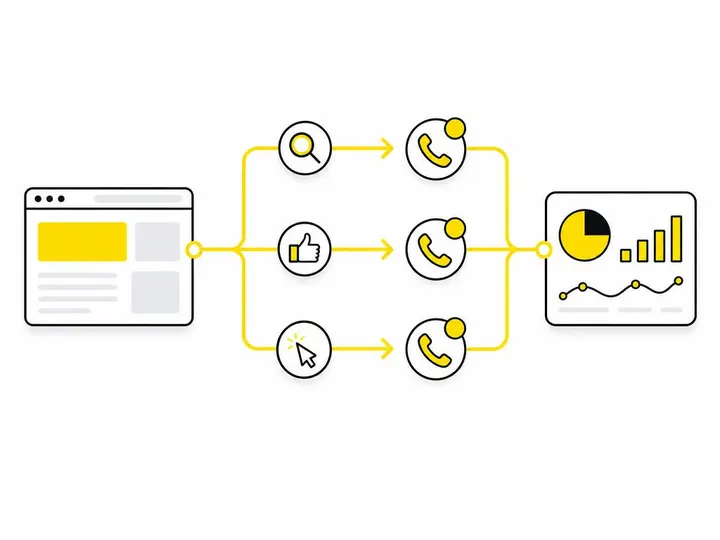
Dynamic Number Insertion is the core technology behind most website call tracking. Here's how it works: instead of displaying the same phone number everywhere on your website, a call tracking system displays a different unique number depending on how the visitor arrived. If someone clicked a Google Ads campaign, they see one number. If they came from organic search, they see another. When they call, the system logs which number was dialled, instantly telling you the source of that lead. How Dynamic Number Insertion works — CallRail explainer breaks down the mechanics in detail, but the simple version is: different source, different number, tracked call.
How calls get matched to campaigns, ads, and keywords
When a visitor lands on your website, a tracking pixel or integration captures their session data: which ad they clicked, which keyword they searched, which campaign they came from. That data is stored temporarily in their browser cookie. When they call the DNI number, the call tracking system cross-references the phone number dialled with the session data in your tracking system, matching the call to the original campaign, medium, keyword, and device. You can then send that conversion data back to Google Ads, Meta Ads, or your CRM, creating a complete attribution chain from ad spend to phone call to customer.
The Main Ways to Set Up Call Tracking on Your Website
There are four primary approaches to call tracking, each with different cost and complexity trade-offs for small Australian businesses.
Google Ads call extensions and call-only ads
If you're running Google Ads, you already have native call tracking built in. Call extensions let you add a clickable phone number to your search ads, and Google Ads call tracking and conversion setup documentation explains how to enable call conversions so that calls to the number in your ad are tracked automatically and fed back into your campaign performance data. This is free and works well for search campaigns. The downside: it only tracks calls from ads, not calls from organic search, direct website visits, or other sources.
Meta Ads call tracking options
Meta Ads (Facebook and Instagram) has call button tracking through the Lead Generation Forms feature and Messenger, but it's less direct than Google's system. For serious call tracking across Meta, you'll usually need a third-party tool or custom pixel setup using tracking events with Google Tag Manager to capture phone call events as conversions. Meta's native phone call tracking is weaker than Google's, which is worth knowing if you're comparing paid ad platforms for local business.
Third-party call tracking tools (CallRail, Delacon, Genie Goals)
These platforms provide full Dynamic Number Insertion across all traffic sources. CallRail is the market leader globally; Delacon and Genie Goals are solid Australian-friendly alternatives. They cost between AUD 50 to 200 per month depending on call volume and features. You get detailed call recordings, transcripts, source attribution, and integration with Google Ads, Meta, and most CRMs. For a small business doing 20 to 100 calls per month, this is usually the most reliable option. You deploy a small code snippet on your website, and the platform handles DNI, tracking, and reporting.
Google Tag Manager for call event tracking
If you want to track phone calls as events without a dedicated tool, you can use using Google Tag Manager to capture lead events to fire a conversion event whenever someone clicks a phone number or calls a tracked line. This feeds into Google Analytics 4 (GA4) and can be connected to Google Ads for conversion reporting. It's free but requires technical setup and doesn't give you the call recording or DNI sophistication of a dedicated tool.
What Data Should You Be Capturing from Every Call?
Not all call data is equally useful. Focus on capturing information that actually helps you improve your marketing spend and sales process.
Source, medium, campaign, and keyword
Every call must be tagged with its origin: organic search, paid search (which campaign?), paid social, direct, referral, or other. If it came from a paid campaign, capture the exact keyword or ad creative. This is the foundation of attribution and lets you answer the question: which marketing channel is actually driving calls?
Call duration, answer rate, and outcome tagging
A 2-minute call is not the same as a 20-minute call. Log call duration because longer calls often signal higher-quality leads. Also track answer rate: if your ad is driving lots of calls but you're missing most of them, that's a problem you can fix. Tag the outcome: qualified lead, booking made, wrong number, spam. This helps you separate real leads from noise.
Connecting call data to your CRM
Call tracking data is only valuable if it flows into your sales workflow. connecting your call data to a CRM ensures that every call is logged with its source, duration, and outcome, automatically creating a lead record in the same system your sales team uses. This closes the loop between marketing attribution and actual customer acquisition, letting you calculate true ROI per channel.
What Happens When You Miss a Call and How to Plug That Gap
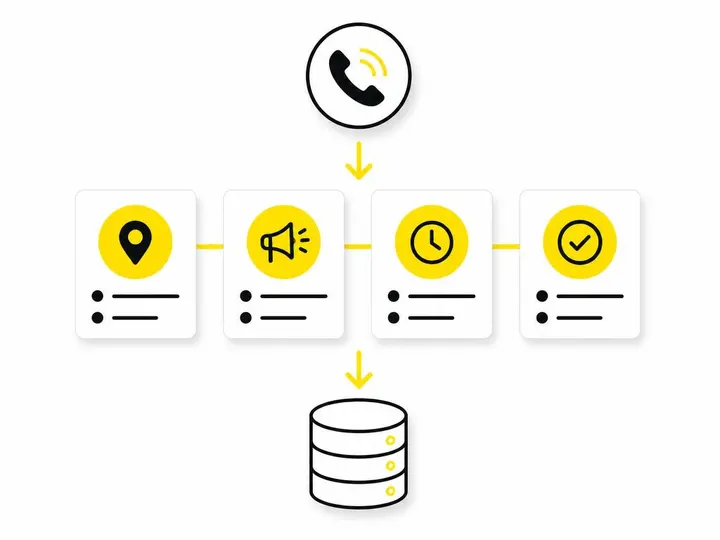
Even with perfect call tracking, you'll still miss calls. A customer rings during lunch, after hours, or when your team is on another job. Missing a call means losing a lead entirely, and it nullifies your call tracking investment if you can't convert the missed call into a follow-up.
Missed call text-back automation
When a caller hangs up after reaching voicemail, you can automatically send them an SMS asking them to reply with their details or confirming a callback time. automatic SMS follow-up for missed calls recovers leads that would otherwise disappear. Tools like Delacon and CallRail offer this feature natively. It's simple, effective, and often recovers 20 to 30 percent of missed calls by getting the customer to text back while you're available.
AI receptionist tools for after-hours calls
An AI receptionist for tradies answers calls after hours, takes a message, collects contact details, and either schedules a callback or sends you a notification immediately. This means you never lose a lead to voicemail. The AI answers professionally, qualifies the enquiry, and ensures the caller gets a response the next business day. Combined with call tracking, this creates a bulletproof lead capture system even when your team isn't available.
Common Call Tracking Mistakes Australian Small Businesses Make
Even with the right tools, most small businesses sabotage their own call tracking with preventable errors.
Using a single static number across all channels
If your website, ads, Google Business Profile, and offline marketing all use the same phone number, you can't tell which source drove each call. Dynamic Number Insertion requires different numbers for different sources. If you can't implement full DNI, at least use different numbers for major channels: one for paid ads, one for organic, one for offline. This gives you rough attribution without sophisticated tooling.
Not filtering out spam and short-duration calls
Spam calls, wrong numbers, and 5-second hangups will pollute your data and skew your ROI calculations if you count them as leads. Always filter out calls shorter than 30 to 60 seconds and mark obvious spam or wrong numbers so they don't inflate your conversion numbers. A call tracking tool should let you tag and exclude these automatically.
Forgetting to include call data in your reporting
You set up call tracking, it works perfectly, but then your reporting dashboard only shows form submissions and you never look at calls. Call data dies in isolation. following up on leads from your website and tracking their outcomes is only possible if you actually look at call reports weekly and connect them to your marketing spend. Make call conversions a standard part of your campaign review.
How to Know If Your Call Tracking Is Actually Working
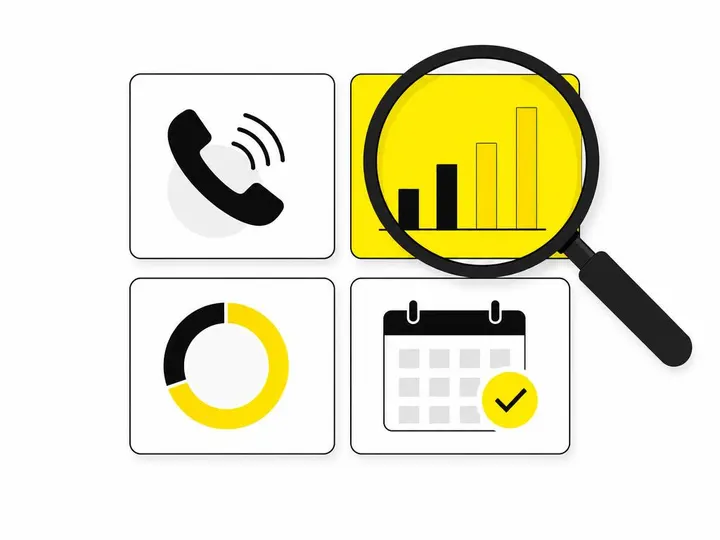
Once your call tracking is live, verify it's capturing data accurately before you start making business decisions based on it.
Key metrics to review weekly
- Total inbound calls and missed calls
- Average call duration (should be 3 to 10 minutes for qualified leads)
- Call source breakdown (which channel drove which volume?)
- Answer rate (percentage of calls answered by your team)
- Cost per call (ad spend divided by call volume)
- Call-to-booking conversion rate (how many calls turn into jobs?)
If your cost per call from Google Ads is AUD 15 and from Meta Ads is AUD 8, you'll want to shift budget toward Meta. If your answer rate is below 50 percent, you need better call handling or an AI receptionist. These numbers only make sense if your call tracking is working correctly.
When to bring in a specialist
If your tracking numbers don't match your gut feeling, or if you can't connect calls to revenue, it's time to have a digital marketing specialist audit your setup. A misconfigured pixel, a missing conversion tag, or broken CRM integration can make call tracking invisible to your reporting. improving your website's lead conversion rate starts with measuring what you have accurately; without that foundation, optimisation is guesswork.
Conclusion
Phone call tracking is not optional if you're spending money on digital marketing. Half your leads arrive by phone, but without tracking, they vanish from your data and you can't calculate true ROI. Implementing Dynamic Number Insertion, tagging calls by source and outcome, connecting that data to your CRM, and recovering missed calls through automation will close the biggest blind spot in most Australian small business marketing. Start with Google Ads call extensions if you're on a budget, or invest in a third-party tool like CallRail or Delacon if you're doing volume. Measure weekly, filter spam, and make sure call conversions are part of your standard reporting.
The businesses winning right now are the ones that track phone calls, know where they come from, and can prove which marketing channels actually drive phone-based revenue. Once you have that data, optimising your spend becomes straightforward: double down on the channels with the lowest cost per call and highest conversion rate, and cut or restructure the ones that don't work. That visibility is worth ten times the cost of the tool.