How to Add Online Quote Booking to a Tradie Website (2026 Guide)
On this page 8 sections
Key takeaways
- A quote request form captures leads 24/7, not just during business hours.
- Ask for job type, location, timeline, and budget to filter tyre-kickers upfront.
- Place a visible 'Request a Quote' button above the fold on mobile.
- Connect your form to email or SMS so you respond within the hour.
- Automate a follow-up message so leads don't go cold while you're on site.
Most tradies lose leads every night and weekend because their website doesn't capture quote requests when they're not answering the phone. An online quote booking form turns your website into a 24/7 lead capture machine, and it's far simpler to set up than most tradies think.
Why Tradies Lose Leads Without an Online Quote Form
A customer searches for a plumber at 9 pm on a Tuesday. They find your website, but there's no way to request a quote except a phone number. They call, get voicemail, and by morning they've already rung three other tradies who answered. That lead is gone.
Every tradie loses enquiries outside business hours simply because customers can't book or request a quote when they need one. A prospect isn't going to write down your number and ring back tomorrow; they'll find someone who lets them request a quote right now. Installing an online quote request form on your website captures those after-hours leads automatically, sends you an instant notification, and puts your business ahead of competitors who are still phone-only.
Customers search at night and on weekends
People book trades on their own schedule, not yours. They browse on their phones during lunch, ring around after work, and make decisions on Sunday evening. If your website forces them to wait until Monday morning to call, you've already lost the edge. An online quote form lets them describe their job, add photos, and request a callback when it suits them. You follow up the next morning with a warm lead instead of a cold number.
A missed call is often a lost job
Tradies are busy. You're on-site, driving between jobs, or dealing with an emergency. A customer rings, gets voicemail, and doesn't leave a message because they've already moved on to the next tradie in their search results. A quote form captures the enquiry automatically, sends them an instant confirmation (so they know you got it), and you reply when you're ready. That's how you turn a missed call into a booked job. For more detail on never losing leads to missed calls, check out our guide to auto text-back when you miss a call.
What to Include in a Tradie Quote Request Form
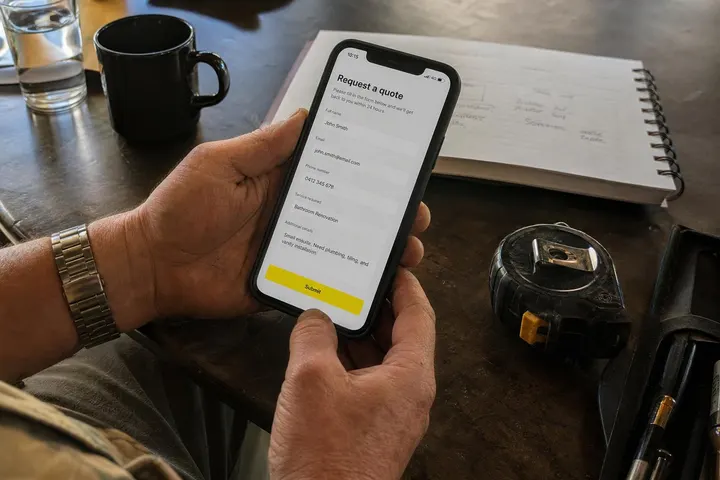
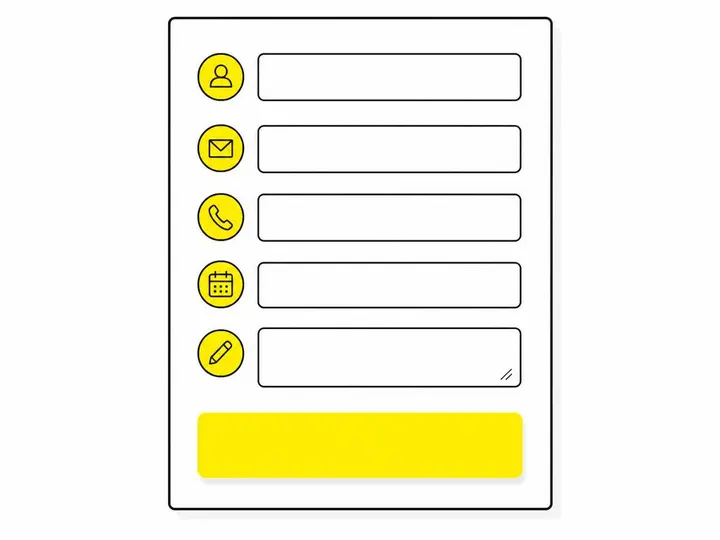
A tradie quote form should capture the essential job details without overwhelming the customer with a ten-page questionnaire, because the moment a form gets too long, people abandon it and call a competitor instead.
The essential fields every form needs
- Name and phone number (so you can follow up)
- Email address (for automated confirmations and quotes)
- Suburb or address (tells you if they're in your service area)
- Type of work (plumbing, electrical, carpentry, etc.)
- Job description (a text box for them to explain the problem)
- When they need it done (urgent, this week, flexible)
These six fields give you enough information to decide whether to follow up, and they're quick for the customer to fill in on a mobile phone.
Optional fields that improve job quality
Once you've got the basics, you can add fields that help you qualify leads and estimate the job faster. Consider asking whether they've already got quotes from others, what their budget range is, or if they'd like to upload photos of the work. The key is making these optional so they don't scare off customers. Lead qualification before calling back saves you time on unsuitable jobs and improves your close rate on jobs that actually fit your business.
What to leave out (keep it short)
Don't ask for credit card details, insurance information, or a full history of previous quotes. Don't make every field mandatory. The longer the form, the fewer people submit it. You can ask deeper questions once they've replied to your follow-up email.
Where to Put the Quote Button on Your Website
A quote request form is only effective if customers can actually find it, so placement matters as much as the form itself.
Homepage above the fold
Your homepage should have a clear "Request a Quote" or "Get a Free Quote" button above the fold (the part of the page you see before scrolling). Don't bury it below a wall of text; make it obvious. This is your biggest opportunity to capture a first-time visitor. For guidance on where exactly to place it, read our article on the best homepage layout for tradie websites.
Every service page
If you have a page for plumbing, another for gas fitting, and another for maintenance, each of those pages needs its own quote button. A customer reading about plumbing service should be able to request a quote right there without navigating back to the homepage. This is where tradie service page design makes a real difference to your conversion rate.
Sticky header or floating button on mobile
On mobile phones, add a sticky button that stays visible as the customer scrolls. You can also use a click-to-call button that dials your number directly, giving mobile visitors an instant way to ring you. The goal is to meet the customer wherever they are on your site and make it effortless to enquire.
Tools and Plugins to Build a Quote Form
You don't need a developer or a custom-built system; off-the-shelf tools will do the job and integrate with your website in minutes.
WordPress: WPForms, Gravity Forms, Contact Form 7
WPForms — WordPress form builder is the most user-friendly option for tradies. You drag and drop fields, set up automatic email notifications, and the form appears on your website. Gravity Forms is more powerful if you need conditional logic (for example, "If they select plumbing, ask about pipe material"). Contact Form 7 is free but requires more manual setup.
Third-party tools: Calendly, Jobber, ServiceM8
Jobber — field service management and online booking tool and ServiceM8 — job management software for Australian tradies both offer quote request and booking forms that embed into your website. They're specifically designed for tradies, so they include job scheduling, invoicing, and CRM features in one platform. Calendly works if you want customers to book a time to discuss the quote, though it's more suited to consultations than direct job requests.
Embedded iframe forms from CRMs
If you're using a CRM (Customer Relationship Management) system like Pipedrive or Hubspot, it can generate an embedded form code that you paste into your website. The form sends submissions directly into your CRM, so every lead is logged and ready to follow up. This is the most integrated approach if you're already using a CRM to manage your business.

How to Follow Up Automatically After a Quote Request
Capturing the lead is only half the job; following up fast and automatically keeps the customer warm and shows professionalism.
Instant confirmation email or SMS
Set up your form to send an automatic confirmation the moment someone submits it. Tell them you've received their request and when they can expect to hear back. This reassures them and gives you a bit of breathing room if you can't reply within five minutes. An SMS auto-responder is even better on mobile; it's more likely to be read than an email.
Automated follow-up sequence
Use email marketing or CRM tools to send a follow-up email a few hours later if you haven't replied yet. This keeps the enquiry top of mind and shows you're responsive. Automating quote follow-up for small businesses means you don't have to remember to send it manually; it goes out automatically while you're on-site.
Connecting your form to your CRM or inbox
The best setup pipes every form submission directly into your email inbox and your CRM. Use Zapier or native integrations to connect your form to your CRM; this way every lead is logged, tagged, and ready to follow up without manual data entry. No double-handling, no lost enquiries.

Common Mistakes Tradies Make with Quote Forms
Most tradie websites don't have quote forms at all, but those that do often make errors that kill the conversion rate.
Too many fields
A 15-question form looks thorough but performs terribly. People abandon it halfway through because they can't be bothered. Stick to six to eight essential fields and ask the rest later. A short form converts better than a long one every single time.
No mobile optimisation
If your form isn't mobile-friendly, most of your leads won't be able to use it. Check that the form fits the screen, the buttons are big enough to tap, and the text is readable on a phone. Common tradie website design errors like broken mobile forms cost you more leads than you realise.
Slow or missing follow-up
A form that sits in your email for three days is almost as bad as no form at all. Set up automatic notifications so you know the moment someone submits it, and aim to reply within one to two hours. Speed kills your competition.
Frequently Asked Questions
Which tool is best for a tradie with no tech skills? WPForms if you're on WordPress; ServiceM8 or Jobber if you want an all-in-one job management tool.
Can I add a quote form to an old static HTML website? Yes, but it's harder. You'll need a third-party hosted form like Typeform or a CRM form. Upgrading to WordPress or moving to a platform like Wix makes it much easier.
Should I charge for quotes? No. Free quotes remove the barrier to enquiry. You filter unsuitable jobs during the follow-up call, not by charging upfront.
How do I know if the form is working? Track how many submissions you get each week and how many turn into jobs. If you're not getting submissions, the form might be hidden, too long, or not visible on mobile.
Conclusion
An online quote request form is the single cheapest way to capture leads 24/7, especially the ones that come in after hours when you're not answering the phone. It takes less than an hour to set up using WPForms, Jobber, or ServiceM8, and it pays for itself the moment it brings in your first after-hours job. The form itself isn't the secret; the secret is putting it where customers will see it, keeping it short enough to fill in on a phone, and following up fast. For a fuller picture of lead generation, read our guide on getting more local leads as a tradie.
Start with the basics: add a six-field quote form to your homepage and every service page, set up automatic email notifications, and commit to replying within two hours. You'll capture more leads, you'll stop losing business to after-hours enquiries, and you'll have a system that works while you sleep. That's not hype; that's just how online booking works for tradies who do it right.