How to Add a Click-to-Call Button to Your Tradie Website (2026 Guide)
On this page 8 sections
Key takeaways
- Use a tel: HTML link to create a basic click-to-call button
- Place the button in the header, hero section, and as a sticky mobile bar
- A sticky call bar on mobile is the single highest-impact placement
- WordPress plugins like WP Call Button make setup code-free
- Track calls as conversions in Google Analytics or Tag Manager
A click-to-call button is a one-tap link that lets mobile visitors ring you straight from your website, and for tradies it's one of the fastest ways to turn browsers into actual phone enquiries. Most of your site visitors are on mobile, they'd rather call than fill out a form, and every second they spend hunting for your number is a second you lose them to a competitor.
What Is a Click-to-Call Button and Why Do Tradies Need One?
A click-to-call button is a clickable link or button on your website that automatically dials your phone number when someone taps it on their mobile device. It uses the tel: protocol in HTML (a simple code that tells a browser "this is a phone number"), and when clicked on a smartphone, it opens the phone app and starts dialling. On desktop, it typically opens the default dialler or prompts the visitor to save your number.
For tradies, this matters more than it sounds. You're not running a software company or a consultancy where email enquiries make sense. You need urgent calls. A kitchen renovation client doesn't want to wait 24 hours for a form reply. An emergency plumbing call can't be handled through a contact form. Making your website work on mobile means nothing if visitors can't reach you in one tap.
How mobile traffic makes it essential
Roughly 65 percent of Australian website traffic comes from mobile devices. If your site gets 1,000 visitors a month, around 650 of them are on their phones. On a phone screen, navigating to a contact page, copying a number, opening the dialler, and pasting it back is enough friction to send someone to the next Google result. A click-to-call button removes that friction entirely.
Why phone calls convert better than forms for trade businesses
Research consistently shows that 72 percent of consumers prefer to contact businesses by phone. For trades, it's even higher. A potential client wants to ask quick questions, gauge your professionalism in real time, and book a site visit. Forms feel slow. A phone call feels direct and human. Tradies who add a visible click-to-call button to their mobile site typically see 15 to 25 percent more enquiry calls, because they're removing the barrier between interest and action.
The Simple HTML Method: Build a Click-to-Call Link in 5 Minutes
You don't need a plugin or developer to add a basic click-to-call button if you're comfortable copying a few lines of code into your website.
The tel: link explained
The tel: protocol is a simple HTML standard that tells a browser a link is a phone number. When you use <a href="tel:0412345678">Call us</a>, a mobile visitor who clicks it will see their phone app open with that number queued up to dial. The format is straightforward: tel: followed by your number with no spaces or special characters (just numbers and a leading plus sign if you include country code).
Basic button code you can copy and paste
Here's the simplest version:
<a href="tel:0412345678" class="call-button">Call Now</a>
If you want to include your full number for display, use:
<a href="tel:+61412345678">0412 345 678</a>
The number in the href attribute is what actually dials; the text between the tags is what visitors see. You can use your local area code or mobile number. Most tradies use a dedicated mobile for work so calls go directly to them.
Styling it so it actually gets clicked
A text link that looks like any other link won't get tapped. You need it to look like a button and stand out. Here's basic CSS styling:
.call-button { display: inline-block; padding: 12px 24px; background-color: #d9534f; color: white; text-decoration: none; border-radius: 4px; font-weight: bold; font-size: 16px; }
That creates a solid, noticeable red button with white text. Use a colour that contrasts sharply with your site's background. High contrast means higher click rates. Many tradies use orange, red, or a strong branded colour.
Where to Place Your Click-to-Call Button for Maximum Results
Placement is as important as the button itself; a hidden call button converts almost nobody.
Header and navigation bar
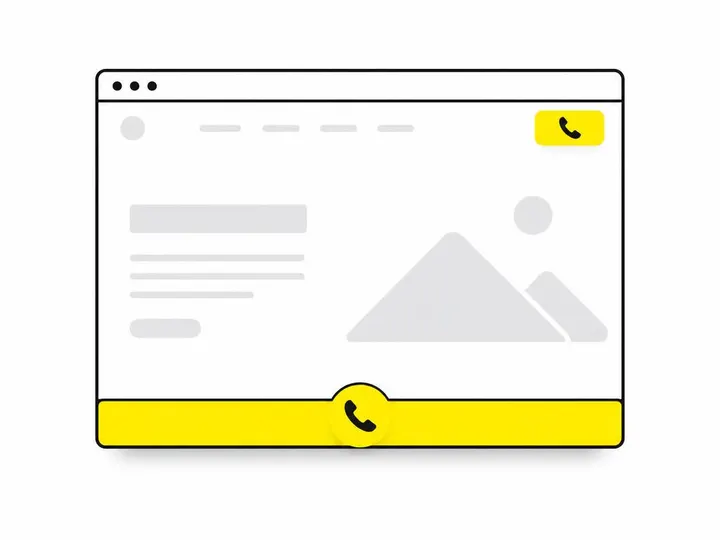
Your website header is visible on every page, so a call button there acts as a persistent contact option. Many tradie sites put the phone number and a call button right in the top right of the header on mobile. Desktop visitors can still see the number to memorise or jot down.
Hero section above the fold
The hero section is the first thing visitors see when they land on your site. How to lay out your tradie homepage matters hugely here. A prominent call button (or multiple buttons) in the hero, above the scroll line, tells mobile visitors in their first 2 seconds that calling you is simple. Many high-converting tradie sites have a large "Call Now" button right next to their main headline.
Sticky bottom bar for mobile visitors
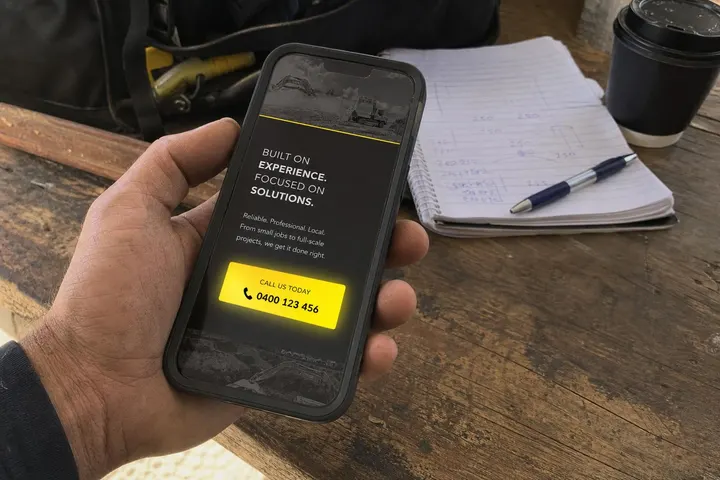
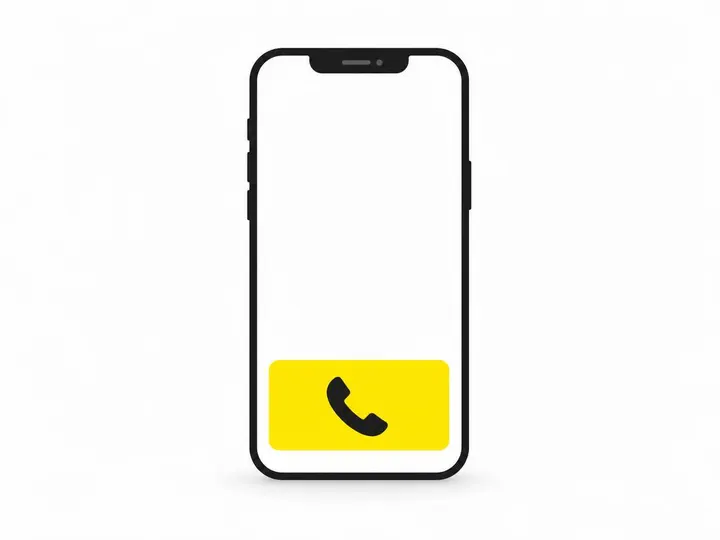
A sticky call bar that stays fixed at the bottom of the mobile screen as visitors scroll through your site is extremely effective. Even if someone scrolls down to read about your services, that call button is always one tap away. This doesn't clutter desktop (you can hide it on screens wider than 768 pixels) and dramatically boosts mobile conversion rates.
Service pages and landing pages
Building a landing page for your trade business should always include multiple call-to-action points. A visitor on your kitchen renovation page should see a call button at the top, in the middle of the page as they scroll, and at the bottom. Getting more quote requests from your website comes down to removing friction at every step, and that means repeating your call button wherever a visitor might decide to convert.
WordPress Plugins That Do the Hard Work for You
If you're uncomfortable editing HTML, WordPress plugins handle click-to-call buttons with a simple dashboard form, no code required.
WP Call Button
WP Call Button is a lightweight, free plugin that lets you create customisable call buttons and sticky call bars without touching code. Install it, enter your phone number, choose a colour and style, and select where it appears on your site. You can set it to show only on mobile devices, set different numbers for different pages, and track clicks in your site analytics.
Click to Call by Supsystic
Click to Call by Supsystic is a more feature-rich paid plugin that adds advanced options like call scheduling (hide the button outside business hours), call recording integration, and detailed analytics. For tradies running a small team, it's overkill, but for larger operations it's useful.
Float menu and sticky button plugins
General floating menu plugins like Elementor (if you're building with it) or LeadBoxer can be configured to add a sticky call button without a dedicated call plugin. These are broader tools, so they take more setup time but offer flexibility if you want multiple contact options (phone, chat, email) in a single floating menu.
Can You Use Click-to-Call Outside Your Website?
A click-to-call button works on platforms beyond your own website, and these channels often have higher conversion rates because visitors are already actively looking for you.
Google Business Profile call button
Your Google Business Profile listing automatically displays your phone number, and Google adds a built-in "Call" button on mobile. Make sure your phone number in Google Business is current and leads somewhere. This is often where local searchers make their first contact attempt, and it has no alternative friction, so this is one of your highest-converting call sources.
Google Ads call extensions
Google Ads call extensions are a paid advertising feature that adds a clickable phone number directly to your search ads. When someone searching for "plumber near me" sees your ad, they can tap the phone number to call you instantly without leaving Google. Google Ads call extensions setup guide explains how to enable them in your campaign settings. Call extensions typically improve ad performance by 4 to 10 percent because they give searchers a friction-free conversion path.
Facebook and Instagram call buttons
If you run a Facebook Business Page or Instagram Business Account, you can add a prominent "Call" button that links to your phone number. Visitors can tap it to call you or send a message via WhatsApp. These platforms are particularly effective if you're running local ads, because the call button lives inside the ad itself.
How to Track Click-to-Call as a Conversion
A click-to-call button is only useful if you know how many people are using it. Tracking these clicks tells you whether your placement and design are working, or whether you need to adjust.
Setting up a tel: link click goal in Google Analytics 4
You can track clicks to your tel: link using Google Analytics 4. Create an event that fires every time someone clicks your call button. In Google Analytics 4, add an event that listens for clicks on elements with your call button class (if you've used HTML classes). This requires a small amount of custom code, but Google Analytics 4 event tracking documentation walks through the process step by step. Once set up, you'll see exactly how many clicks your call button generates each week.
Using Google Tag Manager to fire a call tracking event
Google Tag Manager makes this easier. You can set up a trigger that fires whenever a visitor clicks a tel: link, and send that data to Google Analytics as a conversion event. This requires no code changes to your website, just configuration in Tag Manager itself. If you're already using Tag Manager for other tracking, adding a call button event takes about 10 minutes.
Connecting call tracking to your ad campaigns
How to track phone calls from your website extends beyond simple click tracking if you want to know which ads or channels drive phone calls. Services like CallRail or Kustom assign unique phone numbers to different ad campaigns, so when someone calls, you know whether they came from Google Ads, Facebook, or organic search. For tradies running multiple ad campaigns, this granular tracking is essential for figuring out which marketing channels deliver actual enquiries.
Common Mistakes That Kill Your Click-to-Call Results
Even with a well-designed button, a few common mistakes can tank your results.
Hiding the number behind a form
Some businesses hide their phone number and force visitors to fill out a contact form first. This kills immediate calls. Your phone number should be visible and clickable on every page. A form is fine as an alternative option for visitors who prefer email, but it should never be the only way to reach you. What drives leads away from tradie websites almost always includes a missing or hard-to-find phone number.
Using a number that goes to voicemail
A click-to-call button that rings through to voicemail wastes the opportunity. If you can't answer, the visitor has called and reached nothing, and the moment is lost. Use a dedicated mobile that you answer during business hours, or set up a simple answering service that takes urgent messages and connects real enquiries to you quickly. Better yet, use a service number that routes to your team.
Forgetting desktop visitors still need your number
On desktop, a tel: link doesn't dial automatically. Desktop visitors need to see your phone number clearly displayed so they can copy it or memorise it. Don't hide it in a sticky mobile bar that doesn't show on desktop. Your header or footer should display your number on all devices. Building trust on your tradie site includes making your phone number and physical address visible everywhere, because transparency is a trust signal.
Conclusion
A click-to-call button is one of the simplest and highest-impact changes you can make to a tradie website. It removes friction for mobile visitors, it's trivial to set up (either through 10 lines of HTML or a free WordPress plugin), and it directly converts browsers into phone enquiries. The button only works if it's placed prominently, styled to stand out, and connected to a phone line you actually answer.
Start with a basic tel: link in your hero section and a sticky button on mobile. Track clicks using Google Analytics 4 to see how many people are using it. Then add call buttons to your service pages, Google Business Profile, and any local ads you're running. Within a month you'll see whether your click-to-call button is generating real enquiry calls, and you can adjust placement and design based on what you learn from the data.
The practical takeaway: if you haven't added a visible, clickable phone button to your mobile site yet, do it today. Your competitors probably haven't either, which means this one small addition could be the difference between a visitor calling you or calling them.
Frequently asked questions
How do I add a click-to-call button on my website?
<a href="tel:0412345678">Call Us Now</a>. Style it as a button with CSS and place it in your header and as a sticky bar at the bottom of the page on mobile. If you use WordPress, plugins like WP Call Button let you do this without any code.What is the click-to-call feature?
How do I make a link that opens a phone call?
<a href="tel:0412345678">Call 0412 345 678</a>. On a smartphone, tapping this link will prompt the device to dial the number directly. On desktop browsers, it will open the default calling app if one is set up, such as Skype or FaceTime.