Google Search Console Keyword Research for Australian Small Businesses: Find Pages Worth Creating
On this page 8 sections
Key takeaways
- Filter performance data to Australia before making any page decisions
- Positions 5 to 20 with impressions often mean improve, not create
- Group suburb queries to find location gaps without doorway pages
- Wait for Search Console data to mature before acting on recent dips
- Build a simple opportunity score: impressions, intent, position, commercial value
Most Australian small business owners already have a free keyword research tool sitting in their Google account, and they barely use it. Google Search Console shows the exact searches people typed before your site appeared in Google, which makes it one of the most reliable ways to decide which new pages are worth creating and which existing pages just need some work.
If you already follow a monthly Search Console routine, you've done the hard part. This guide takes that habit further and turns your query data into clear page decisions, whether you run a physio clinic, an accounting practice, a dog grooming business or an online store.
Why is Search Console a goldmine for page planning?
Search Console is a goldmine because it shows real searches from real Australians that already trigger your site, rather than estimates from a third party tool. That means every opportunity you find has proven demand and some existing visibility to build on.
What the Performance report actually shows you
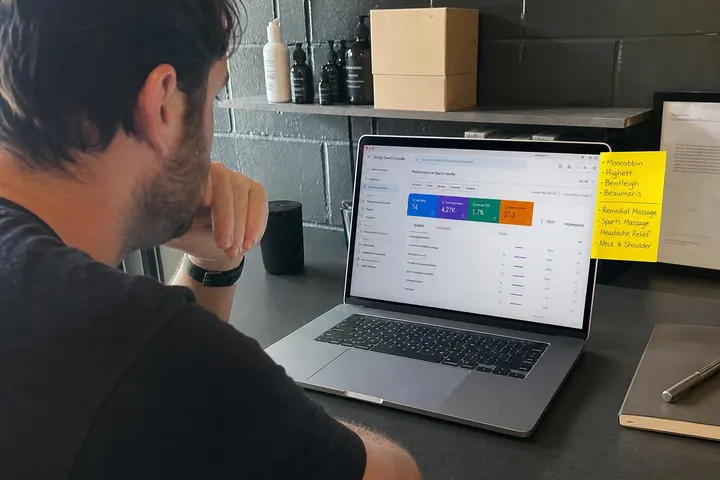
The Performance report tracks four numbers for every query and page: impressions (how often you appeared), clicks, click-through rate (CTR) and average position. Impressions now include appearances alongside AI Overviews, so a page can gain impressions while CTR softens. Google's Google Search Console Performance report documentation explains each metric in detail. Keep in mind that this report shows search activity, not index status. To confirm whether a page is actually indexed, use the URL Inspection tool separately.
Queries vs pages: understanding the two lenses
The Queries tab tells you what people want. The Pages tab tells you which URL Google is showing them. Click a query, then switch to Pages, and you'll see whether Google is sending that search to a sensible page or scraping something loosely related, like your homepage or an old blog post.
Filter to Australia first
Before you analyse anything, apply the Search Console country filter and select Australia. Overseas impressions can make a query look far more popular than it is for your actual customers. A Brisbane bookkeeper doesn't benefit from thousands of impressions from the US or India, so strip them out before making decisions.
How do you find service gaps hiding in your query data?
You find service gaps by grouping your queries into themes and spotting themes that attract impressions but have no dedicated page answering them.
Group queries by service, problem and question type
Export your queries for the last three months and sort them into simple buckets:
- Service queries: "tax return accountant", "sports massage"
- Problem queries: "lower back pain after sitting", "ATO letter about late lodgement"
- Question queries: "how much does a bookkeeper cost", "do I need a referral for physio"
Patterns jump out quickly once queries sit side by side.
When impressions exist but no strong page does
If several related queries show steady impressions but Google keeps ranking a general page in position 30 or worse, that's a gap. For example, a physio clinic seeing "dry needling" queries ranked against its generic services page probably needs a dedicated dry needling page. If you're unsure what format suits, read our guide on service page vs landing page.

Finding suburb opportunities without creating doorway pages
Suburb opportunities show up as queries containing place names, and they're only worth a page if you genuinely serve that area and can say something unique about it.
How to spot suburb demand in Search Console
Use the query filter with "Queries containing" and type a suburb name, such as Chatswood or Penrith. Repeat for each area you serve. Then check the Pages tab to see which URL is ranking. Repeated suburb modifiers with impressions but weak positions are the signal to note down.
What makes a suburb page genuinely useful vs a thin duplicate
Google treats near identical pages with only the suburb name swapped as doorway pages. A useful suburb page includes real local detail: service coverage, travel boundaries, parking or access notes, local examples, pricing context and suburb specific FAQs. Our guide on creating suburb pages that rank walks through this, and the same principles apply to any local SEO strategy.
Improve vs create: the most important decision you'll make
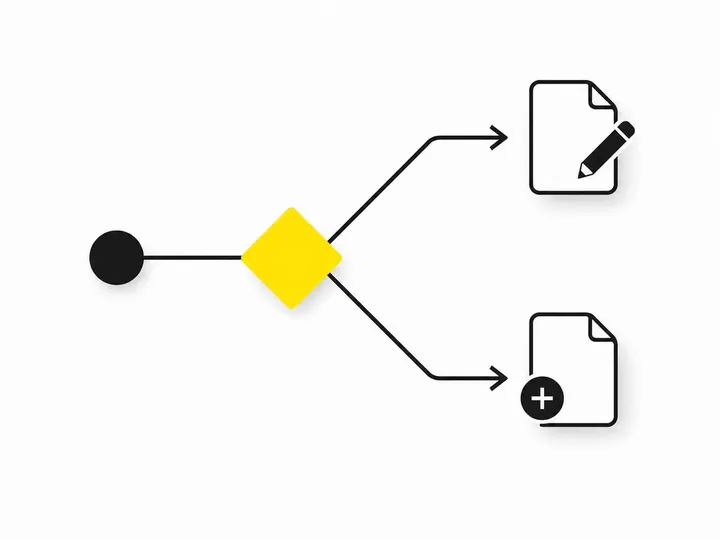
Most queries need an existing page improved, not a new page created, and getting this wrong is the most common reason small business sites stall.
Signals that an existing page just needs work
- The query ranks in positions 5 to 20 with meaningful impressions
- The ranking page is already about the right topic
- CTR is low compared with similar positions on your site
Fix these with a sharper title, clearer headings, a section covering the missing detail and stronger internal links. These are your "almost ranking" keywords, and they usually deliver the fastest wins.
Signals that a new page is actually warranted
- Several related queries share a distinct intent
- The ranking page is off topic or ranks below position 30
- You genuinely offer that service and can write something substantial about it
Avoiding cannibalisation when you have related pages
Query cannibalisation happens when two of your pages compete for the same search and Google swaps between them. Click a query and check the Pages tab: if two URLs share impressions, merge them or clearly separate their focus before writing anything new.
How do you prioritise which pages to create first?
Prioritise by giving each opportunity a simple score out of 12 across four factors, then work from the top down.
The four factors to weigh up
- Impressions (1 to 3): how much Australian demand exists
- Intent (1 to 3): how close the searcher is to buying or booking
- Position (1 to 3): how realistic it is to reach the first page
- Business value (1 to 3): how profitable the work is for you
A worked example for a local service business
A Parramatta physio clinic compares two opportunities. "Physio exercises for knees" has high impressions but informational intent and low value, scoring 7. "Dry needling Parramatta" has modest impressions, strong booking intent, position 14 and good margins, scoring 10. The smaller, ready to buy query wins. Volume alone rarely tells the full story.
What data quality issues should you check before acting?
Before acting on any Search Console data, confirm the period is complete, rule out algorithm updates and compare like for like date ranges.
The two to three day reporting lag
Google says Performance data normally arrives within two to three days, and delays can run longer. In October 2026 the report fell more than 64 hours behind. Exclude the most recent few days so an incomplete period doesn't look like a traffic drop.
September 2026 spam update: check the dashboard before you act
Google finished rolling out the September 2026 spam update on 8 October 2026, and volatility was reported through October. Check the Google Search Status Dashboard before blaming a page for a dip. If a change lines up with an update window, wait a few weeks before rewriting.
Comparing the right date ranges
Compare equivalent periods, such as the last 28 days against the same 28 days last year, to account for seasonality. An accountant comparing July with June will always see a misleading jump.
Putting it all together: a simple workflow
The workflow is straightforward: filter, export, group, decide, score and then act on your top few opportunities.
Step-by-step from query export to page decision
- Filter the Performance report to Australia and the last three complete months
- Export queries and group them by service, suburb, problem and question
- Check the Pages tab for each group to see which URL ranks
- Decide improve or create, checking for cannibalisation
- Score each opportunity out of 12
What to do with your shortlist
Tackle two or three improvements and one new page per month. After publishing, request indexing with the URL Inspection tool and recheck results after six to eight weeks. If you'd rather hand this off, our dedicated small business SEO team can handle the analysis and writing.
Conclusion
Search Console already holds the evidence you need to plan pages with confidence. Filter to Australia, group queries by theme, and treat positions 5 to 20 as improvement opportunities before creating anything new. Build suburb pages only where you can add genuine local value, and always check for reporting delays and algorithm updates before reacting.
Your practical next step: set aside an hour this week, export three months of Australian query data, and score your top ten opportunities. Start with the highest scoring improvement, because it's usually the quickest win you'll get.