Facebook and Instagram Carousel Ads for Australian Small Businesses: When to Use Them

On this page 7 sections
Key takeaways
- Use carousel ads when you need to show multiple services, products or proof points in one ad
- A single image or video ad is better when you have one offer and one clear call to action
- Design each card for mobile first square or vertical format, minimal text, one message per card
- Meta now auto-generates video from static assets and may show carousel ads in Instagram Search results
- Measure card-level clicks and cost per result, not just overall clicks, to find what is actually working
A carousel ad on Facebook and Instagram lets you show multiple images, videos, headings and calls to action within a single ad unit, so users can swipe between different products, services or proof points without leaving the platform. For Australian small businesses with several offerings or a portfolio to showcase, carousel ads can be a smarter spend than running separate single-image campaigns for each item.
What is a Facebook carousel ad and how does it work?
A carousel ad is a single advertisement that holds between two and ten cards, each with its own image or video, headline, description and clickable link. When someone sees your carousel ad on Facebook or Instagram, they can swipe left to browse through each card, or tap a card to go directly to your landing page, lead form or product page.
Unlike a single-image ad that makes one point and drives one action, a carousel lets you tell a story across multiple cards. A plumber might show five different services on five cards. A retailer might display six seasonal products. A real estate agent can swipe through five available properties. Each card works as a miniature ad, but they live together in one ad unit, which can lower your overall cost per result compared to running five separate campaigns.
How the format works on Facebook and Instagram
When you build a carousel in Meta Ads Manager, you upload each card's creative separately. The platform then stitches them together and delivers them across Facebook and Instagram feeds, Stories and other eligible placements. Desktop users see a row of cards they can click left and right to browse. Mobile users swipe vertically or horizontally depending on the placement and format you choose. Each card can have its own link, so a user might click through from card three to a product page, or card five to a contact form.
Advantage+ campaigns on Meta now handle placement automatically, which means your carousel might appear not only in the Facebook feed but also on Instagram, Messenger, Audience Network and newer placements like Instagram Search. This automation can be useful for reach but means you need to design cards that work across both vertical and horizontal screens.
What Meta changed about carousel ads in 2026
Meta released several updates in October 2026 that affect how carousel ads work. On 6 October, the platform rolled out carousel-video ads to Instagram Search results for eligible accounts using Advantage+ placements, opening a new discovery surface for carousel campaigns. At the same time, Meta's Advantage+ creative video generation became widely available, allowing you to convert a static image into an animated video asset using AI. This means you can take a photo from your portfolio and let Meta generate a short video version, though you should always review it for accuracy and brand fit.
From 28 October 2026, Meta began testing an in-app product-browsing experience tied to carousel and other ad creatives, letting users explore product information and personalised suggestions without leaving the app. This rollout is gradual, so not every account will see it immediately. Additionally, Meta removed Instagram Explore as a manual placement option in July 2026, which means if you were targeting that placement, your spend automatically shifted to other eligible placements. The takeaway: carousel ads are becoming more dynamic and placement-aware, so you need to check how your cards look across different formats and placements before launching.
When carousel ads make sense for small businesses
Carousel ads deliver the strongest return when you have multiple related items, distinct value propositions or a clear narrative arc that benefits from showing more than one thing.
Service businesses with multiple offerings
If you run a service business, a carousel works well when you want to promote several services in one campaign. A home maintenance company might show plumbing, electrical, carpentry and painting on separate cards. A marketing agency could display web design, content writing, paid ads and SEO across five cards. Each card becomes a hook for a different customer problem, so you're casting a wider net than a single-service ad while keeping spend in one campaign. You can measure which service gets the most clicks and adjust your next campaign accordingly.
Retailers with a product range or seasonal bundle
Retailers often benefit from carousel ads because they can display a curated range or bundle in one unit. A fashion retailer might show autumn outfits across five cards. A homeware business could display kitchen, lounge, bedroom and garden products on separate cards. Running Facebook ads for a local business in retail often means competing on variety and selection, so carousel ads reinforce that advantage. Meta has also added product-browsing features to carousel creatives, which can help if you connect your product catalogue to your ads. However, if you prefer tighter creative control, manually designed carousels (where you design and upload each card yourself) often outperform catalogue-connected ads for seasonal or bundled campaigns.
Hospitality, real estate and project-based businesses
Hospitality venues, real estate agencies and project-based businesses benefit from carousels because customers want to see variety before committing. A restaurant can showcase five signature dishes. A hotel can display the lobby, rooms, pool and dining area. A real estate agent can list five available properties in a carousel, with each card linking to a full listing. A landscaping business might show five before-and-after project photos, each showing a different garden style.
When a carousel is the wrong choice
Carousel ads are not ideal when you have a single, simple offer with one clear call to action. If you're launching a one-time flash sale on a single product, a single-image ad will be faster to set up and often more persuasive because it removes choice. Similarly, if your goal is pure brand awareness rather than driving clicks or enquiries, a well-designed single video ad often outperforms a carousel. Carousels also demand more creative work upfront, so if you don't have five to ten distinct, high-quality assets ready, a single image or video is the smarter starting point.
How to structure your carousel for enquiries and sales
The order and content of your carousel cards shapes how users engage, so structure matters as much as design.
A simple card-by-card framework for service businesses
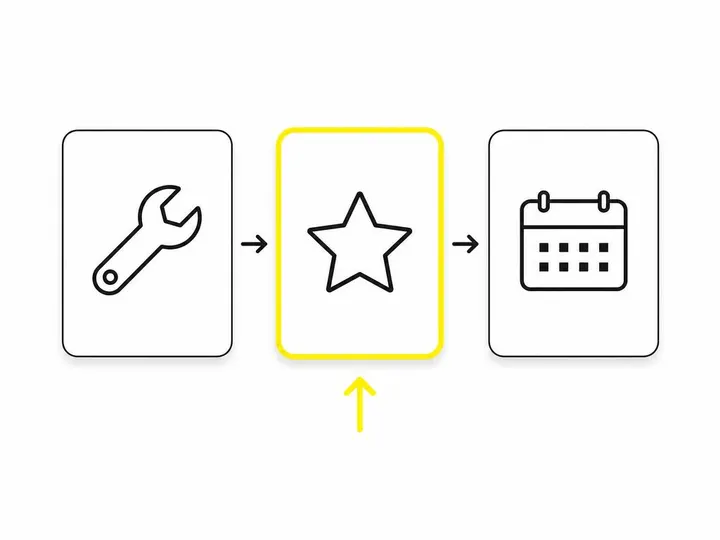
Start with a problem statement on card one: "Blocked drain ruining your weekend?" or "Want a website that actually sells?" Card two can introduce your main solution or first service. Cards three, four and five can showcase proof: completed work, customer testimonials or additional services. Your final card should carry a clear call to action with a deadline, guarantee or benefit: "Book a free inspection today" or "Get a quote in 2 hours." This arc moves the reader from pain to solution to confidence to action, and it works whether you're using Facebook lead ads vs a website form or directing traffic to a landing page.
Tips for retailers: catalogue-connected vs manually designed carousels
If you use Meta's product catalogue, carousel ads can automatically pull product images, prices and descriptions, which saves time when you have hundreds of products. However, catalogue-connected carousels perform best for general browsing and cross-selling. If you want to tell a story, bundle seasonal items, or highlight specific products, manually designed carousels (where you upload each card's creative directly) often deliver higher engagement and conversion rates because you control the narrative and messaging on each card.
Design and placement: what to get right before you launch
Mobile users will see most of your carousel ads, so design for small screens first and keep each card simple, fast-loading and clear.
Format and creative specs for mobile
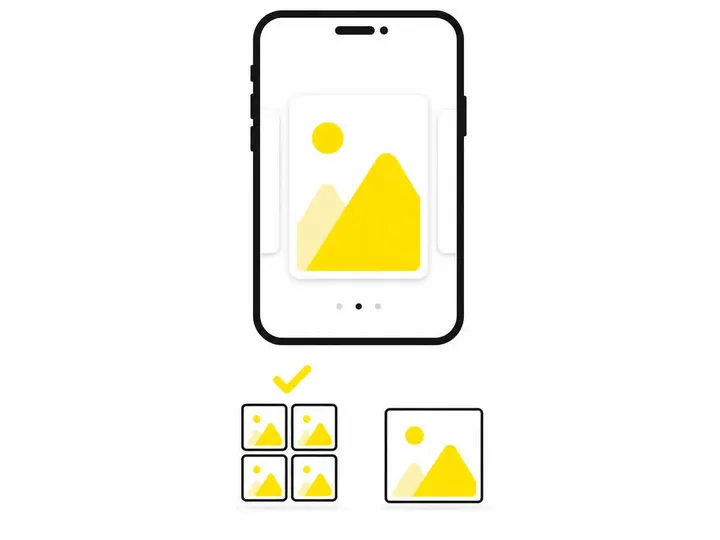
Use high-resolution square images (1,200 by 628 pixels minimum) or vertical video (9 by 16 aspect ratio) because these formats perform best on mobile and in Advantage+ placements. Keep headline text to five to eight words and description text to two to three short sentences. Use one message or benefit per card so the viewer instantly understands what that card is offering. Test your carousel in Meta Ads Manager's placement preview before launching, so you can see how each card looks on the Facebook feed, Instagram feed, Instagram Stories and Instagram Search. Poor legibility on a small screen will kill your swipe rate and cost per result.
How automated placements affect your carousel in 2026
When you run how Meta ad placements work, Advantage+ placements now include Instagram Search and other newer surfaces. This means your carousel might appear in contexts you did not traditionally design for. A carousel card that looks good in the Facebook feed might look cramped or unclear in an Instagram Search result. Before launch, use Ads Manager's preview tool to check every eligible placement, and consider whether your card creative works as a standalone unit as well as part of a sequence. If your carousel is going to run on Instagram Search, make sure each card is self-explanatory and does not rely on swiping context.
How to measure whether your carousel ad is working
Clicks and swipes feel good, but they do not always translate to enquiries or sales, so track the full funnel.
The metrics that actually matter
In Meta Ads Manager, look at card-level link clicks (which card gets tapped most), landing-page views (did they actually arrive), cost per result (lead, purchase or other conversion), and conversion rate (what percentage of visitors completed your goal). If you are running Meta Advantage+ for Australian businesses, your reporting interface is simpler than older campaign types, but you can still segment results by placement and audience to see where your carousel is performing strongest. Do not rely on swipe rate alone, because a high swipe rate with low conversion usually means your carousel is engaging but your offer or landing page is weak.
What a high swipe rate without enquiries tells you
If your carousel gets lots of swipes but few enquiries, the problem is rarely the carousel format itself. Check whether your landing page or lead form is mobile-friendly and fast-loading, whether your offer is clear and compelling, and whether the call to action on your final card matches the expectation set by the preceding cards. You might also test a shorter carousel (five cards instead of ten) or a different card order to see if moving your strongest offer earlier improves conversion. The carousel format is working; the follow-through is not.

Quick decision guide: carousel vs single image or video
Use a carousel when you have five to ten distinct products, services or proof points, each worthy of its own card, and when your audience benefits from seeing variety before deciding. Use a single image or video when you have one core offer, one main benefit and one clear call to action, or when you are testing creative ideas quickly and want to keep setup simple. Track both formats in parallel if you can, because which platform suits your business better and which format works hardest will depend on your offer, audience and landing-page experience, not on format alone. How much Meta ads cost in Australia also varies by format, audience and placement, so budget matters too; carousels often deliver lower cost per result for multi-product campaigns, but not always for single-offer promotions.
Conclusion
Carousel ads are not a universal solution, but they are a powerful tool for Australian small businesses with multiple services, products or portfolio pieces to showcase. The format has evolved significantly in 2026, with new placements like Instagram Search, automated video generation and product-browsing features making carousels more dynamic and discovery-focused. The key is to match the format to your offer: if you have five distinct reasons for a customer to contact you, a carousel is likely to outperform a single ad. If you have one reason, keep it simple.
Structure your carousel around your customer's journey, not your own convenience. Lead with the problem or hook, show proof and services across the middle cards, and close with a clear, time-bound call to action. Design every card for mobile screens and check how it looks across all eligible placements before you launch. Then measure the full funnel, not just clicks and swipes. A high engagement rate without leads tells you to fix your offer or landing page, not your carousel design.
If you are unsure whether a carousel makes sense for your business, start by auditing your ad inventory: do you have at least five genuinely distinct, high-quality assets? Can you articulate a clear narrative arc across them? Will your audience see a tangible benefit from browsing multiple options? If the answer is yes, build and test a carousel. If not, a single, well-crafted image or video will serve you better and cost less to produce.
Frequently asked questions
When should I use a carousel ad instead of a single image ad on Facebook?
How many cards should I use in a Facebook carousel ad?
Do carousel ads work on Instagram as well as Facebook?
Can I use carousel ads to generate leads, not just sales?
How much do Facebook carousel ads cost compared to single image ads?
What size should my carousel ad images be?

Facebook and Instagram Video Ads for Australian Small Businesses: What to Film

Facebook Marketing for Local Business: How to Use Facebook and Instagram to Promote Your Service Area in 2027