Website Accessibility Australia: A Small Business Checklist for 2027
On this page 8 sections
Key takeaways
- 1 in 5 Australians live with disability, a market you cannot afford to exclude
- The Disability Discrimination Act 1992 covers websites as a service
- WCAG 2.1 AA is the practical accessibility standard for Australian businesses
- Most small business websites fail basic accessibility audits on contrast and forms
- Free tools like WAVE and axe DevTools let you audit your site today
One in five Australians has a disability, yet most small business websites are still inaccessible to them. Website accessibility isn't just about doing the right thing by customers. Under the Disability Discrimination Act 1992 (Cth), an inaccessible website can expose your business to complaints, and the Australian Human Rights Commission has made it clear that website access is a legal obligation, not optional. By November 2026, accessibility compliance is becoming a baseline expectation for professional web design for small business, and the good news is you don't need a massive budget to get it right.
Why Website Accessibility Matters for Australian Small Businesses
The size of the market you're missing
Around 5.7 million Australians have a disability, plus millions more caring for or supporting them. That's roughly 22 percent of the population. When your website is inaccessible, you're turning away customers, clients, and patients before they even get to know what you offer. People with vision impairments, hearing loss, mobility challenges, or cognitive disabilities use assistive technology like screen readers and keyboard navigation every day. If your site doesn't work with those tools, you've built a barrier at your front door.
Beyond the ethical angle, this is a commercial problem. Accessible websites tend to be faster, better organised, and more mobile-friendly. Those improvements benefit everyone, not just people with disabilities. You end up with a site that converts better and ranks better in search engines.
The legal reality under the Disability Discrimination Act 1992
The Disability Discrimination Act makes it illegal to discriminate against people based on disability in the provision of goods and services, and that includes online services. Your website is a service. The Australian Human Rights Commission advisory notes on web accessibility leave no room for ambiguity: websites must be accessible.
Small businesses aren't exempt. While there's no specific Australian legal requirement to meet WCAG 2.1 AA (the international accessibility standard), courts and complaint bodies increasingly reference it as the baseline. Several Australian businesses have settled accessibility discrimination complaints over the years. It's worth noting that compliance complaints typically don't come with massive fines for small businesses, but they do come with legal costs, remediation costs, and reputational damage you don't want.
What Is WCAG 2.1 and What Level Do You Need?
WCAG 2.1 Level A vs AA: what's the practical difference?
WCAG 2.1 (Web Content Accessibility Guidelines, version 2.1) is the international standard for web accessibility, published by the W3C Web Accessibility Initiative. It has three conformance levels: A, AA, and AAA, with AA being the sweet spot for most organisations.
- Level A: Basic accessibility. Meets minimum standards but leaves many people out. Rarely enough.
- Level AA: The practical target. Fixes the biggest barriers like colour contrast, keyboard navigation, and screen reader compatibility. This is what Australian businesses should aim for.
- Level AAA: Enhanced accessibility. Useful for specific content like government services or educational materials, but overkill for most small business websites.
In real terms, Level AA means your headings are properly structured, your buttons have enough colour contrast to read, your forms have clear labels, and your site works with keyboard navigation alone. Read the WCAG 2.1 guidelines from the W3C Web Accessibility Initiative if you want the technical detail, but for a small business website, focus on AA.
Do Australian small businesses legally have to comply?
There's no specific legal requirement that says you must meet WCAG 2.1 AA. However, the Disability Discrimination Act applies to you, and accessibility standards are how courts measure whether a website breaches that Act. In practical terms, yes, you should comply, and WCAG 2.1 AA is the benchmark Australian compliance bodies use to assess whether you have.
The Small Business Accessibility Checklist
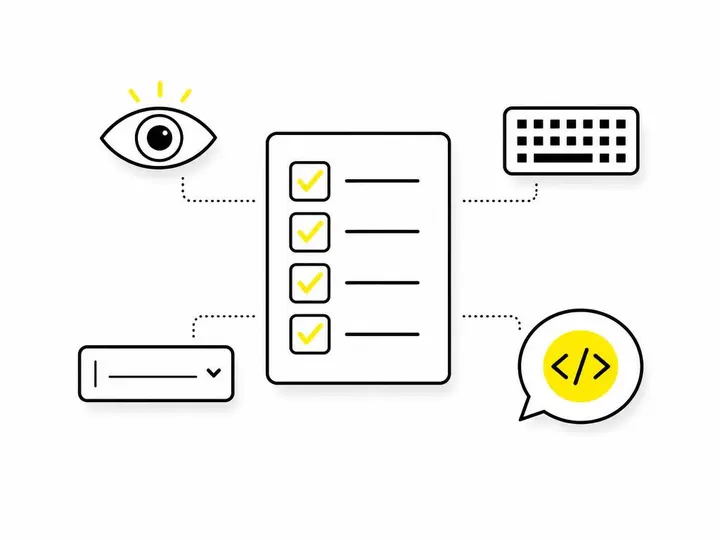
Here are the quick wins that fix the vast majority of small business website accessibility failures. This list is ordered by impact: fix these first.
1. Colour contrast
Text must be readable against its background. WCAG 2.1 AA requires a contrast ratio of 4.5 to 1 for normal text and 3 to 1 for large text (18px or larger). Most small business websites fail this. Black text on white: fine. Dark blue text on a navy background: often fails. Pale text on a pale background: never acceptable. Use a free contrast checker to test every colour combination on your site.
2. Alt text for images
Every image needs descriptive alt text (alternative text). Screen reader users can't see images, so the alt text has to tell them what's there and why it matters. "Image" or "photo" tells them nothing. "John Smith, plumber, holding a pipe wrench in front of a bathroom tap" actually describes what's happening. Alt text also helps search engines understand your images, so it's a win for SEO too.
3. Keyboard navigation
Not everyone uses a mouse. People with motor disabilities use keyboards and voice software to navigate. Your site must be fully usable with a keyboard alone. Tab through your site: can you reach every button, link, and form field? Can you see which element is focused (there should be a visible outline)? If focus disappears or you get stuck, fix it.
4. Accessible forms
This is where most small business sites trip up. Every form field must have a visible label that's coded correctly. Your contact form design should include clear labels, error messages that identify which field failed, and instructions where needed. Placeholder text alone isn't enough; screen readers don't always read it.
5. Video and audio content
Videos need captions for deaf and hard-of-hearing viewers. Audio like podcasts needs transcripts. It's not optional if you want to reach and rank well for that audience. YouTube auto-captions are a starting point but should be reviewed for accuracy.
6. Clear headings and page structure
Use heading tags (h1, h2, h3) in logical order. Screen reader users navigate by headings the way you'd scan a document. If headings jump from h1 to h4, or you use headings purely for styling, it breaks the structure. Same goes for lists: use proper list markup, not just line breaks.
7. Links that make sense out of context
Never use "click here" or "read more" as link text. Screen reader users often navigate by link alone, skipping to a list of all links on the page. "Click here" tells them nothing. "View our pricing plans" tells them exactly where they're going.
How to Audit Your Website for Free
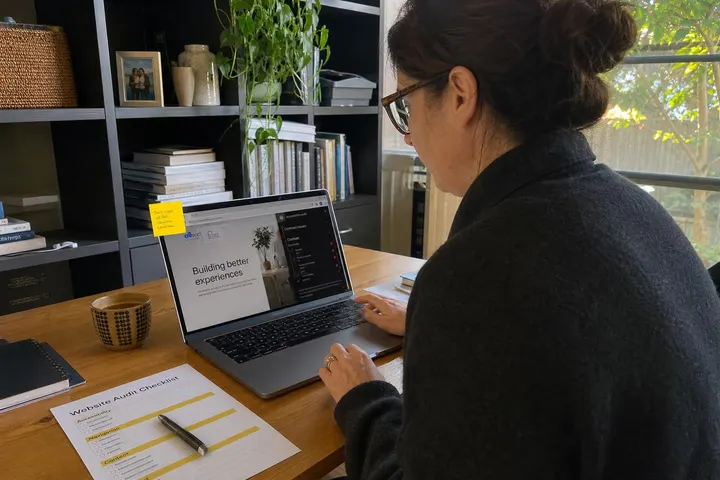
You don't need to hire an accessibility consultant to start. Three free tools will catch 90 percent of common issues.
WAVE browser extension
Download the WAVE web accessibility evaluation tool by WebAIM. It's a browser extension for Chrome or Firefox. Click it on any page, and it colour-codes issues: reds are errors, yellows are warnings. The interface is straightforward enough for a non-technical person to use. Run it on your homepage, contact page, and one service page to get a sense of what's broken.
axe DevTools
axe DevTools is similar to WAVE but sits in your browser's developer tools (Chrome, Firefox, Edge). It's free and catches more technical issues. If you're not comfortable with developer tools, start with WAVE. If you are, axe gives you more detail.
Google Lighthouse
Open Chrome DevTools (right-click, inspect), go to the Lighthouse tab, and run an accessibility audit. Lighthouse tests the whole page and gives you a score plus specific failures. It's quick and built into Chrome, so there's no install needed.

Common Accessibility Mistakes Small Businesses Make
Contrast failures on call-to-action buttons
Bright blue buttons on slightly lighter blue backgrounds look fine on a modern monitor in bright light. They're unreadable to people with low vision or colour blindness. Check your buttons first.
Contact forms with no labels
A form field with placeholder text but no label doesn't work for screen readers. The placeholder disappears when the user starts typing, so the user loses context. Always use a visible label, positioned near the field.
PDFs that screen readers can't read
If you upload a PDF to your site without tagging it properly, screen readers can't read it. If you offer PDFs (like a product sheet or price list), either tag them properly or offer an HTML alternative. This matters for compliance.
How Much Does Fixing Accessibility Issues Cost?
DIY fixes vs hiring a developer
If you catch issues early with a free audit tool, you can often fix them yourself. Adding alt text, adjusting colour contrast, fixing heading structure: these are within reach of someone comfortable editing their website. The cost is your time.
If you've got a lot of issues or your site is large, you'll need a developer. Fixing an existing website typically costs $500 to $3,000 depending on how many issues there are and how tangled the code is. Some agencies offer accessibility audits for $300 to $800. Compare that to the cost of a legal complaint, remediation under pressure, and reputational damage.
Building accessibility in from the start
The cheapest option is to build accessibility into your site the first time. When you work with a professional web designer or agency, insist on WCAG 2.1 AA compliance as part of the project. It costs less to build right than to fix later. Check your web design packages for small business to see whether accessibility testing is included. It should be standard by now.

Next Steps: Getting Your Website Accessible in 2027
Start today. Run your website through WAVE or Google Lighthouse. Write down the top five failures. Then tackle them one at a time. If you don't have the time or confidence to do it yourself, get a quote from a developer or web designer. The cost of action is almost always lower than the cost of inaction.
If you're thinking about a new website, make accessibility a requirement in your brief. When you're evaluating web design services, ask the agency directly: do they test to WCAG 2.1 AA? What's their process? How do they handle alt text and colour contrast? Their answers will tell you whether they take accessibility seriously.
You can also use our free website health check tool to get a quick sense of your site's overall performance and accessibility posture. It's a good starting point before you dive into the detail.
Conclusion
Website accessibility is no longer a nice-to-have for Australian small businesses. One in five Australians has a disability, the Disability Discrimination Act applies to your website, and WCAG 2.1 AA is now the practical compliance benchmark. The good news is you don't need a budget of tens of thousands to get compliant. Free tools like WAVE and Google Lighthouse will show you exactly what's broken. Most small business accessibility failures are straightforward to fix: colour contrast, alt text, form labels, keyboard navigation, and proper heading structure cover the vast majority of issues.
Whether you fix issues yourself or hire a developer, the time to act is now. An accessible website reaches more customers, ranks better, and keeps you on the right side of the law. If you're building a new site, make accessibility a requirement from day one. If you've got an existing site, run an audit this week and prioritise the top five failures.
The barrier you remove for someone with a disability often improves the experience for everyone else too. That's good design. That's good business.