How to Create a Social Media Content Calendar for an Australian Small Business

On this page 8 sections
Key takeaways
- Plan content a month at a time to avoid last-minute scramble
- Mix content types: tips, jobs, reviews, behind-the-scenes, promos
- Optimal posting: 3-5x per week on Instagram, 2-3x on Facebook
- Batch-create content on one day to save hours each week
- Review what performed best each month and adjust the plan
Most Australian small business owners and tradies know they should be posting on social media, but instead they're posting sporadically maybe twice a month when they remember, or when a client asks about it. A social media content calendar fixes that problem. It's a simple document or tool where you plan your posts weeks in advance, decide what you'll say, and schedule them to go live automatically. Sounds like admin, and it is, but it saves you hours every week and keeps your business visible when it matters.
Why Most Australian Small Businesses Struggle to Post Consistently
Consistency is the difference between a social media account that grows and one that stalls. Yet only 32% of Australian SMEs actively use a documented social media calendar, and 64% of tradies and service providers report posting irregularly simply because they're too busy running the actual business.
The real cost of inconsistent posting
When you post sporadically, the algorithm stops showing your content to your followers. On Instagram, Facebook, and even LinkedIn, platforms reward accounts that post on a predictable schedule. If your audience saw you post every Tuesday and Friday for two months, then nothing for six weeks, the algorithm learns your followers are less likely to interact and stops pushing your posts to their feeds. That means fewer people see your work, even though you're technically still "on social media."
The engagement numbers tell the story. Businesses with a documented content calendar see 2.3 times higher engagement rates than those posting ad-hoc. That's not theory it's what the data shows. And for a tradie or local service business, engagement translates to enquiries.
Why 'I'll post when I have time' never works
You won't have time. Your calendar fills up. A job runs long, an urgent email lands, or you're simply exhausted by 6 p.m. when you finally think about social media. A content calendar removes that friction. Instead of deciding what to post in real time (which takes energy and often leads to nothing being posted), you decide once a month in a focused hour, batch-create the content, and let scheduling tools push it live automatically. By the time your working day is mad, the posts are already queued up and ready to go.
What a Social Media Content Calendar Actually Is
A social media content calendar is a documented plan showing which content will be posted, on which platform, and on which date.
Calendar vs. content strategy: what's the difference?
Your strategy answers the bigger questions: Who are we talking to? What do we want them to do? What kind of tone fits our brand? A content calendar is the tactical output of that strategy. It's the week-by-week, post-by-post execution. You don't need a 50-page strategy document to start; a simple one-page overview of your audience and goals is enough. Then your calendar becomes the place where you make it real.
What it looks like in practice
A basic calendar has five columns: Date, Platform, Content Type (e.g. photo, Reel, testimonial), Caption/Hook, and Status (Draft, Scheduled, Posted). You fill it out for a month, or even a quarter if you're organised. Some businesses use a simple Google Sheet; others use dedicated tools like social media scheduling tools such as Meta Business Suite, Buffer, or Hootsuite that build the calendar and scheduling into one place. For Australian small businesses, starting with a spreadsheet is completely fine. You can upgrade to a tool later when you need more features.
Step 1 — Choose Your Platforms and Set Realistic Posting Targets
You don't need to be on every platform. Pick the two or three where your customers actually spend time, then post consistently there instead of posting sporadically everywhere.
How often should you post on each platform?
The ideal posting frequency for small business depends on the platform. Instagram performs best at three to five posts per week for service businesses; Facebook at two to three times a week; LinkedIn at two to three times a week if you're targeting other businesses or professionals. TikTok and Reels reward more frequency five to seven posts a week if you can manage it but if you're starting out, quality and consistency matter more than daily posting. Better to post three solid, helpful videos a week than seven rushed ones.
Don't spread yourself too thin
If you're a solo tradie or small team, picking Facebook and Instagram is smarter than trying to maintain TikTok, LinkedIn, Pinterest, and YouTube simultaneously. Master two platforms first. Once that's running on autopilot, add a third. Most Australian tradies and service businesses see their best results from Facebook and Instagram because that's where their local customers spend time.
Step 2 — Define Your Content Pillars
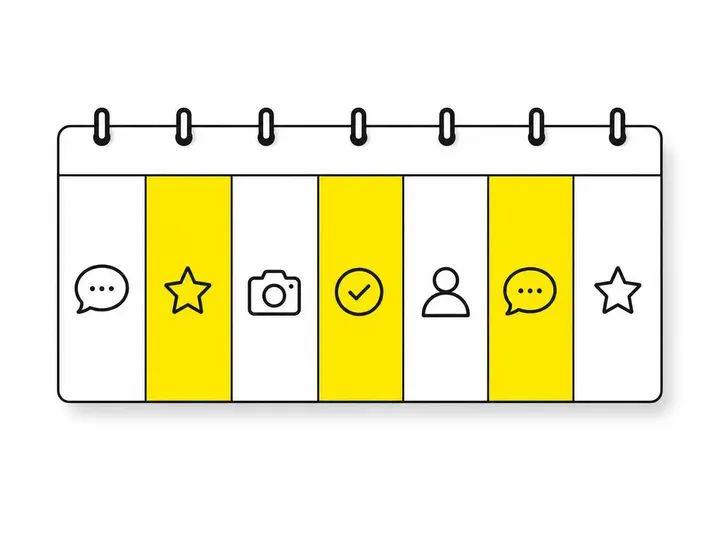
Content pillars are the themes you rotate through. Instead of staring at a blank screen wondering what to post, you follow a pattern. This dramatically speeds up the creation process.
Five content pillars that work for Australian tradies and service businesses
Before and After / Case Study: Photos or Reels showing a completed job. Powerful and proof of your work.
Educational / How-To: A quick tip, a common mistake, or an explanation of something your customers often ask about. Positions you as the expert.
Behind-the-Scenes: You prepping materials, your team in action, or your workspace. Builds trust and personality.
Customer Testimonial / Social Proof: A review, a testimonial video, or a screenshot of positive feedback. People trust other customers.
Seasonal / Timely / Promotional: Seasonal tips, special offers, or announcements. Keeps content current.
For example, your monthly calendar might rotate: Monday (Before/After), Wednesday (Educational), Friday (Behind-the-Scenes). Week two: Monday (Testimonial), Wednesday (How-To), Friday (Promo). This pattern means you're never staring at a blank page. You already know what type of content to create each week. Instagram content ideas for tradies and Facebook content for local businesses follow these pillars naturally.
How to rotate pillars across the week
Map your pillars to specific days. This isn't rigid, but it creates a rhythm. If you post on Monday, Wednesday, and Friday, assign one pillar to each day and repeat that pattern every week (or vary it every other week if you want more variety). Your team, or your future self, will know exactly what to create and when.
Step 3 — Build Your Monthly Calendar Template
You don't need to start from scratch every month. Build a template once, then copy and adapt it.
Simple tools you can use right now
A Google Sheet works perfectly. Set up columns for Date, Platform, Pillar/Type, Caption, and Status. Alternatively, tools to schedule your posts like Meta Business Suite (free for Facebook and Instagram), Buffer (has a free tier), or Hootsuite (also free to start) come with built-in calendar views and scheduling. For design, Canva is invaluable; you can create a template, save it, and reuse it every month with different photos and text. For Australian businesses, Meta Business Suite is genuinely free and integrates directly with Facebook and Instagram, so if you're only posting there, it's an obvious starting point.
How to fill in a month of content in one sitting
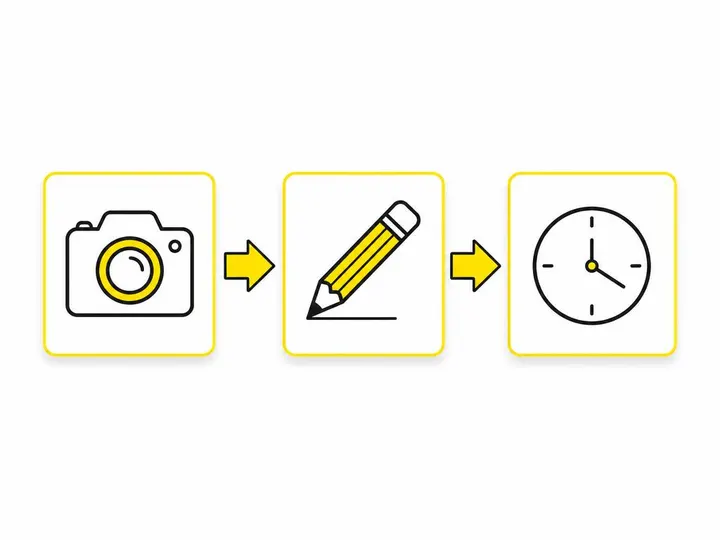
Block out one hour on a quiet afternoon not at the end of a work day when you're tired. Grab your content calendar template and your pillar list. For each week, assign pillars to dates. Add rough captions for promotional posts or seasonal content that's time-sensitive. For educational or behind-the-scenes content, write the pillar type and a note (e.g. "Before/After of kitchen reno—shoot Thursday afternoon"). You're not writing every caption word-for-word yet; you're creating the skeleton. This takes maybe 45 minutes for a month. Then, as you photograph jobs or film clips during the week, you slot them into the calendar and fill in the details.
Step 4 — Batch Create and Schedule Ahead
This is where the time savings really hit. Instead of thinking about social media daily, you concentrate your creative effort into batches.
How batching saves you 3 to 4 hours a week
If you're creating and posting reactive content every day, you're context-switching constantly. You photograph a job, think about captions, write it, post it, wait for engagement. Do that three times a week and you're fragmented. Instead, batch your photo shoots or filming. Say every Thursday afternoon, you photograph four or five finished jobs. Saturday morning, you spend 90 minutes editing photos, writing captions, and uploading them into Canva or your scheduling tool. That's a focused block. By Monday, four weeks' worth of before-and-after posts are queued and scheduled to go live on their assigned dates. Your mind is in "create mode" once, not multiple times. Research shows this approach saves 3 to 4 hours per week versus daily posting.
Scheduling tools worth using in Australia
Meta Business Suite schedules natively to Facebook and Instagram. Buffer and Hootsuite let you schedule across multiple platforms and include the calendar view so you see the month at a glance. Later focuses on visual planning and works beautifully for Instagram-heavy businesses. All have free or low-cost tiers for small businesses. The feature to look for is the ability to see your full month, schedule posts in advance, and have them go live automatically. Pick one tool and stick with it for at least three months before switching; it takes time to build the habit.
Step 5 — Review, Adjust and Keep Going
A calendar isn't set-and-forget. You review it monthly to see what's working and what isn't.
What metrics actually matter for small business
You don't need to obsess over vanity metrics like follower count. The metrics that matter for a tradie or service business are: (1) Engagement rate: How many people are liking, commenting, or sharing? Higher engagement tells you the content resonates.
(2) Click-throughs to your website or contact info: Are people actually visiting your site or messaging you? That's the real measure.
(3) Enquiries or bookings sourced from social: Can you track calls or bookings that mention "I saw you on Facebook"? That's the proof. Don't spend hours chasing metrics that don't tie to actual business outcomes.
When to change what's not working
After one month, look at your calendar. Which pillar types got the most engagement? If before-and-afters consistently outperform other content, do more of them and less of something else. If certain captions or posting times were weak, note it and adjust. You don't need to rebuild the entire calendar; just tweak the pillar weights and timing. If you're consistently hitting posting goals and seeing enquiries, stick with it. Small tweaks, not total overhauls, keep momentum going. You can also look into using AI to write social media captions or AI tools Australian small businesses can use to speed up caption writing once you've locked in your content types.

Conclusion
A social media content calendar is not optional if you want consistent growth. It removes the daily friction of deciding what to post, batches your creative effort, and lets scheduling tools do the work of keeping you visible. For Australian small businesses, consistency beats perfection every time. You don't need expensive tools; a Google Sheet and a basic scheduling platform get the job done. The real cost is an hour of planning per month and a disciplined approach to batching content—and that pays back tenfold in enquiries and brand visibility.
Start this week: pick two platforms, define five content pillars, and block out one hour to map out next month's posts. By next Tuesday, you'll have posts queued for a month. That's a system that works. Once it's running, you've bought back the time you were losing to daily social media decisions, and your customers will finally see you posting consistently. That's how local businesses grow on social media in 2026.