How to Use Customer Reviews on Social Media (A Repeatable System for Australian Small Businesses)
On this page 9 sections
Key takeaways
- Repurpose existing reviews weekly no new content ideas needed
- Branded quote graphics and Stories are the quickest formats to start with
- Always ask permission before turning a review into a video testimonial
- Pair the review with a photo or result to add visual context
- Reply to every review publicly that reply is content too
Customer reviews are social media gold that most Australian small businesses never touch. They sit in Google, Facebook, and review platforms gathering dust while you scramble for content ideas. But reviews aren't just proof that your business works they're ready-made social posts that convert better than anything your marketing team could write. The trick is having a system to find them, format them, and post them without losing your mind.
Why Your Reviews Are Your Best Untapped Social Media Content
Social proof converts better than branded content
According to the BrightLocal Local Consumer Review Survey, 92 percent of consumers read online reviews before making a purchase decision. That's not a nice-to-have statistic—that's the majority of your potential customers doing their homework before they call you. But here's what matters even more: user-generated content (UGC) like reviews and customer testimonials convert 2.4 times better than branded content. Your carefully crafted product post might get a few likes. A real customer saying "this tradie changed my life" will stop the scroll and push someone toward the phone.
When you display reviews on social media, you're not just showing off—you're answering the question every prospect has: "Will this business actually deliver?" That's why social media content ideas when you have no photos almost always include testimonials. You don't need a fancy photoshoot. You need real customers talking.
Reviews already exist—you just need a system to use them
Most small business owners I talk to have dozens of five-star reviews sitting in Google, Facebook, and industry platforms. They're not posted anywhere on social media because there's no process. It feels like extra work. But the reviews are already written. The trust is already earned. You're just moving the words to a place where more people see them.
Step 1: Find and Sort Your Best Reviews
Where to look: Google, Facebook, and beyond
Start with your Google Business Profile post ideas for Australian businesses—your Google Business Profile is where 90 percent of local search users in Australia will see your reviews first. Pull the three to five best ones: specific detail, genuine tone, and a clear benefit. Facebook Reviews are next. Then check industry-specific platforms (Trustpilot, ServiceSeeking, Hipages if you're a tradie, Booking.com if you're hospitality). Don't be greedy quality over quantity.
What makes a review worth repurposing
Not every five-star review is social media gold. The best ones have specifics: names a problem and how you solved it, mentions a team member, includes emotion or personality, or shows before-and-after impact. "Great service" is forgettable. "James came out on a Saturday and fixed our leaking gutter in two hours saved us from water damage" is a post waiting to happen. If the review is generic, skip it and find the next one. You want reviews that tell a story, not just praise.
Step 2: Match Each Review to the Right Social Media Format
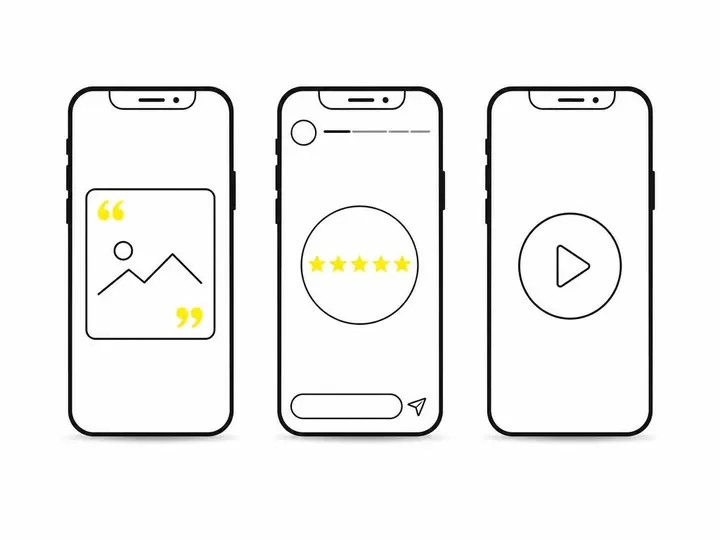
Branded quote graphics for Instagram and Facebook
The most common way to repurpose reviews is as a quote graphic: customer name, their words, your logo, posted to feed. This works because it's clean, stops the scroll, and takes less than five minutes to design with Canva, free graphic design tool for review posts. It's also repeatable. You can batch-design five in one sitting.
Stories and highlights for quick trust-building
Instagram marketing for Australian small businesses relies heavily on Stories. Pull a short snippet of a review (two to three sentences), add it as text to a simple background, and post it to your Story. Use the highlight feature to keep your best reviews visible on your profile permanently. People scrolling your profile before booking will see social proof stacked on top of each other. That matters.
Short video testimonials for maximum reach
If you can get the customer to record a 15 to 30-second video saying what they said in the review, even better—video testimonials get shared and watched 3 times more than static posts. But recording isn't mandatory. You can animate text reviews as short Reels or TikToks. The point is: short-form video wins on reach.
The 5:3:2 content mix and where reviews fit
The 5:3:2 rule is simple: for every 10 pieces of content you post, five should be educational or entertaining (tips, behind-the-scenes, industry insights), three should be community or engagement-focused (questions, polls, customer stories), and two should be promotional (service announcements, special offers). Reviews and testimonials fall into the community bucket. They're not selling directly they're letting customers do the selling for you. That's why they're so powerful and why they belong in your regular mix.
Step 3: Design Reviews That Stop the Scroll
Tools to design review posts without a graphic designer
Canva has templates built for testimonials and quotes. Open Canva, search "customer testimonial Instagram," pick a template, drop in the review text, swap the logo, and you're done. The template does most of the heavy lifting. No design skills required. If you want to batch multiple reviews at once, spend 30 minutes one morning and design five. Then you have content ready to go for the next month.
What to include (and what to leave out)
Include the customer's first name and suburb (e.g., "Sarah, Cronulla"). Include the exact quote from their review. Include your logo or business name. Leave out fake embellishment. Don't add stars or badges that weren't in the original review. Don't put words in their mouth. The authenticity is what makes it work. If the review is gushy, let it be gushy. If it's measured and practical, let it stay measured. Real is better than polished.
Step 4: Write Captions That Add Context
How to frame a review without overselling
Don't caption the post with "Our customers love us!" That's corporate fluff. Instead, echo the specific benefit the customer mentioned. If Sarah's review was about quick turnaround, your caption could be: "We know waiting for a tradie is painful. That's why we turn jobs around fast. Thanks Sarah for trusting us." You're validating their experience, not bragging. That's writing hooks that stop the scroll you start with empathy, not hype.
Hashtags and local relevance for Australian audiences
Use location hashtags if you're local: #SydneySiding or #MelbournePlumber. Add industry hashtags: #LocalTradie or #SupportLocal. Keep it to five to seven hashtags. Australian audiences respond to genuine, local content more than broad national tags. If your customer mentioned your suburb, mention it in the caption too. Local specificity builds trust.
Step 5: Build a Weekly Repeatable Routine
A simple Monday morning review workflow
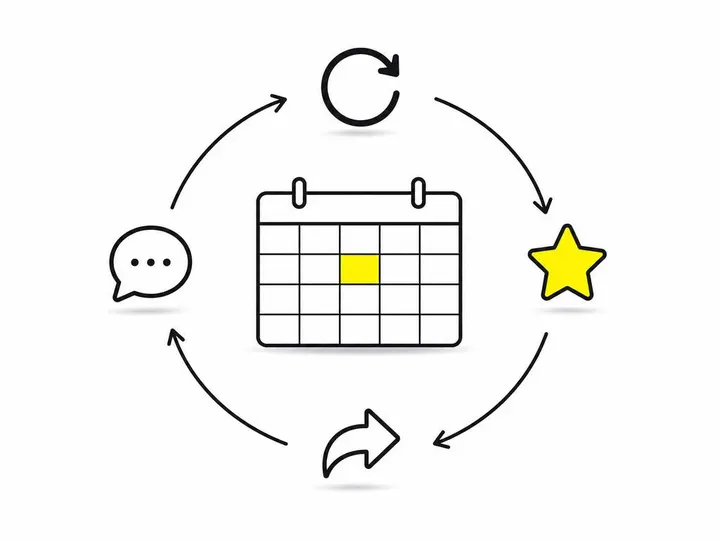
Every Monday morning (or whichever day suits you), spend 15 minutes doing this: pull one review from your collection, design it in Canva using a template, write a two-sentence caption, and schedule it for Thursday. That's it. One post per week. Over a year, that's 52 pieces of social proof you didn't have before. Do this consistently and your social media starts doing the selling for you.
Scheduling tools to batch your review content
Tools to schedule your social posts in advance like Meta Business Suite (free, built into Facebook and Instagram) or Buffer let you batch-schedule weeks of content at once. Spend 90 minutes one afternoon designing and scheduling four weeks of review posts. Then stop thinking about it. The posts go live on their own. This is how systems work. You remove the friction by doing the work once in bulk.
Sharing Reviews on Instagram: A Quick How-To
Posting a review as a feed post or Reel
Open Instagram, go to Create, select Feed or Reel depending on format. Upload your designed graphic or video. Write your caption. Tag the customer if they have a public account (optional but nice). Hit Post. For Reels, keep video testimonials under 30 seconds and add text overlay so it works muted. Most people watch Reels with sound off, so your message has to land without audio.
Using Story stickers to share customer feedback
Go to your Story camera, take a photo or record video, swipe up to add a sticker, and choose the "Text" or "Quote" sticker. Paste in the review snippet. The sticker stands out and feels less formal than a graphic. Stories disappear in 24 hours (unless you save to Highlights), so they feel more authentic and less polished. This is especially good for time-sensitive wins or quick testimonials.
Common Mistakes to Avoid
Posting reviews without permission or context
Get permission before reposting a customer review on social media. It's not just polite it's legal in Australia. A quick text or email saying "Loved your review, mind if we share it on our Instagram?" takes 30 seconds and protects you. Most customers will say yes. Some won't. That's fine. Respect it. And always include context don't just drop a review with no explanation. Tell people why this review matters or what it relates to.
Letting great reviews sit unused for months
The system only works if you use it. One review posted per week beats ten reviews designed and scheduled once. Consistency beats perfection. If you go three months without posting a customer review, you've wasted all that social proof. Build the routine into your calendar like any other task. Set a reminder. Make it automatic.
Conclusion
Customer reviews are the most credible marketing asset you own, and they're already sitting in your Google Business Profile and Facebook page waiting to be used. The system isn't complicated: find the best reviews, design them in Canva, write a honest caption, and schedule them using free tools. One review post per week, batched monthly, takes less than two hours per month and generates consistent social proof that your branded posts can't match.
Start with your next best five-star review. Design it this week. Post it Thursday. Then do the same next Monday. That's the whole system. No fancy strategy, no expensive software just real customers proving your business works, and you putting that proof in front of more people.