How to Get Customer Photos for Social Media (Without the Awkward Ask)
On this page 7 sections
Key takeaways
- Ask twice: once to take the photo, once to publish it on specific channels
- Written consent should name each platform separately organic posts, website, Google Business Profile and paid ads
- A customer tagging your business does not give you permission to repost their image
- Protect privacy by cropping out house numbers, blurring number plates and removing personal items
- Offer a no-face, no-name, no-address option to increase how many customers say yes
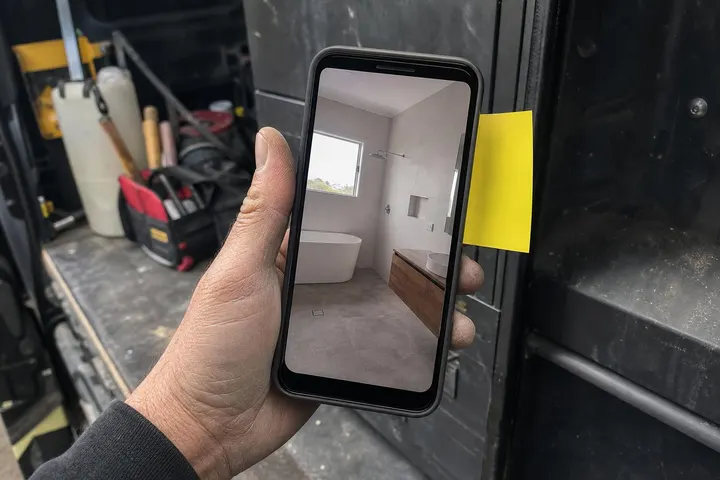
Getting real photos of your customers' projects is the fastest way to build trust on social media, but most small business owners either don't ask at all or ask in a way that feels awkward and invasive. The good news is that consent doesn't have to be complicated, and it's actually simpler to say yes to a clear, straightforward request than to a vague one. This guide walks you through how to ask for customer photos, what you're legally allowed to do with them, and how to protect privacy in ways that actually make customers more willing to say yes.
Why authentic customer photos outperform studio shots
Real photos of your work convince people in a way that stock images or generic promotional content never will. When a potential customer sees an actual project you completed for someone like them, the buying decision becomes concrete instead of theoretical.
The trust problem with stock imagery
Stock photos are free or cheap for a reason. They're generic, they've been used by thousands of other businesses, and most people scroll past them without stopping. A potential customer looking at a before-and-after image of your work can picture their own job, visualise the difference you'll make and spot details that matter to them. A stock photo does none of that. Real images also signal confidence. If you don't have photos of your actual work, the unspoken message is that you're either new, or you don't want to show what you've done.
How real job or project photos convert browsers into enquiries
Customer photos prove results in a way a testimonial alone cannot. When someone reads a glowing review and then sees the actual finished work, the two reinforce each other. Before-and-after photo posts remain one of the highest-performing content types across Facebook and Instagram because they show transformation, not just promise. Instagram reached an estimated 15.2 million Australians in 2026, while Facebook reached 17.7 million, and both platforms favour images that stop the scroll. Authentic work photos are the fastest way to do that.
Why consent is more specific than most businesses realise
Consent for a photo is not a blanket permission to use it anywhere forever; it needs to specify the purpose, the channels where it will appear, and whether the customer will be recognisable in the final post.
The difference between operational and marketing consent
Taking a photo for your job records is not the same as using it on social media or your website. A customer might agree to you photographing a project for your portfolio or insurance purposes but have no interest in appearing on your Instagram feed. Sprintlaw's guidance on separating operational and marketing consent makes this clear: before-and-after images used in marketing need explicit, separate permission, especially if faces, addresses, number plates, personal belongings or business branding appear in the frame. Silence or a broad privacy-policy tick box does not count as consent for a marketing use that is unrelated to the original purpose of taking the photograph.
What Australian privacy guidance says about recognisable images
The Office of the Australian Information Commissioner (OAIC) treats a recognisable customer photograph as personal information. If someone could identify the person in the image, you need to handle it carefully. This matters most when the photo reveals location details (like a house address or distinctive street features), health information, personal belongings, or a person's face. The Australian Privacy Act requires that you only collect, use and disclose personal information if the person has consented or if it's reasonably necessary for your business function. Publishing a customer's image without informed consent breaches this obligation.
Why a customer tag is not the same as permission to repost
When a customer tags your business in a post or leaves a positive review with an image attached, they have given permission for that image to exist on social media. They have not given you permission to screenshot it, repost it to your own feed, or use it in paid advertising. Customer-generated content remains their property until they explicitly grant you a licence to reuse it. If you want to repost their photo or use it beyond the original context, ask separately and document their response.
How to ask for a customer photo without making it awkward
The key to getting customer photos is making the ask natural, low-pressure and specific about what you're asking for and why.
A natural script you can use on the spot
When the work is finished or nearly done, try this: "We'd love to get a couple of photos of the finished result for our social media. Nothing too fancy, just a few shots of the detail and the overall look. We'll keep your name and address out of it, and if you'd rather we didn't post anything, that's completely fine." This works because it:
States the purpose clearly (social media)
Makes the scope concrete (a couple of shots)
Shows what you'll protect (name, address)
Gives a real option to decline (no guilt, no awkwardness)
Most customers will say yes because the ask is transparent and the barrier to saying no is low. If they say no, respect that without pushback. The ones who say yes will feel heard, not pressured.
Two-step consent: asking to shoot, then asking to publish
The strongest approach is to ask permission twice: once on the job when you're taking photos, and once again before you post them. This gives the customer a chance to see the image and decide whether they're comfortable with it being public. If you're using the image across multiple channels, a simple consent form helps. Your form should ask separately about organic social posts, your website or portfolio, Google Business Profile, and paid advertising. Some customers might say yes to social but no to paid ads, or yes to your website but no to Instagram. The more specific your permission, the safer you are and the more likely customers are to consent because they feel in control.
Making it easy to say no so more customers say yes
Paradoxically, giving customers an easy exit makes them more likely to participate. If you frame the request as optional and acknowledge that some people prefer privacy, you remove the pressure. Customers who feel forced are less likely to enthusiastically consent, and they're more likely to ask for the image to be removed later. Customers who choose to participate because they feel comfortable with the terms are more likely to become advocates.
What to shoot and what to leave out of frame
Smart framing protects customer privacy while still showing off your work. The best customer photos focus on the detail and the outcome without capturing identifying information.
Detail and wide shots that protect privacy
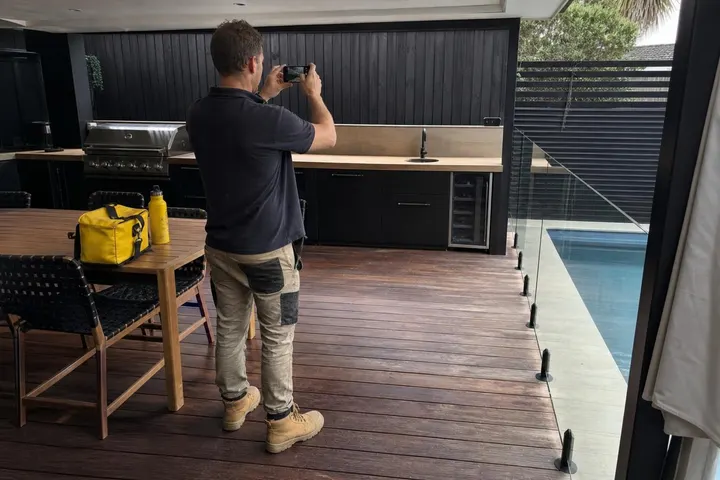
Close-up detail shots of the finished work are ideal. They show craftsmanship, texture, colour and quality without needing to capture the customer's face, name or home. Wide shots of the project can work if you frame them carefully: position the shot to avoid house numbers, street signs, distinctive roof features or other location clues. If the project includes a customer's personal belongings or a recognisable vehicle, either remove or blur those elements before posting. Privacy rules for job site photos cover these specifics in more detail.
A pre-shoot checklist: what to remove or blur before you snap
Before you take the photo, do a quick scan: Is there a house number visible? Are there personal belongings, family photos, or items that could identify the customer? Is a car number plate visible? Are there business logos or branding that belong to someone else? Remove or blur these before you shoot, or reframe the shot to exclude them. This takes 30 seconds and saves you from having to edit the image later or ask the customer to approve a cropped version. When you combine photos with captions and customer reviews, the privacy protection becomes part of your content strategy, not an afterthought.
Building a repeatable photo consent workflow
The easiest way to stay compliant is to make consent part of your normal job process, not something you scramble to do after the fact.
Saving consent with the job record
When you get consent, record it with the job details. Include the date, the customer's name, which channels they approved (social, website, Google Business Profile, paid ads), and whether they approved photos showing their face or property details. If they ask you to remove the image later, you have documentation of what they originally agreed to and can discuss it fairly. This also protects you if there's ever a dispute about whether permission was given.
Channels to cover: social, website, Google Business Profile and paid ads
Each channel needs separate consideration. A customer might be comfortable with a photo appearing on your Facebook page but not in a Google search ad that reaches thousands of strangers. Ask about organic social media (your own posts), your website or portfolio, Google Business Profile (where customers see your business in search results), and paid advertising. This specificity shows respect for their privacy and makes them more likely to consent.
How to handle removal requests
If a customer asks for their image to be taken down, remove it promptly from all channels you have permission for and confirm removal in writing. Thank them, keep their request on file, and move forward. Honouring removal requests quickly builds goodwill and shows you take privacy seriously. It also keeps you compliant with privacy obligations under the Australian Privacy Act.
Turning customer photos into social proof that keeps working
The real value of customer photos isn't the single post; it's the trust and credibility that builds over time as you accumulate examples of real work.
Combining photos with captions and reviews
A customer photo is stronger when paired with a short caption about the project (the challenge, the solution, the outcome) and a relevant review quote. This turns the image from decoration into evidence. The customer's words plus the visual proof of the result convince potential buyers in ways that either alone cannot. Turning reviews into social content works best when you match the review to the photo of the actual job.
Encouraging customers to post from their own accounts
The simplest form of consent is when the customer posts the photo themselves and tags your business. They own the image, they control the narrative, and you can repost with permission (which should still be a separate ask). Some customers are more comfortable being brand ambassadors if they control the post. Make it easy by sending them a high-quality version of the photo and a suggested caption. When customers choose to share, their networks see authentic endorsement, not a business posting about itself.
Conclusion
Getting customer photos for social media doesn't require legal templates or aggressive follow-ups. It requires clarity, respect and a repeatable process. The most straightforward approach is to ask early, be specific about what you're asking for and how the image will be used, and make it easy for customers to say no. When you do this, more customers say yes, and the ones who agree are happier to have their work featured because they understand exactly what they're consenting to.
A strong social media presence built on real customer photos converts browsers into enquiries faster than any stock image or generic post ever will. The added benefit is that you're also building a portfolio of permission documentation that protects you legally and keeps your customer relationships intact. Start by creating a simple one-page consent form that covers social, website, Google Business Profile and paid ads separately, then make it part of your standard job wrap-up conversation. Over time, you'll have a library of authentic work photos that do the selling for you.