AI Chatbots for Small Business Websites: Cost, Setup & ROI in Australia
On this page 10 sections
Key takeaways
- AI chatbots cost $20-$150/month, far cheaper than hiring staff at $25/hour
- They cut response time by 90% and capture after-hours leads automatically
- 85% customer satisfaction when chatbots are configured properly
- Most tools integrate with WordPress and CRMs in under an hour
- Focus on lead qualification, FAQs, and booking first for best ROI
Most Australian small business owners are losing leads every single day because they can't answer website enquiries fast enough. A customer fills out your contact form at 6pm on a Friday, and by Monday morning they've already called three competitors. AI chatbots solve this exact problem, and they're far more affordable than you think. We'll walk you through the real costs, which platforms actually work, how to set one up without hiring a developer, and whether it'll actually pay for itself.
Why Australian Small Businesses Are Adding Chatbots to Their Websites
The lead response gap that's costing you customers
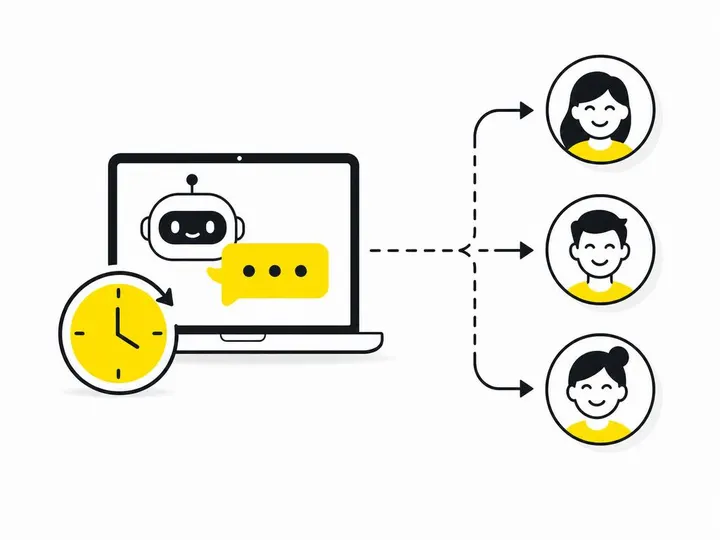
Response time is everything in lead generation. Research shows 78% of Australian customers expect a reply to a website enquiry within one hour. If you're a tradie, accountant, or service provider working solo or with a small team, you almost certainly miss that window. By the time you get back to your desk, the lead has already contacted your competitor who answered instantly. A chatbot bridges that gap by responding to enquiries in seconds, 24 hours a day, even when you're not there.
The good news: you don't need a fancy solution. Simple AI lead response tools capture the customer's question, collect their contact details, and qualify whether they're a serious prospect. That alone changes everything.
After-hours enquiries falling into a black hole
Website visitors don't respect your business hours. Someone in Melbourne might fill out your form at midnight. A customer in Perth might enquire on Sunday. Without a chatbot, these enquiries sit unanswered until you're back at your desk, and by then the moment has passed. A chatbot acknowledges the enquiry immediately, confirms you'll get back to them, and asks qualifying questions so you can prioritise which leads matter most.
When hiring support staff doesn't make sense
Hiring a full-time customer support person costs $25 to $35 per hour in Australia, plus superannuation and on-costs. That's $52,000 to $73,000 a year minimum, and most small businesses can't justify that expense. A chatbot costs between $20 and $150 per month. The maths is obvious. You get instant responses to enquiries without the overhead of another salary.
What AI Chatbots Actually Do (and Don't Do) for Small Business
Lead capture and qualification 24/7
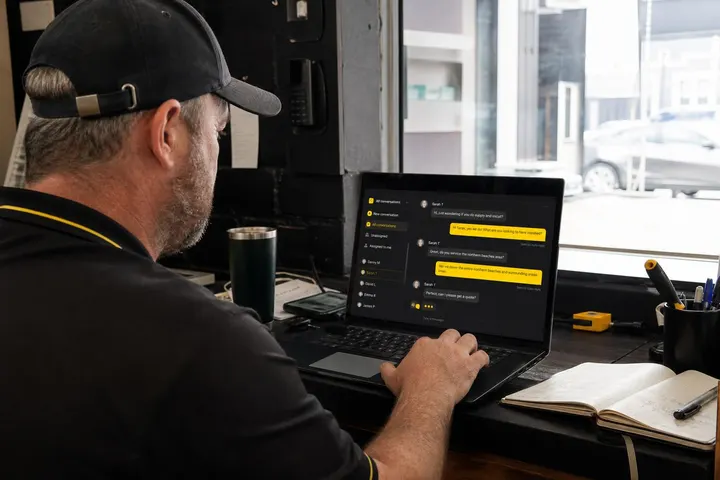
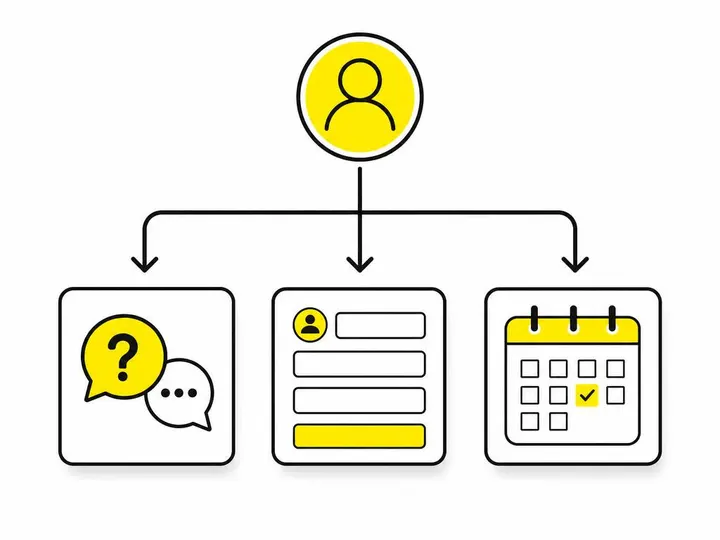
Your chatbot sits on your website and greets every visitor. When someone clicks your contact button or has a question, the chatbot starts a conversation. It asks questions like "What's your main challenge?" and "When do you need this done?" These are lead qualification questions that help you sort serious buyers from tyre-kickers. The chatbot then logs all this information and sends it to your email or CRM automatically.
Instant answers to common questions
Chatbots use natural language processing (NLP) to understand what customers are asking. If someone asks "Do you service Parramatta?" your chatbot can answer "Yes, we cover all of Greater Sydney" instantly. This saves you from answering the same question a hundred times a day. You train the chatbot with your 10 to 15 most common questions, and it handles them all on autopilot.
Booking and appointment scheduling
Many modern chatbots like Tidio chatbot platform integrate directly with your calendar. A customer can book a call or site visit through the chatbot, and it syncs automatically to your Google Calendar or Acuity Scheduling. No back-and-forth emails, no double bookings.
Where chatbots fall short and need a human handover
Chatbots are great at answering FAQs and capturing leads, but they're not magic. Complex problems, negotiations, and complaints need a human. A good chatbot has a handover trigger that says "This conversation needs a person; let me connect you with the team." That's when your phone rings or an urgent Slack message arrives. The chatbot doesn't try to do everything; it handles what it can and passes the difficult stuff to you.
How Much Do AI Chatbots Cost Per Month for Australian Small Businesses?
Most AI chatbot platforms offer tiered pricing that scales with your business. You don't need to spend big money to start.
Free tiers: Platforms like ChatBot visual builder offer free plans with basic features and limited conversations per month. Good for testing, but you'll outgrow it quickly.
Starter plans ($20 to $50/month): Tidio and similar platforms charge $20 to $50 monthly for small businesses. You get 1000 to 5000 conversations per month, basic automation, and email integration.
Growth plans ($50 to $150/month): When you're getting serious volume, you'll pay $50 to $150/month for unlimited conversations, advanced lead qualification, CRM integration, and priority support.
Setup costs: If you outsource the setup to an agency like Humming Web, expect to pay $200 to $800 for integration and training. Most of the time you can do this yourself in a few hours using WordPress plugins and built-in templates.
Compare this to hiring even part-time support: you save money immediately. A chatbot that costs $100 per month is roughly one hour of staff time per week, and it works 24/7.
Choosing the Right Chatbot Platform for Your Website
Tidio: best for WordPress and small budgets
Tidio is popular with Australian small business owners because it's dead simple. It has a WordPress plugin that installs in seconds. The visual builder lets you design conversations without code. Pricing starts at $25/month, and it includes CRM integration, email support, and live chat fallback. If you run WordPress and want to increase website enquiries without complexity, Tidio is the obvious choice.
Intercom: powerful for scaling businesses
Intercom is heavier and more expensive, but it's built for growing teams. It combines chatbots, live chat, email, and customer data in one platform. If you're already using Intercom for customer communication, add a chatbot to it. If you're starting fresh and want simplicity, Intercom is overkill.
ChatBot: visual builder for non-technical owners
ChatBot (also called Chatbot.com) is designed for people who've never built an automation before. Drag and drop, no code, integrates with Zapier so you can connect it to almost anything. Good middle ground between Tidio's simplicity and Intercom's power.
Integration checklist: CRM, email, and booking tools
Before you pick a platform, check that it connects to what you already use. Does it work with WordPress? Can it send leads to your CRM? Will it sync with Acuity Scheduling or Calendly? Most modern chatbots do, but always confirm before you sign up. Ask yourself: what tools do I use right now, and does this chatbot integrate with them?
Setting Up Your First Chatbot (Step-by-Step for Non-Technical Owners)
You don't need to be technical. If you can install a WordPress plugin, you can set up a chatbot.
Step 1: Choose your platform and create an account. Sign up for Tidio or your chosen platform. You'll get an account within seconds.
Step 2: Install the WordPress plugin or embed code. If you're on WordPress, go to Plugins, search for "Tidio," and click Install. If you're not on WordPress, copy the embed code from your chatbot dashboard and paste it into your website footer or header. Your developer can do this in five minutes.
Step 3: Build your conversation flow with templates. Most platforms come with pre-made templates for lead capture, FAQs, and booking. Start with a template and customise it. Say hello, ask what they need, capture their name and email, and offer next steps. Keep it short: five to seven messages maximum before you offer a handover to your team.
Step 4: Connect to your CRM or email system. In the platform settings, link your email or CRM (Hubspot, Pipedrive, etc.). When a lead comes in through the chatbot, it automatically goes to your inbox or CRM. No manual entry.
Step 5: Test with real enquiries and refine. Turn the chatbot on and test it yourself on your phone. How does it feel? Is the flow natural? Does it answer your actual customer questions? Refine the answers based on real conversations over the first two weeks.
Training Your Chatbot: What to Teach It First
Map your 10 most common customer questions
Before you even set up the chatbot, sit down and list the 10 questions you answer most often. "What areas do you cover?" "Do you offer a warranty?" "What's your price range?" "Can you work next week?" These are your foundation. Write clear, honest answers for each one. The chatbot will use these to respond to visitors automatically.
Lead qualification questions that filter serious buyers
The chatbot's real job is to qualify leads. Ask questions like: "What's your main challenge?" "When do you need this done?" "Do you have a budget in mind?" These answers help you prioritise. A serious lead who needs work done this month matters more than someone just browsing. The chatbot captures this intel so you can focus on hot prospects first.
Handover triggers: when to loop in a human
Tell your chatbot when to stop and call you. If someone says "I need an urgent repair today," that's a handover trigger. The chatbot should say "This sounds urgent. Let me connect you with the team" and send an alert to your phone. Handover triggers are how you prevent frustrated customers from giving up.
Updating responses based on real conversations
Your chatbot logs every conversation. Review these logs once a week. You'll see questions the chatbot couldn't answer, and you can add them. You'll spot confusion in your messaging and fix it. This is how a chatbot gets smarter over time. Treat it like training a new team member: give feedback, update answers, repeat.
Measuring ROI: What Success Looks Like
How do you know your chatbot is working? Track these four metrics.
Response time: Measure the average time between a visitor's question and the chatbot's first reply. You should see near-instant (under 10 seconds). Compare this to your old email response time. If you used to take four hours and now it's 10 seconds, that's a win.
Lead capture rate: How many website visitors start a conversation with your chatbot? Start with 5 to 10% of traffic. As you optimise, push for 15 to 20%.
CSAT (Customer Satisfaction): Ask visitors "Did the chatbot help?" with a thumbs up/down. Aim for 80% thumbs up. If you're below 70%, your responses are off or the chatbot is being asked things it can't handle.
Lead-to-qualified rate: What percentage of chatbot leads become real enquiries? If 100 people chat with your bot and 30 of them ask for a proper quote, that's a 30% conversion rate. That's very good.
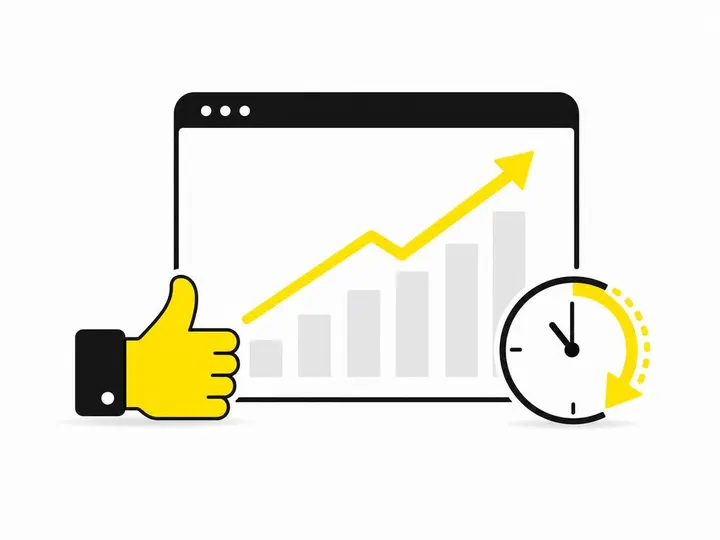
In the first three months, expect a 20 to 30% reduction in response time and a 15 to 25% increase in lead volume from your website. This is realistic. Some businesses see payback in under a month if they're currently losing leads due to slow response times. If you're handling leads okay now, a chatbot will amplify what's already working, not transform it overnight.
The benchmark Australian small businesses see is a 23 to 30% reduction in customer service costs when they deploy a chatbot. That's because you're answering simple questions once (in the chatbot) instead of 50 times via email.
Common Mistakes Australian Small Businesses Make with Chatbots
Trying to automate too much too soon
The biggest mistake is building a chatbot that tries to close sales or handle complaints. Your chatbot isn't a sales robot. Its job is to capture enquiries and answer FAQs. Closing deals and solving problems are for you. If your chatbot tries to do too much, customers get frustrated and bounce. Start small: hello, question, capture email, handover.
Ignoring mobile experience and load times
Your chatbot runs on mobile devices. If the widget slows down your site or looks ugly on a phone, people will close it. Test on iPhone and Android. Make sure the chat window is big enough to read and tap. Speed matters: if your website takes three seconds to load because of the chatbot, you've lost people. Choose a lightweight platform that doesn't bog down your site.
Not reviewing chatbot logs or updating answers
You set up the chatbot, turn it on, and forget about it. Six months later, you're still giving customers the wrong answer because the chatbot is out of date. Review logs weekly. Update your chatbot's knowledge every month. This is the difference between a chatbot that works and one that annoys people.
Forgetting to test handover to human support
You've built a beautiful chatbot, but when it hands over to your team, nothing happens. The email doesn't arrive. The Slack message never comes through. A frustrated customer is left hanging. Test the handover flow before you launch. If a visitor says "I'd like to book a call," does it actually book a call? Walk through the entire flow yourself first.
Should You Build Your Own Chatbot with ChatGPT or Use a Platform?
Custom ChatGPT integration: flexibility vs complexity
You can build a custom chatbot using ChatGPT by OpenAI and APIs. This gives you total flexibility and cutting-edge AI. But it also means you need a developer, you'll pay per API call, and you have to build integrations yourself. A custom ChatGPT chatbot costs $200 to $1000 to set up and $50 to $500 per month depending on usage. Most small businesses don't need this.
Platform tools: faster setup, built-in integrations
A platform like Tidio or ChatBot is pre-built for small business. You don't need a developer. Everything connects to WordPress and popular CRMs already. Setup takes hours, not weeks. Cost is fixed and low. This is the sensible choice for 90% of Australian small businesses.
When custom makes sense (and when it's overkill)
Build custom if you have 50,000+ monthly website visitors and need something no platform offers. Build custom if you have the budget and your business model justifies it. Otherwise, use a platform. You'll save money, launch faster, and get better support. A platform chatbot will outperform a custom build that's poorly maintained because you didn't hire a dedicated developer.
The question to ask yourself isn't "Should I build custom?" It's "Will a platform solve my actual problem?" For most Australian tradies, small service providers, and local businesses, the answer is yes. Your job is getting more quote requests and responding faster. A platform does exactly that without the complexity.
Conclusion
AI chatbots are no longer just for large companies with big technology budgets. For Australian small businesses, they offer a practical and affordable way to respond faster, capture more leads, answer common questions and handle enquiries after hours.
You don’t need to automate everything or invest in a complicated custom solution. Start with a simple platform, focus on your most common customer questions, set clear human handover points and improve the chatbot using real conversations. When set up properly, a chatbot can become a valuable extension of your team helping you provide better service while ensuring potential customers don’t slip away.