Best WordPress FAQ Plugins for Social Media Integration (2027)
On this page 10 sections
Key takeaways
- FAQ plugins that support video instructions answer questions more clearly than text alone
- Heroic FAQs lets you embed videos and reviews inside each accordion answer
- Schema markup helps FAQ-plus-video content appear as rich snippets in Google
- Lightweight plugins load faster and convert better on mobile
- Connect existing Google and Facebook reviews to lift trust without extra content work
When an Australian tradie or small business owner gets asked a question on their website, they want visitors to find the answer fast, trust that answer, and ideally share it. That is where FAQ plugins come in, and if you are searching for the best FAQ plugin for WordPress with video instructions, you are in the right place. The top options today do far more than display questions and answers: they support embedded tutorial videos, integrate social proof, display customer reviews, and use schema markup to show up in Google search results and social media snippets. We will walk you through the top WordPress FAQ plugins that actually work for Australian small businesses, and show you what "social media integration" really means in this context.
Why Social Media Integration Matters for FAQ Plugins
The shift from documentation to trust-building has changed how FAQs work. Five years ago, FAQ pages were just static lists of answers. Today, they are customer trust-building tools that combine answers with reviews, testimonials, and social proof. That is why plugins that integrate reviews, testimonials, and sharing buttons alongside your Q&As perform better than plain text FAQs.
When Australians research local businesses before buying, they are not just reading answers on your website. They are checking Google reviews, scrolling Facebook comments, and scanning Trustpilot ratings. If your FAQ plugin connects those review sources directly into your FAQ content, your site becomes a one-stop trust centre instead of forcing visitors to hunt across multiple platforms.
Social proof vs traditional FAQs shows a real conversion impact. An FAQ with a star rating and a customer testimonial next to the answer gets more engagement and trust signals than a plain text answer. That matters because schema markup (structured data) tells Google, Facebook, and LinkedIn how to display your FAQs in search results and social snippets. When you answer a question with a testimonial attached and proper schema markup, that rich snippet shows the review star rating in Google search. That is a conversion lever most Australian small businesses leave on the table.
What "Social Media Integration" Actually Means for FAQ Plugins
"Social media integration" for FAQ plugins covers four main features: review and testimonial display, social sharing buttons, schema markup for rich snippets, and comment and reaction features.
Review and testimonial display alongside answers means pulling your Google reviews, Facebook testimonials, or Trustpilot ratings directly into the FAQ content. Instead of answering "How long does delivery take?" with just text, you show the answer plus a customer quote and star rating. Social sharing buttons for individual Q&As let visitors share a specific answer on LinkedIn, Facebook, or Twitter. That is powerful for professional services and tradies because a potential client can share your answer with a friend or colleague, extending your reach without extra effort.
Schema markup for rich snippets on Google and social platforms is technical but critical. When your FAQ plugin uses official FAQPage schema documentation from Schema.org, Google understands your FAQ structure and can display your answers directly in search results as featured snippets or rich snippets showing reviews and ratings. Google's FAQPage structured data guidelines provide the exact markup your plugin should generate.
Comment and reaction features let visitors upvote answers, add comments, or flag unhelpful responses. This creates a feedback loop that improves your FAQ over time and adds fresh user-generated content that search engines like.

Top WordPress FAQ Plugins with Social Features
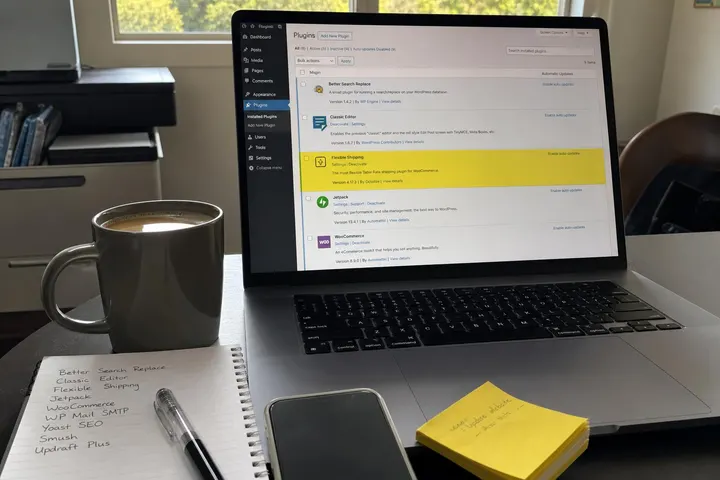
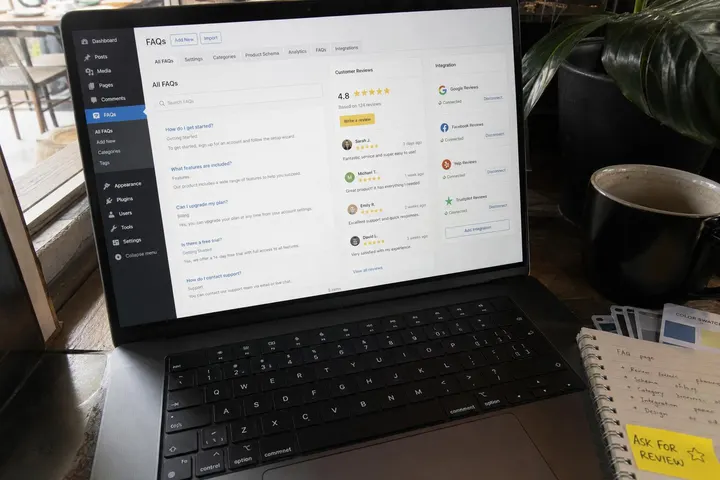
Heroic FAQs is one of the best choices for Australian small businesses because it has native review integration. You can pull in Google reviews, Facebook testimonials, or custom reviews and display them alongside each FAQ answer. The plugin is lightweight, loads fast, and the Heroic FAQs plugin page on the official WordPress repository shows it is actively maintained. For tradies and service businesses that rely on trust signals, Heroic FAQs' review integration is a game-changer.
Ultimate FAQ focuses on schema markup and social sharing. Every answer you add gets proper FAQPage schema markup without extra work, so Google will show your answers in search results and voice search responses. Built-in social sharing buttons let visitors share individual Q&As. It is heavier than Heroic FAQs but worth it if search visibility is your priority.
Accordion FAQ is the lightweight option: simple, mobile-friendly, and fast. It includes social sharing buttons for each answer and basic schema markup support. If your site is already struggling with load speed, Accordion FAQ won't make it worse. It is not as feature-rich, but it works reliably.
WP Customer Reviews isn't an FAQ plugin itself, but many Australian businesses use it alongside a basic FAQ plugin to display reviews next to answers. It integrates with Google Business Profile, Facebook, and Trustpilot, so you manage all your reviews in one place and pull them into your FAQs. This combo approach works well if you already have a favoured FAQ plugin and just need better review display.
Best FAQ Plugin for WordPress with Video Instructions
The best FAQ plugin for WordPress with video instructions is Heroic FAQs, because it lets you embed a YouTube or Vimeo tutorial video directly inside any accordion answer alongside text, reviews, and schema markup.
Here is how video instructions work inside the main FAQ plugins:
- Heroic FAQs: Uses the standard WordPress block editor for each answer field. Paste a YouTube or Vimeo URL on its own line inside the answer and WordPress oEmbed handles the rest. The video renders inside the accordion when a visitor expands that question. This is ideal for tradies who want to show a short clip of how they work, or service businesses explaining a process step by step.
- Ultimate FAQ: Works the same way via the block editor. You can also use the classic embed block to customise the video dimensions. Its stronger schema markup support means the surrounding text content is still eligible for Google rich snippets even when a video is present.
- Accordion FAQ: Supports video embeds through the same WordPress oEmbed mechanism. Because it is lightweight, the video does not add significant render-blocking overhead, making it a good choice if page speed is a concern.
A few practical tips for using video inside FAQ answers. Keep tutorial clips under two minutes so mobile visitors do not abandon them partway through. Use a video title and a written summary in the same answer field so visitors who cannot play sound still get the information. Check that your plugin does not lazy-load the accordion in a way that blocks the embed from initialising; test on a real mobile device, not just Chrome DevTools. For Australian tradies, a 60-second clip showing how you quote a job or what a service call looks like can answer trust questions faster than any block of text.
Comparing Plugin Features for Australian Small Businesses
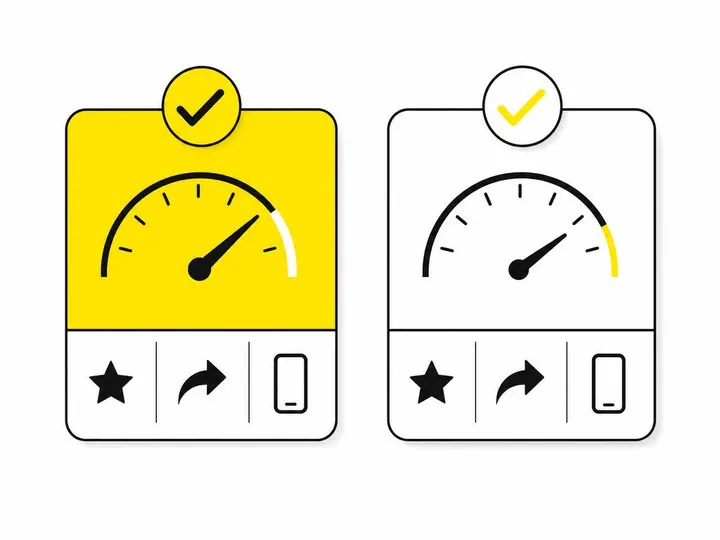
Load speed and mobile performance matter because Core Web Vitals affect your Google ranking. Feature-heavy FAQ plugins with animations, nested accordions, and auto-loading reviews can slow your site. Heroic FAQs and Accordion FAQ are fast; Ultimate FAQ is moderate. Always check load time in Google PageSpeed Insights before committing.
Review integration options vary. Heroic FAQs and WP Customer Reviews play nicely with Google reviews, Facebook reviews, and Trustpilot. Ultimate FAQ relies more on manual review input or third-party widgets. If you have already built up reviews on multiple platforms, choose a plugin that pulls them in automatically so you are not duplicating work.
Schema markup support is non-negotiable. Every plugin listed above supports FAQPage schema, but Ultimate FAQ and Heroic FAQs make it easiest because it is automatic. Accordion FAQ requires you to check the schema tab, which most small business owners skip.
Pricing and support quality range from free (Accordion FAQ, basic versions of others) to AU$150 to AU$300 per year for premium features. Check the support forums and response times. Australian plugin developers or those with fast support matter when your FAQ breaks and affects your website conversion.
How to Choose the Right Plugin for Your Business Type
Tradies and service businesses need trust signals first. You are competing on credibility, not features. Heroic FAQs' review integration is your best bet because you can display Google and Facebook reviews alongside "How do you price jobs?" or "Do you offer warranties?" A 4.9-star rating next to your answer builds confidence faster than any words you write. Adding a short video of a completed job inside the same answer takes that trust even further.
Online stores benefit from product-specific Q&As with reviews. Ultimate FAQ works here because you can create FAQs per product, add schema markup so each product's Q&A shows in Google Shopping snippets, and include customer testimonials. This is especially useful for Australian e-commerce sites competing against international retailers.
Professional services (accountants, lawyers, consultants) should balance expertise and social proof. Ultimate FAQ's clean design and strong schema support suit professional branding, while Heroic FAQs' review display adds social credibility without looking salesy. You might also explore best website layouts for Australian small businesses to ensure your FAQ section complements your overall site design.
Setting Up Social Proof in Your FAQ Plugin
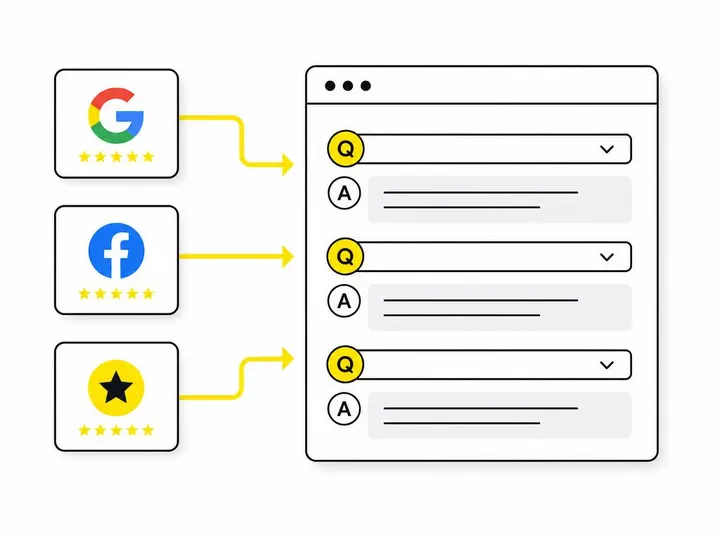
Connecting review sources starts with integrating Google Business Profile, Facebook, and Trustpilot. Most plugins use API keys or direct account connections. Heroic FAQs has a simple settings panel where you paste your Google review ID or Facebook page URL and it pulls reviews automatically. WP Customer Reviews does the same with Trustpilot.
Formatting testimonials within FAQ answers is a design choice. Do not just dump a review at the bottom of your answer. Weave it in: "Most businesses see results in 2 to 3 weeks" followed by a quote like "We saw leads jump within a month, thank goodness" from a verified customer. Use author name, business name, and a star rating if available.
Adding sharing buttons without slowing your site means choosing lightweight options. Use built-in sharing buttons in your FAQ plugin rather than loading external sharing libraries like AddThis. Heroic FAQs and Accordion FAQ keep sharing lean.
Schema markup setup for social snippets is automated in most good plugins, but worth checking. Go to Google Search Console, run a URL test on a page with your FAQ plugin, and look for "FAQPage" in the detected schema. If you see it, you are good. If not, check your plugin settings or contact support. This is critical because without proper schema, your FAQs won't trigger rich snippets even if your content is excellent.
Common Mistakes Australian Businesses Make with FAQ Plugins
Installing feature-heavy plugins that kill load speed happens when business owners choose a plugin with animations, nested accordions, and auto-loading reviews without testing it first. Your FAQ plugin should add no more than 100ms to page load time. Test before committing.
Ignoring schema markup costs visibility. Your plugin might have schema support enabled by default, but many Australian businesses do not check. Missing schema means Google shows your FAQ as plain text snippets instead of rich snippets with ratings and reviews. That is a 30 to 40 percent click-through rate difference.
Not connecting existing reviews to FAQ content means you are leaving trust on the table. You already have Google and Facebook reviews; wire them into your FAQ. This takes 15 minutes per plugin and lifts conversion significantly.
Using generic answers instead of customer voice defeats the purpose. FAQ plugins are most powerful when your answers sound like they are from your business, not a template. Compare how to turn website visitors into quote requests for broader conversion tactics that work alongside FAQs.
Is WordPress Still the Right Choice for FAQs in 2027?
WordPress market share remains dominant in Australia, and the plugin ecosystem for FAQs is mature and reliable. You will find proven, well-supported plugins in every category.
Alternatives gaining traction include Webflow (better for design-first sites) and Shopify's native FAQ builder (superior for e-commerce). If you are already on WordPress, the FAQ plugin route is faster and cheaper than migrating. If you are building new, weigh the total cost. Check typical costs for a small business website in Australia and see how FAQ plugin costs fit your overall budget.
When WordPress makes sense for Australian small businesses: almost always, unless you are a pure e-commerce play on Shopify or a design-heavy agency on Webflow. WordPress gives you flexibility, dozens of SEO plugins to pair with your FAQ plugin, and low ongoing costs. Our guide to the best WordPress plugins for Australian businesses covers the broader plugin landscape if you are building out your tech stack.
Conclusion
The best FAQ plugin for Australian small businesses in 2027 combines three things: lightweight code that does not slow your site, native review and testimonial integration so you are not copying reviews manually, and proper schema markup so Google and social platforms display your answers in rich snippets. If you also need video instructions inside your FAQ answers, Heroic FAQs is the strongest pick because it handles video embeds, reviews, and schema in a single plugin without bloating your site. Ultimate FAQ wins for e-commerce and professional services. Accordion FAQ is the backup if you need speed above features.
Start by listing your most common customer questions, then pick a plugin, connect your existing reviews, and set up schema markup. If your customers often ask how-to questions, add a short video inside those answers. The "social media integration" angle is not about posting to Facebook from your FAQ plugin; it is about weaving customer proof into your answers and making those answers shareable across platforms. That is what converts in 2027.
If you are starting from scratch or rebuilding your site and are not sure whether WordPress is the right move for your business, see our monthly website plans and get a clear picture of your options and costs upfront.